

Option 1: communityUserId
Use communityUserId when your game server controls its own player identifier, such as FiveM.
This is the default approach used by our FiveM integration resource. Players link their CAD account in-game with /link, and Sonoran CAD stores the player’s game identifier in the account’s communityUserId field.
If you need to go from a CAD push event or API response back to an in-game FiveM player, use that same communityUserId as your join key. Our FiveM resource documents this flow in LINKING_V2.md and exposes exports.sonorancad:getPlayerCommunityUserId(source) for third-party resources.
For example, a push event may include communityUserId = "license:abc123". Your server can compare that to the value returned by getPlayerCommunityUserId(source) for connected players, or use it alongside the cached unit payload described in GetUnitCache.
By default, the FiveM resource uses the primaryIdentifier config value, which is set to license unless you change it.
Create Community Link
Use the following endpoint to create a 4-character link code and associate it with your game’s unique player identifier.Complete User Link
Users can complete the link verification by logging in and visitingsonorancad.com/id?code=1234. This completes the link and automatically joins the user to the community (if not already).
Automatic Link from an Embedded CAD
As an alternative to the manual 4-character code, the Sonoran CAD frontend emits a message after every successful community login, re-login, or reconnect when it is displayed inside an iframe:communityUserId, and call Set Community Link. The frontend event intentionally does not contain the in-game identifier.
Keep the secret UUID server-bound: do not log it or store it in the browser, and never expose the community API key to the iframe or game client. See the endpoint documentation for the complete event listener and server-side flow.
Check User Link
Use the following API endpoint and push event to programmatically confirm that a user has completed the link. Once linked, passcommunityUserId to supported v2 endpoints to target that player’s Sonoran CAD account.
Option 2: Roblox account linking
Use Roblox account linking when the player’s Roblox identity is already the source of truth for your integration. Players can link their Roblox account directly to their Sonoran account. Our ER:LC getting started guide walks through that flow. After the account is linked, use theroblox parameter on supported v2 endpoints instead of communityUserId.
This is the preferred approach for Roblox-based integrations because it targets the linked Roblox account directly.
Option 3: Discord account linking
Use Discord account linking when the player’s Discord identity is already the source of truth for your integration. Players can link their Discord account directly to their Sonoran account through OAuth. After the account is linked, use thediscord parameter on supported v2 endpoints instead of communityUserId.
Option 4: account secret key to accountUuid
Use an account secret key when you already have a trusted Sonoran account secret and need to resolve it to the user’s Sonoran account UUID.
User Secret ID
User’s can copy their account’s secret ID from the settings panel.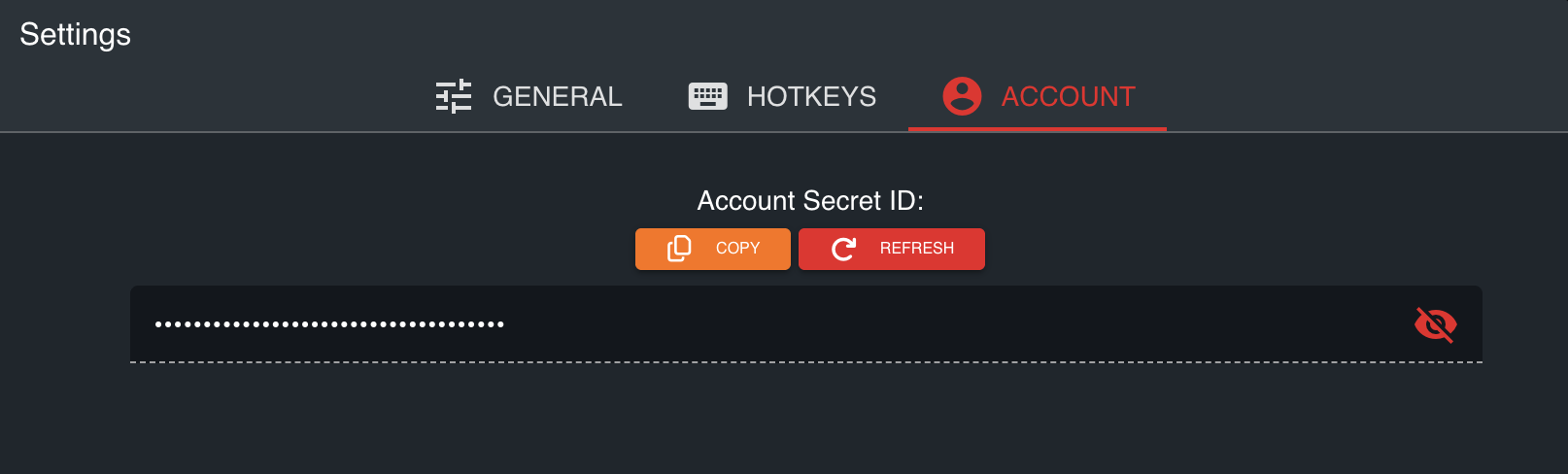
Verify the Secret
Use the following endpoint to verify the secret ID and get the user’s Sonoran account UUID You can then useaccountUuid on supported v2 endpoints.
Support for accountUuid is more limited than communityUserId, roblox, or discord, so this should usually be treated as a fallback rather than your primary mapping strategy. Reach out to our development team if more expansion is required for your application.