

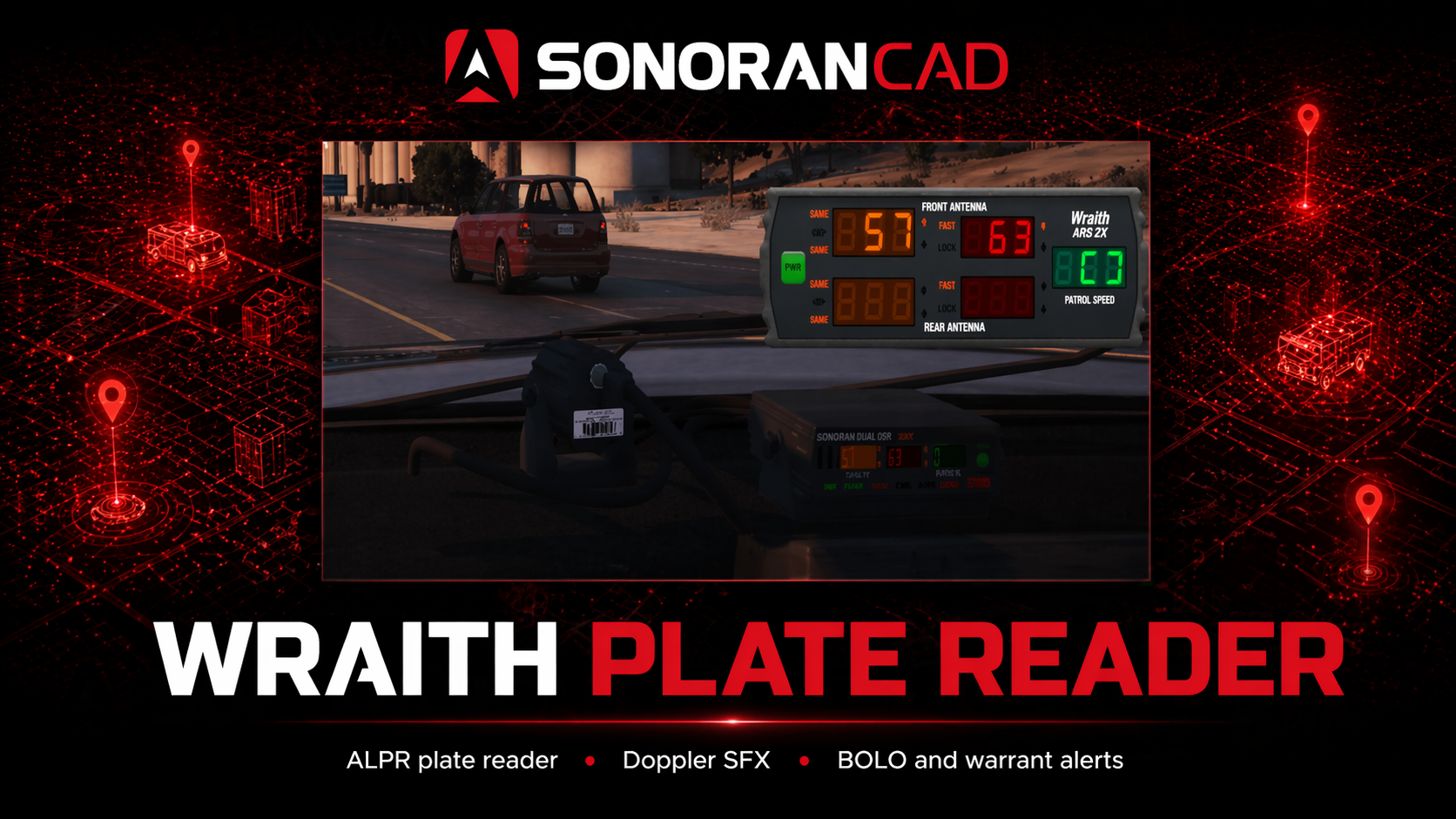
Showcase Video
View our WraithV2 showcase video!Activation Guide
- Download and Install the Resource
This submodule is already enabled by default when installing the Sonoran CAD FiveM resource.
The locations submodule includes all logic required to send bodycam images to the CAD and is already enabled by default. Keep this submodule enabled to maintain functionality.
The locations submodule includes all logic required to send bodycam images to the CAD and is already enabled by default. Keep this submodule enabled to maintain functionality.
Use of this submodule requires the Sonoran version of Wraith ARS 2X radar and plate reader to function. This resource is bundled with the Sonoran CAD FiveM Resource as
wk_wars2x.
- Adjust the Configuration
The bodycam settings are stored inside of the /configuration/wraithv2_config.lua file.
Notifications are handled by the Sonoran CAD core. See Core Configuration for settings and supported values.
wraithv2config.lua
wraithv2config.lua
- Ensure Players are Linked
Ensure the player has already linked their CAD for this integration to work.
- Custom Record Handling
The in-game radar can alert you about expired registrations, BOLOs, warrants, and more:
Alert on Vehicle Status (Expired, Stolen, etc.)
Alert on Vehicle Status (Expired, Stolen, etc.)
When a vehicle is scanned by your radar, you can be notified if the vehicle registration status is inactive, expired, etc.1. Get the Status field IDIn the custom record configuration panel, copy the field ID for your vehicle registration’s status field. Typically this would be a dropdown (or “select”) type field with options like “Active”, “Pending”, “Expired”, etc. 2. Set the Field ID in your ConfigEnsure the
 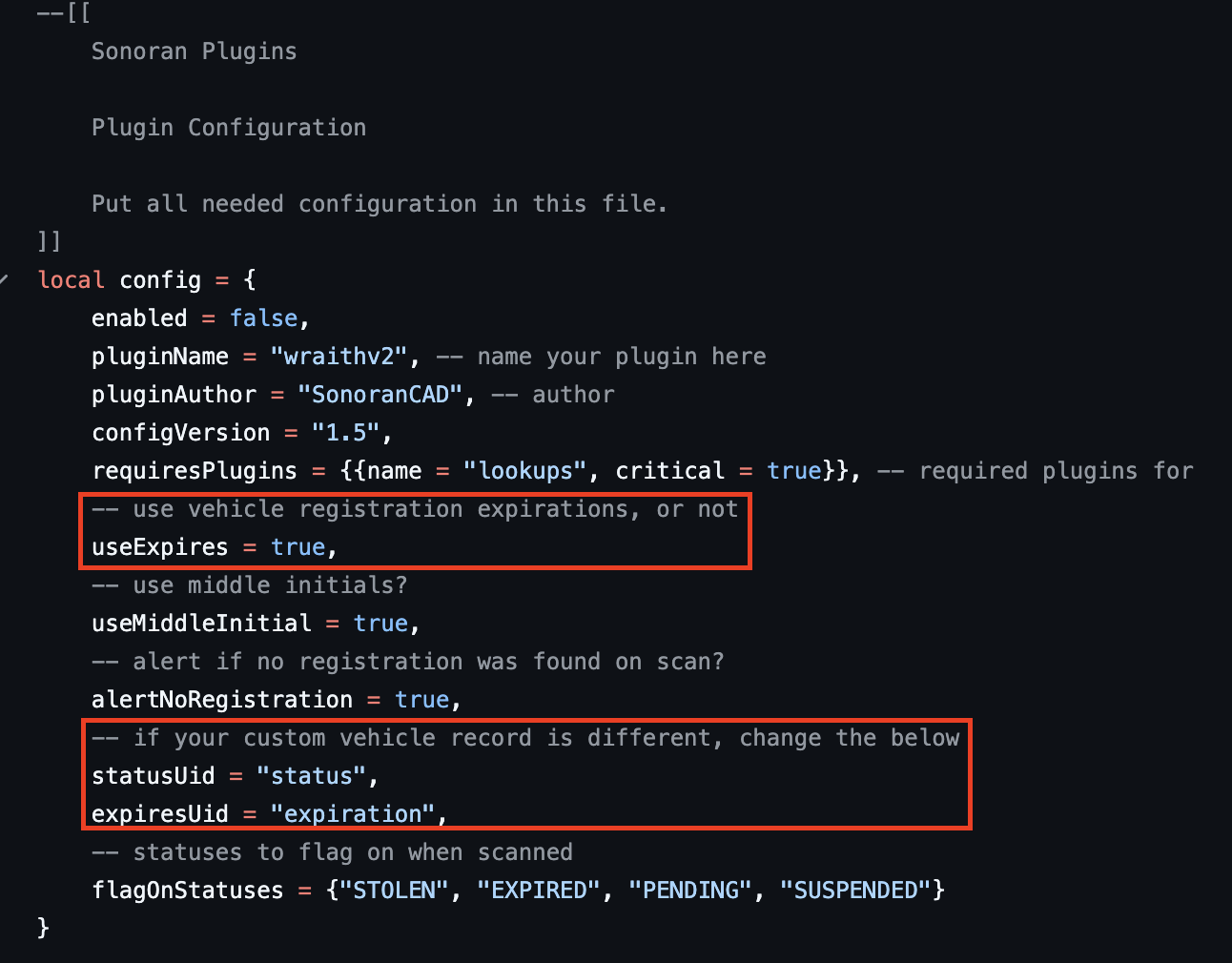 3. Set Status Flag OptionsCustomize the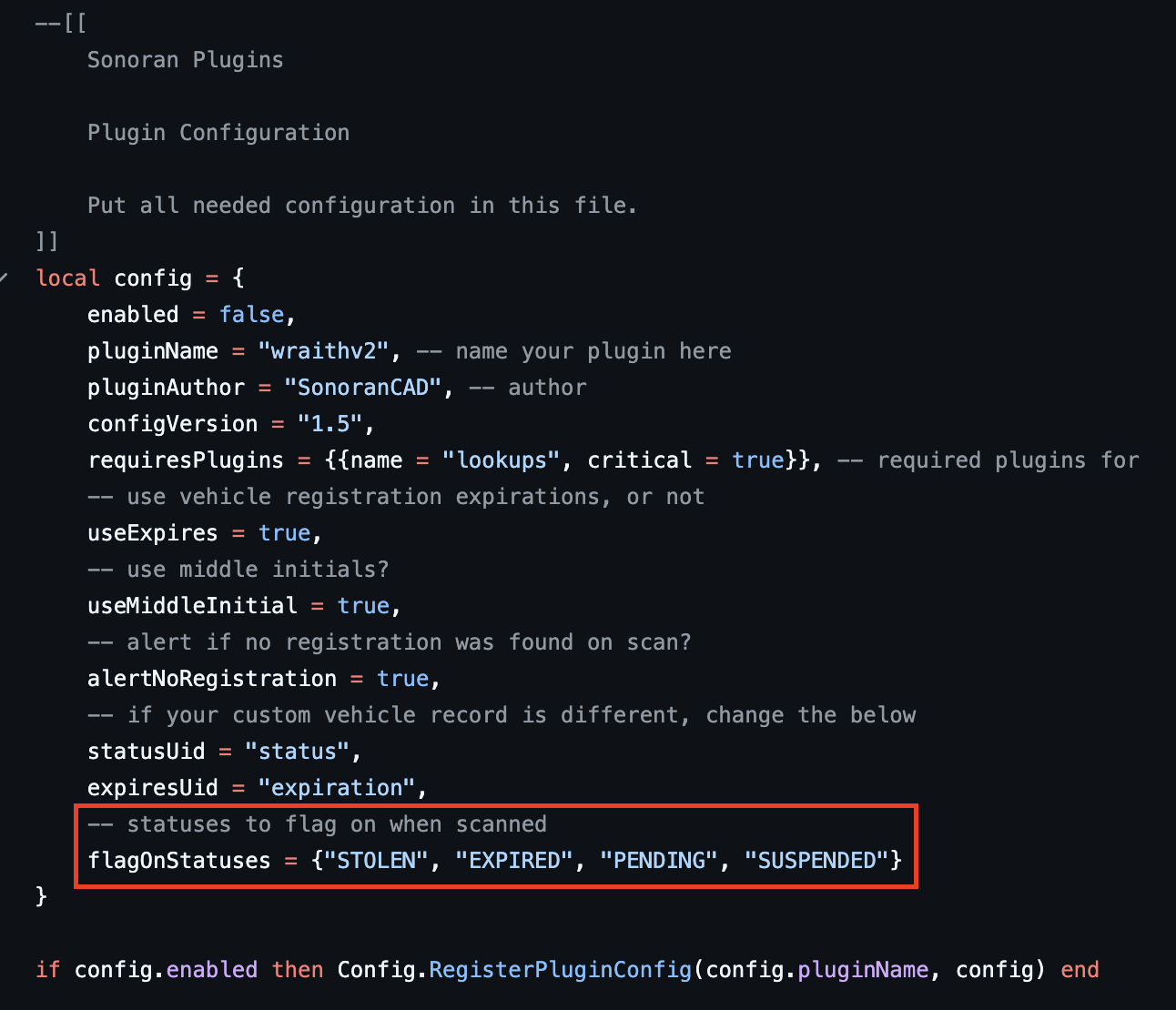
2. Set the Field ID in your ConfigEnsure the statusUid configuration value matches your status field ID from the custom record.If your vehicle registration record has an expiration date value in it, be sure to set the expiresUid value to its field ID and set useExpires to true. This will display the registration expiration date in the notifications.3. Set Status Flag OptionsCustomize the flagOnStatuses list to configure which vehicle registration statuses your radar will alter you on.If the vehicle registration’s status field (the record field ID that matches your statusUid) matches one of the flagOnStatuses values, your in-game radar will alert you.Alert on BOLO or Warrant
Alert on BOLO or Warrant
When a vehicle is scanned by your radar, you can be notified of any active warrant or BOLO record with that license plate on it.1. Ensure your Warrant or BOLO Record has a Status FieldIn order for the radar to determine if the warrant or BOLO record is active, ensure your custom record has a  2. Ensure your Warrant or BOLO Record has a Plate FieldIn order to match the vehicle plate with a record, ensure your custom record has a field with the field ID set to
  3. Receive In-Game AlertsYour radar will alter you when a scanned vehicle matches:
status type field on it.2. Ensure your Warrant or BOLO Record has a Plate FieldIn order to match the vehicle plate with a record, ensure your custom record has a field with the field ID set to plate.3. Receive In-Game AlertsYour radar will alter you when a scanned vehicle matches:- A Warrant or BOLO record with the
statustype field ofACTIVE - A license plate matching the
platefield ID of one of those active records
- Custom Field Display
You can configure custom fields to display in the Wraith ALPR notification. The fields are configured in the wraithv2_config.lua under the customFields section. You can get your custom field ID’s from the Sonoran CAD Admin menu > Customize > Custom Records section.
 SonoranCADFiveM - WraithV2 Configuration
 Sonoran CAD - Custom Records
Usage
For more information on using the in-game UI, please view the Sonoran version of the Wraith ARS 2X release information.Results are sent directly to your CAD when a license plate is locked. WraithV2 now reuses a shared plate lookup cache. When a plate is scanned or locked, SonoranCAD caches the parsed plate result for 60 seconds and reuses it for repeat scans of the same normalized plate instead of running the full CAD lookup each time.
Developer Usage
If you are building your own server-side resource and want the same parsed data that Wraith uses, call the shared export documented in Server Functions:forceRefresh = true in the options table if you need to bypass the existing cached result and pull fresh data immediately.
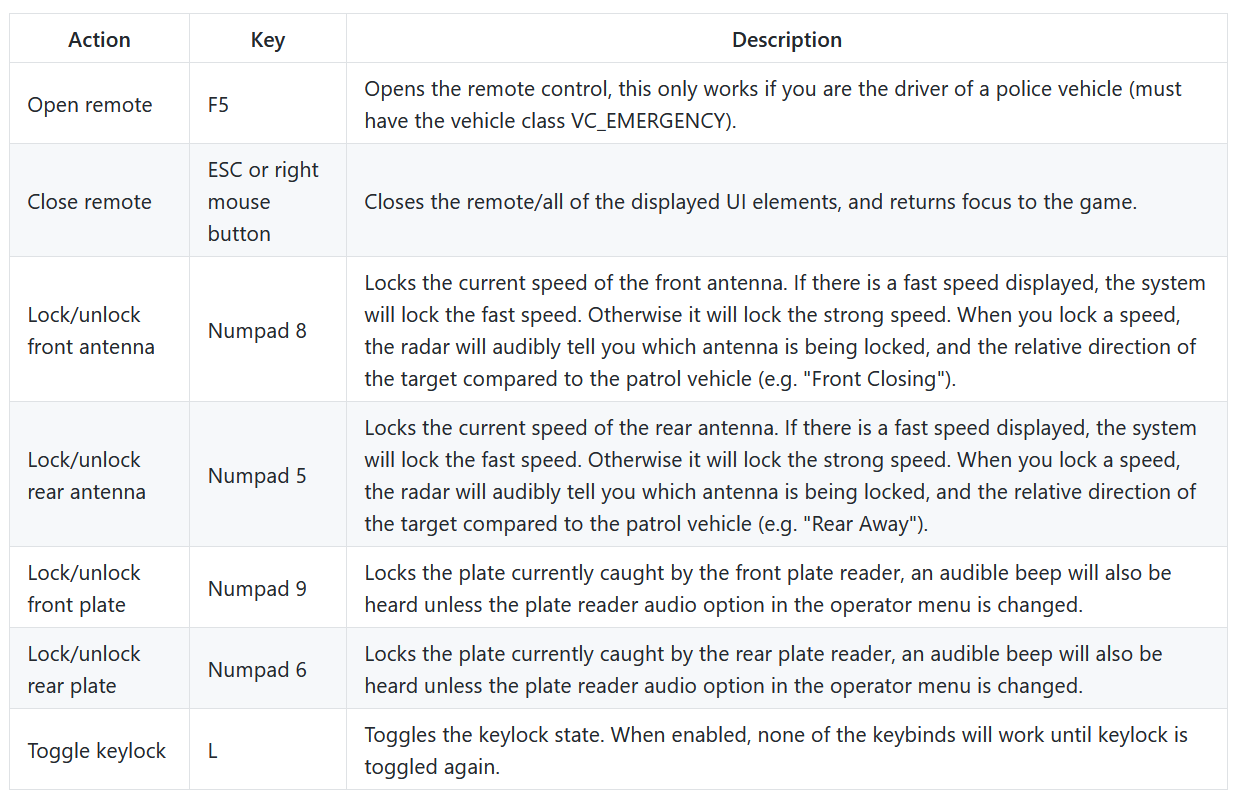
Sonoran wk_wars2x
These features are not found in the original wk_wars2x resource, and only come packaged with our Sonoran CAD FiveM Resource.
Additional Features
- Added the ability to blacklist certain vehicle classes via the config.lua, these blacklisted vehicles will show on the plate reader as the
CONFIG.noPlateValuevalue (default: “NO PLATE”). - Added the feature
CONFIG.realisticPlateScanning. This feature is disabled by default due to certain vehicles having incorrect metadata causing this feature to displayCONFIG.noPlateValuefalsely. Behavior when enabled: when you are traveling toward/away from a vehicle that does not have a front/back plate the plate reader will not be able to scan it and will display theCONFIG.noPlateValuevalue. - Added custom sounds when a BOLO, Warrant or unregistered vehicle plate is scanned.
Realistic Plate Scanning
SetCONFIG.realisticPlateScanning to true to enable only scanning vehicles with the ALPR when they have a plate.
Note: Some vehicles may show a plate due to missing vehicle metadata or being able to remove the plate with extras.
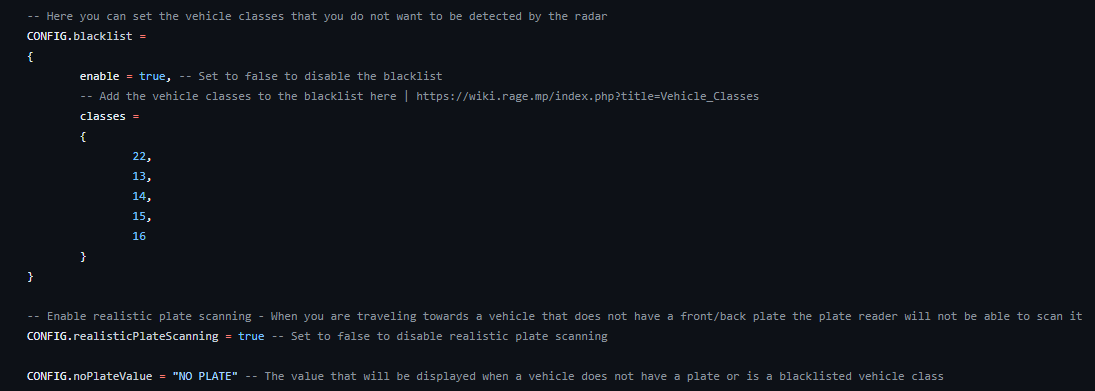 Sonoran wk_wars2x - Additional Config Options
Custom Alert Tones
Custom tones will now play when you scan a plate that is has either a BOLO, Warrant or is unregistered. These tones can be customized by replacing the existing files in the/sonorancad/submodules/wraithv2/sfx folder with your own. Please note the files names need to be the same as the ones you are replacing
Doppler Sounds
The Doppler Effect allows the radar to automatically capture vehicle speeds while in motion. As patrol speed increases, the radar adjusts its frequency shift calculations to accurately track and lock moving targets in front of or behind the unit—enabling reliable speed detection without requiring the officer to remain stationary. The doppler effect can be adjusted by opening the controller (F5 by default) > Menu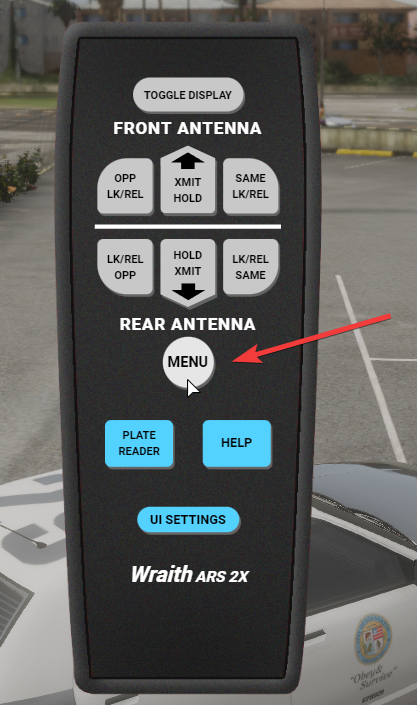 The doppler effect can be adjusted per client from a volume of 0 (off) to 5 (max volume). Additionally servers can disable the entire system via the configuration option
 CONFIG.enable_doppler
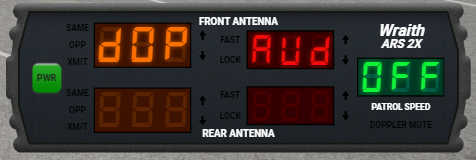 Sonoran CAD - Wraith WkWars2x - Doppler Off
 Sonoran CAD - Wraith WkWars2x - Doppler Max Volume
Doppler Direction
You can customize the antenna that will trigger the doppler noise via the client settings menu between the options of “btH” (both), “rEr” (rear) or “FNt” (front). This will create the doppler audio effect based upon a vehicles speed in the respective antenna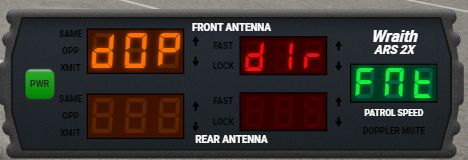 Sonoran CAD - Wraith WkWars2x - Front Only
 Sonoran CAD - Wraith WkWars2x - Both Antennas
 Sonoran CAD - Wraith WkWars2x - Rear Only
Troubleshooting
AI Cars are Spamming the Reader
The framework ships with thewk_wars2x plate reader included. This will have the config.use_sonorancad set to true. When enabled, the plate reader will not run a lookup on any AI vehicle.

Vehicles Aren’t Being Flagged
Status
Keep in mind that AI vehicles won’t display or be ran unless there’s a vehicle registration record added to the CAD with that plate. Ensure that you’ve correctly followed step 5 and thestatusUid and expirationUid fields have been set correctly, both in the CAD record template and the submodule config.
Ensure that the flagOnStatuses array has the exact string/text values that match the options in your custom record template.
BOLO and Warrant
Ensure that your custom BOLO and Warrant records have a field with thetype set to status. Otherwise, there’s no way to determine if the BOLO/Warrant is active, closed, etc. The plate reader will warn of any active BOLO or Warrant records with the vehicle plate attached and the status type field set to active/open.
Error: attempt to index a nil value (local ‘vehicle’)
Some servers will see this error in their server console:[sonorancad]/wk_wars2x folder, and rename config.dist.lua to just config.lua
The config not being renamed is the most common cause of this error, however, if for some reason that doesn’t fix it, feel free to open a support ticket with us.