# Ace Permission Sync

This module manages player's in-game permissions right from the CMS!

![Sonoran CMS - ACE Permission Sync](https://3006847189-files.gitbook.io/~/files/v0/b/gitbook-x-prod.appspot.com/o/spaces%2F-MdBOa9OFjtdqw9FdXli%2Fuploads%2Fgit-blob-0c5c803a5a8a4dafc683422825583e0df1e13c14%2FCMS-Ace-Sync.png?alt=media)

{% embed url="<https://www.youtube.com/watch?v=4PAtKYQokXE>" %}

### Installation / Configuration

{% hint style="info" %}
With core version `v1.4.0` the Ace Permission Sync resource was converted to a core module and no longer requires manual installation just configuration.
{% endhint %}

### 1. Ensure Resource Has Permissions

Ensure you have the following in your `server.cfg` (if you don't permissions won't be able to be granted)

```
add_ace resource.sonorancms command allow
```

### 2. Configure Rank Mappings via UI

Navigate to either game panel's within your Sonoran CMS community and open up the *Aces & Principals* tab.

This is where you can configure ranks to principal groups, simply select the ranks you want to map to individual groups.

<figure><img src="https://i.imgur.com/j5XTpYT.png" alt=""><figcaption></figcaption></figure>

### 3. Configure Aces & Principals via Server.CFG

Locate and open up your `server.cfg`

Configure your aces and principals to how you desire while following the syntax for [proper ace & principal commands](https://forum.cfx.re/t/basic-aces-principals-overview-guide/90917)

### 4. Add your API ID

Ensure all players have added their [API ID](https://docs.sonoransoftware.com/cms/developer-api-documentation/api-integration/getting-started/api-id-system) to the CMS!

## Functionality

### Permissions On Join

When a player joins the server, the resource will ask the CMS for the players ranks. ACE permissions will be assigned based on the configuration.

### Permissions on Push Event

{% hint style="info" %}
Due to restrictions in the way that some resources like vMenu are programmed, you must relog for the CMS permissions to take effect if they are altered for a user while they are online.
{% endhint %}

For communities on the **Plus** plan or higher, permissions can be synced instantly in-game when ranks are updated.

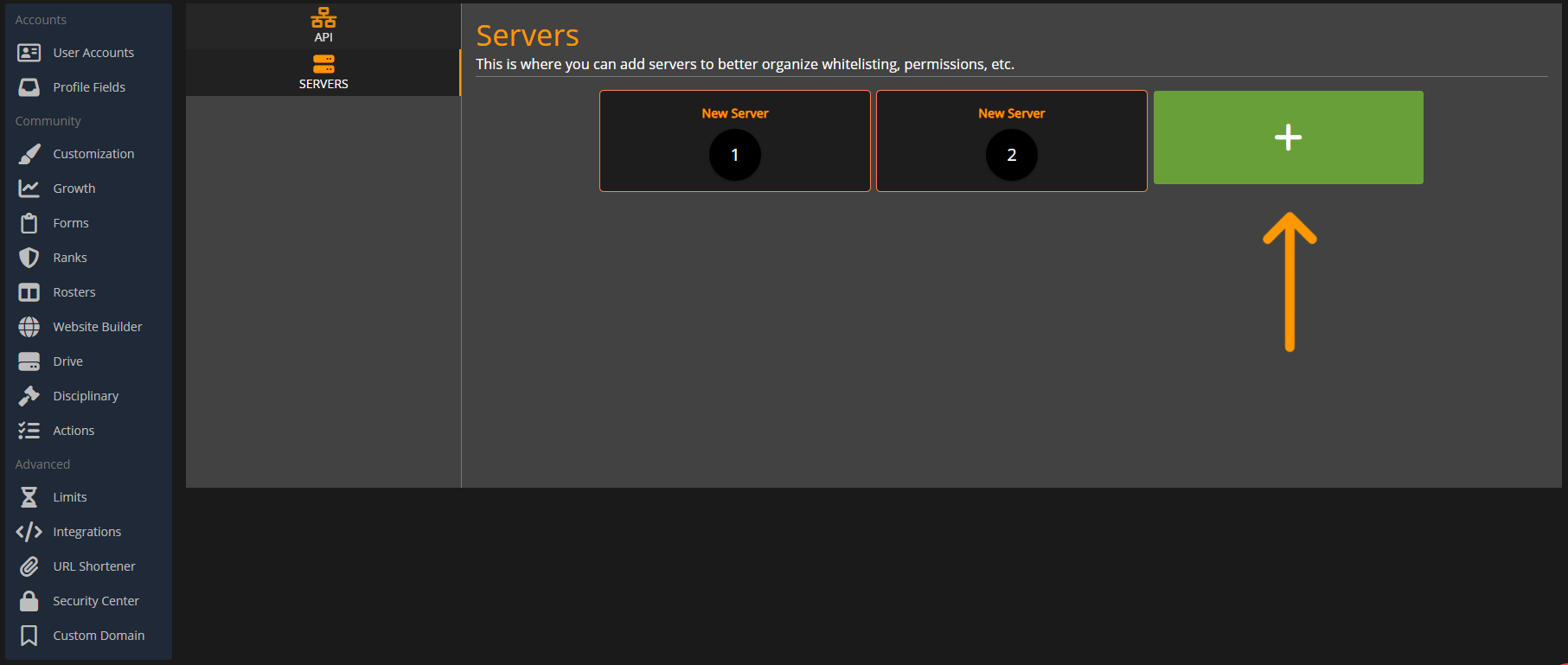
Simply add your FiveM server's public IP address and at `Administrative Panel` > `Integrations` > `Sonoran CMS API` > `Servers`.

![Sonoran CMS - API Integration Servers Tab](https://3006847189-files.gitbook.io/~/files/v0/b/gitbook-x-prod.appspot.com/o/spaces%2F-MdBOa9OFjtdqw9FdXli%2Fuploads%2FtPiuYoSyMELuPBKtZPmY%2FScreenshot%20\(489\).png?alt=media\&token=e1320c96-36cc-4e22-944c-aae2d724ba1d)

### Manual Sync

{% hint style="info" %}
Due to restrictions in the way that some resources like vMenu are programmed, you must relog for the CMS permissions to take effect if they are altered for a user while they are online.
{% endhint %}

Individual players can run the `/refreshpermissions` command in-game to force a permissions update.

## Example Configuration

### Game Panel -> Aces & Principals

<figure><img src="https://i.imgur.com/D3T5ZYw.png" alt=""><figcaption></figcaption></figure>

### permissions.cfg/server.cfg

{% hint style="warning" %}
This example is just an example of how you may setup ace permissions and it is unlikely to work just copy and pasted.
{% endhint %}

```markdown
### Ace Permissions

## Inheritance
add_principal group.admin group.mod
add_principal group.policesup group.police

## Permissions
add_ace group.admin command allow
add_ace group.mod admin.kick allow
add_ace group.policesup police.supcar allow
add_ace group.police police.car allow
```

## Reliability Notice

In the event that the CMS API is temporarily unavailable, this resource utilizes a local backup cache. The resource will automatically fall back to the latest saved version of the permissions list, allowing members to access permissions as normal.