

Duplicate Accounts
Duplicate accounts can occur when CMS users accidentally register multiple times, such as creating one account through Sonoran and another through Discord. To resolve this, community admins can merge the duplicate account into the primary account by migrating all associated data, then archive the duplicate account to prevent further use.Merging Duplicate Accounts
- Select the Duplicate Account
In the user account menu, select the duplicate account. Then, select Merge Account.
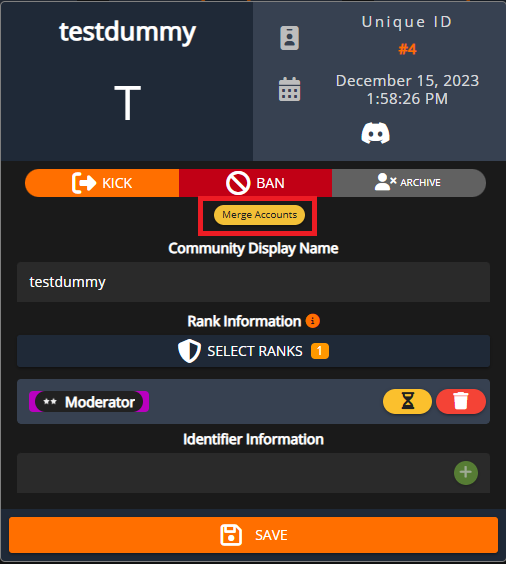
- Select and Merge Accounts
The Source Account will be automatically selected. This Source Account will be merged into the Target Account.
Select the Target Account and press Merge Accounts.
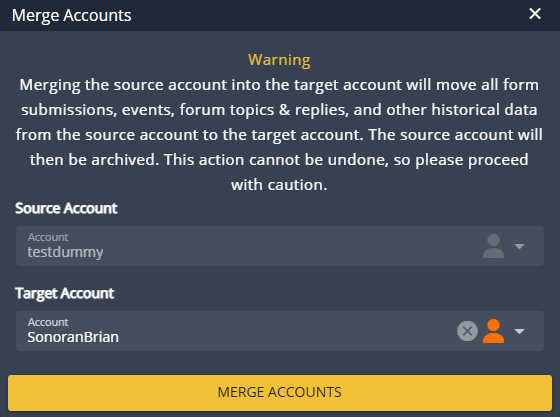 Once merged:
- All ranks, form submissions, and other data will be moved from the Source Account to the Target Account
- The Source Account will be archived (all ranks removed)
- For data integrity, all security center logs from the Source Account will still remain under the Source Account