> For the complete documentation index, see [llms.txt](https://docs.sonoransoftware.com/llms.txt). Markdown versions of documentation pages are available by appending `.md` to page URLs; this page is available as [Markdown](https://docs.sonoransoftware.com/store/street-signs/visual-showcase.md).
# Visual Showcase
Preview the planned screenshots and media highlights for Street Signs.
{% hint style="warning" %}
**Coming Soon**
Final in-game screenshots and video require a live FiveM capture session. The placeholders below are intentionally retained so draft or simulated gameplay is never presented as the finished product.
{% endhint %}
## US and UK VMS Icon Concepts
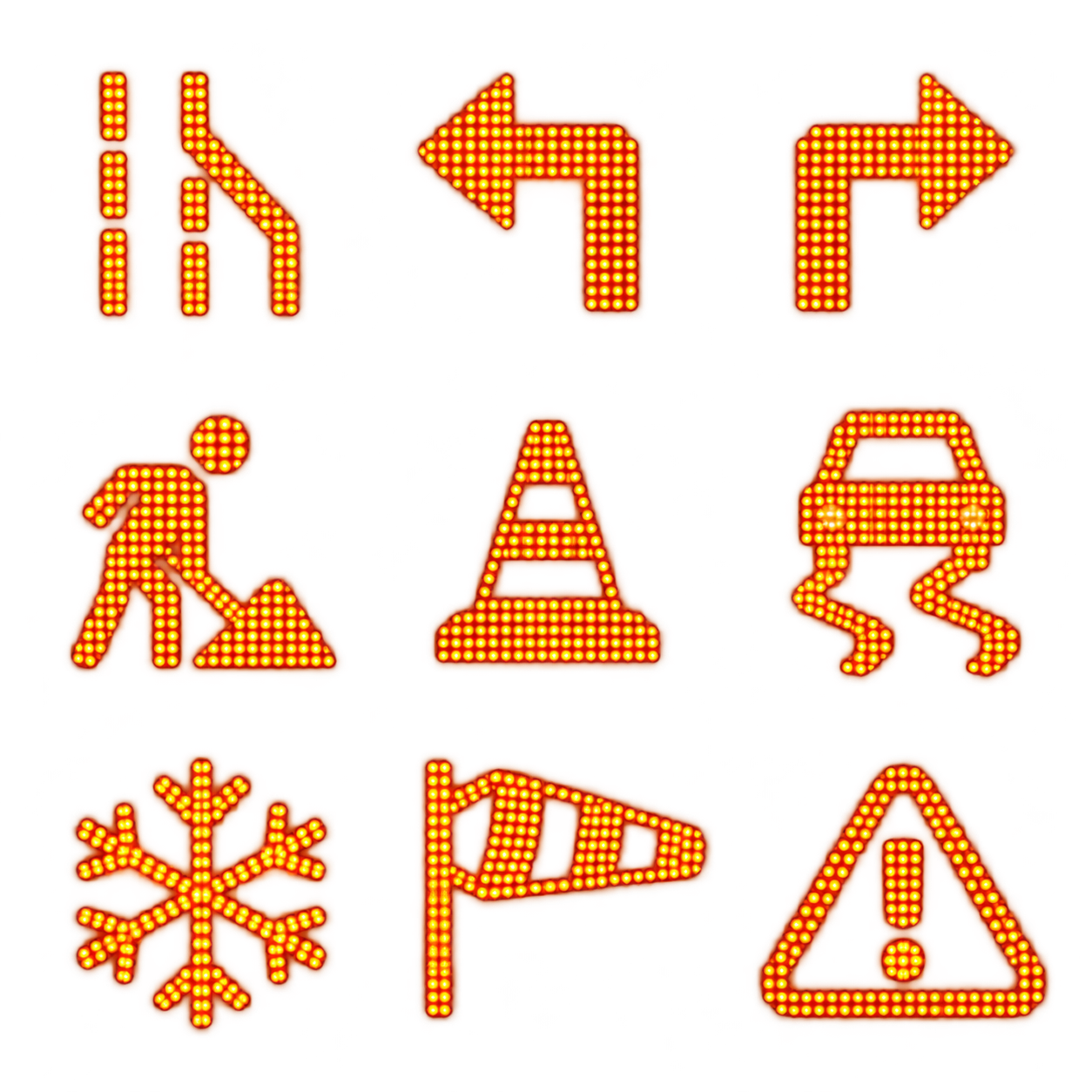
The following transparent concept atlases were prepared for the planned US and UK grid-style sign controllers. These expansion controllers are not included in the current free Highway Sign version.
US VMS concept atlas: merge, detour, work-zone, weather, and warning symbols.
UK VMS concept atlas: lane control, work-zone, weather, and warning symbols.
## Planned Gallery
### Hero Banner
> Screenshot Placeholder: Wide cinematic roadway scene featuring multiple Street Signs in use.
### Editor Preview
> Screenshot Placeholder: SonoranDOT VMS Control Center loaded through the real FiveM iframe session, with a live Highway Sign selected.
### Highway Messaging
> Screenshot Placeholder: Highway-style message board showing a live roadway advisory.
### Directional Sign Pack
> Future Expansion Screenshot Placeholder: US or UK grid controller guiding players toward city areas or facilities.
### Warning Sign Pack
> Future Expansion Screenshot Placeholder: Speed warning or hazard sign near a traffic stop or work zone.
### Billboard-Style Display
> Future Expansion Screenshot Placeholder: Larger display board used for event or city messaging.
### Public Works Scene
> Future Expansion Screenshot Placeholder: Construction or detour scene using multiple coordinated signs.
### Event Routing Example
> Screenshot Placeholder: Signage guiding players into an event staging area.
## Suggested Media Style
For the best presentation, future screenshots should focus on:
* Clear daytime visibility
* Real roleplay environments
* Clean framing with readable sign content
* Variety across highways, city streets, and event spaces
* A mix of close-up and wide environmental shots
## Video Preview
> Video Placeholder: Short overview clip showing sign placement, editing, and in-world results.
Capture the final clip only after live FXServer validation. It should show the walk-up prompt, iframe editor, saved in-world result, CAD panel update, and a CAD-originated change returning to the game.
---
# Agent Instructions
This documentation is published with GitBook. GitBook is the documentation platform designed so that both humans and AI agents can read, navigate, and reason over technical content effectively. Learn more at gitbook.com.
## Querying This Documentation
If you need additional information that is not directly available in this page, you can query the documentation dynamically by asking a question.
Perform an HTTP GET request on the current page URL with the `ask` query parameter, and the optional `goal` query parameter:
```
GET https://docs.sonoransoftware.com/store/street-signs/visual-showcase.md?ask=&goal=
```
`ask` is the immediate question: it should be specific, self-contained, and written in natural language.
`goal` is optional and describes the broader end goal you are ultimately trying to accomplish on behalf of the user. GitBook uses it to tailor the answer towards what is most useful for that goal.
The response will contain a direct answer to the question and relevant excerpts and sources from the documentation.
Use this mechanism when the answer is not explicitly present in the current page, you need clarification or additional context, or you want to retrieve related documentation sections.