

Transferring a Community
- Select the New Owner
To transfer the community ownership to another user, navigate to the Administration > Transfer Community
In the popup, select the user you wish to transfer the community to and enter the community name in the confirmation box.
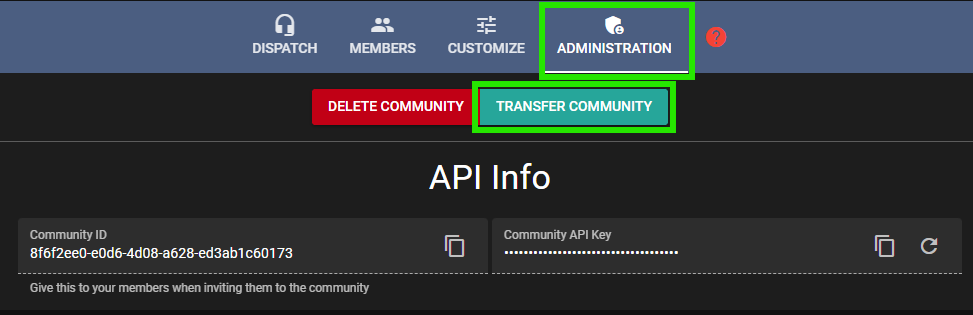 Sonooran Radio: Transfer Community
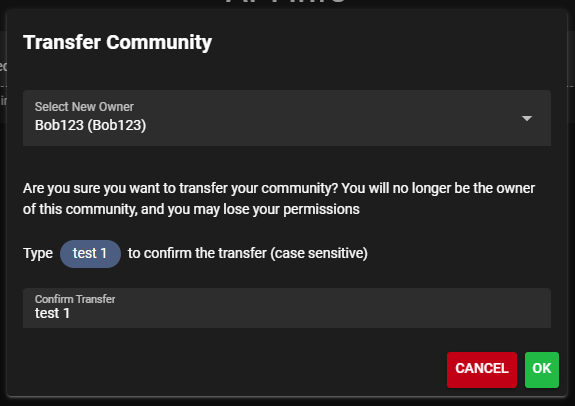 Sonoran Radio: Transfer Community
- Email Confirmation
After selecting the new owner, a confirmation email will be sent. Check your inbox to complete the transfer.
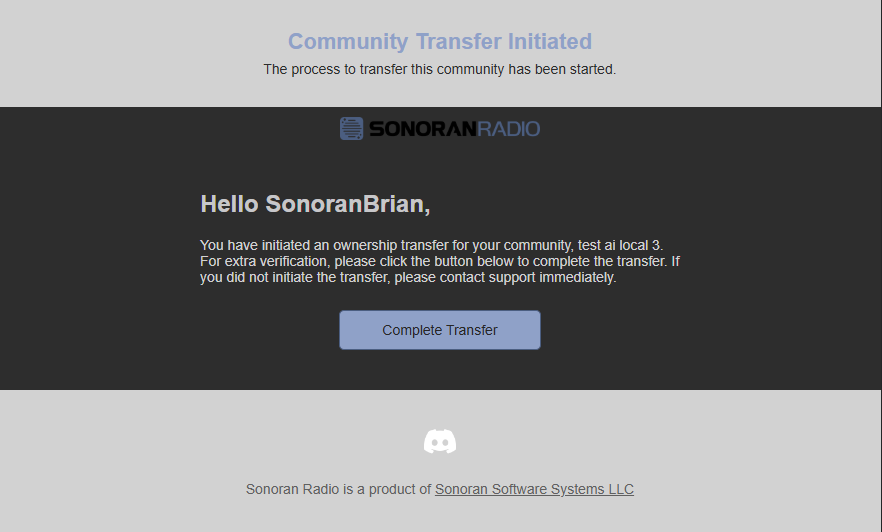 Sonoran Radio: Confirm Transfer
Delete Community
To permanently delete a Sonoran Radio community, navigate toAdministration > Delete Community
Note: Only the community owner can delete the community.
After confirming deletion, a Deleting community… loading state appears. Wait for completion rather than repeatedly submitting. Successful deletion returns you to the Portal; communities using a custom domain return to the main Sonoran Radio Portal. If deletion fails, an error is shown instead.
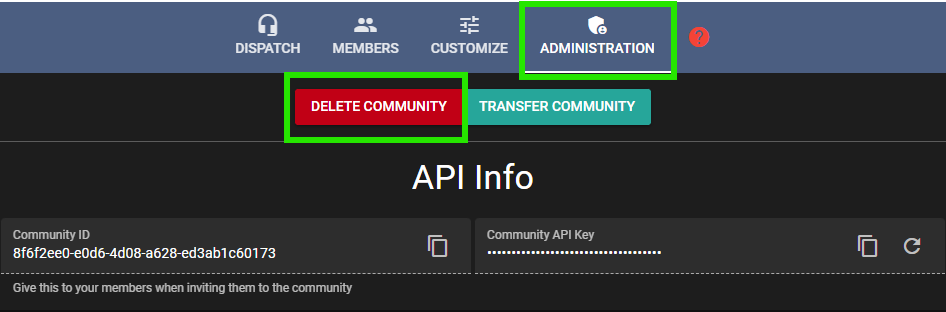 Sonoran Radio: Delete Community