

Set up notifications
- Connect your Discord server.
- Open Administration > Advanced > Discord Integration > Webhooks.
- Expand an event group and turn on the events you want.
- Choose the Server and Channel for each event.
- Optionally choose Roles to ping (optional). Changes save automatically.
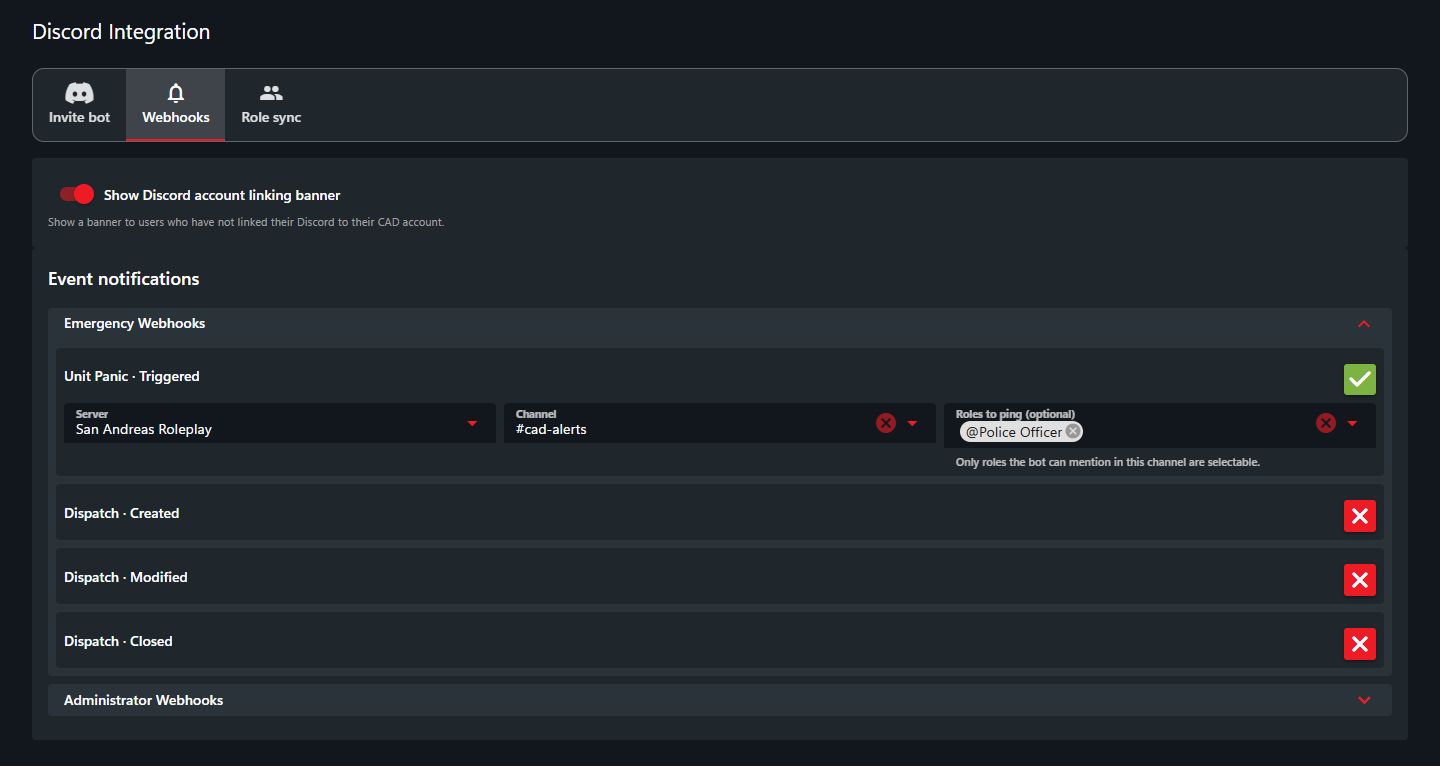 Choose a channel for each notification.
To stop a notification, turn off that event. The bot must have permission to view and send messages in the selected channel.
Choose a channel for each notification.
To stop a notification, turn off that event. The bot must have permission to view and send messages in the selected channel.