


Sonoran CAD FiveM - Fix file permission issues
If thesonorancad resource cannot create, rename, or update files, you may see startup issues like:
Failed to create target fileFailed to rename ..._config.dist.lua to ..._config.luaUnable to open config backup file- Changes not saving after updates or restarts
Host Restrictions
Some game panel hosts (Ex: ZAP Hosting) do not allow FiveM resources to programmatically modify other files. This blocks the Sonoran CAD resource from updating itself. In this case, you must disable automatic updates and manually install updated versions of the resource as they release. To disable automatic updates navigate to your config file:[sonorancad]/sonorancad/configuration /config.json and change allowAutoUpdate from true to false.
Looking for a server host? Learn more about our one-click installation here.
Step 1: Open your game panel
Log into the panel where your FiveM server is hosted, such astxAdmin, Pterodactyl, ZAP-Hosting, Gamepanel, or your VPS file manager.
Step 2: Locate the Sonoran CAD resource
Check the main Sonoran CAD resource folder and configuration folder:Linux Hosts (Game Panels)
Linux Hosts
Linux Hosts
- Locate the resource files
Open your host panel or file manager and navigate to:
- Fix file permissions
Navigate to the specific file mentioned in the error code and update the permissions.Recommended file permissions:766- If that fails, try
666
- Right-click the
configurationfolder or affected file - Select Permissions
- Apply the updated permissions
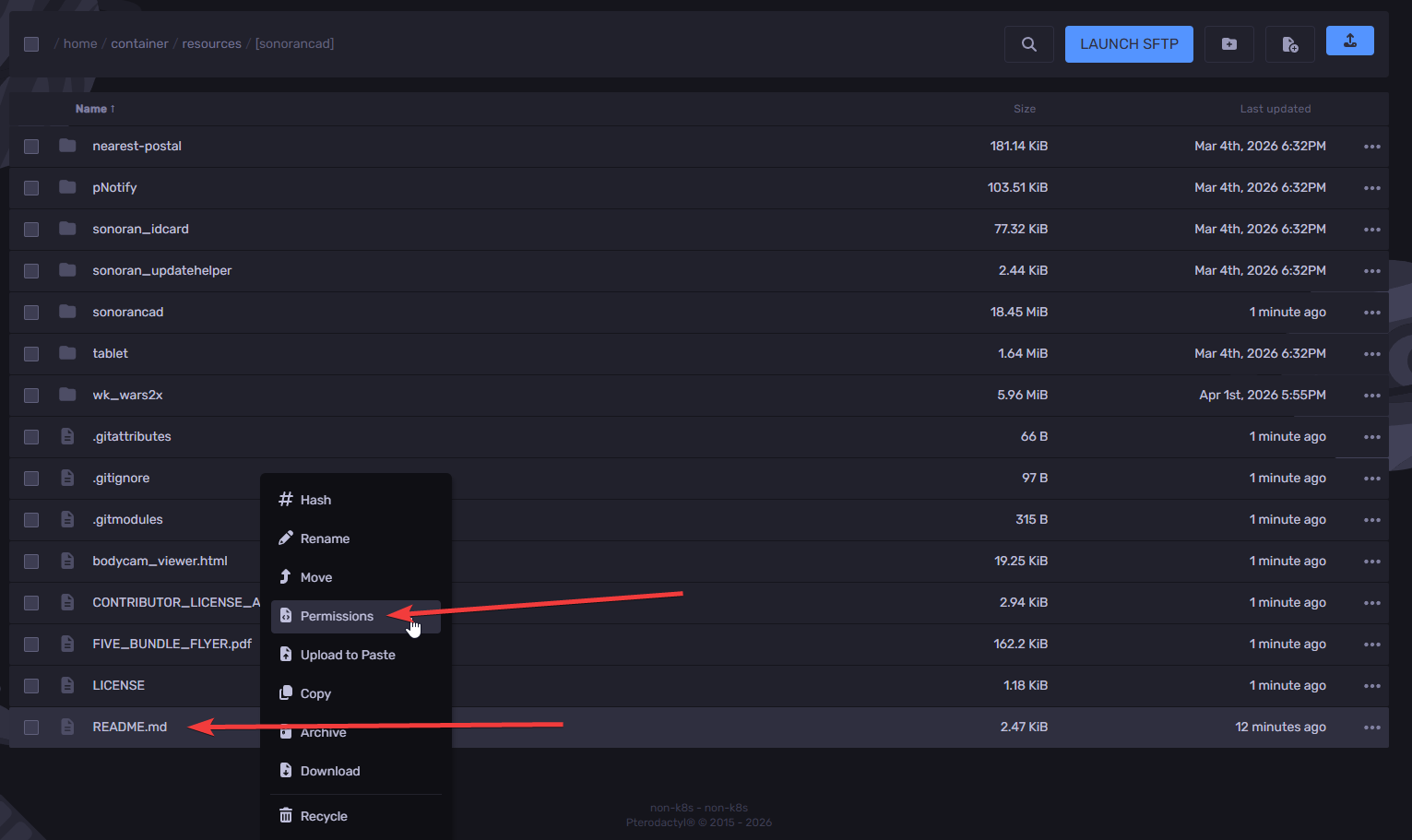
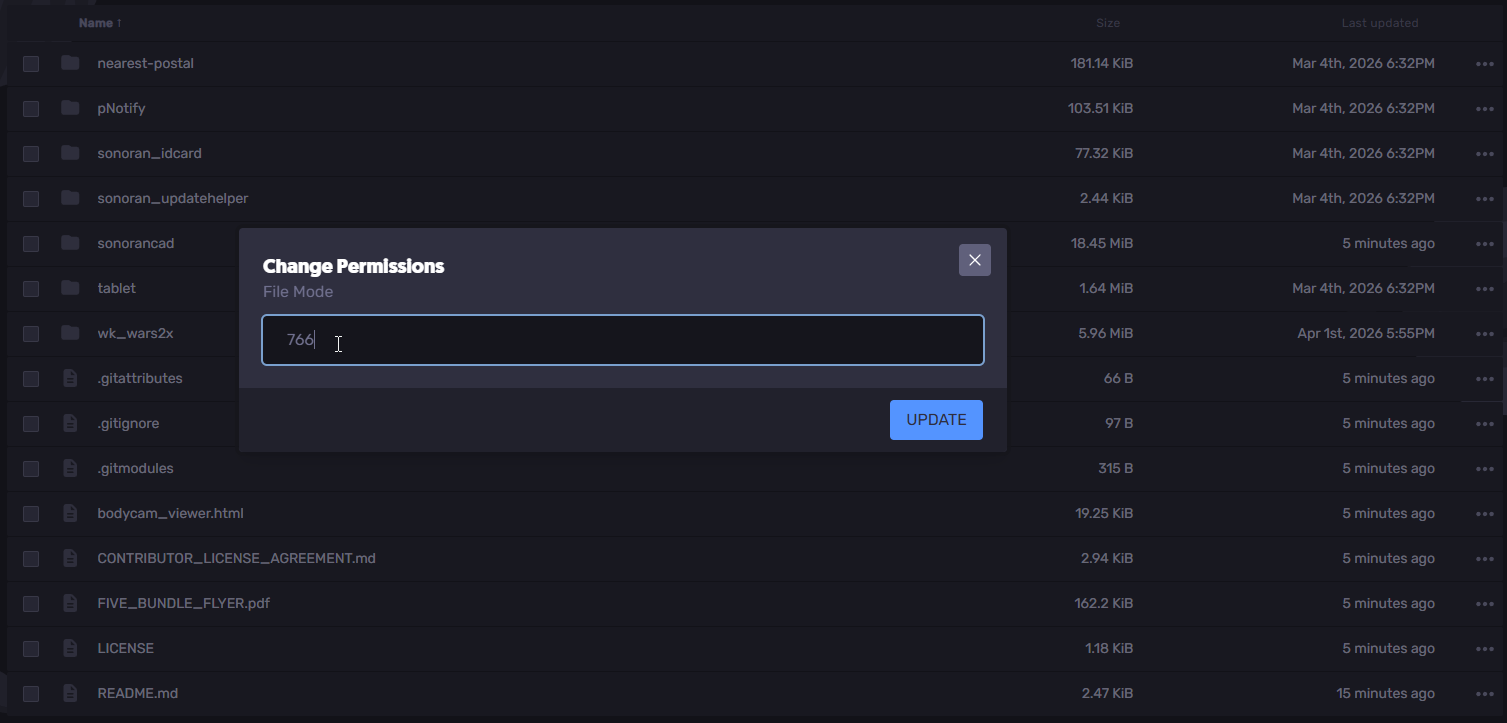 If your host does not allow permission changes, contact the hosting provider and ask them to make the Sonoran CAD resource writable.
Quick permission reference
Each permission digit is the sum of:4= read2= write1= execute
4= read only6= read + write7= read + write + execute
Windows Hosts
Windows
Windows
- Open the file or folder properties
Start with the configuration folder. If needed, also check the full sonorancad folder.- Right-click the folder or affected file
- Click Properties
- Allow read and write access
Under the General tab:- Uncheck Read-only
- Click Apply
- Choose to apply changes to this folder, subfolders, and files if prompted
- Click OK
sonorancad folder.Final step: restart the resource
After updating permissions, restart the Sonoran CAD resource or your full server:config.json.json.