One-Click Installation
We’ve partnered with Rocket Node to bring you one-click Sonoran CAD installation for FiveM — making it easier than ever to host your community and connect with Sonoran CAD.- Purchase your FiveM Game Server!
- Use code
SONORANto save big!
- CAD
- CMS
- Radio
Free Hosting: Sonoran One
Sonoran One subscribers can claim a coupon for a free FiveM game server from our partners at Rocket Node! The coupon is valid for one FxHosting Starter plan (2VCPU 2GB Ram, 75GB storage) for the life of the Sonoran One subscription. View the complete terms.
- Select a Plan in the Sonoran One Panel
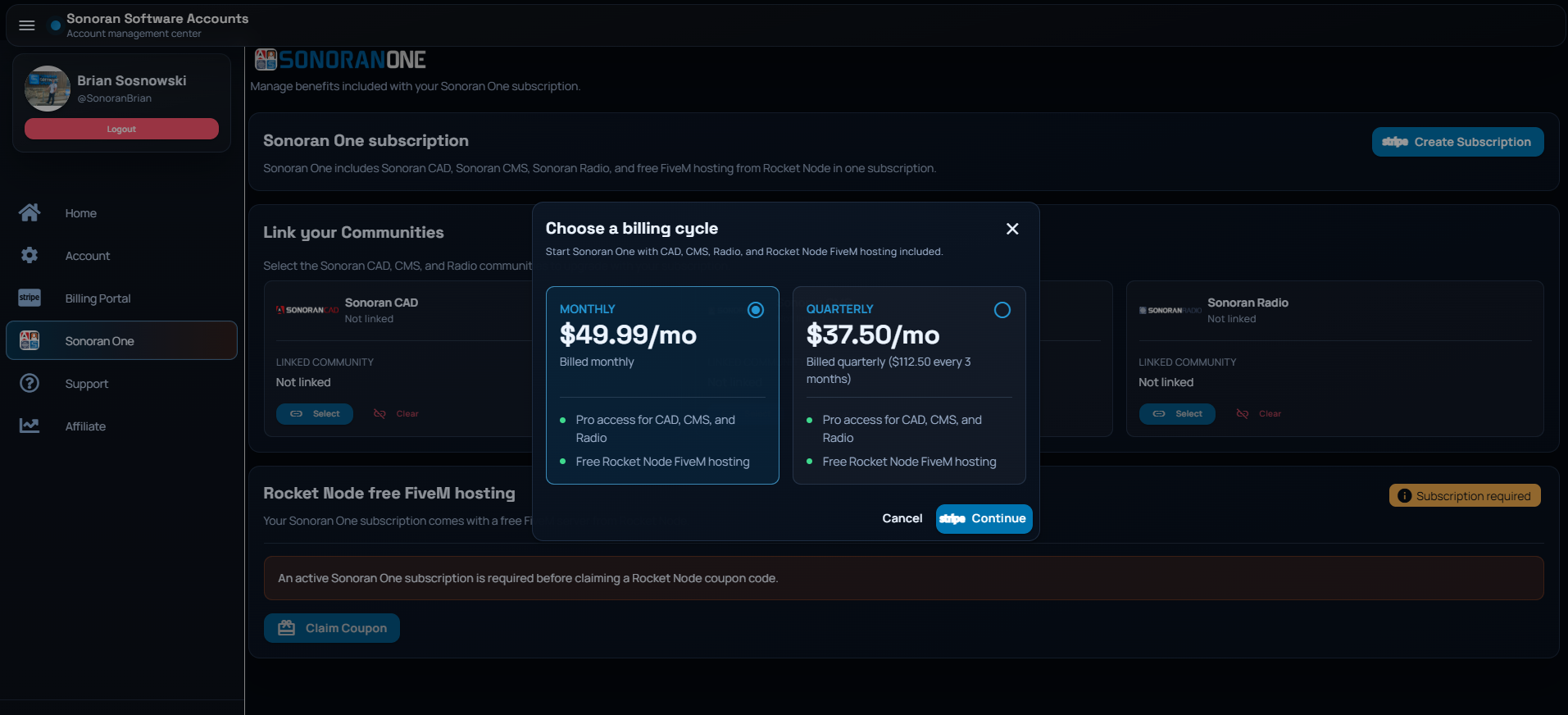
Once logged into the Sonoran One panel at account.sonoransoftware.com/one, select Create Subscription and select Monthly or Quarterly.
In the stripe billing portal, complete the purchase as normal.
- Upgrade your CAD, CMS, and Radio Communities
After completing the purchase, select the CAD, CMS, and Radio communities you wish to upgrade to the Pro version in the Sonoran One panel. Alternatively, you can select them separately in the CAD, CMS, and Radio billing portals.
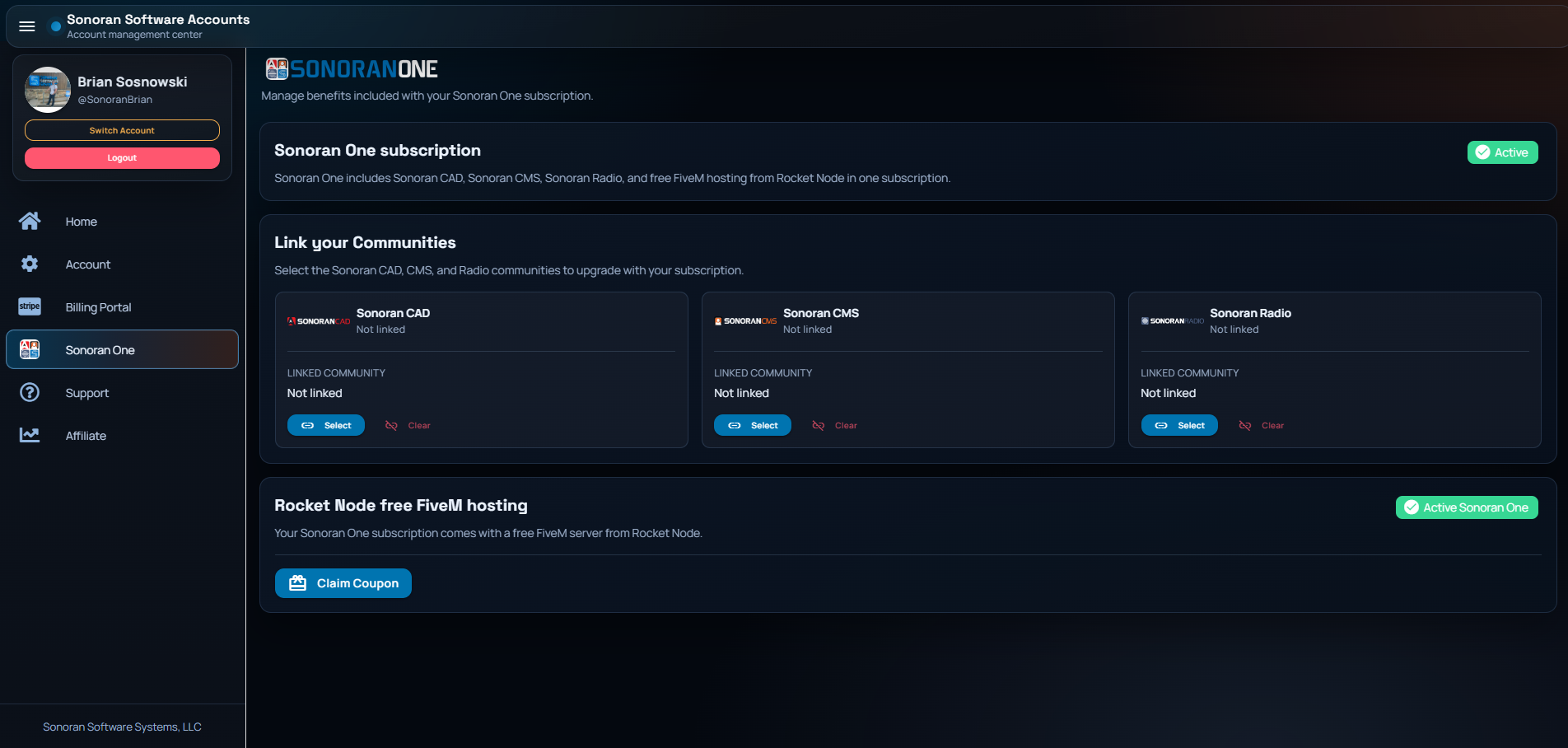
- Claim your Rocket Node Coupon
In the Rocket Node free FiveM hosting section, select Claim Coupon to generate a coupon code for your FiveM server hosting.
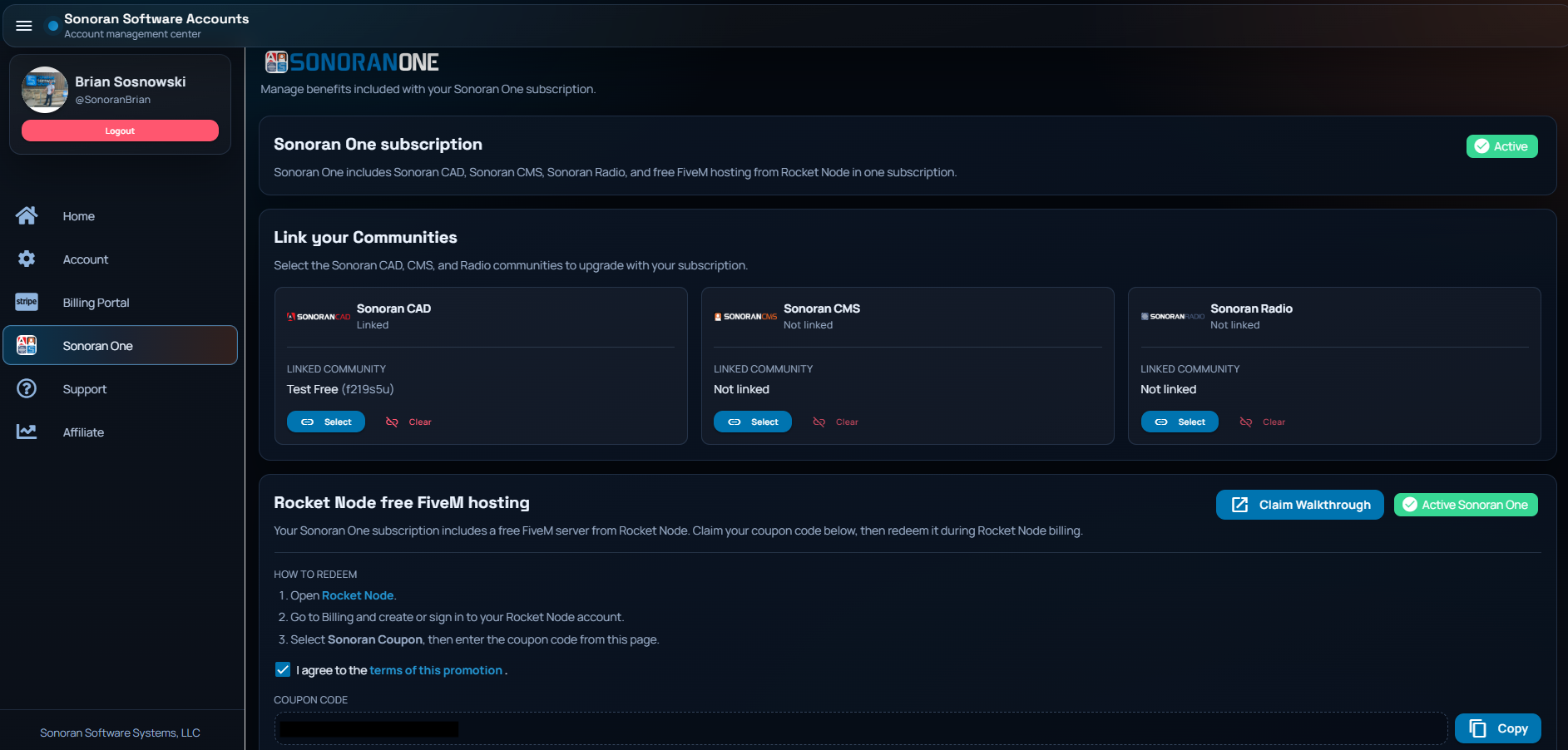
- Create a Client Account with Rocket Node
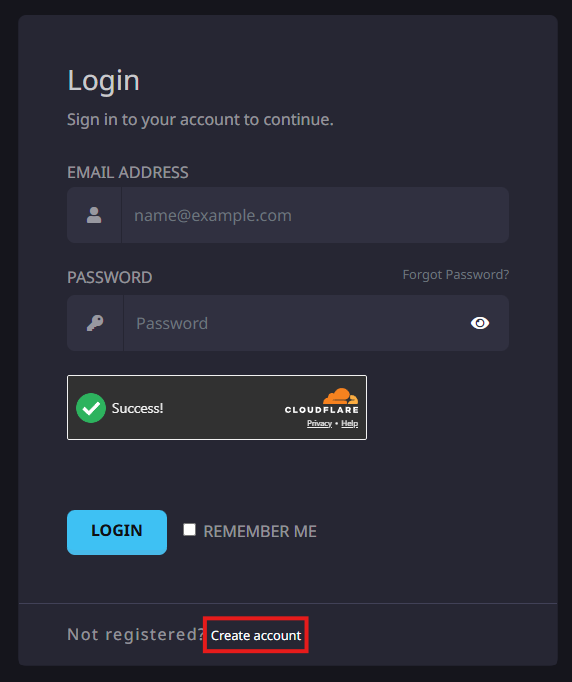
To claim your free FiveM hosting, you must first create a client account.
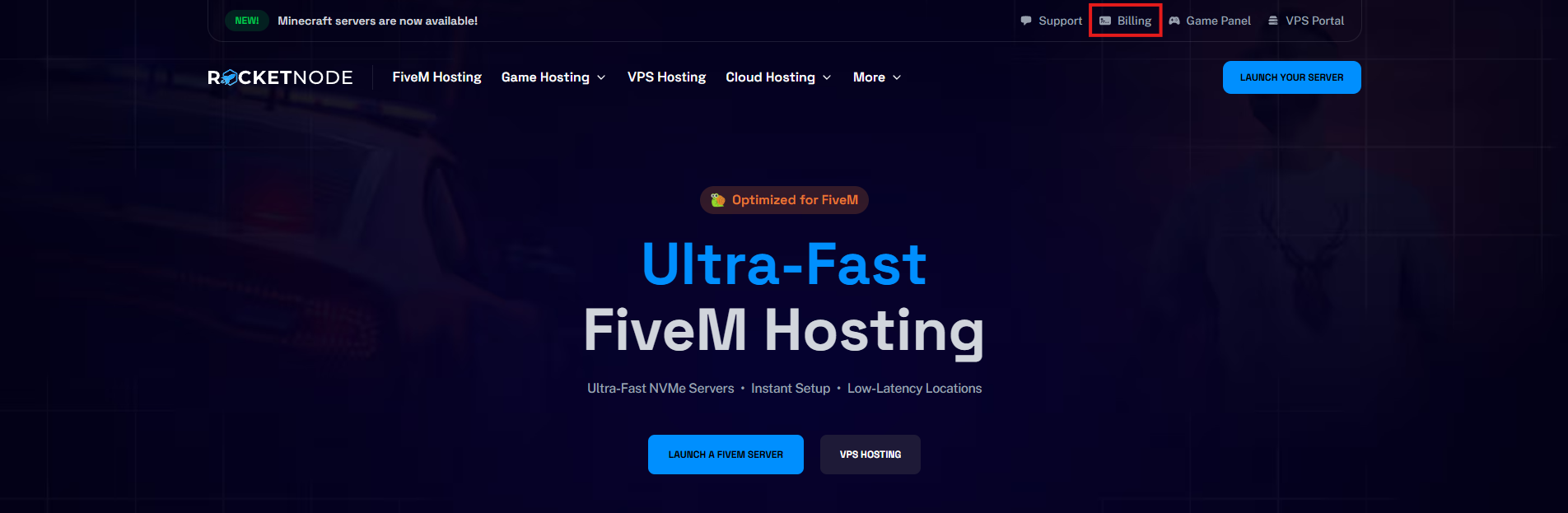
Navigate to sonoran.link/rocket > Billing > Create Account.
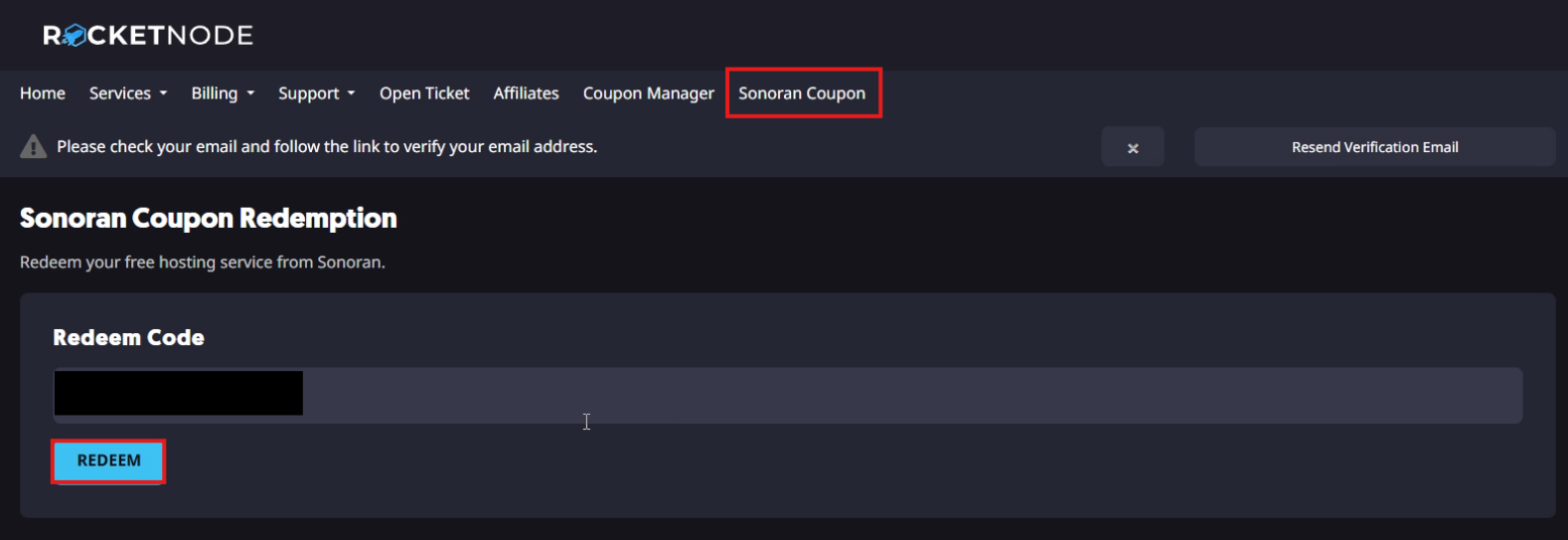
 Once created, select Sonoran Coupon at the top > paste your Redeem Code > select Redeem.
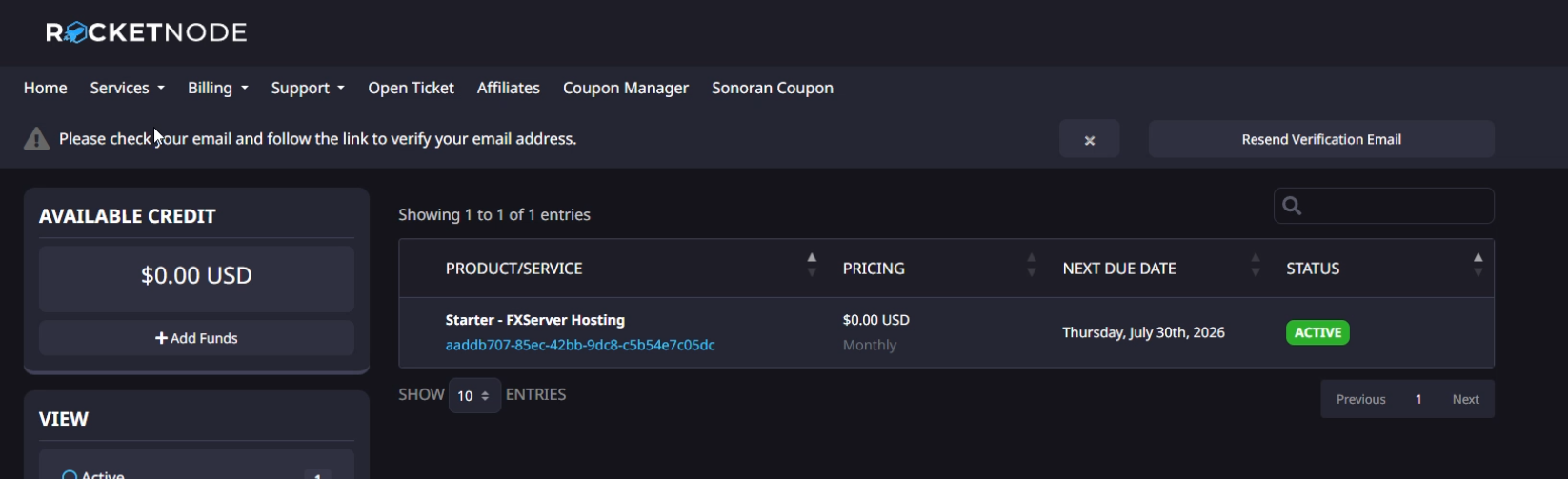
Once redeemed, access your new FiveM game server under Services > FXServer Hosting.
Once created, select Sonoran Coupon at the top > paste your Redeem Code > select Redeem.
Once redeemed, access your new FiveM game server under Services > FXServer Hosting.