

 Sonoran Radio x Big Daddy Scripts
What is this offer?
Big Daddy’s radio animation script enhances your Sonoran Radio experience by adding new in-game animations. As one of the most popular scripts of its kind, it offers versatile options based on where your radio is positioned—whether on your chest, shoulders, or handheld. This provides a more immersive and personalized interaction.Download and Installation
- Download the Script and Product Key
Create an account and download the latest script resource from Big Daddy Scripts.
In the account portal, select your recent order and copy the product key.
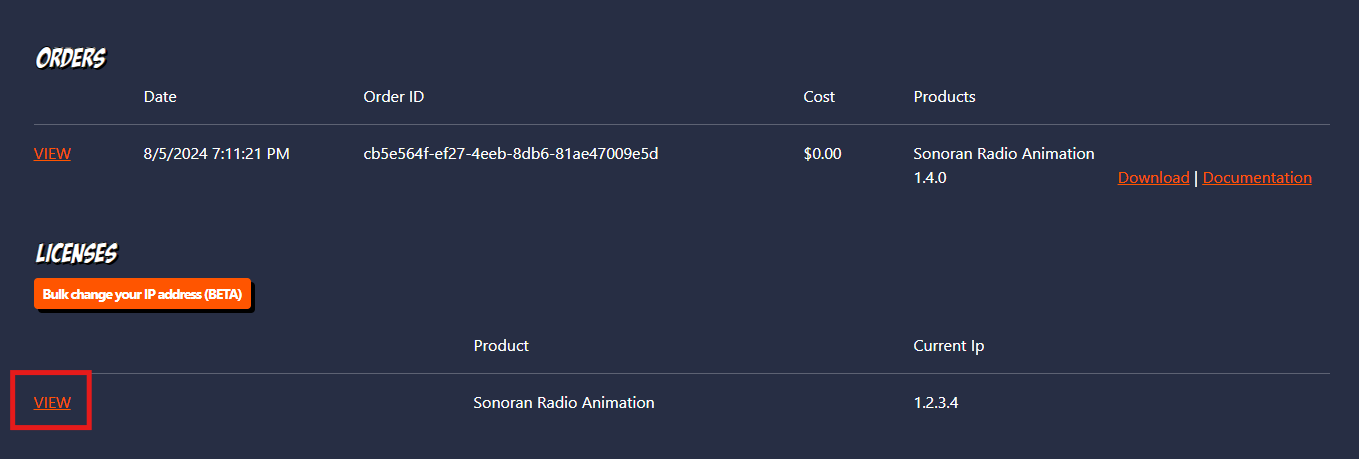 Big Daddy - Account Panel
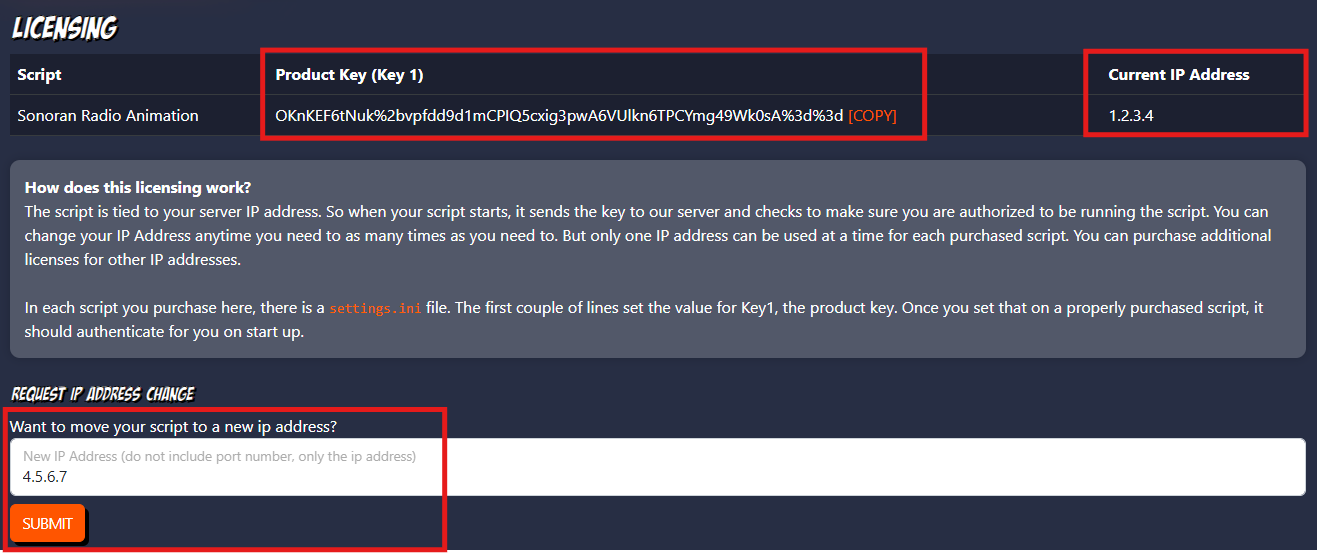 Big Daddy - License Key
- Install The Script
A. Extract
Extract the script to your server’sresources folder.
B. License Key
In thesettings.ini file, paste your license key.
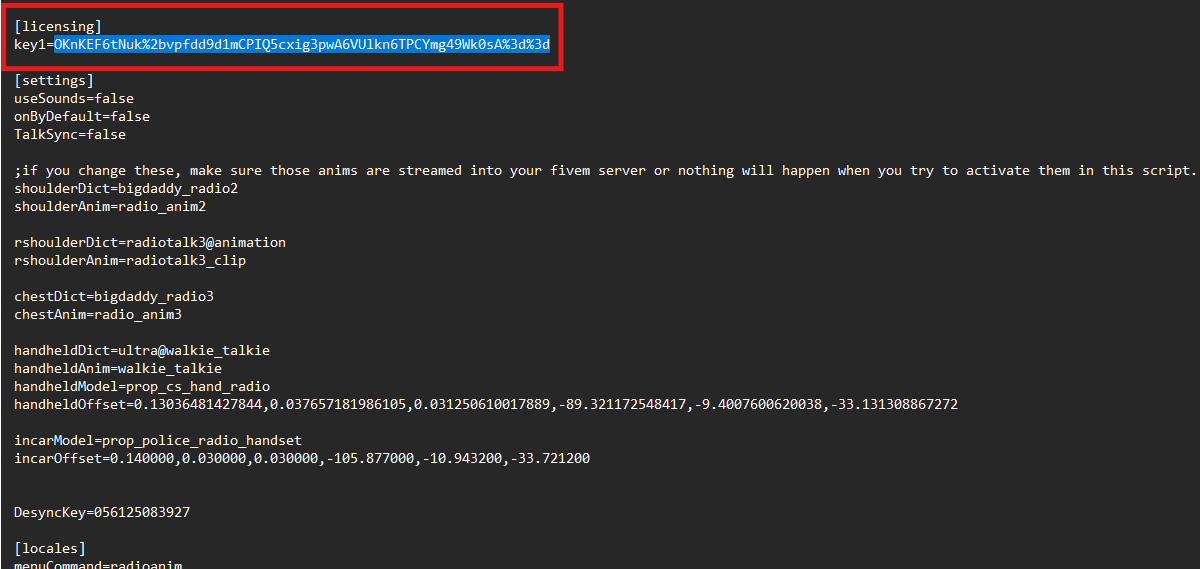 Big Daddy - Product Key
C. Ensure the Resource
In yourserver.cfg file, add the following line after your Sonoran Radio resource lines:
Sonoran Radio will automatically detect the script named BigDaddy-RadioAnimation, and disable the default Sonoran Radio animation (disableAnimation from the config.lua)
- Enjoy!
Once in-game, you can use the /radioanim command to open up the customization menu.
This script will automatically detect when you are talking on your Sonoran Radio.
This script also makes users talk on their in-game microphone when they talk on the radio.To disable this, ensure the
Config.talkSync is disabled in the Sonoran Radio config.lua and the TalkSync is set to false in Big Daddy’s Animation settings.ini file.