comId | EMPTY | The Sonoran Radio Community ID |
apiKey | EMPTY | The Sonoran Radio Community API Key |
debug | false | Display tower ranges on the map and other console prints. / This can be toggled live with the debug mode command. |
allowUpdateWithPlayers | false | Allow the auto-updater to restart the resource while players are still in the server. |
enableCanary | false | Allow the auto-updater to pull development branches for early testing. |
allowAutoUpdate | true | Allow the auto-updater to run. |
chatter | true | Pro only. Allow nearby radio chatter and scanners. |
talkSync | true | Talk in-game whenever you talk on the radio / / If using BD Animations, you will also need to disable their TalkSync feature in the settings.ini file. |
emergencyCallCommand | 911 | Command suffix to start or stop an emergency call (i.e. ‘911’ == /radio 911) |
luxartResourceName | lvc | Resource name for Luxart Vehicle Control, used for the siren volume integration. |
keybinds | Default radio keybinds (these can be changed in GTA settings). / / Use the Input Parameter from the CFX Documentation. | |
enableVehicleRepeaters | true | Enable mobile vehicle and trailer repeaters. Configure compatible models and ranges through /radiomenu; players activate them with /radio repeater. |
towerRepairTimer | 20 | Time (in seconds) that it takes a player to repair a destructed tower. |
rackRepairTimer | 15 | Time (in seconds) that it takes a player to repair a destructed server rack. |
antennaRepairTimer | 15 | Time (in seconds) that it takes a player to repair a destructed cellular antenna. |
acePermSync | false | Sync ACE permissions to auto-approve and grant radio permissions from in-game. |
acePermsForRadioGuests | false | Restricts the Login as Guest button to users with an ACE permission. |
acePermsForServerRepair | false | Restrict the ability to repair damaged radio repeaters with ACE permissions. ACE Command: sonoranradio.repair |
acePermsForTowerRepair | false | Restrict the ability to repair damaged radio repeaters with ACE permissions. ACE Command: sonoranradio.repair |
acePermsForAntennaRepair | false | Restrict the ability to repair damaged radio repeaters with ACE permissions. ACE Command: sonoranradio.repair |
acePermsForRadio | false | Restrict the usage of the radio (/radio) with ACE permissions. / / ACE Command: sonoranradio.use |
enforceRadioItem | false | Require the user to have a item in their inventory to be able to use the radio or radio scanner. / View supported frameworks and inventories. |
acePermsForRadioUsers | false | Restrict the usage of the radio (/radiousers) with ACE permissions. / / ACE Command: sonoranradio.radiousers |
syncPlayerNameToRadio | false | Set the radio user’s display name to match their in-game name. |
disableRadioOnDeath | true | Disables radio when dead. |
restoreRadioStateWhenAlive | true | Restore the radio’s power state (on/off) when you are revived or respawn. |
deathDetectionMethod | auto | What method to use for death detection. / / auto, manual, or qbcore |
heavySignalDegradeInWater | Heavily degrade radio signal while the player is in water to mimic an IP67-rated handheld | |
disableAnimation | false | Disable the radio talking animation for custom animation scripts. |
pttAnimation | Configure the animation dictionary and name used while transmitting on foot with the radio closed. This setting has no effect when disableAnimation is true. | |
noPhysicalCellRepeaters | false | Hide the in-game cellular antenna repeaters |
noPhysicalRacks | false | Hide the in-game server rack repeaters |
noPhysicalTowers | false | Hide the in-game tower repeaters |
defaultEscapeMode | keep | The default escape behavior for the in-game radio. / / Options: keep, hide, transmit_only. |
autoCallouts | When enabled, user radios will automatically transmit their heading, road, and speeds during a pursuit. | |
geoChannels | When enabled, configure specific channels to transmit and scan when inside a geographical zone. | |
autoOnSceneStatus | When the AI dispatcher GPS routes a user, automatically update their CAD status to en-route. Upon arrival, update their CAD status to on-scene. | |
radioJammers | Configuration for in-game signal jammers. | |
forceGuestLogin | Config.forceGuestLogin = false -- Automatically log authorized radio users in as guests using ACE permissions | Automatically log authorized radio users in as guests using ACE permissions |


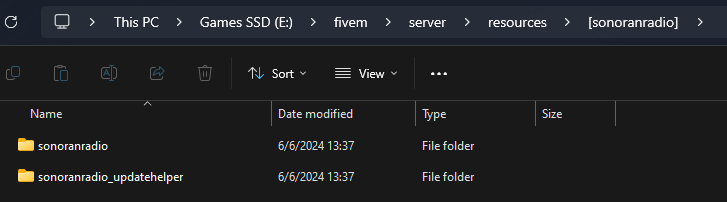 Sonoran Radio - Folder Structure