

Command ACE Permissions
ACE permissions allow you to restrict what users have access to certain commands. ACE permissions are configured in yourserver.cfg file.To keep them organized, you can also place them in a separate file (e.g.,
permissions.cfg in the same directory) and then exec permissionss.cfg from within your server.cfg.
1. Create a Permission Group
Here, we’ll create anadmin ACE group that has access to all of the sonoranradio.example categorized permissions.
2. Assign Permissions to the Group
This adds all of the Sonoran Radio permissions (configuring repeaters, using the radio, and repairing repeaters) to thesonoranradio.example category that the admin ACE group has access to.
Group Permission Example
Group Permission Example
3. Add Users to the ACE Group
This grants a user theadmin ACE permission group, specific to their in-game license ID.
ACE Permission Sync
ACE permission sync allows you to automatically approve users in the radio community, grant access to private channels, and give user permissions like name changes, kick, etc. This sync is ran whenever you turn the radio on and connect. View other ways to manage user permissions.Enable ACE Permission Sync
To enable this feature, set yourconfig.lua’s Config.acePermSync value to true.
Guest Login
ACE permission sync also allows new users to bypass the Sonoran account login and sign in as a guest.Forced Guest LoginYou can force authorized users with ACE permissions to automatically get logged in as a guest if
Config.forceGuestLogin = true.Restrict Guest Logins
The config.lua’sacePermsForRadioGuests property is false by default.
- When
false: All users can see and use the Login as Guest button. - When
true: Users must have thesonoranradio.useACE permission to see the Login as Guest button.
Permission Sync Options
Community Approval
Community Approval
Community members must be approved when first joining the radio. The approval behavior is dependent upon your config.lua’s
acePermsForRadio value.If acePermsForRadio is true users will need the sonoranradio.autoapprove permission to be automatically approved in the community.If acePermsForRadio is false users will be automatically approved when turning on the radio.Private Channels
Private Channels
Access to private channels can be granted via ACE permissions.You will need the channel ID (visible in the dispatch panel or in-game radio) for each channel ACE permission.
sonoranradio.channel.123General Permissions
General Permissions
General radio community permissions can also be granted via ACE permissions.Admin: 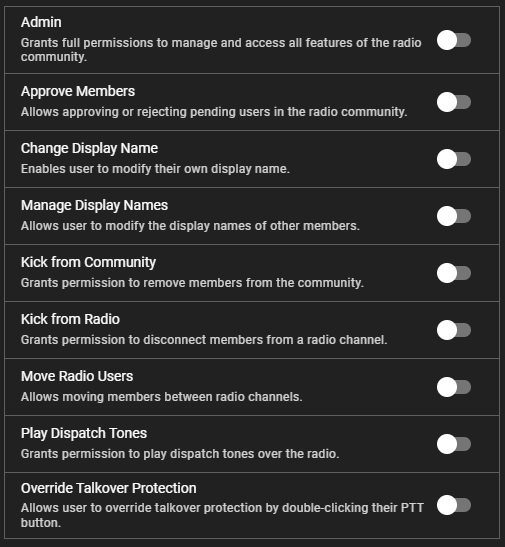
sonoranradio.adminApprove Members: sonoranradio.communityapproveChange Display Name: sonoranradio.setmynicknameManage Display Name: sonoranradio.setnicknameKick from Community: sonoranradio.communitykickKick from Radio: sonoranradio.radiokickMove Radio Users: sonoranradio.radiomovePlay Dispatch Tones: sonoranradio.radiotonesOverride Talkover Protection: sonoranradio.radiotalkoverStun Radio Users: sonoranradio.radiostunPermission Sync Example
Permission Sync Configuration Example
Permission Sync Configuration Example
ACE Permission Tools
You can also use external services like Sonoran CMS to easily manage ACE permissions via ranks and Discord roles.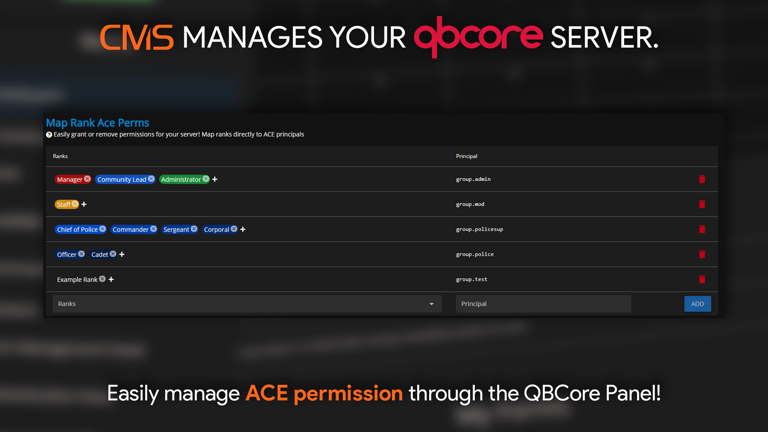 Sonoran CMS - QB Core Panel
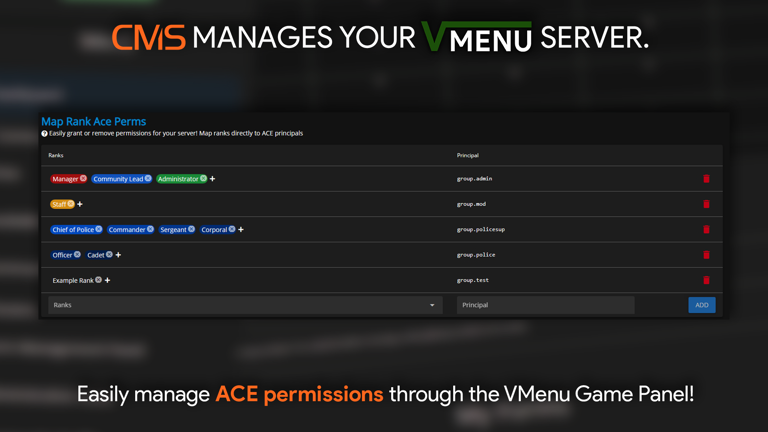 Sonoran CMS - vMenu Panel