

Available Repeater Types
Server Rack
Server rack style repeaters are found by default inside of police stations and hospitals. These repeaters offer the most interactive destruction experience. PressE on the door to open it.
Each server inside can be individually destroyed and will fall separately out of the rack. These can be configured with 1-5 servers in each. As more of these servers are destroyed, the repeater signal will diminish.
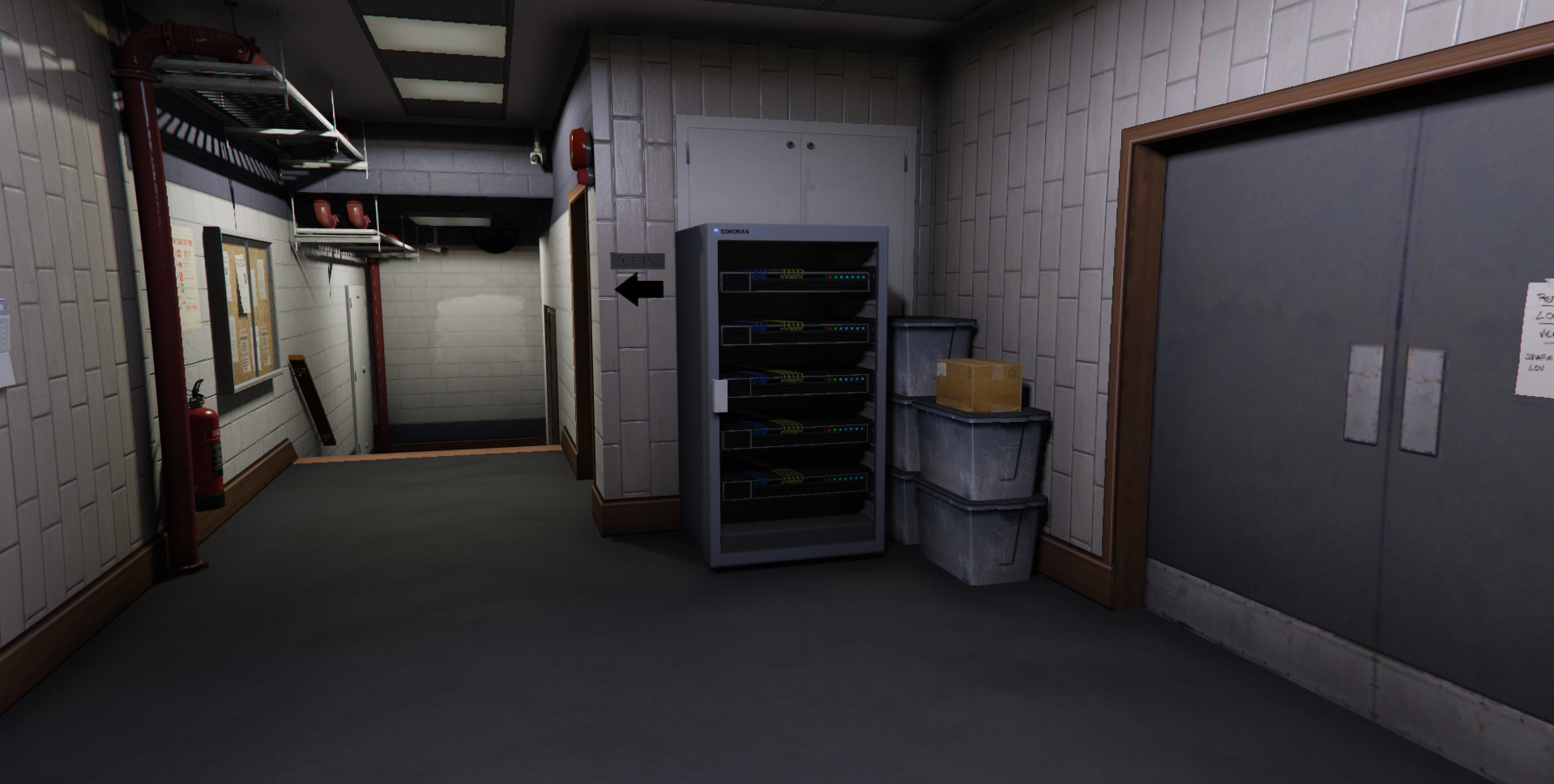 Server Rack
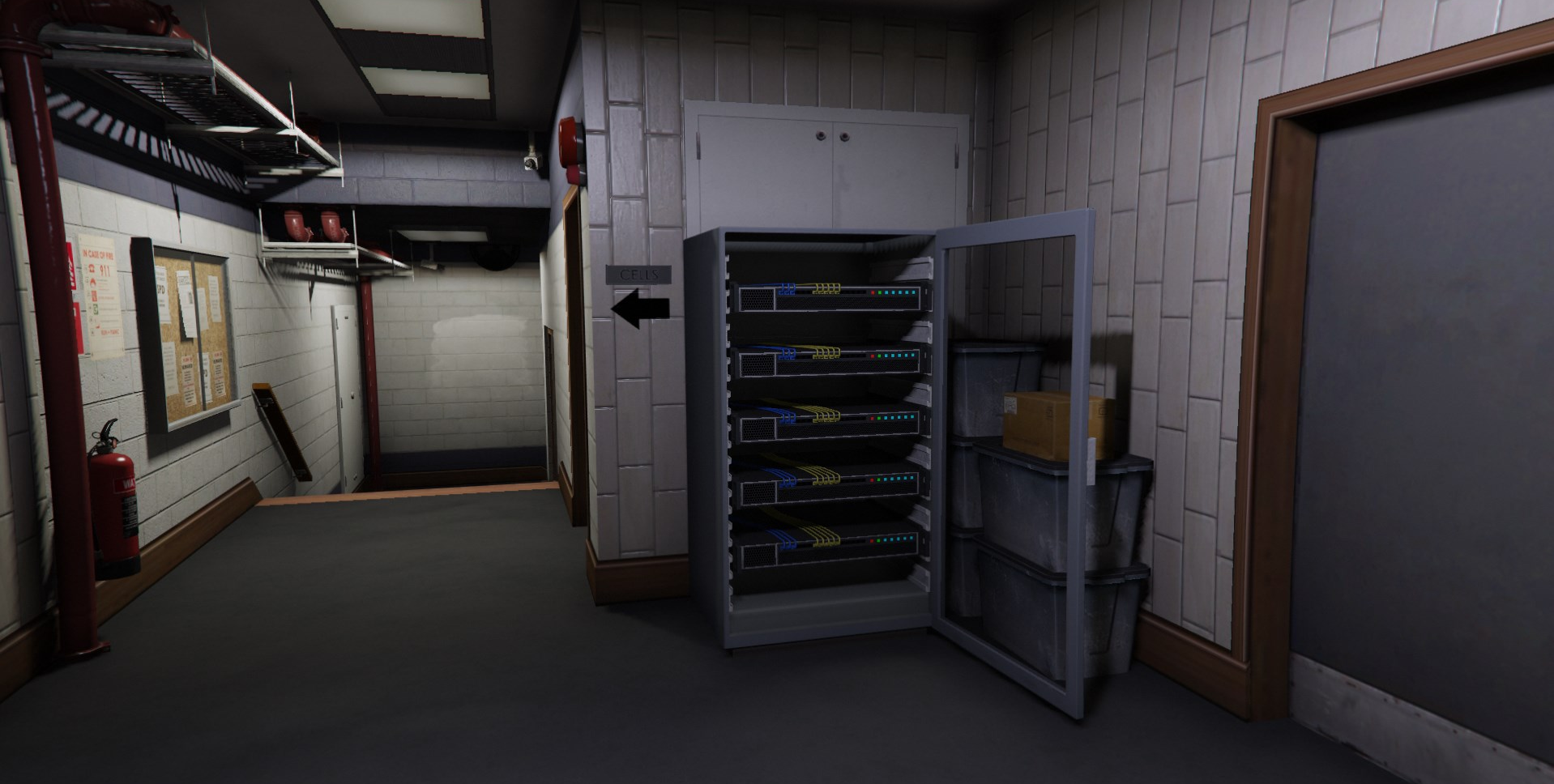 Server Rack - Opened
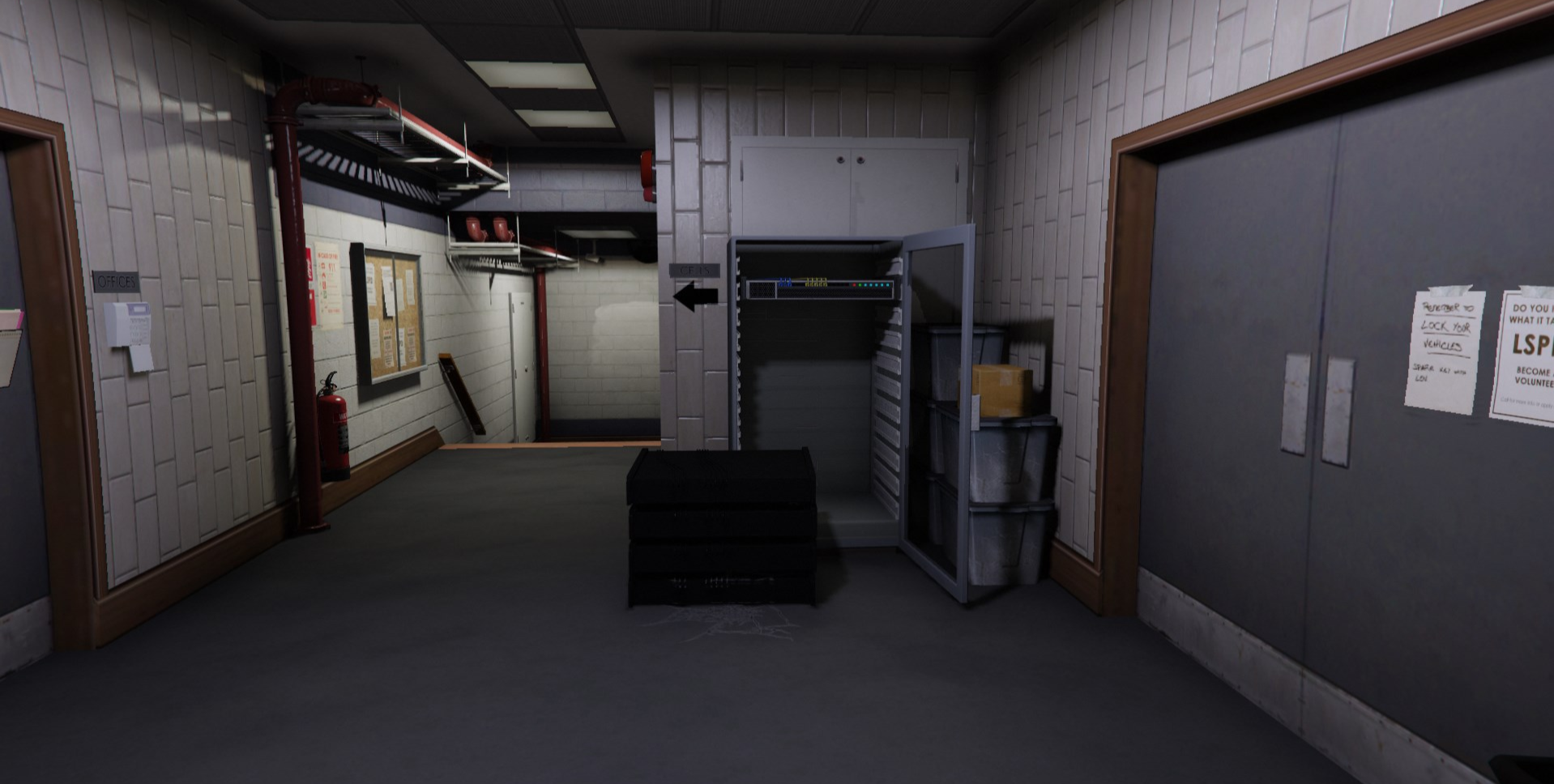 Server Rack - Destroyed
Radio Tower
Tower style repeaters are found by default on hills, mountains, and large rooftops. Players can climb the ladder to reach the top. There are four dishes inside that each account for 25% of the health. As more of these dishes are destroyed, the repeater signal will diminish.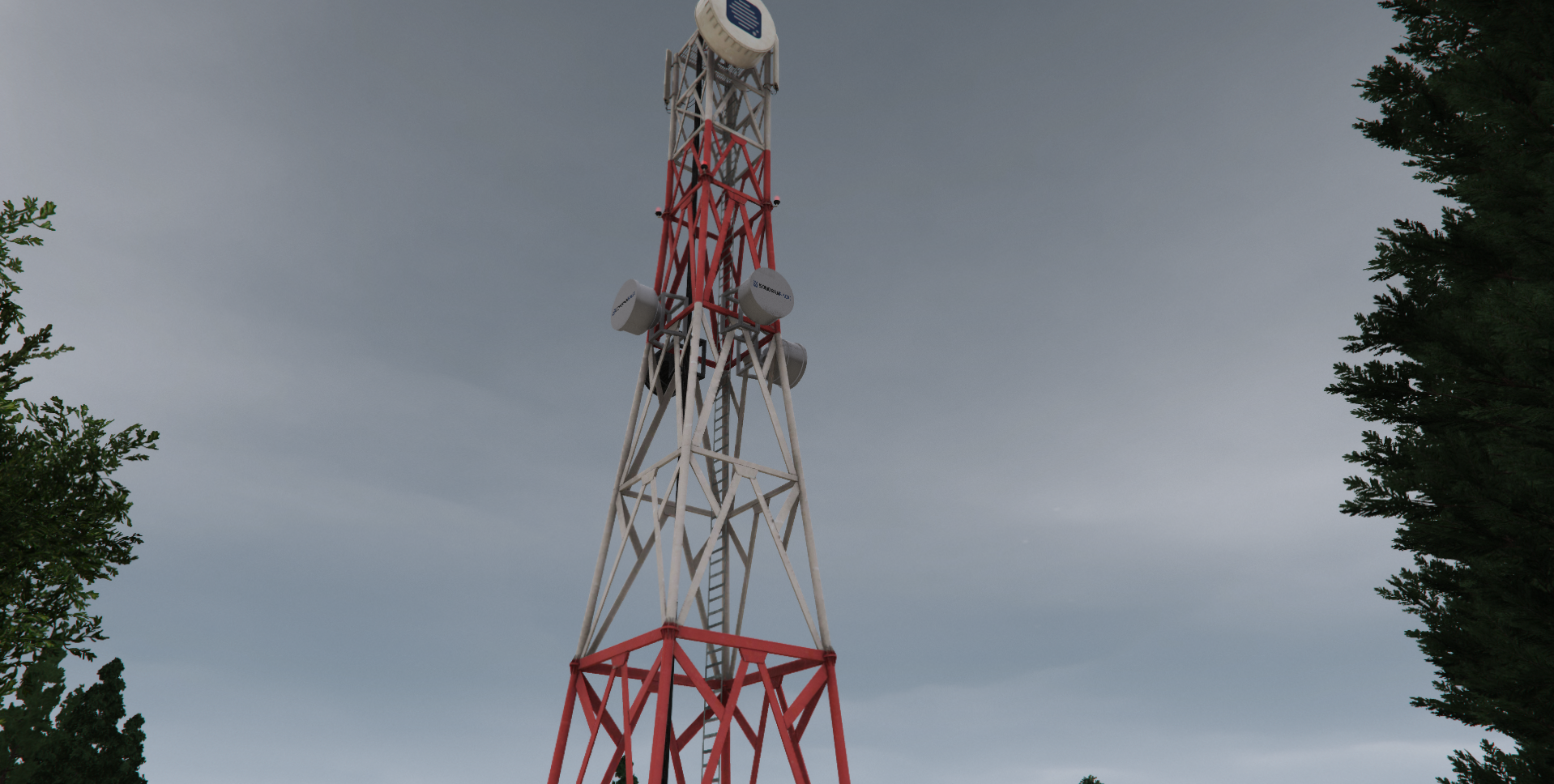 Radio Tower
 Radio Tower - Destroyed
Cellular Antenna
Cellular antenna style repeaters are found by default on the side of high-rises and other buildings. Destroying this antenna will disable it’s repeater range.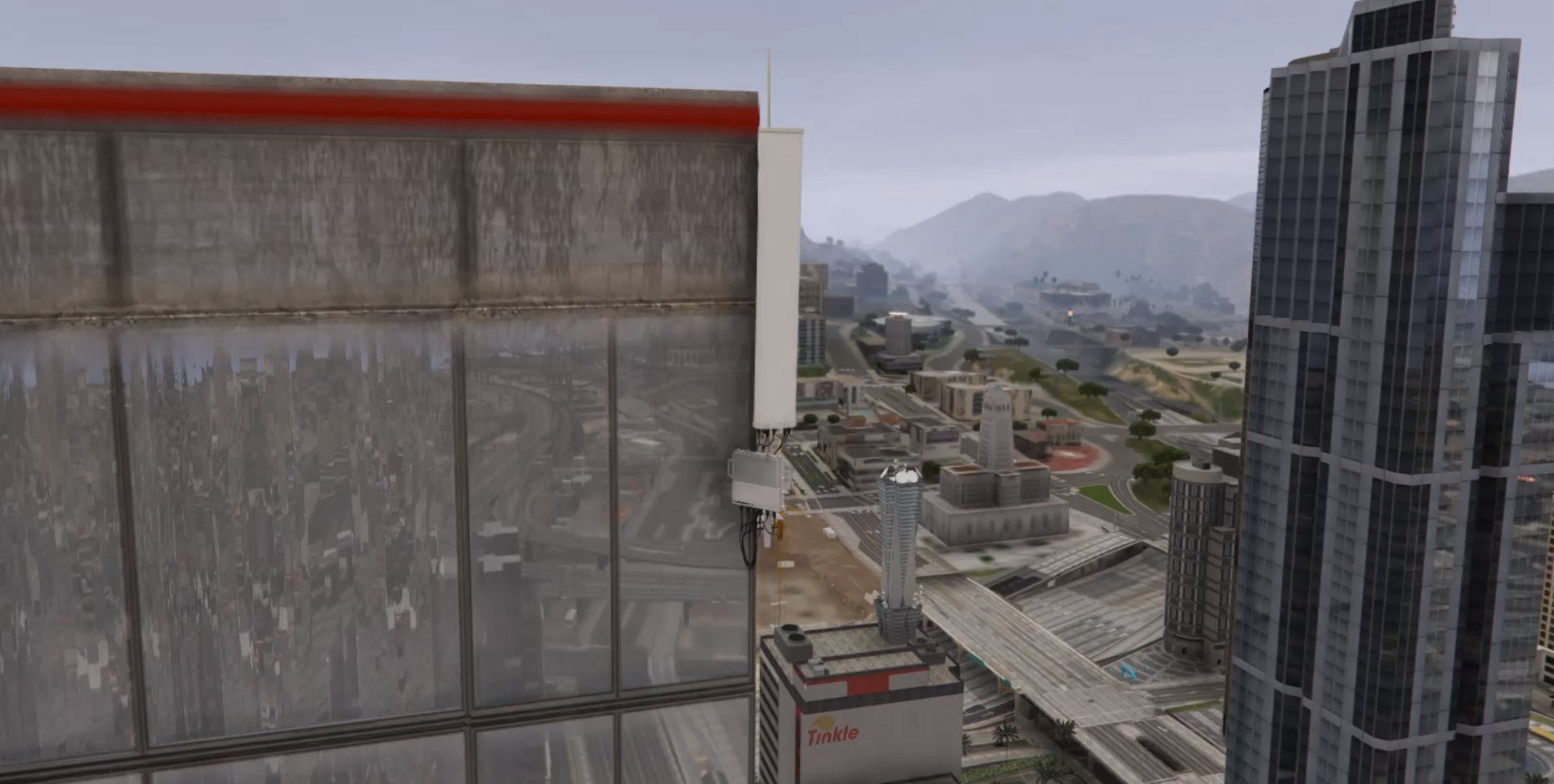 Cellular Antenna
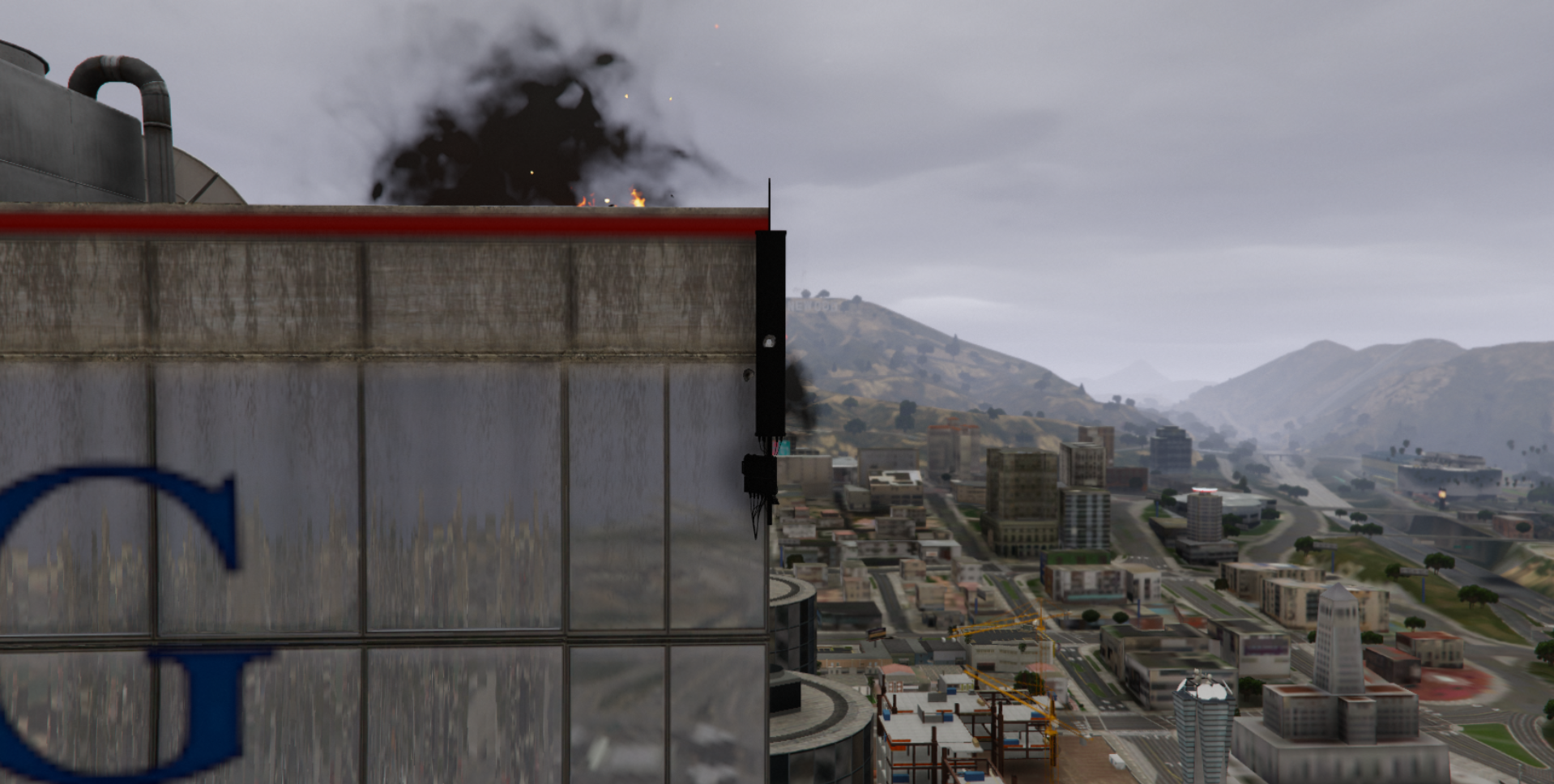 Cellular Antenna - Destroyed
Custom Repeaters
Additional integrations like the mobile command center, power grid hacking, and custom vehicle repeaters offer further customization.Configuration
Tower Placement
Default Positions
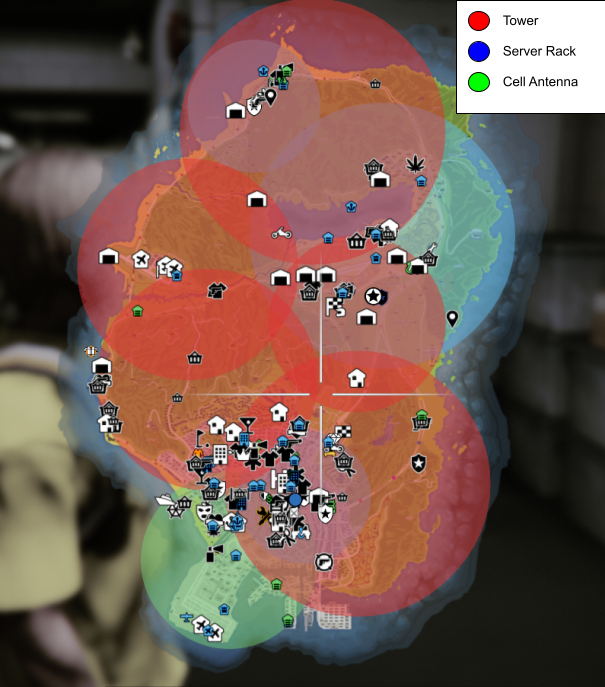 Sonoran Radio - Default Tower Positions
Game Menu Configuration
To add, edit, or remove a repeater, open the configuration menu by typing/radiomenu.
Access to this command requires the command.radiomenu ACE permission.
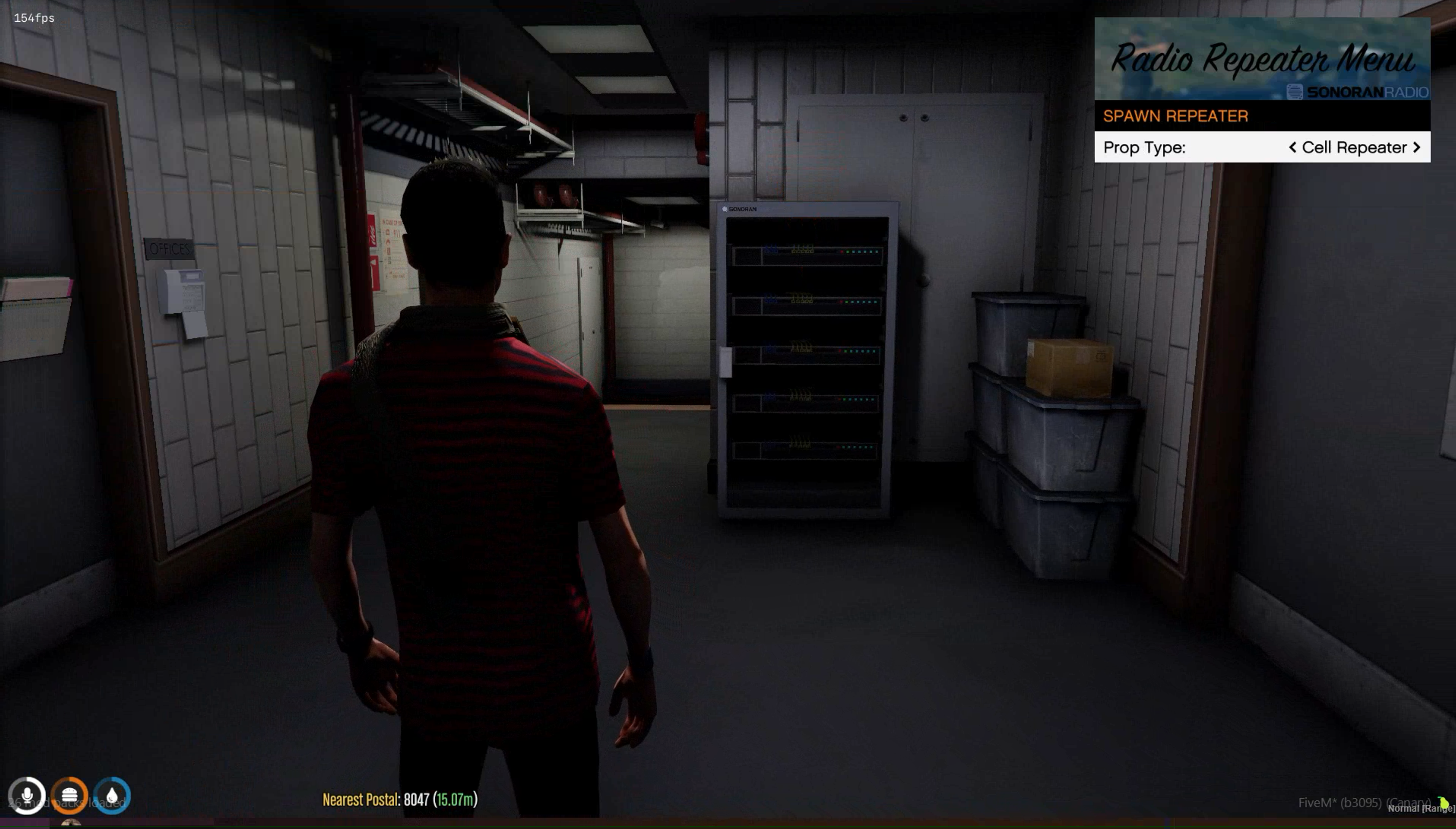 Spawn Repeater
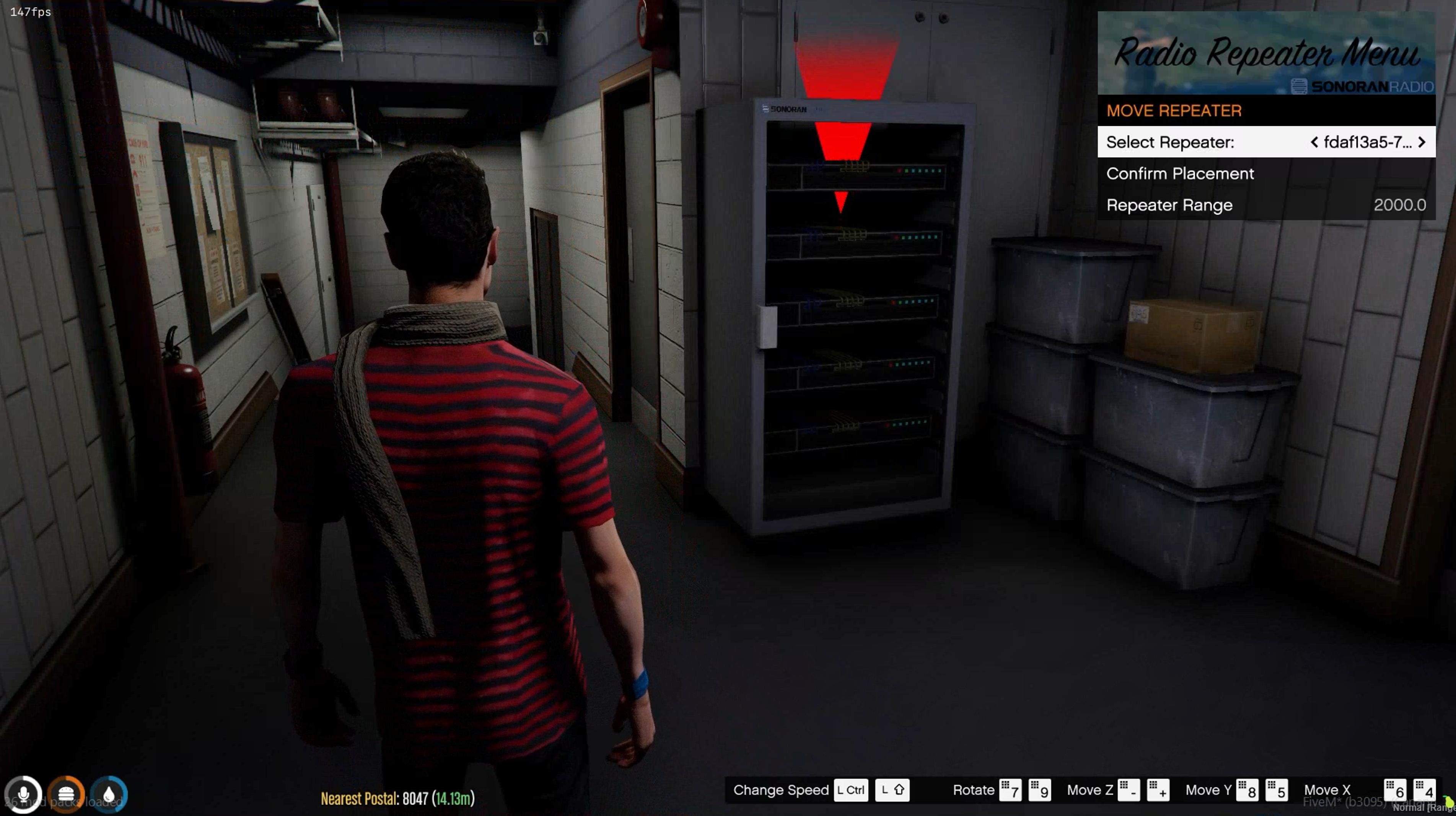 Move/Edit Repeater
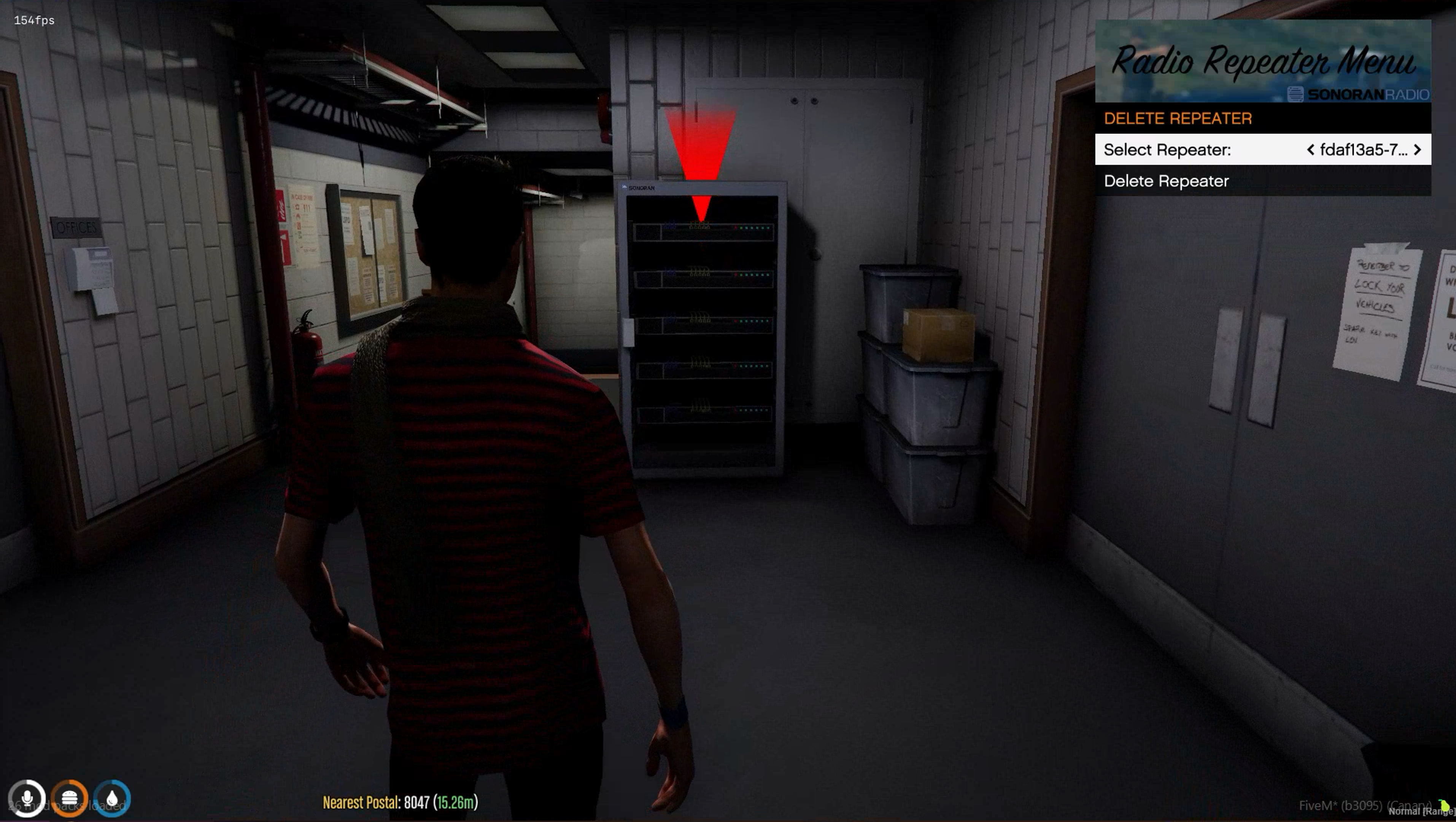 Delete Repeater
Manual Configuration
Alternatively, you can edit the individualtowers.json file in the sonoranradio resource.
towers.json
towers.json
Using the In-Game Towers
Destroying a Tower
When tower destruction is enabled, users can use any form of weapon to damage the repeaters. Once damaged and destroyed, the tower no longer provides radio coverage within that range.Repairing a Tower
Individual Towers
Players can walk up to a destroyed repeater and pressG to being the repair process.
The repair time can be configured in the config.lua’s towerRepairTimer.
You can also restrict permissions to repairing a tower with ACE permissions by setting acePermsForTowerRepair to true in the config.lua.
All Towers
The configuration menu can be used to repair all repeaters on the map at once.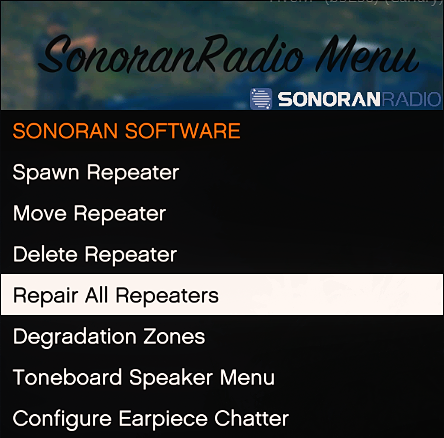 Sonoran Radio: Repair All Repeaters
Viewing Tower Coverage
Via In-Game Map
EnablingConfig.debug in the config.lua file will display a radius around each tower, where the edge represents 50% radio quality.
Via Sonoran CAD Live Map
View Sonoran Radio repeater signal strength and health on the integrated CAD live map.Or, view dispatch call information on the in-game radio!
Sonoran CAD Integration
Viewing Signal Strength
Coming Soon!Degrade Signals in Tunnels
Sonoran Radio also allows you to configure tunnels and other areas where signal will be degraded!Tunnels and Degrade Zones
Additional Integrations
Mobile Command Center Repeater
The Sonoran Mobile Command Center also offers a built-in radio repeater to improve reception on a scene. Raise the radio antenna by running the/mccradio command.
 Sonoran Mobile Command Center
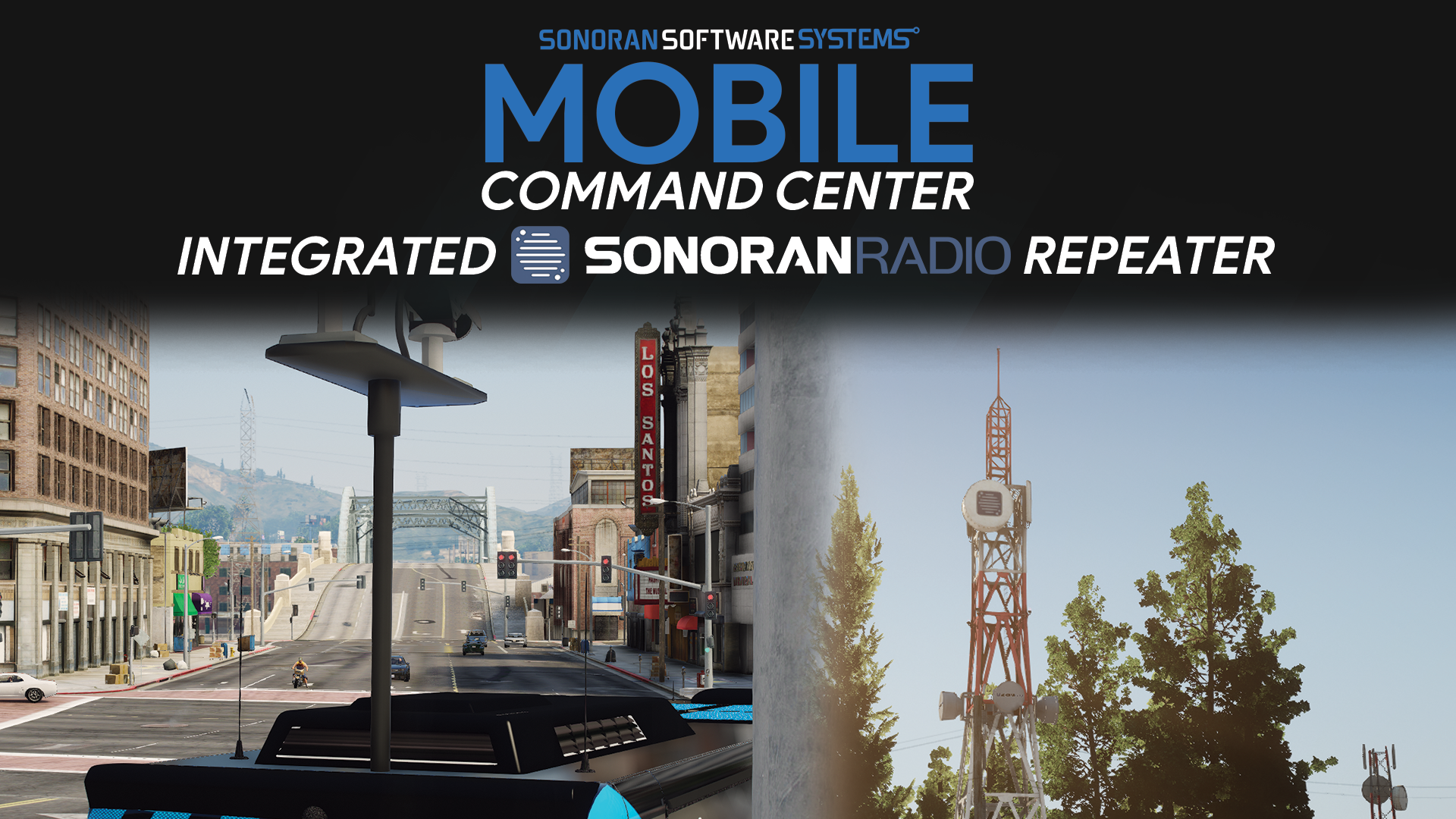 Sonoran Mobile Command Center
Hacking Repeaters - Power Grid Integration
Communities can add additional Sonoran Power Grid integration support, enabling users to hack a radio repeater’s power source instead of destroying it.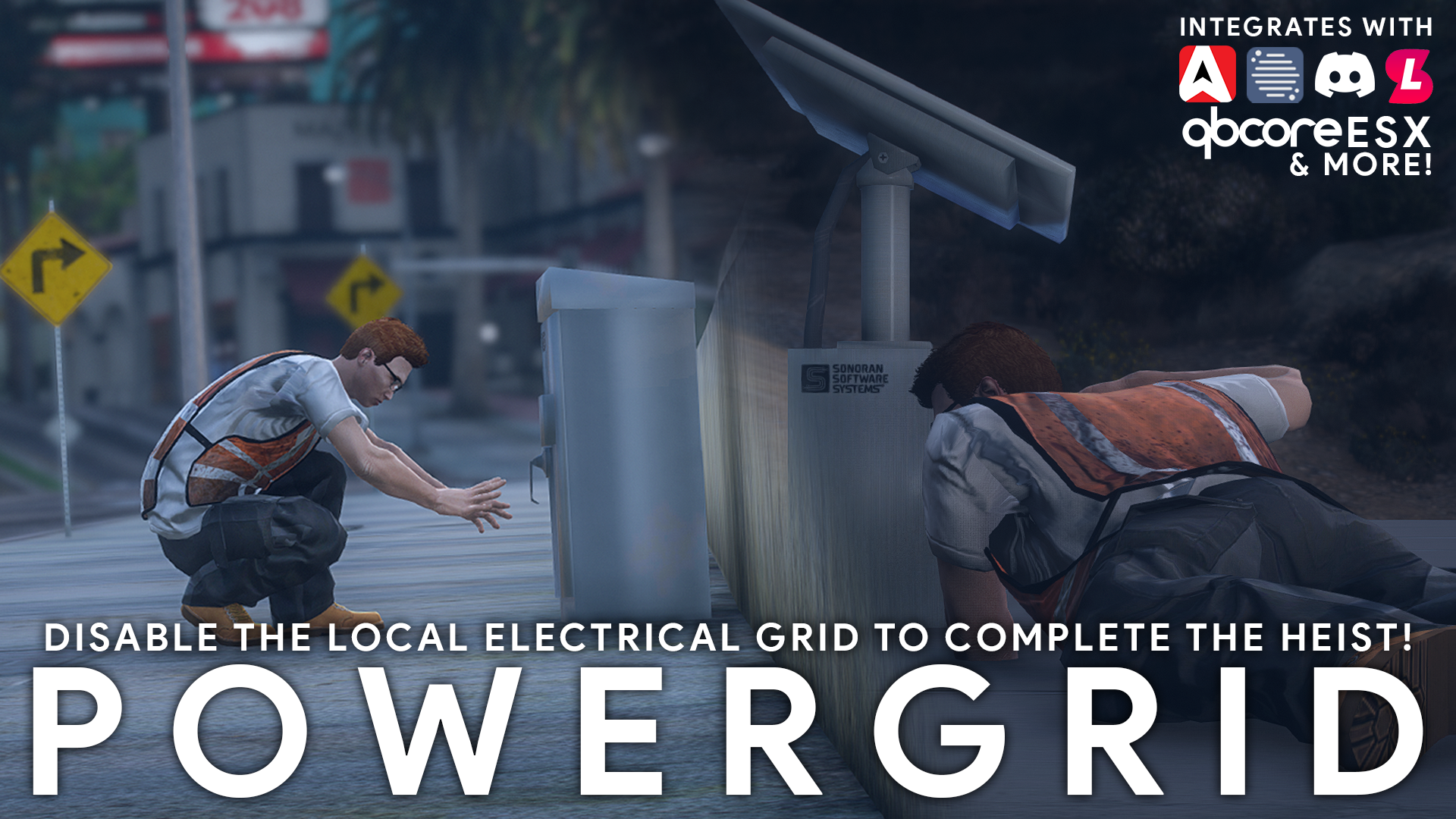 Sonoran Power Grid
Mobile (Vehicle) Repeaters
Mobile repeaters extend radio coverage from configured vehicle models and attached trailer models. Their coverage moves with the vehicle while the repeater is active. Enable the feature inconfig.lua:
Configure a Vehicle Model
Configuration requires thecommand.radiomenu ACE permission.
- Enter the vehicle you want to configure. To configure a trailer model, attach the trailer to the vehicle first.
- Open
/radiomenu. - Select Radio Repeaters > Mobile Repeater Vehicles.
- Select Add Current Vehicle or Add Attached Trailer.
- Set the menu label and repeater range, then select Save Vehicle Repeater.
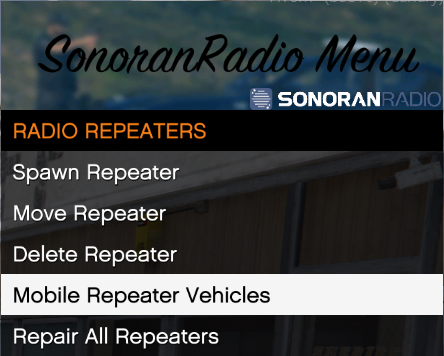
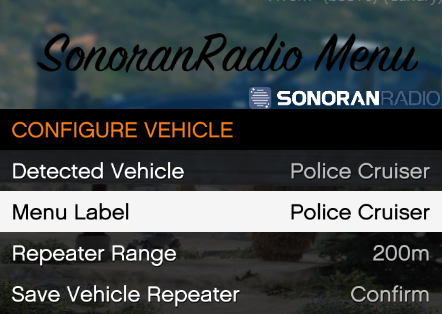
 The range must be between
 1 and 10000. The detected model is saved, so the configuration applies to every vehicle with that model, not only the vehicle used during setup.
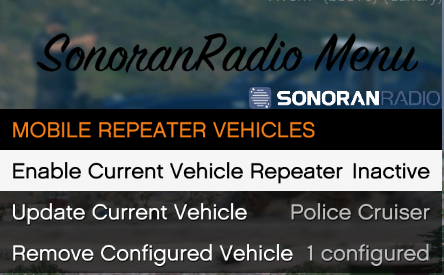
Use the same menu to update an existing model or select Remove Configured Vehicle to delete it. Removing a model also disables active repeaters using that model.
Activate a Mobile Repeater
Activation does not require the administrator configuration permission.- Sit in the driver or front-passenger seat of a configured vehicle.
- Run
/radio repeaterto open the activation menu. - Select Enable Current Vehicle Repeater or Enable Attached Trailer Repeater. The menu displays whether the repeater is active or inactive.
/radiomenu.
Repeater Lifecycle
The server tracks active mobile repeaters as their networked vehicles move. A mobile repeater is automatically disabled when its vehicle is destroyed, despawns, or its model is removed from the configuration. If menu changes do not persist, check the server log and verify that the resource has permission to writemobileRepeaters.json.