

Creating Geo Zones
Via Radio Panel
Geo Zones via Radio Panel
Geo Zones via Radio Panel
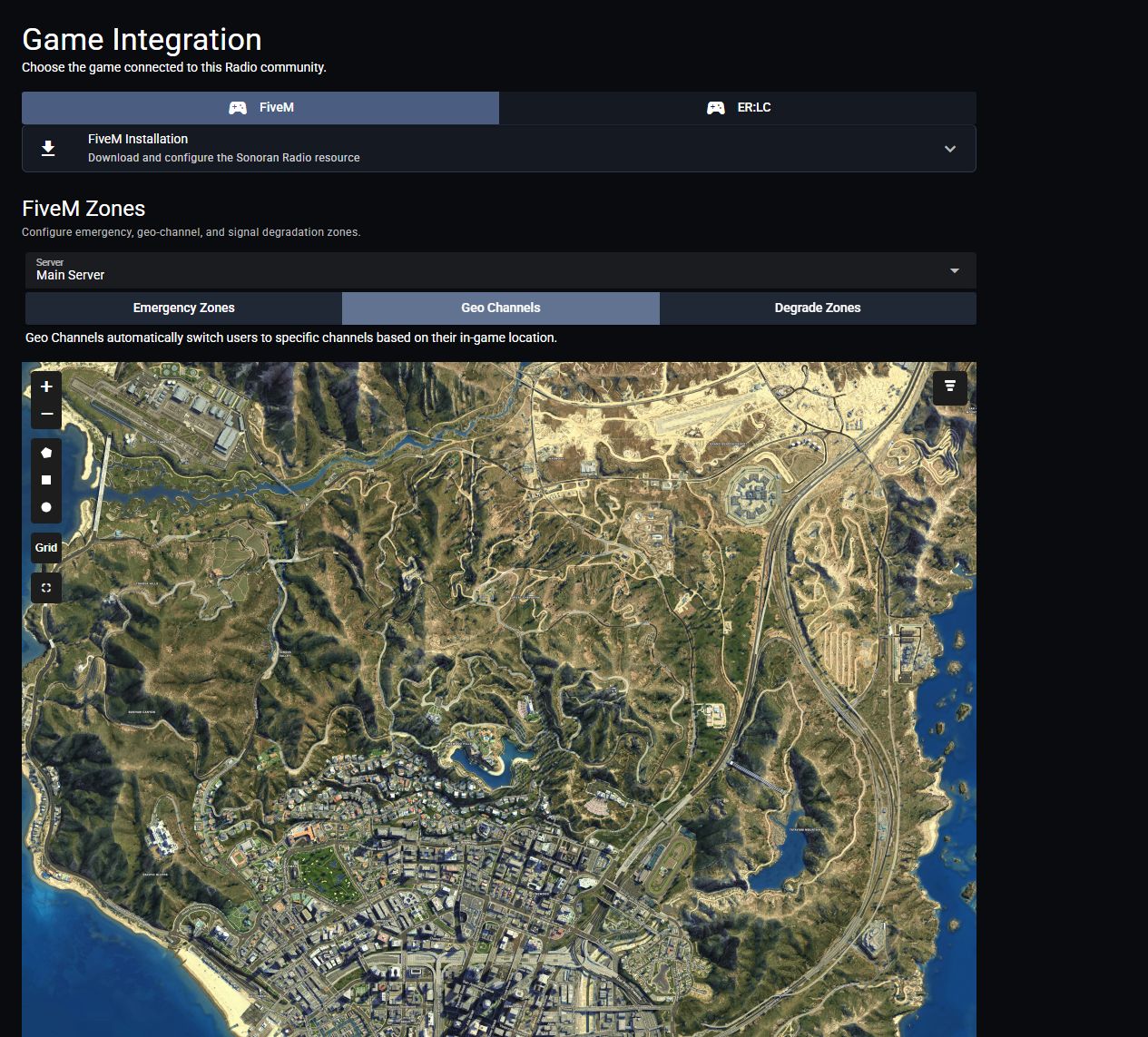
- Open Customization > Game Integration > FiveM.
- Under FiveM Zones, choose your Server and select Geo Channels.
- Use the polygon, rectangle, or circle tool to draw a zone.
- Select the zone to set its name, Z coordinates (floor and ceiling height), and channels to transmit and scan when entered.
Via In-Game Menu
Open the menu with the in-game 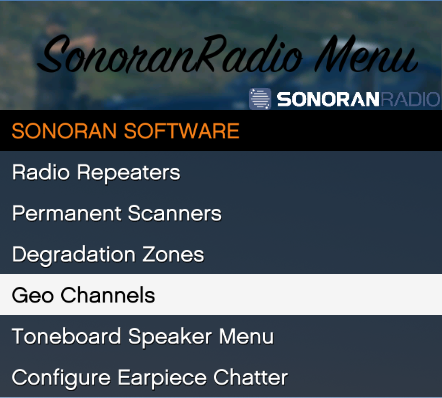 Sonoran Radio - In-game Menu
/radiomenu command and select Geo ChannelsSonoran Radio - In-game MenuZone Configuration Options
Zone Configuration Options
In the 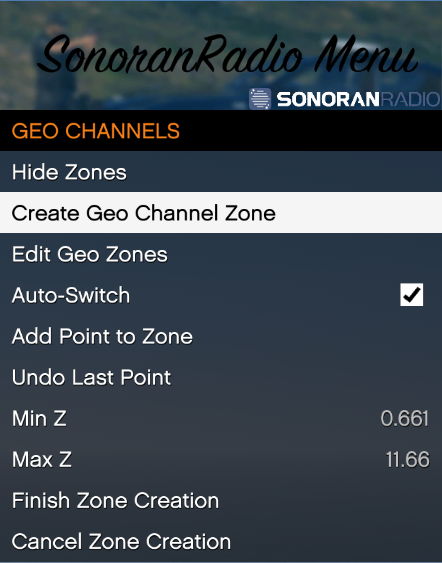
Geo Channels menu, you can specify which channels you want to transmit and scan upon entering, ace perms required to auto switch, add points to create a 3D zone and toggle auto switching on and off.Add Point to Zone- Adds another point to the 3D zone
Undo Last Point- Removes the last placed point from the 3D zone
Min Z- The minimum Z value (floor height) of the 3D zone
Max Z- The maximum Z value (ceiling height) of the 3D zone
Finish Zone Creation- Finishes the 3D zone creation and saves to the
geochannels.jsonfile
Cancel Zone Creation- Cancels the 3D zone editor and closes the menu
Edit Geo Zones- Opens the Geo Zone editor menu
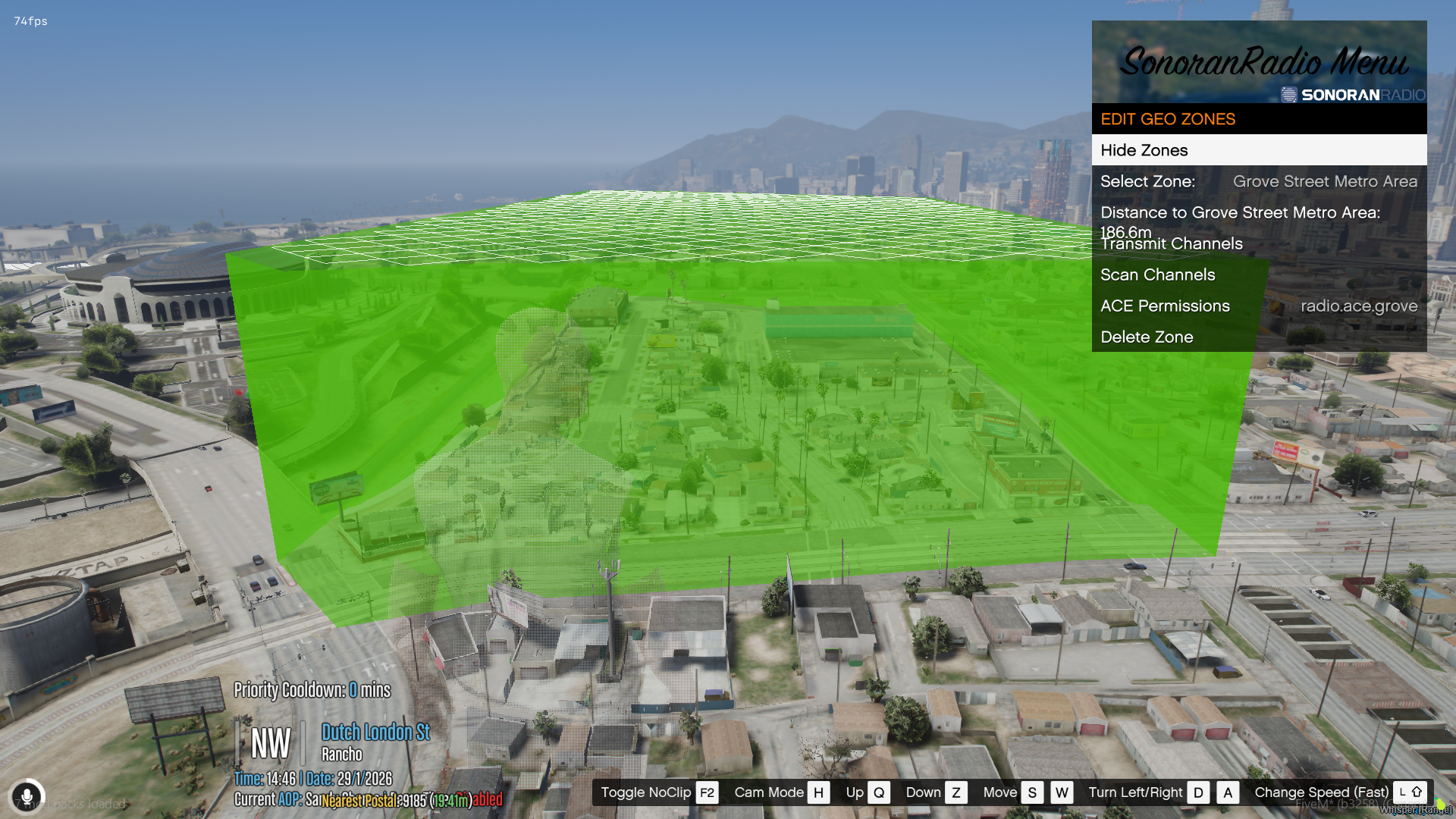
Select Zone- Select the zone you would like to edit
Transmit Channels- The channels you will automatically join and transmit in upon entering the zone, and leave upon exiting the zone
Scan Channels- The channels you will automatically join and scan in upon entering the zone, and leave upon exiting the zone
ACE Permissions- The ACE permission required for the auto switch to happen upon entering/ exiting the zone. If left blank ALL radio users will join and exit the channel upon entering that zone
View and Remove Configured Geo Zones
View and Remove Configured Geo Zones
Select 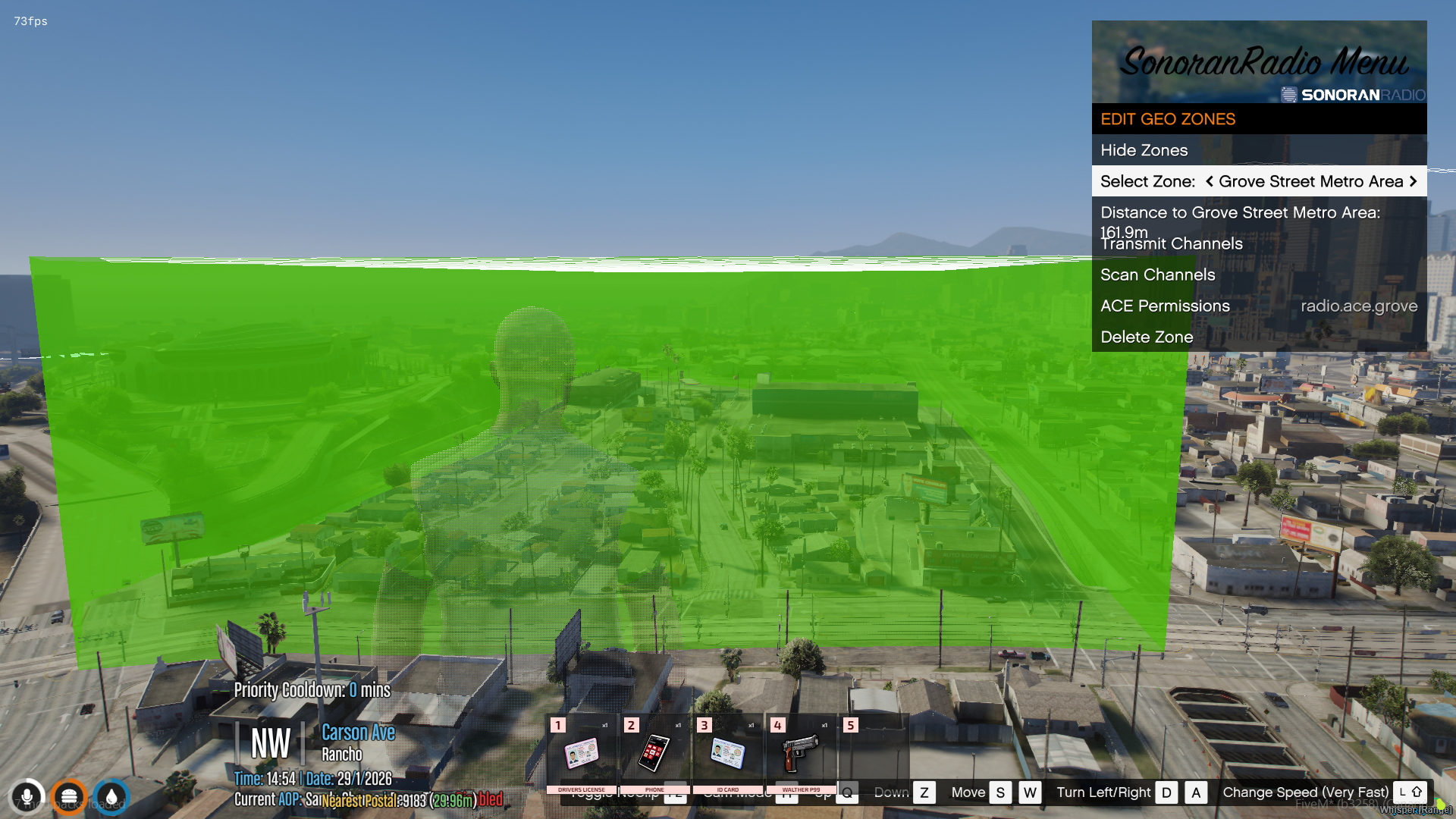 Degredation Zone: Visible and Selected
Edit Geo Zones in the menu and toggle on Show Zones. All configured zones on the map will be displayed in green. If the config.lua’s debug mode is set to true, all zones will also be made visible.Use the Select Zone menu option to swap back and forth between zones. Your selected zone will be displayed in red.Use the Delete Zone menu option to delete the selected (red) zone.Degredation Zone: Visible and SelectedCommands and ACE Permissions
FiveM Geo Channel Config + ACE Permissions
FiveM Geo Channel Config + ACE Permissions
In the config.lua’s
Config.geoChannels property allows for additional customization.User ToggleUsers can use /radio geoswitch to toggle the auto-switcher on/off for themselves.An optional acePermission can be added to restrict this command to specific users.