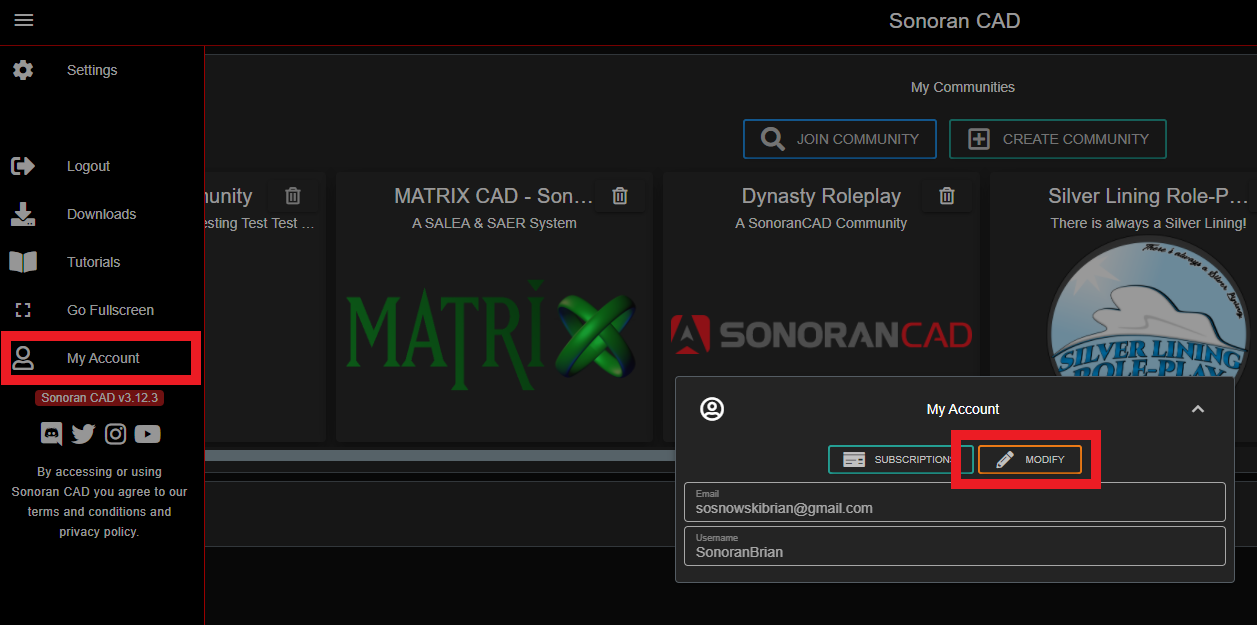
- Access your Sonoran Software Account
You can access your Sonoran Software account by going to account.sonoransoftware.com, or by selecting “Modify” in the side menu’s account modal.
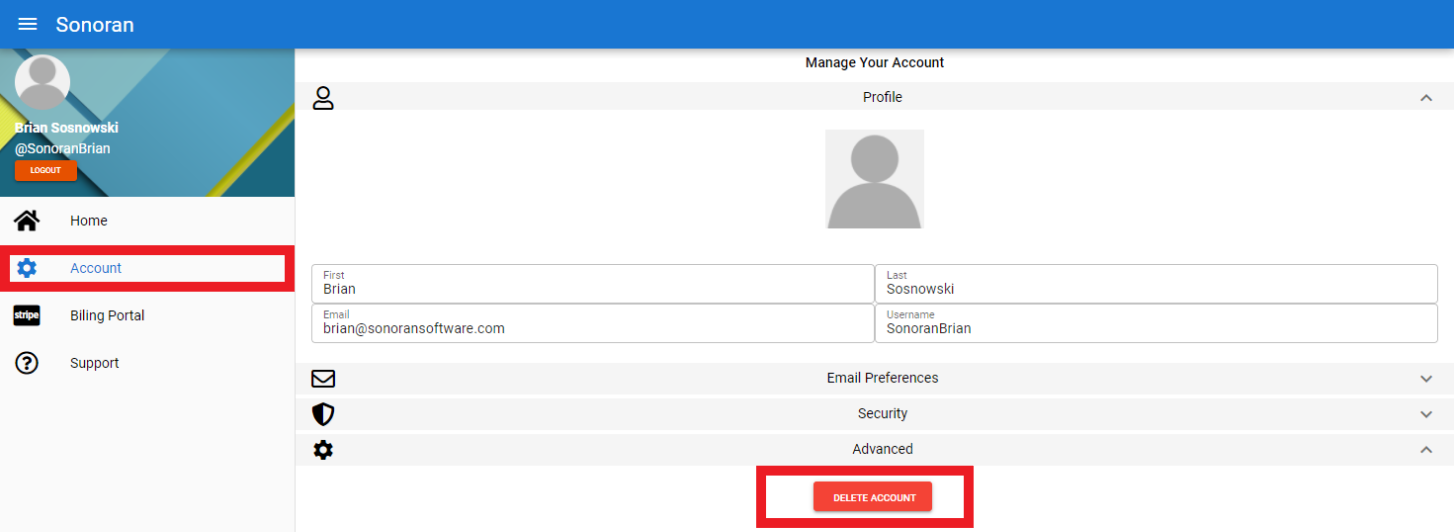
- Send an Account Removal Email
On the Sonoran Account website, select Account > Advanced > Delete Account
This will send an email confirmation to the address on file.
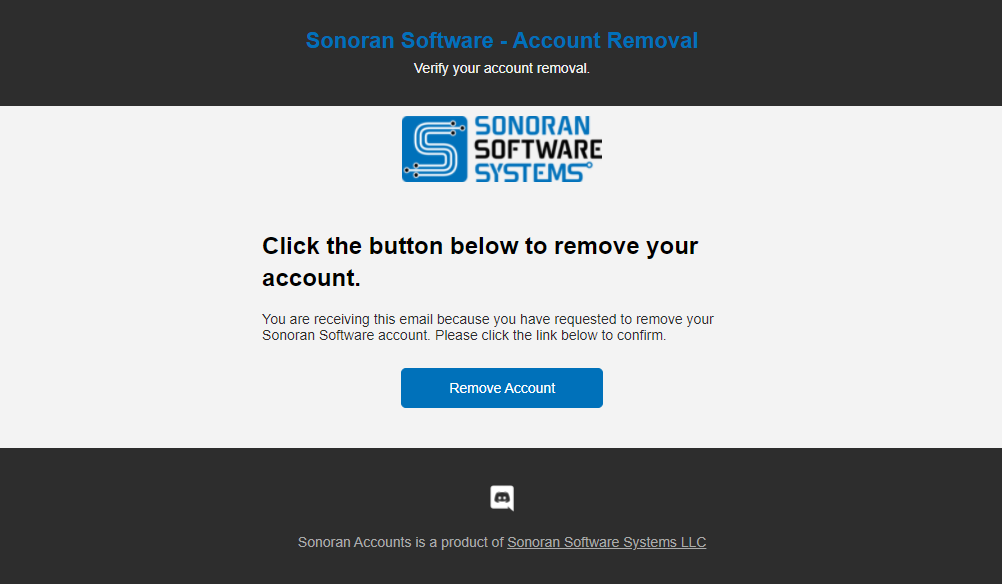
- Verify your Email
Check your email for an account removal request and click the “Remove Account” button.Having trouble seeing it? Be sure to check your spam/junk folder.