# System Logs

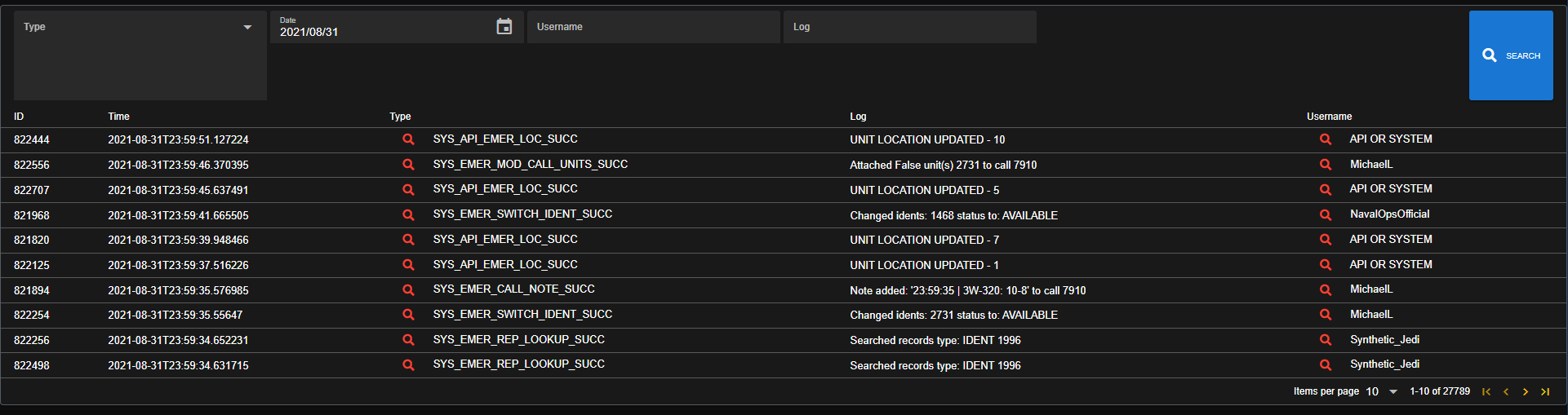
Sonoran CAD logs all user actions in-depth, allowing community administrators to take action against user abuse and help debug common issues.

![Sonoran CAD - Admin Logs](https://232668649-files.gitbook.io/~/files/v0/b/gitbook-legacy-files/o/assets%2F-M4pGN81fb4R6zFhodcu%2F-MiY4W2DYau77B4qOg_1%2F-MiY6Sc8ebXloQRF3VnT%2Fimage.png?alt=media\&token=cf375b51-c191-45db-b982-2034b2b246db)

## Searching for Logs

### 1. Access the Log Panel

In the admin page, navigate to `Advanced` > `Logs`

### 2. Filtering and Searching for Logs

The log panel allows you to filter search results by date, log type, username, and log contents.

#### Log Type

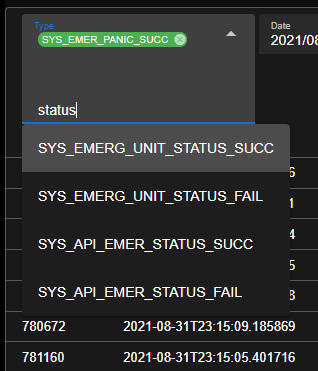
The log `Type` dropdown allows you to search and select specific log types. This allows you to search only for logs pertaining to a specific action in the CAD.

If left blank, no log filtering will be applied.
![](https://232668649-files.gitbook.io/~/files/v0/b/gitbook-legacy-files/o/assets%2F-M4pGN81fb4R6zFhodcu%2F-MiY4W2DYau77B4qOg_1%2F-MiY5Unul60vU9ziNVlX%2Fimage.png?alt=media\&token=3bf1af4a-4fb2-4763-b67b-db5a51193065)

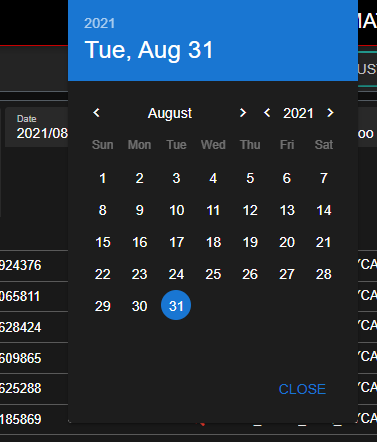
#### Log Date

The log `Date` selection allows you to choose the specific date the logs are from.\
\&#xNAN;*Note: Dates and the accompanying timestamps are based in UTC.*

![](https://232668649-files.gitbook.io/~/files/v0/b/gitbook-legacy-files/o/assets%2F-M4pGN81fb4R6zFhodcu%2F-MiY4W2DYau77B4qOg_1%2F-MiY5yAUMXOXcpDrmsBh%2Fimage.png?alt=media\&token=2cc45124-bb71-4ed6-b695-d0704637fd50)

#### Username

The log `Username` selection allows you to search and filter logs down to a specific username. You can also search for a partial username.

#### Log Text

You can also filter logs based on partial text put into the `Log` field.