

Acquire the Script
After purchasing the script through the Sonoran store you may download the script through the keymaster account that purchased the script. Upon downloading extract the file to a safe place.Install the Script
- Inside the script package you just extracted will be two folders. Copy both to a folder in your server’s resources folder called
[sonoranscripts]note the[]in the name, without them it will not work.
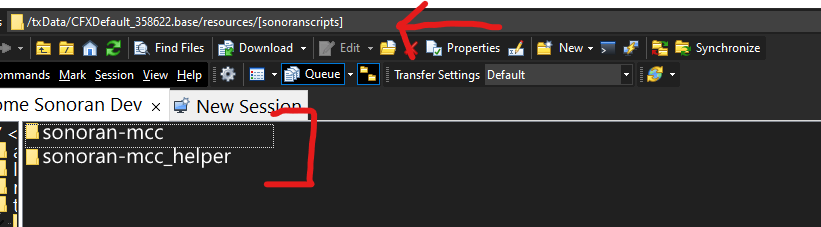 Sonoran Software - MCC - Folders
- In the
sonoran-mccfolder there will be a folder calledconfig, once inside that folder you should see a file calledconfig.CHANGEME.luayou should rename that to beconfig.luaand configure the settings inside as you would like them to be configured based on the configuration documentation below. - In the
sonoran-mccfolder there is the filesonomcc.ytd, move that file into thesonoran-mcc/stream/folder. This allows our updater to not override any custom YTD edits like custom liveries. - In the
sonoran-mcc/data/folder there are 4.metafiles rename each file so that you remove.CHANGEMEfrom the name. You should be left with the following 4 file names:
- carcols.meta
- carvariations.meta
- vehiclelayouts.meta
- vehicles.meta
- Finally, in your
server.cfgadd the following:
Configuring The Script
Default config.lua
Default config.lua
There is no permission configuration required for this resource.
Sonoran CAD Integration
Functionality
The mobile command center is equipped with surveillance cameras on top of the radio antenna. While looking at a vehicle, the license plate will be displayed on-screen. Additionally, with Sonoran CAD’s Wraith integration, a pNotify pop-up will display the vehicle’s registration information from Sonoran CAD. PressENTER to “lock” the plate and return a full search in your Sonoran CAD screen.
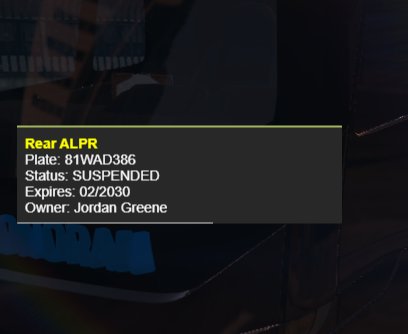 Sonoran Software - MCC - ALPR
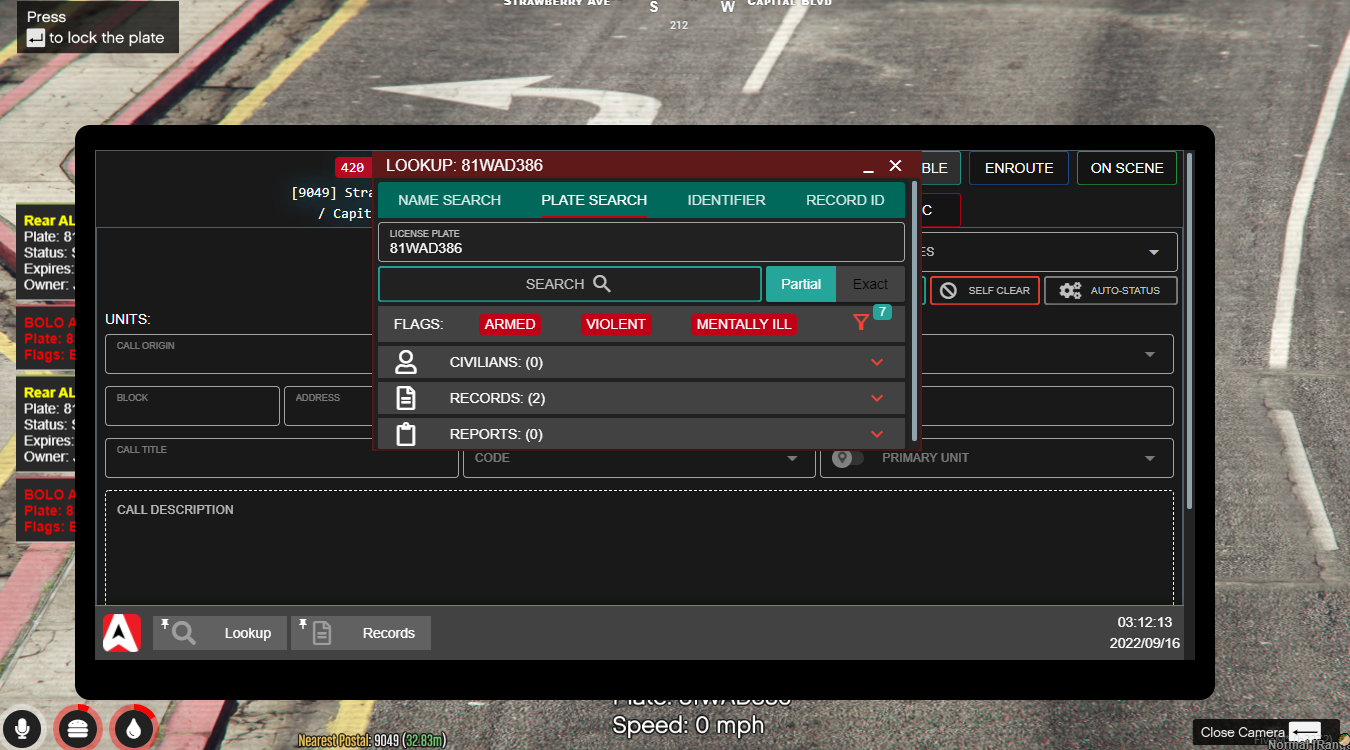 Sonoran Software - MCC - ALRP Locked
Configuration
The Sonoran CAD integration can be turned either on or off in theconfig.alpr section. In order for Sonoran CAD integration to work properly you MUST have the Wraith Radar CAD plugin installed. This plugin is part of Sonoran CAD’s integration framework.
Sonoran Radio Integration
Functionality
The mobile command center is equipped with an extendable Sonoran Radio repeater. When extended, the mobile command center will function as a Sonoran Radio tower to increase reception in the area.Configuration
The Sonoran Radio integration is both automatic and seamless. In order for this to work you MUST have the Sonoran Radio FiveM Script properly installed and configured.Config Breakdown
config.keys Breakdown
config.doorControl Breakdown
config.language Breakdown
Here you can imput your own translations or change the wording of all text prompts and popups.
config.alpr Breakdown
config.radio Breakdown
Commands
These are the default names of commands, they may have been modified by the server owner.Available Doors
Troubleshooting
Crashing when spawning or enterning the MCC
- Ensure you have removed the
CHANGEMEfrom the configuration files. - Ensure you have removed the
CHANGEMEfrom all four of the.metafiles in/sonoran-mcc/data/ - Ensure you are NOT ensuring/starting the
sonoran-mcc_helperresource and are only ensuring thesonoran-mccresource. - Ensure you are not restarting the MCC resource live on the server. It should only be ran on server startup from your
server.cfgfile. - Clear your FiveM
server-data/cachefolder. - Some users have reported crashing when spawning the vehicle via TxAdmin, try only using the vMenu.