> For the complete documentation index, see [llms.txt](https://docs.sonoransoftware.com/llms.txt). Markdown versions of documentation pages are available by appending `.md` to page URLs; this page is available as [Markdown](https://docs.sonoransoftware.com/store/safety-vests.md).

# Safety Vests

## Add visibility and movement to your EUP outfits

{% hint style="info" %}
This EUP asset is escrow protected by Tebex. [Learn more about what this means.](/store/safety-vests/installation.md#texture-customization)
{% endhint %}

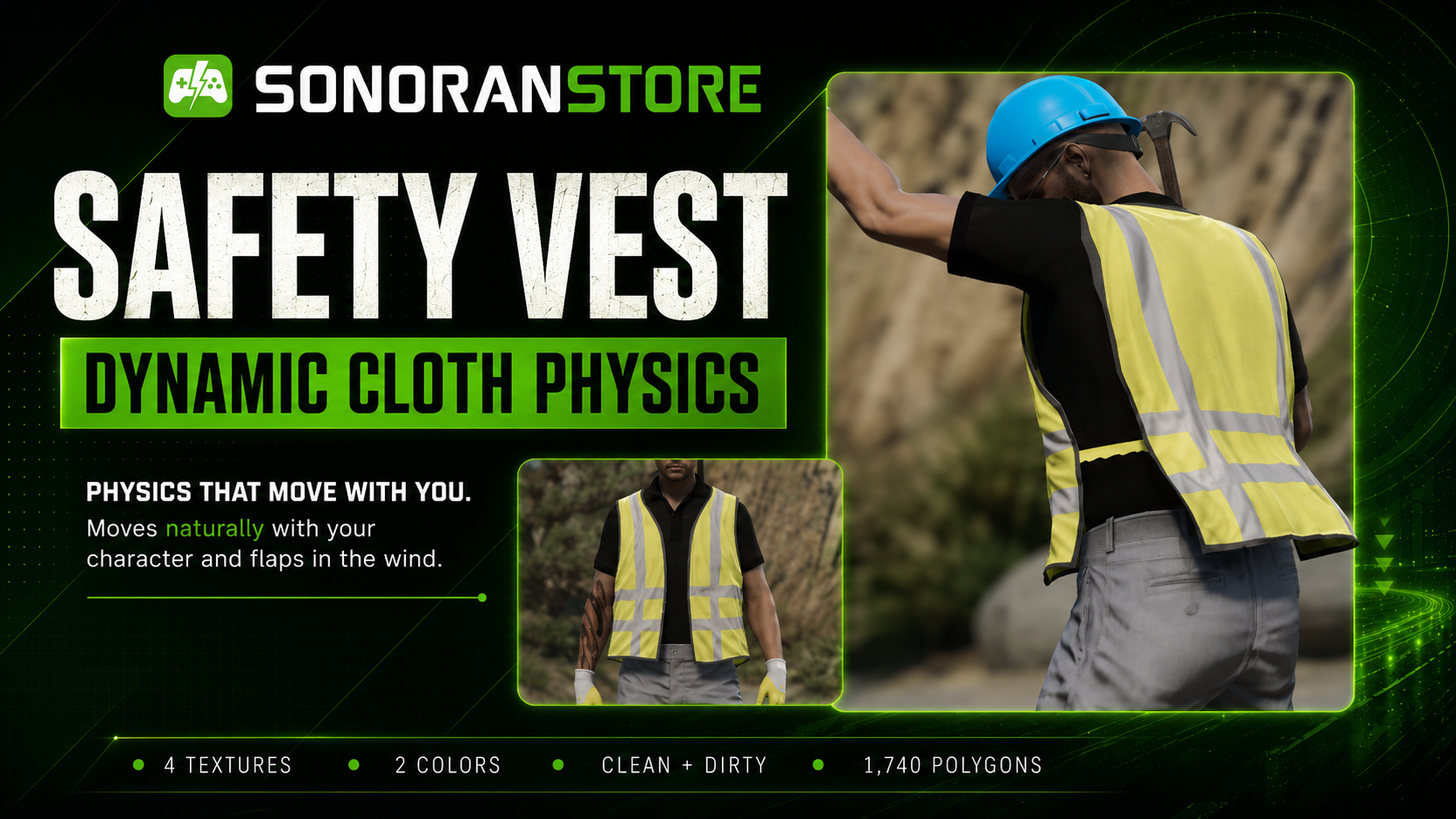
Give your characters a more practical, polished look with Sonoran Safety Vests. These EUP accessories are designed to fit naturally into public-safety, roadside, construction, event, and civilian roleplay outfits while moving with the player in-game.

<figure><img src="/files/68xscYiX14HvfuR5d9mh" alt=""><figcaption></figcaption></figure>

## Built to move

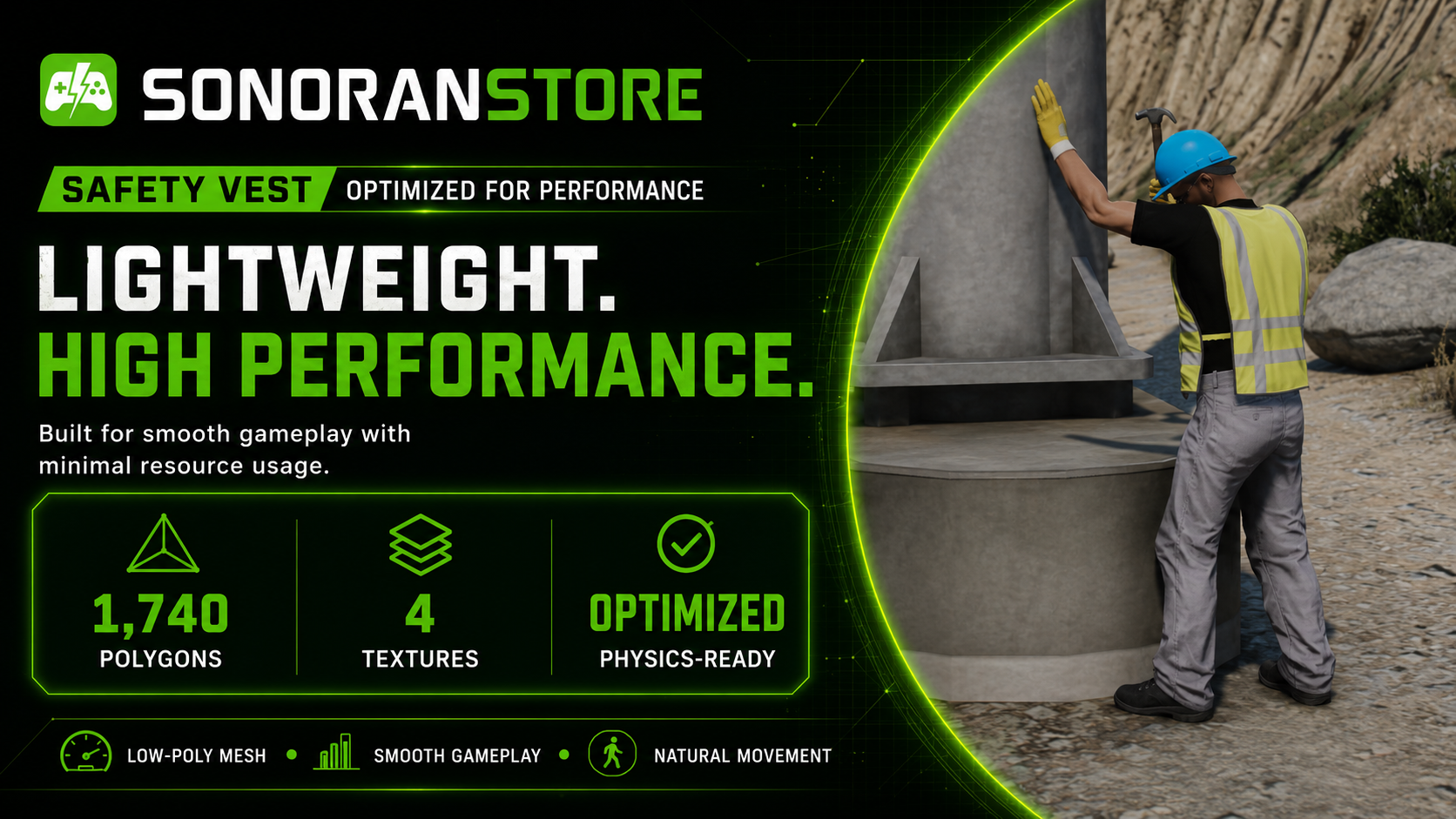
The Safety Vests use physics-enabled movement so the vest responds naturally as the player walks, runs, turns, and moves through the world. This adds a more convincing finishing detail to uniforms and high-visibility outfits.

<figure><img src="/files/pptHgy6YWYQK3uDmYhRX" alt="" width="375"><figcaption></figcaption></figure>

## Designed for roleplay

Safety Vests are a natural fit for:

* Police, sheriff, and other public-safety uniforms
* Fire, EMS, and roadside-response outfits
* Construction and utility workers
* Event staff and security personnel
* Civilian and high-visibility clothing
* Custom EUP collections and department loadouts
<figure><img src="/files/vzW5MbXNRTWTr66EdEPz" alt=""><figcaption></figcaption></figure>

## Product details

| Feature       | Details                                            |
| ------------- | -------------------------------------------------- |
| Item type     | EUP safety vest accessory                          |
| Movement      | Moves naturally with your character                |
| Compatibility | Optimized for FiveM EUP / vMenu clothing workflows |
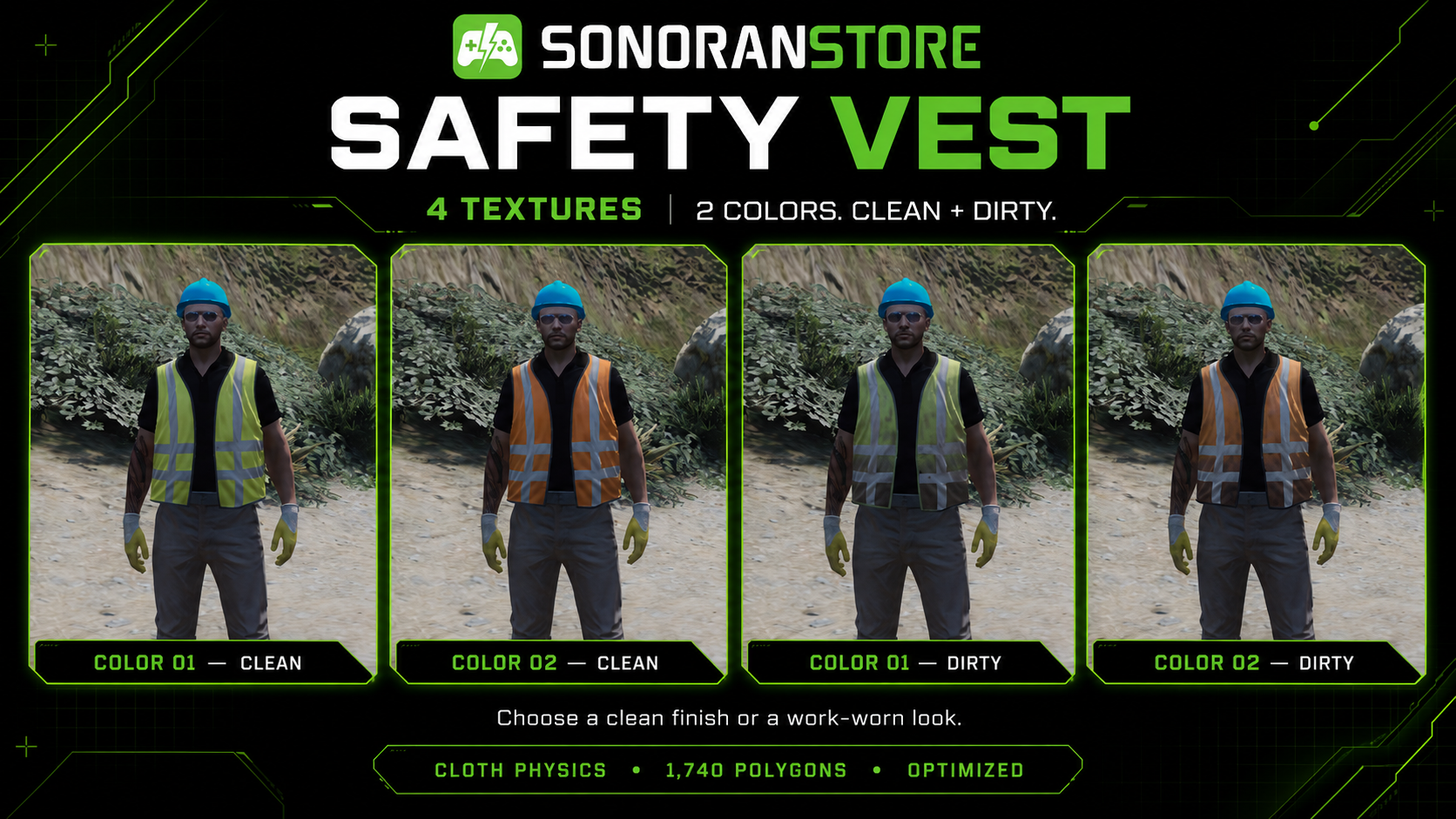
| Variants      | 2 Colors, 4 Textures (clean and dirty)             |
| Positions     | 1 Position                                         |
| Textures      | 4 textures                                         |
| Polygons      | 1,740 polygons                                     |
| Performance   | Optimized for FiveM                                |

<figure><img src="/files/nGDZpnvkrCrgipOVEJ0P" alt=""><figcaption></figcaption></figure>

## In-game location

The Safety Vests are accessed through vMenu's EUP clothing options.

1. Open **vMenu**.
2. Open the **EUP / Player Appearance** clothing menu.
3. Open **Shirt and Accessory**.
4. Scroll all the way to the end of the category and select slot **217**.
5. Select a vest and use the texture/variation controls to preview the available options.

## Simple installation

Download the ZIP from the Cfx.re Portal, unzip it, place the `sonoran-safetyvest` folder in your server's `resources` directory, and add it to `server.cfg`:

```cfg
ensure sonoran-safetyvest
```

For the complete installation process, screenshot placeholders, and EUP streamed-asset troubleshooting, see:

{% content-ref url="/pages/zUkJrdws6yfcWjEEG80G" %}
[Installation](/store/safety-vests/installation.md)
{% endcontent-ref %}


---

# Agent Instructions
This documentation is published with GitBook. GitBook is the documentation platform designed so that both humans and AI agents can read, navigate, and reason over technical content effectively. Learn more at gitbook.com.

## Querying This Documentation
If you need additional information that is not directly available in this page, you can query the documentation dynamically by asking a question.

Perform an HTTP GET request on the current page URL with the `ask` query parameter, and the optional `goal` query parameter:

```
GET https://docs.sonoransoftware.com/store/safety-vests.md?ask=<question>&goal=<endgoal>
```

`ask` is the immediate question: it should be specific, self-contained, and written in natural language.
`goal` is optional and describes the broader end goal you are ultimately trying to accomplish on behalf of the user. GitBook uses it to tailor the answer towards what is most useful for that goal.

The response will contain a direct answer to the question and relevant excerpts and sources from the documentation.

Use this mechanism when the answer is not explicitly present in the current page, you need clarification or additional context, or you want to retrieve related documentation sections.