

The resource folder should be named
sonoran-shortdress and started with ensure sonoran-shortdress. If the downloaded ZIP uses a different folder name, use that exact name instead.This EUP asset is escrow protected by Tebex. Learn more about what this means.
Before You Begin
You will need:- Access to the Cfx.re Portal account that purchased the Short Slip Dress.
- Access to your FiveM server’s
resourcesfolder. - Access to your server’s
server.cfgfile. - A way to fully restart the server after installation.
Download the Resource
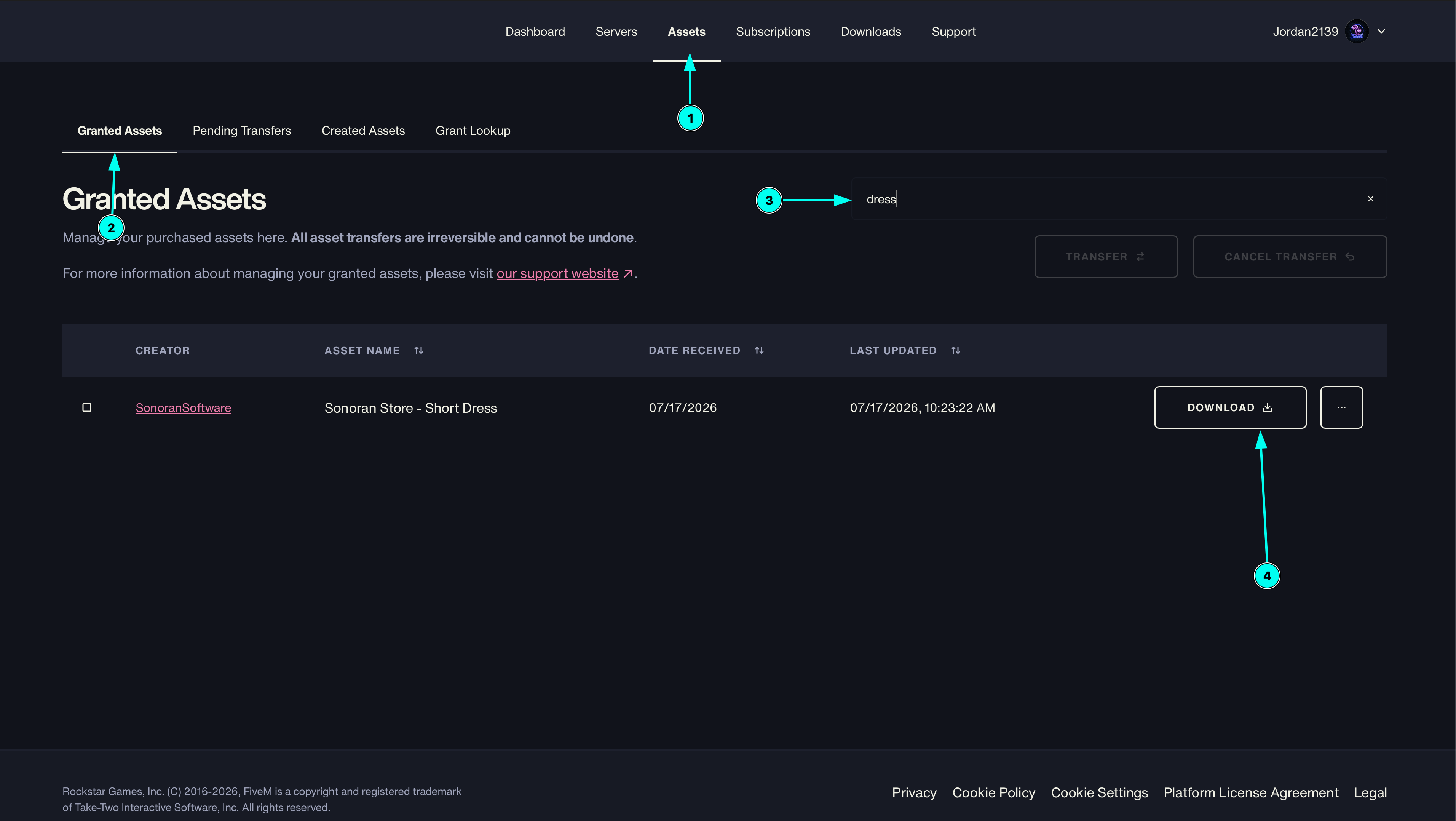
- Sign in to the Cfx.re Portal.
- Open the purchased assets or packages area for the account that owns the Short Slip Dress.
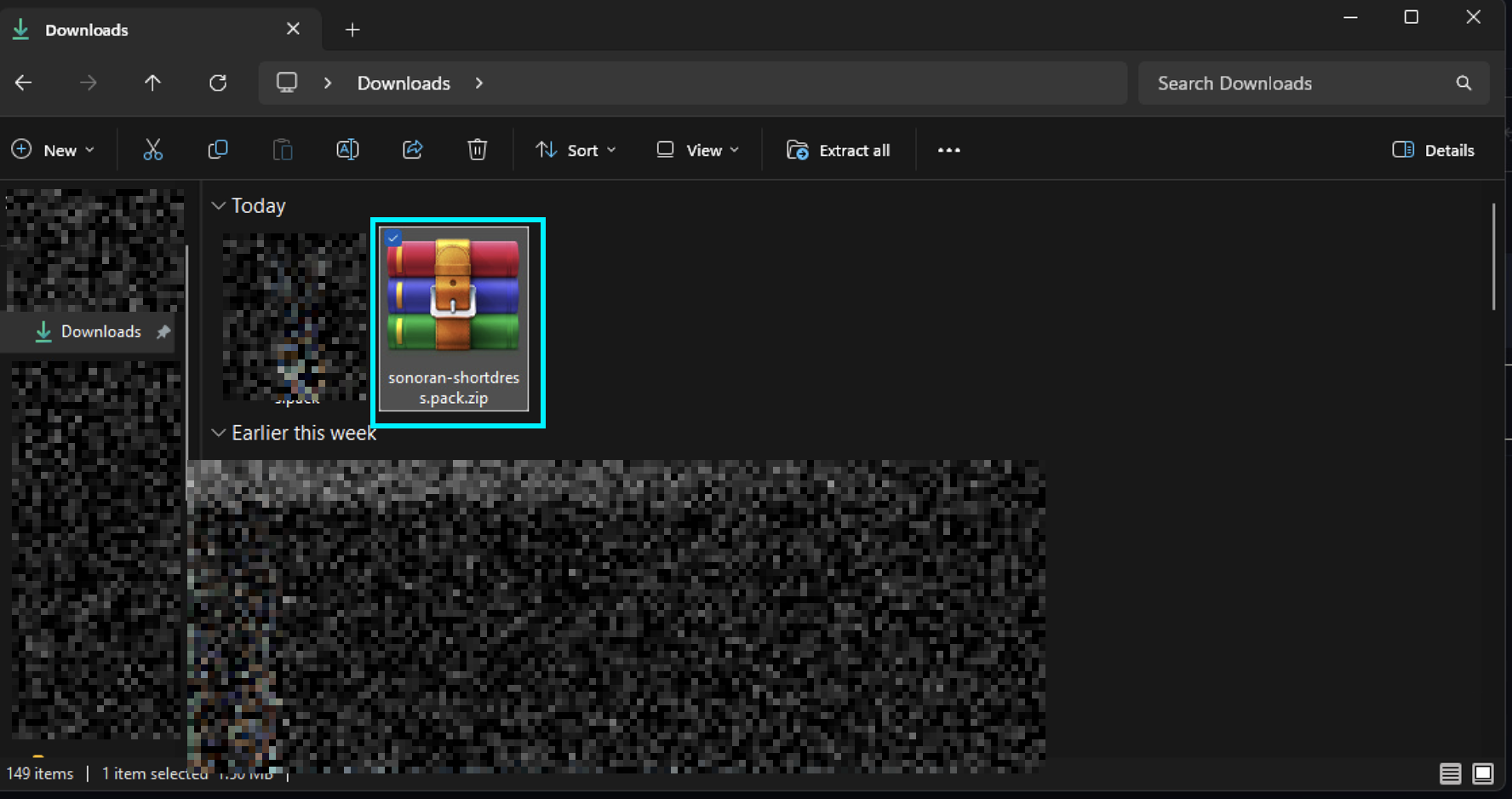
- Download the Short Slip Dress
.zipfile.
Install the Resource
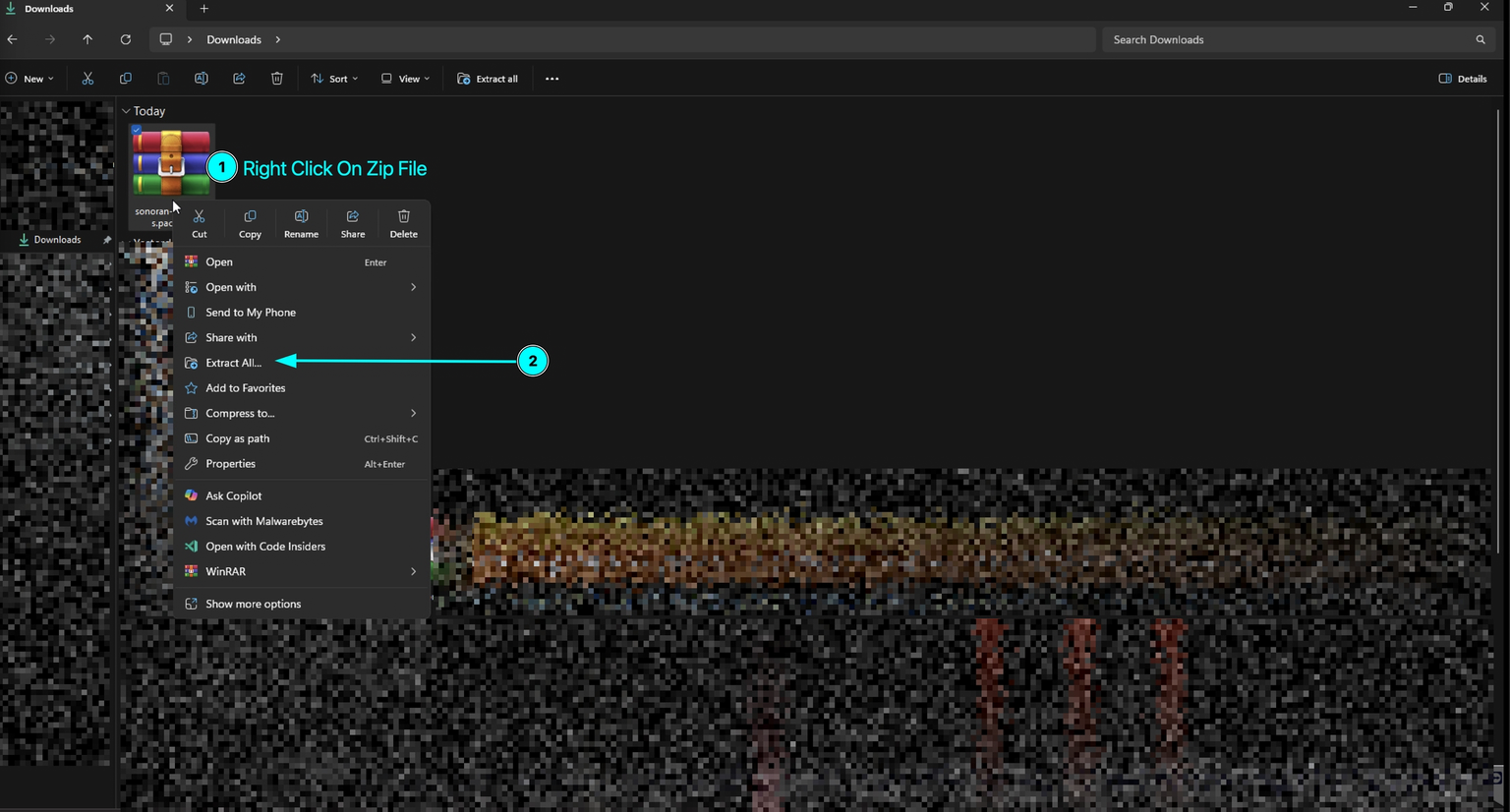
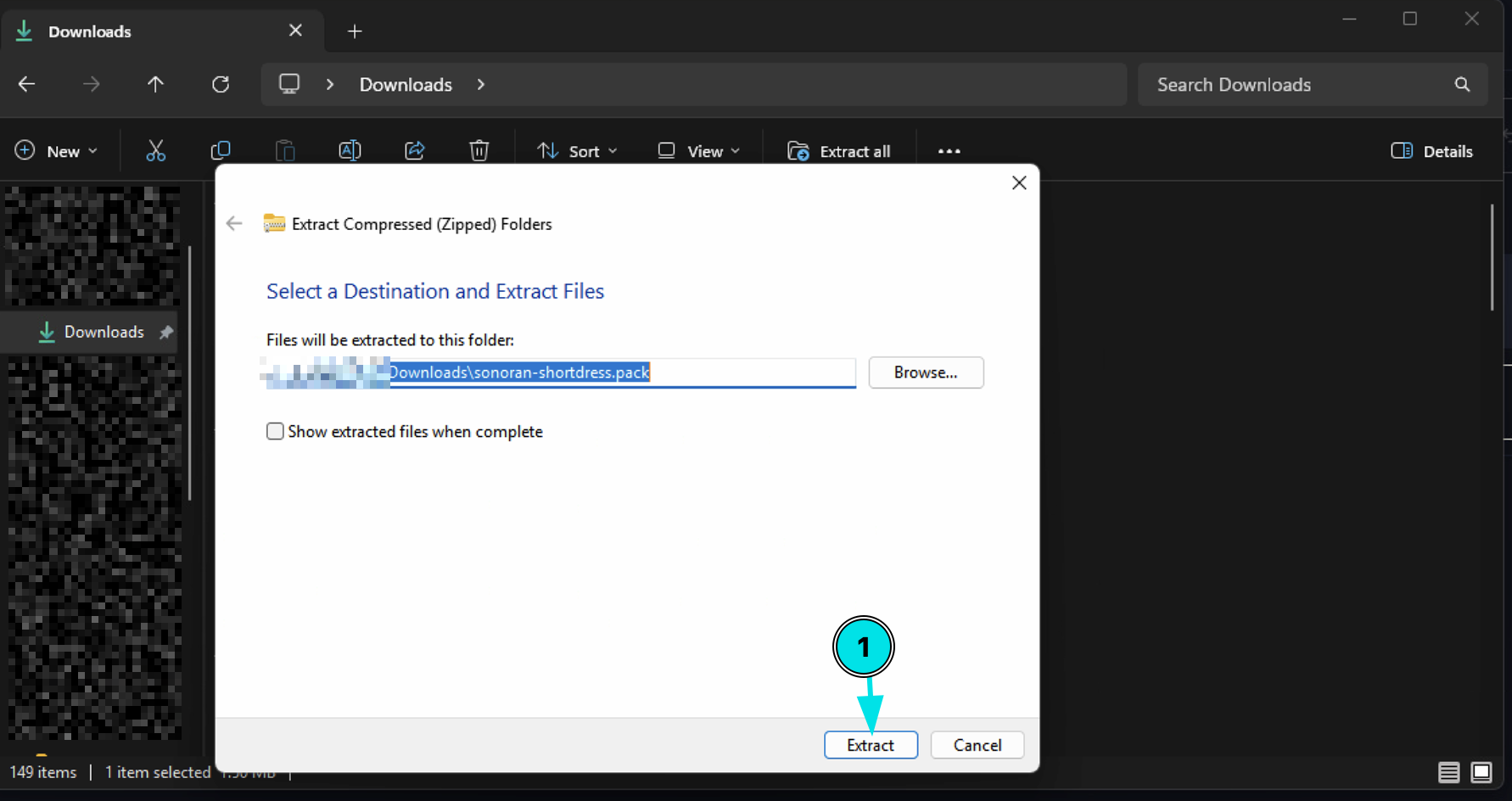
- Extract or unzip the downloaded file.
-
Locate the extracted resource folder. It should be named:
If the package uses a different folder name, keep that exact name and use it in the
ensureline below.
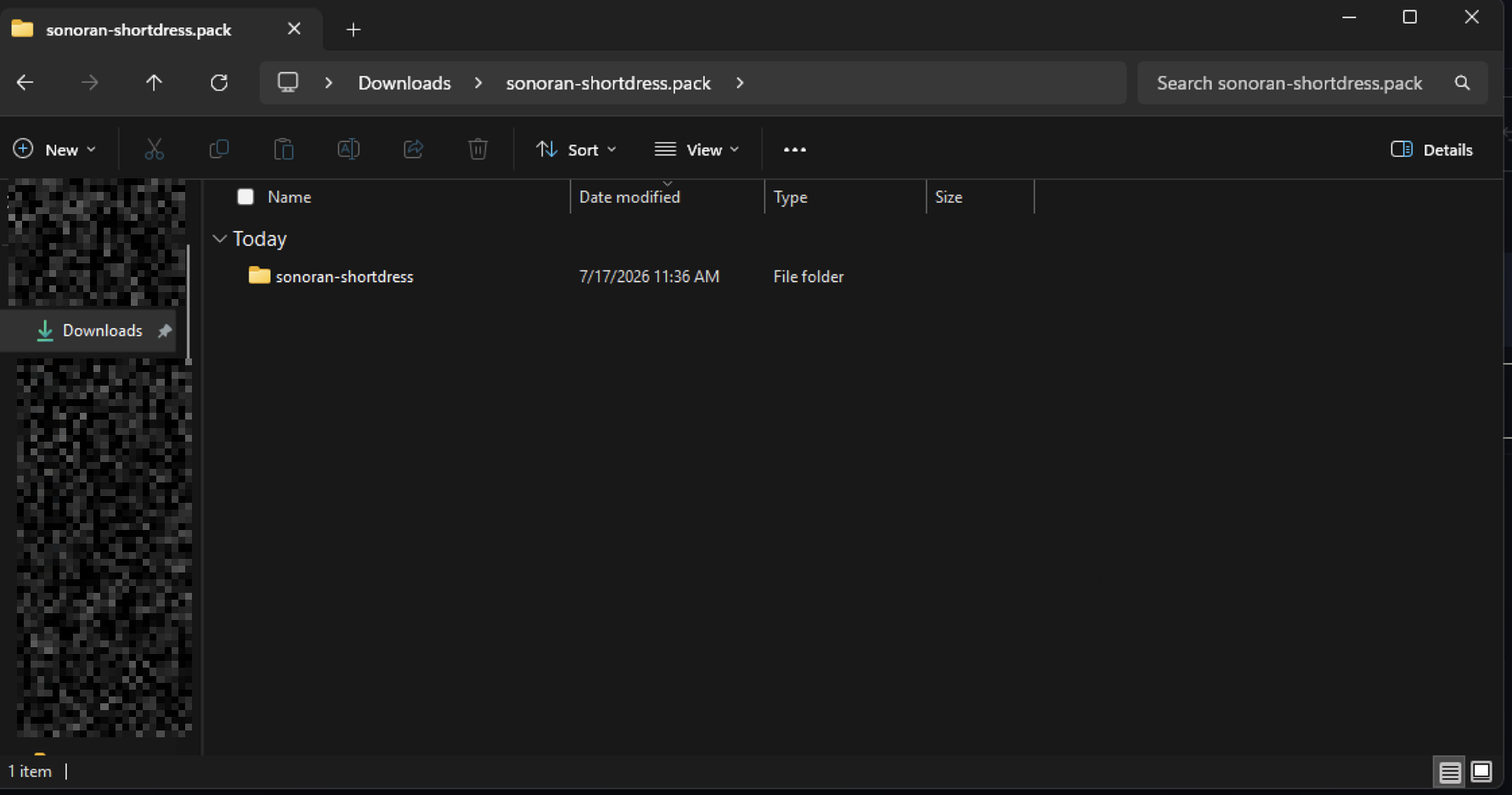
-
Copy the complete resource folder directly into your server’s
resourcesdirectory:Do not create an extra nested folder such assonoran-shortdress/sonoran-shortdress/. The resource manifest should be directly inside the resource folder.
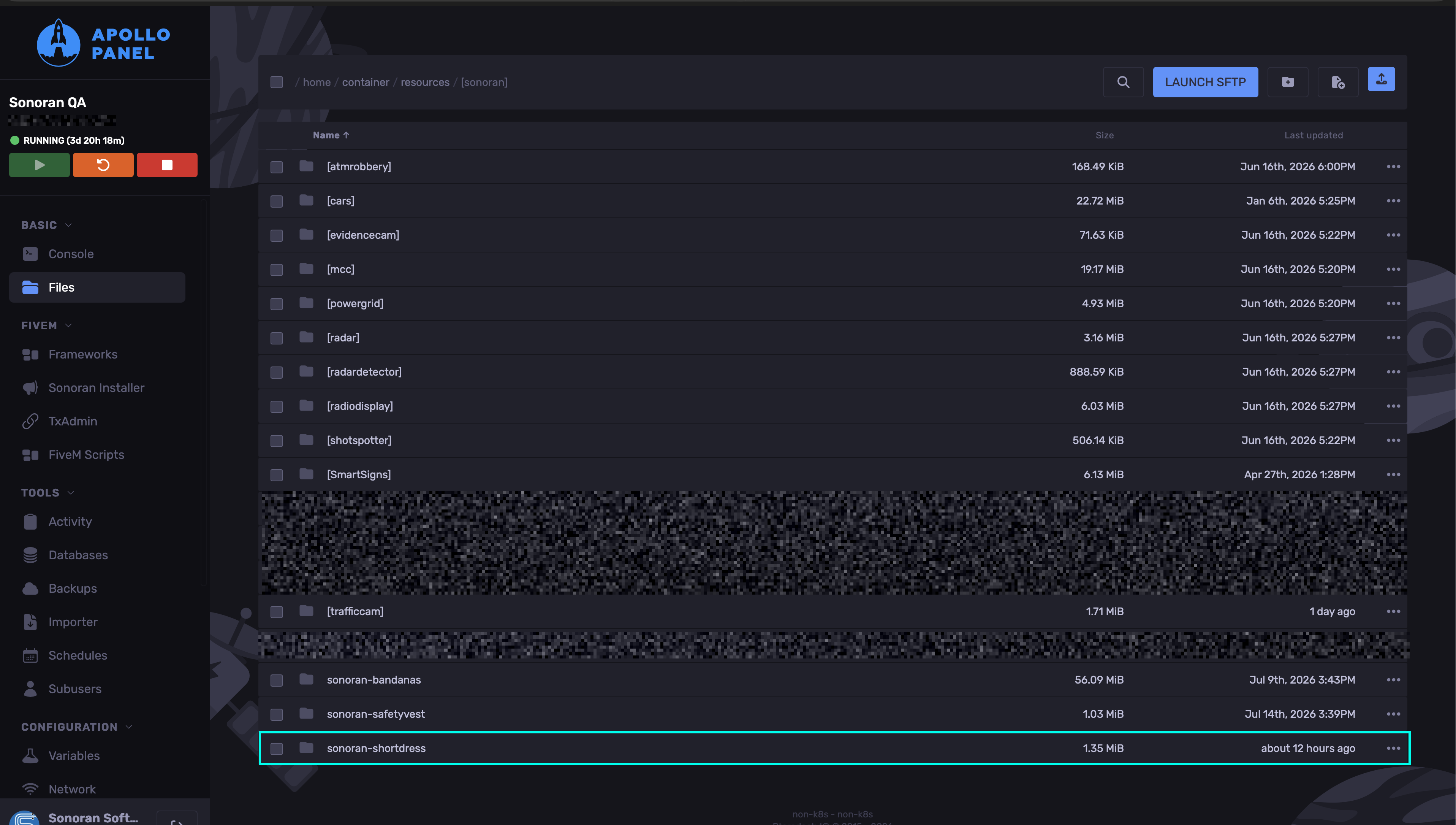
-
Open
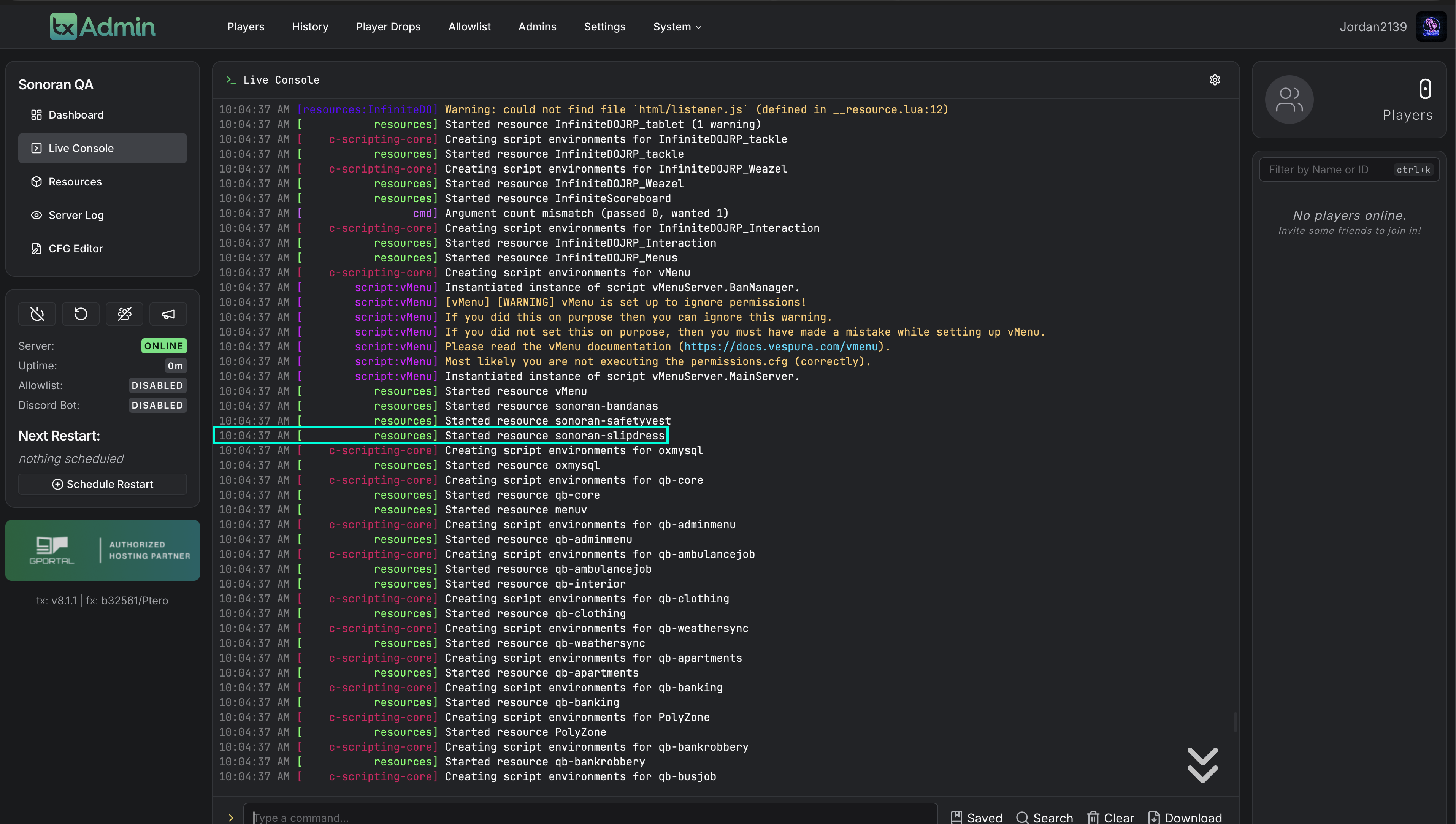
server.cfgand add:
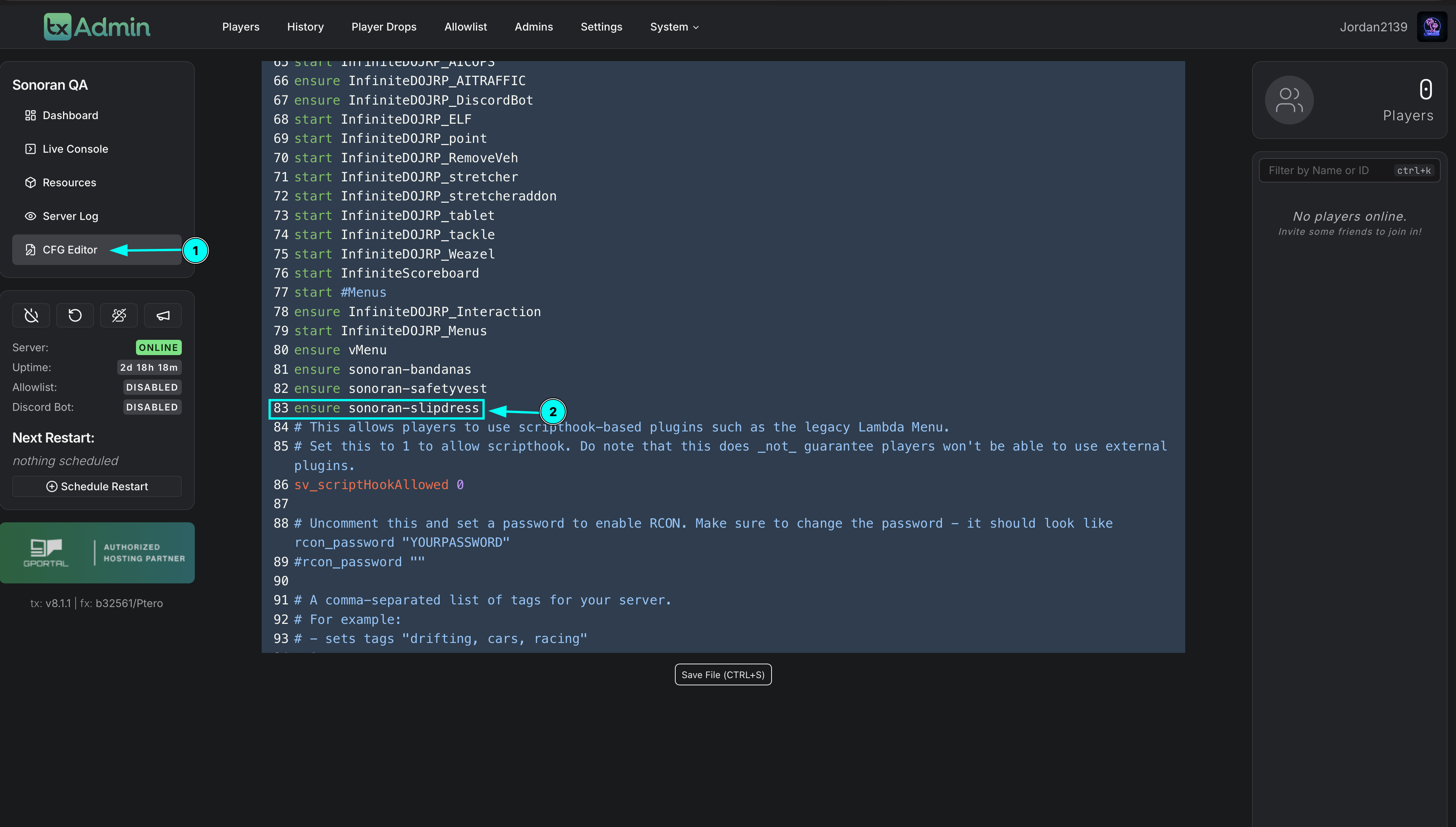
- Save the file and fully restart the FiveM server.
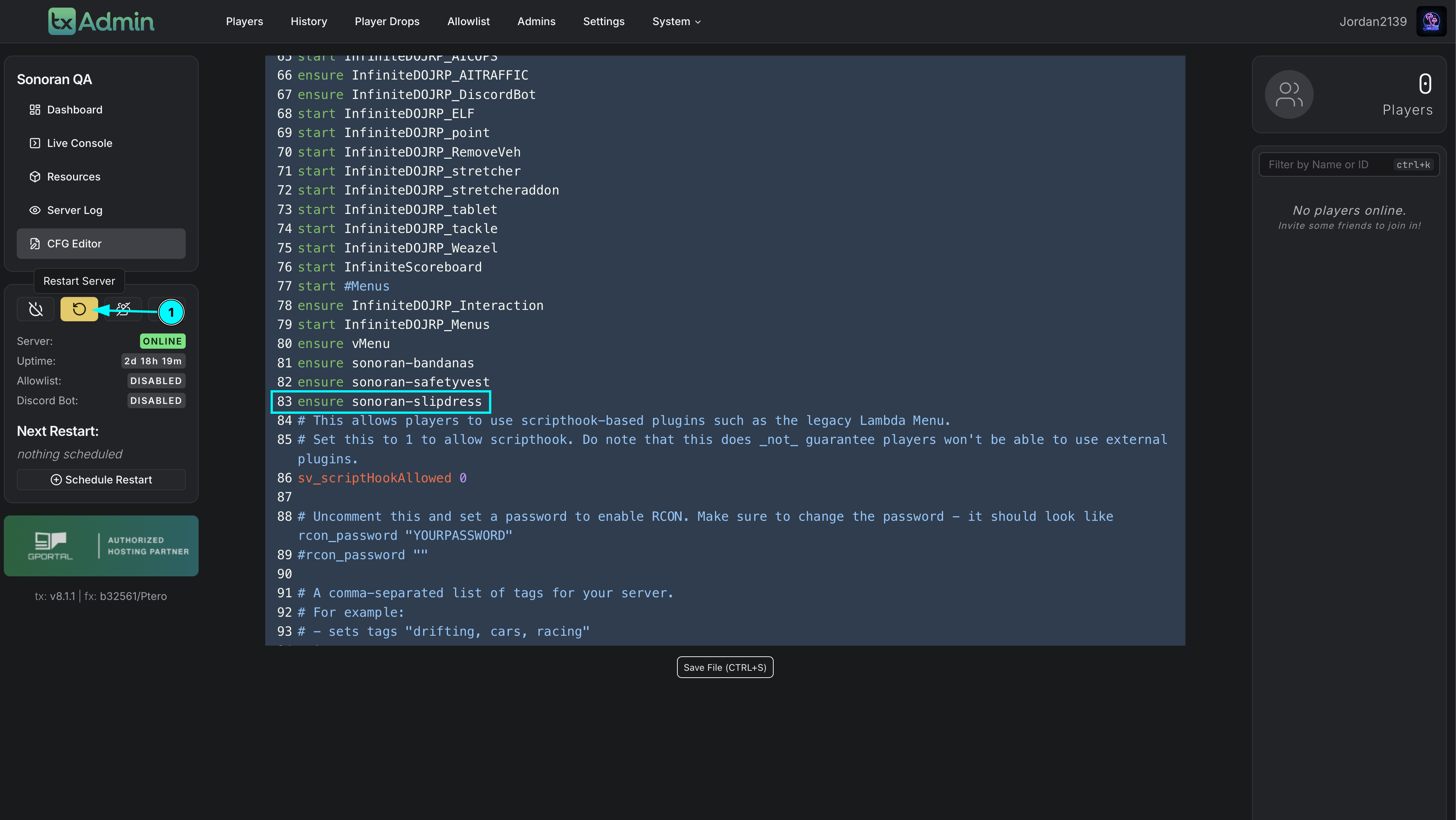
- Check the startup console for resource errors.
Locate the Short Slip Dress In-Game
The Short Slip Dress is accessed as female EUP clothing through vMenu.- Join the server with a female character that can access vMenu’s clothing options.
- Open vMenu.
- Open Player Appearance.
- Select Shirt overlay / Jackets.
- Scroll all the way to the end of the category.
- Select item 633.
- Use the texture/variation controls to preview the 22 available textures.
EUP Streamed-Asset Troubleshooting
If the resource starts but the Short Slip Dress does not appear, appears invisible, or causes players to disconnect or crash when selected, the issue may be related to FiveM streamed EUP assets or server limits.
- Confirm the resource installation
- Confirm the resource folder name matches the name used in
server.cfg. - Confirm the resource is directly inside the server’s
resourcesfolder. - Confirm
server.cfgcontains the correctensureline. - Confirm the server was fully restarted after installation.
- Confirm the startup console does not report a missing manifest or failed file load.
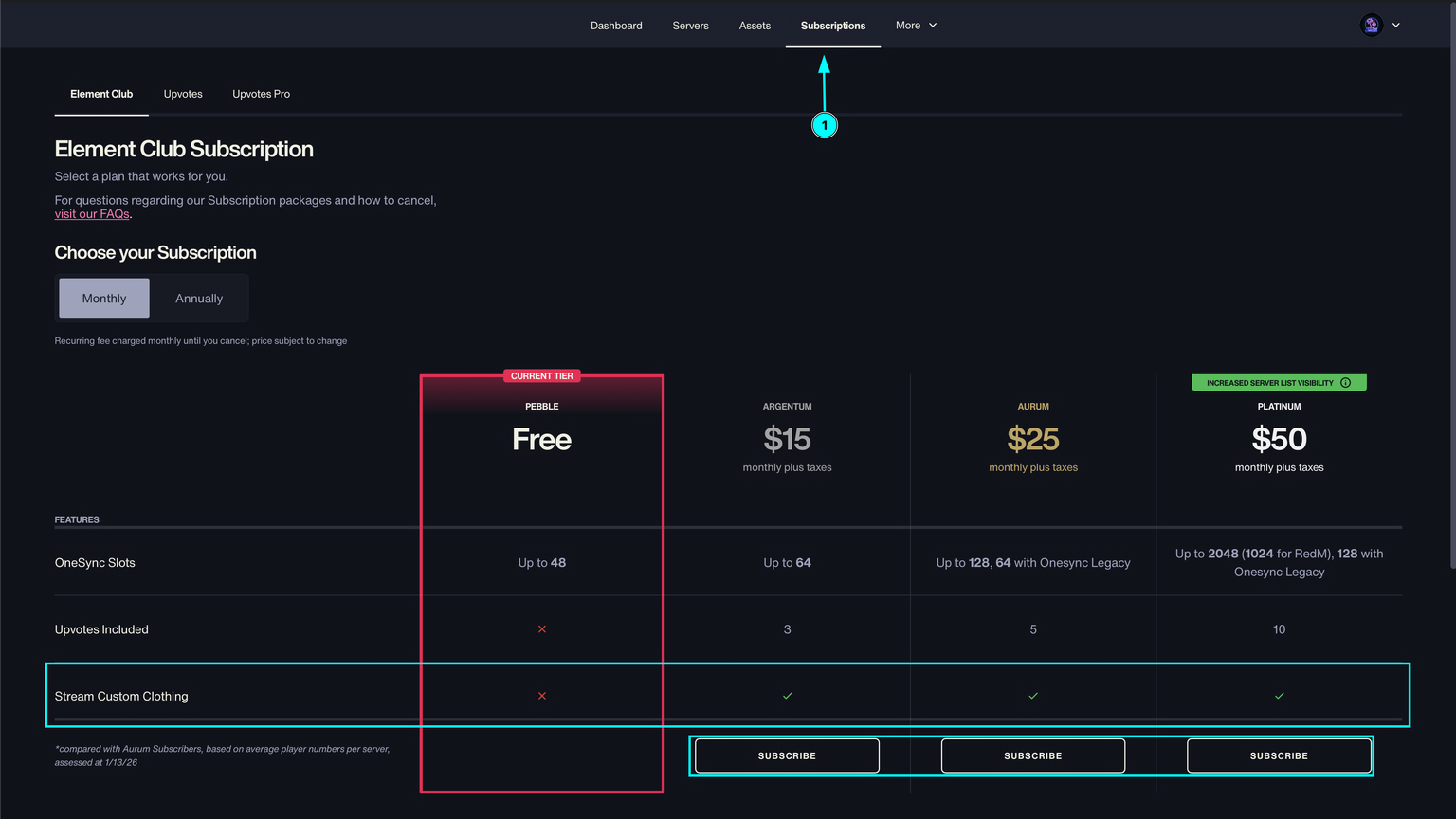
- Check the Cfx.re Element Club subscription
Some EUP streamed assets require an active Cfx.re Element Club subscription. If the dress is installed correctly but the streamed clothing asset does not load, verify that the server owner’s Element Club subscription is active and associated with the account used for the server’s Cfx.re license/key.
- Sign in to the Cfx.re Portal.
- Check the server owner’s Element Club subscription status.
- Confirm the subscription is active for the account associated with the server license/key.
- Restart the server after correcting the subscription or account association.
- Temporarily set the maximum players to 10
If the EUP asset still does not stream, temporarily set the server’s maximum player count to 10. Add or update this line in server.cfg:
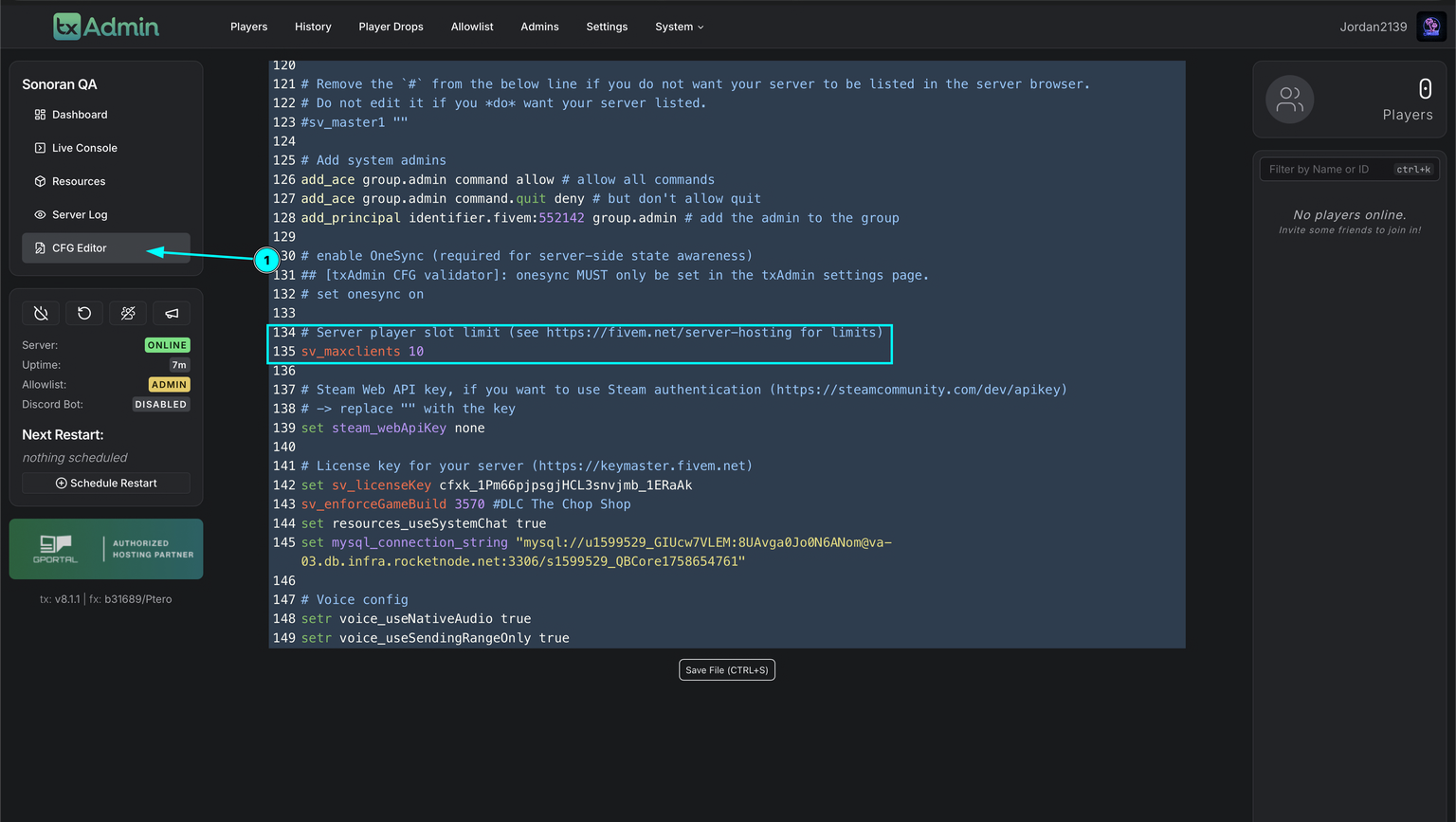 TxAdmin - Setting Max Players to 10
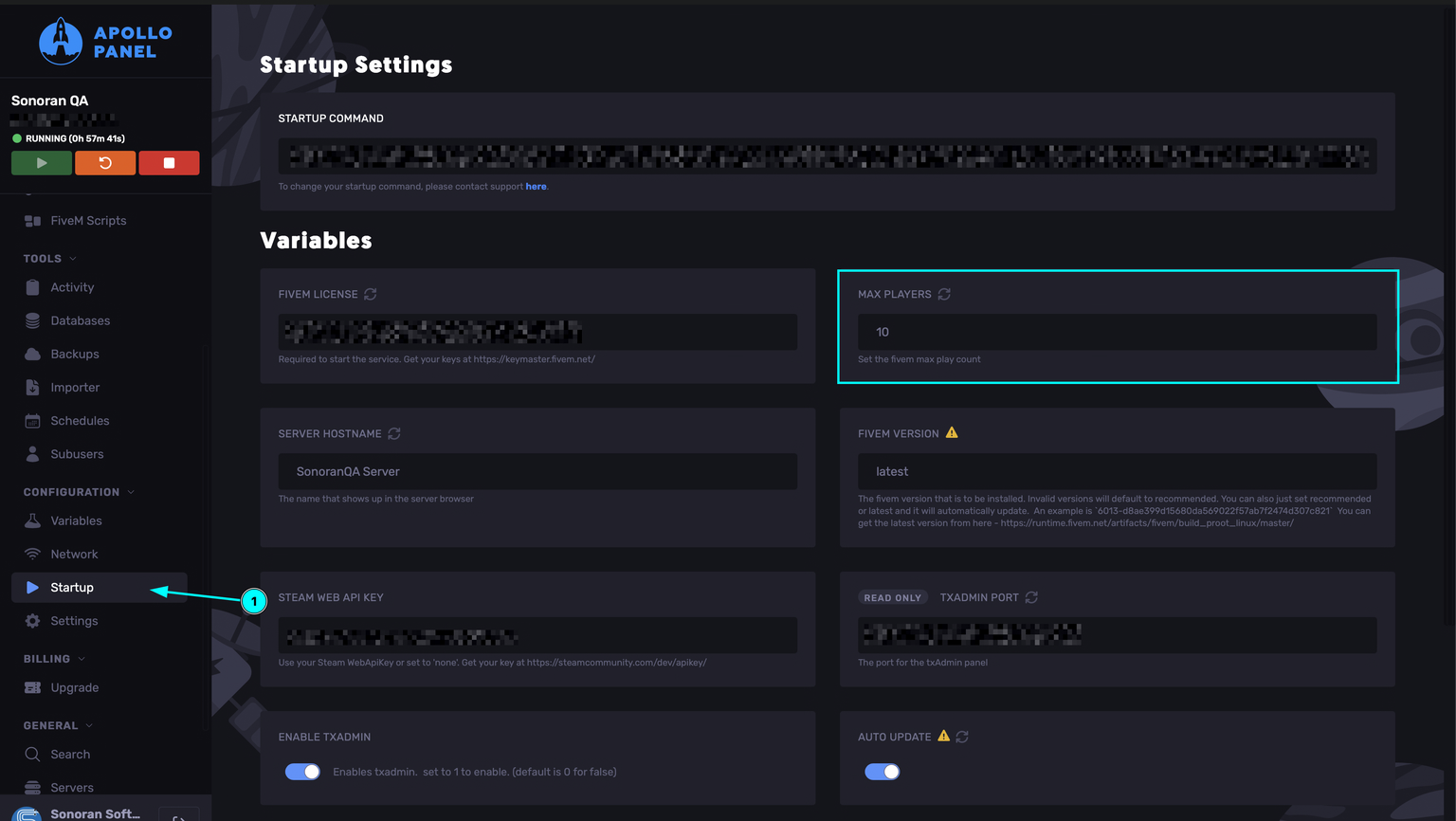 RocketNode Panel - Setting Max Players to 10
Use the 10-player limit as a troubleshooting step. After the streamed asset works correctly, test a higher player count again if your server setup and Cfx.re requirements support it.
- Clear client cache and reconnect
After changing streamed assets or server settings:
- Stop FiveM.
- Clear the FiveM client cache using your normal cache-cleaning procedure. Do not delete the entire FiveM installation.
- Restart FiveM and reconnect to the server.
- Open vMenu and check Player Appearance → Shirt overlay / Jackets, item 633, again.
- Test for EUP resource conflicts
Temporarily disable other recently added EUP or clothing resources and restart the server. If the dress appears, re-enable the other resources one at a time to identify the conflict.
- Review client and server logs
Look for errors mentioning:
- The dress resource name
- Streamed assets
- EUP clothing components
- Asset or archetype limits
- Texture or drawable loading
Quick Verification Checklist
- The resource folder name matches the
ensureline. - The resource is directly inside the server’s
resourcesdirectory. - The server was fully restarted.
- The resource has no startup errors.
- vMenu opens successfully.
- Player Appearance → Shirt overlay / Jackets is available.
- The Short Slip Dress is visible at item 633, at the end of the category.
- The 22 textures can be previewed.
- If the asset does not stream, Element Club status was checked and
sv_maxclients 10was tested.
Escrow Protection
Sonoran’s short slip dress EUP is protected through Tebex and Cfx.re Asset Escrow. This helps prevent unauthorized redistribution, leaks, and resale.Runs as a Separate Resource
Because the asset is escrow-protected, the EUP must run as its own separate resource and cannot be merged into an existing clothing pack. The resource is heavily optimized for smooth performance, and textures can still be customized.Texture Customization
This EUP cannot be edited through Durty Cloth Tool due to Asset Escrow restrictions. Textures can still be modified by opening the included.ytd file in OpenIV.