

Embed a panel instance in a custom live-map blip menu in CAD 3.44.1. See Smart Signs: Live Map Editor for the complete schema, three-row Save form, and API setup.
Start with the visual panel builder. For the fastest implementation, use the Claude and Codex plugins or MCP tools at sonoransoftware.com/developers to generate and refine your manifest and integration code.
Examples
Start with a complete example, then replace its definition, state, and actions with data from your resource.| Fire Alarm | Door Locks |
|---|---|
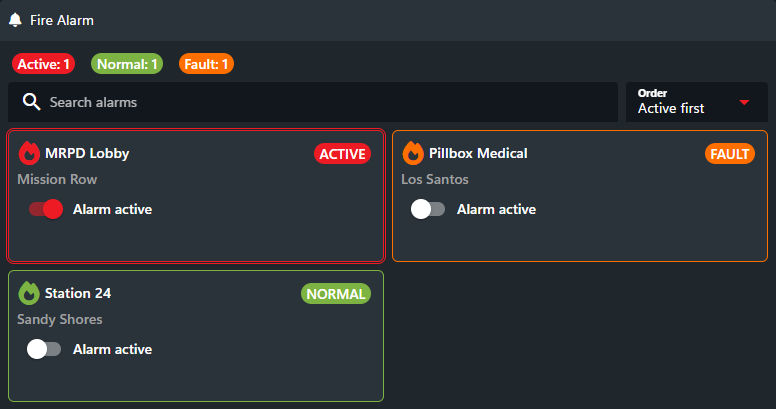 | 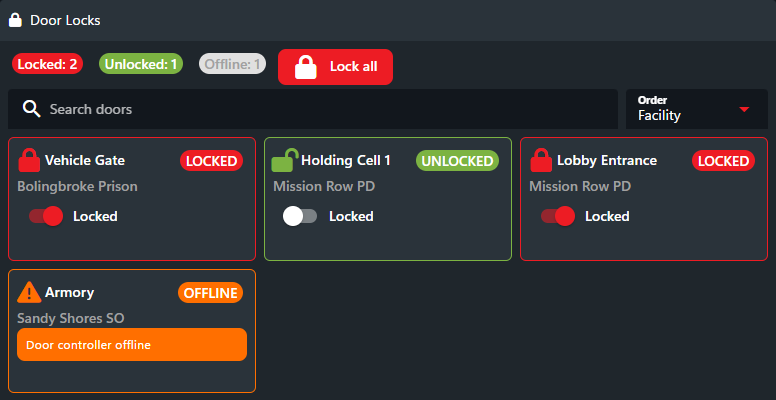 |
| Sync active alarms, play an alert sound, and control alarm state. | Monitor police and jail doors, then lock or unlock them from CAD. |
| Tow and Impound | Fleet Management |
|---|---|
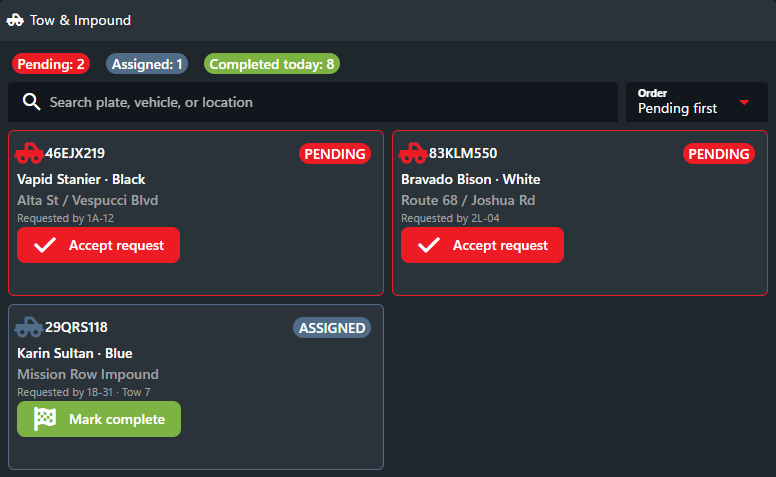 | 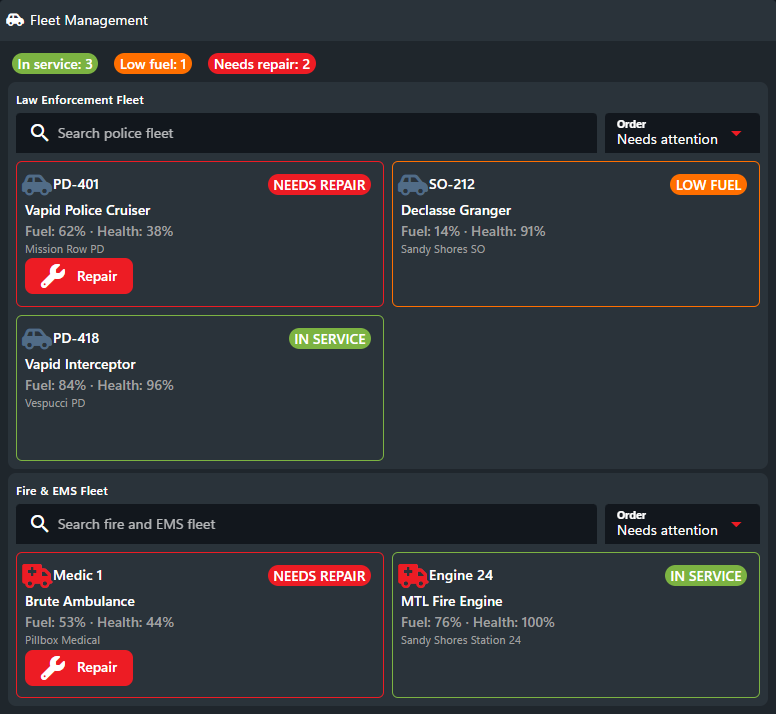 |
| Show incoming tow requests and move each request through its workflow. | Group fleet vehicles, monitor their condition, and request repairs. |
How It Works
- Define: Create or replace a reusable panel definition for the community. The definition controls layout, components, bindings, search, sorting, styling, sounds, and available actions.
- Publish: Send the complete current state whenever the game script or external system changes. Connected CAD clients update live.
- Act: A CAD user changes a control or presses a button. CAD queues the action, then immediately pushes it to the configured game server.
- Process: Your server-side integration receives the push, applies the change, acknowledges the result, and publishes the resulting state. Slow polling recovers missed pushes.
panelKey for the integration and an instanceKey for each independent dataset, location, or controller. For example, a door integration could use doors as the panel key and mission-row as the instance key.
Action Push Events
Use push events as the primary delivery mechanism. CAD sends each queued action over the existing authenticated API WebSocket, with the existing configured HTTP listener as a legacy fallback. The event type isEVENT_PANEL_ followed by the uppercase panel key, not its display name. Punctuation is preserved: smart-signs uses EVENT_PANEL_SMART-SIGNS; example.fire-alarms uses EVENT_PANEL_EXAMPLE.FIRE-ALARMS.
The push envelope uses the standard key, type, and data fields. data is the same action object returned by backup polling: id, cursor, panelKey, serverId, instanceKey, actionId, actorUuid, actorName, values, createdAt, and expiresAt. Only the configured server for the action receives the push.
The current SonoranCADFiveM resource already supports these custom events. In your server-side integration, receive the action through its existing event hook:
TriggerEvent("SonoranCAD::RegisterPushEvent", "EVENT_PANEL_SMART-SIGNS", handler). That handler receives the complete envelope; the action is body.data. Register again if sonorancad restarts. Use one receiving method to avoid processing the same push through both hooks.
Push delivery does not acknowledge or remove an action. After processing, call Acknowledge Action with the action’s id, then publish the authoritative state after a successful edit. Feed pushes and polled events into the same serial processing queue. Deduplicate by id, including actions already in flight; retain completed results until expiry so an acknowledgement can be retried without repeating the game-side effect. Check expiresAt before applying an action, and validate actionId, instanceKey, and values against your resource’s rules.
Use Poll Actions only for recovery, budgeting three requests per minute per API key across all panels and servers. For one panel, poll about every 20 seconds. Multiple panels must share that total budget. A startup or reconnect poll also consumes it. Respect Retry-After on 429, and stagger recovery calls rather than starting simultaneous loops.
Keep the polling cursor separate from push delivery. A later pushed action must not advance the polling cursor past an earlier missed action. Advance the recovery cursor only after every action returned by a poll has been processed and acknowledged. Events remain recoverable for their existing 60-second lifetime; polling is not an unlimited offline backlog. With multiple panel queues, schedule within that lifetime where possible; push remains the primary path.
For controls that replace state, such as sign text, track the last successfully applied cursor for each instance. If recovery returns an older action after a newer edit was applied, acknowledge it as superseded instead of overwriting the newer state. Use this rule only where your integration’s action semantics permit it.
SDK Helpers
Sonoran.lua, Sonoran.js, Sonoran.py, and Sonoran.Net expose the same helper names. Lua calls them with:; the other libraries use ..
Capabilities
- Responsive rows, columns, grids, sections, and repeated state collections
- Text, icons, badges, alerts, inputs, selects, SVG icon pickers, toggles, checkboxes, and buttons
- State, repeated-item, input, and current-control bindings
- Item-scoped full-form and partial-change action values. See Saving one repeated item.
- Search, named sort choices, conditions, confirmation prompts, and theme-safe styling
- Built-in pulse animations and state- or action-triggered sound effects
- Live API-to-CAD state updates and CAD-to-integration action events
- Interactive panels embedded in custom live-map blip menus, bound to an exact panel instance. See Smart Signs.
Limits
Rate limits are fixed one-minute windows per API key. A
429 response includes Retry-After.