# GTA RP Tablet - Clear Cache

You may need to manually clear your FiveM cache for troubleshooting steps. The guide below will walk you through the process. Sometimes updates will not automatically apply to your tablet and this process will resolve the issue.

{% hint style="warning" %}
Make sure to close GTA RP before performing these steps
{% endhint %}

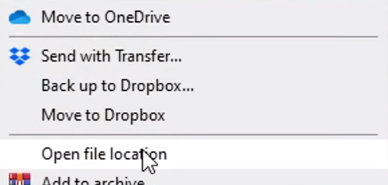
To do this, right-click on your GTA RP application shortcut and click on the Open file location.

![](https://232668649-files.gitbook.io/~/files/v0/b/gitbook-x-prod.appspot.com/o/spaces%2F-M4pGN81fb4R6zFhodcu%2Fuploads%2FFQYfics3kLV6vl1T1APP%2Fimage.png?alt=media\&token=e8500d76-67a2-43c3-9475-1edfe92b1722)

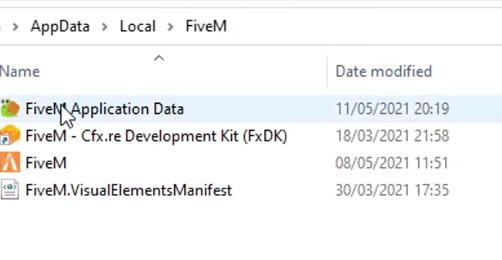
Now you will need to go to the GTA RP **Application Data**.

![](https://232668649-files.gitbook.io/~/files/v0/b/gitbook-x-prod.appspot.com/o/spaces%2F-M4pGN81fb4R6zFhodcu%2Fuploads%2FFQfzUvuWMi946UT48m16%2Fimage.png?alt=media\&token=3d9c4d76-19a6-4fcb-9d19-a9231b5d0eb1)

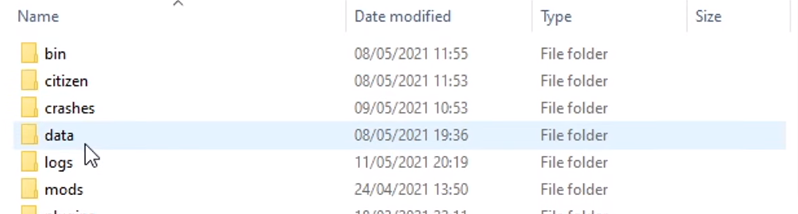
You will find a **data** folder there; click on it.

![](https://232668649-files.gitbook.io/~/files/v0/b/gitbook-x-prod.appspot.com/o/spaces%2F-M4pGN81fb4R6zFhodcu%2Fuploads%2FpGjHOWd3EBoQcdpUE2VI%2Fimage.png?alt=media\&token=3a456f0a-a86e-4bd9-a4a8-158564095cda)

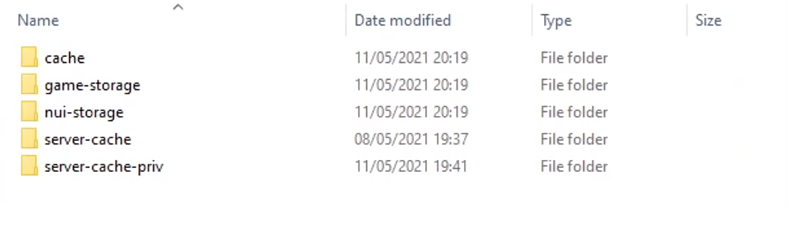
Here you must delete the **cache, nui-storage**, **server-cache** and **server-cache-priv** folders. &#x20;

![](https://232668649-files.gitbook.io/~/files/v0/b/gitbook-x-prod.appspot.com/o/spaces%2F-M4pGN81fb4R6zFhodcu%2Fuploads%2FFYAmnm4q0GVDiy0DGtGd%2Fimage.png?alt=media\&token=98812400-10d4-4046-a397-1731b3f89ba2)