Chrome - Hard Refresh
Most modern browsers allow you to holdShift and click Refresh at the same time. Doing so will reload the page with your local cache cleared.
Chrome - Settings
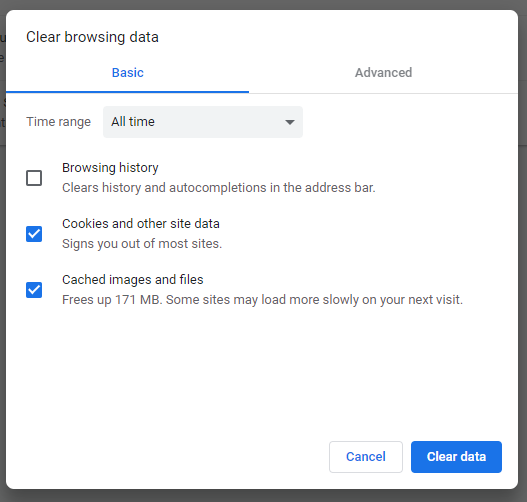
In the Chrome address bar, paste the following:chrome://settings/clearBrowserData?search=cache
Select the following options and press Clear Data.