

Create a New Subscription
- Access the Payment Center
Access the payment center on the Web or Desktop version of Sonoran CAD by going to sonorancad.com/billing, or by viewing the guide below.
Accessing the Payment Center
- Select the Desired Subscription
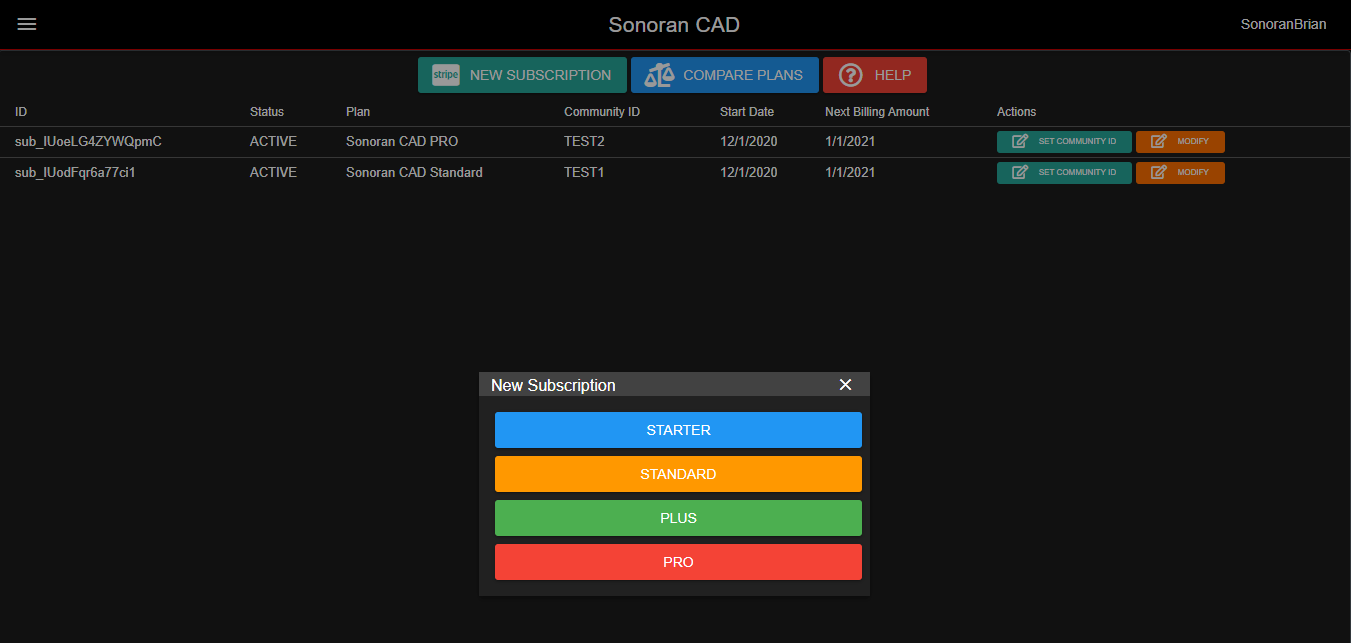
In the payment center, select “New Subscription”From there, select the monthly subscription you would like to start.
- Complete the Purchase
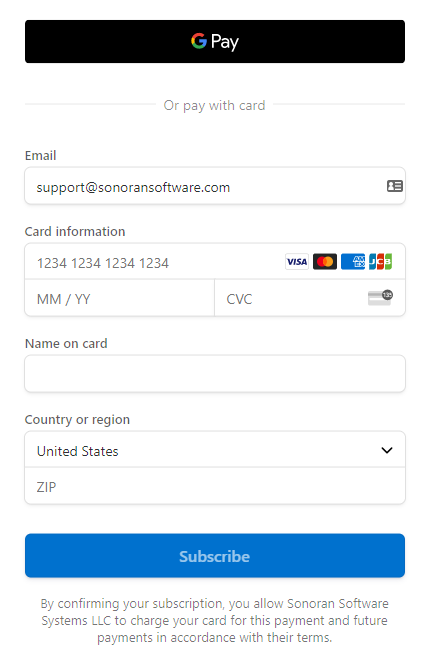
After selecting the desired subscription plan, you will be redirected to a Stripe checkout page.Here, you can enter your billing information and start the subscription.
- Set your Community ID
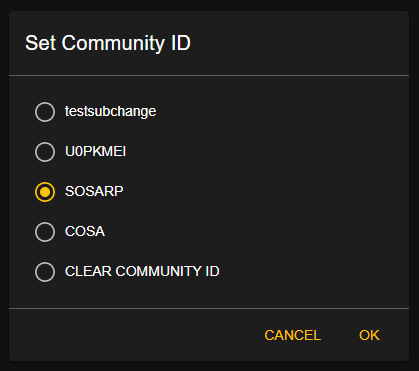
Once you’ve completed your purchase, set the community ID on the subscription in your billing center.Where can I find my community ID?
 The modal will show options to set the subscription to any community you are currently a part of.
Manage an Existing Subscription
You can easily update the payment information, upgrade, downgrade, or cancel your Sonoran CAD subscription at anytime.
- Access the Payment Center
Access the payment center on the Web or Desktop version of Sonoran CAD by going to sonorancad.com/billing, or by viewing the guide below.
Accessing the Payment Center
- Open the Stripe Customer Portal
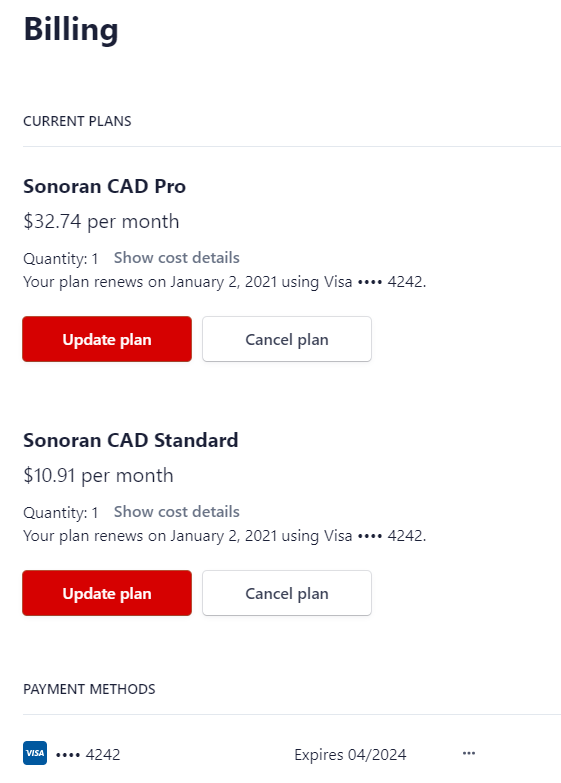
On any active subscription, select “Modify” to open the Stripe customer portal.

- Utilize the Stripe Customer Portal
Once opened, you can easily update your payment information, upgrade, downgrade, or cancel an existing subscription.
Migrate a Subscription to Another Community
Sonoran CAD subscriptions can be easily transferred from one community to another.
- Access the Payment Center
Access the payment center on the Web or Desktop version of Sonoran CAD by going to sonorancad.com/billing, or by viewing the guide below.
Accessing the Payment Center
- Update the Subscription’s Community ID
Select “Set Community ID” on the subscription in your billing center.Where can I find my community ID?