# Inviting Users

{% embed url="<https://app.guidde.com/share/playbooks/9cFxjht6JjCRnDrBKpSeHN?origin=G25dDmjNZ2b8ccFUz9X7G7W8T1k1>" %}

## Manually Join with a Community ID

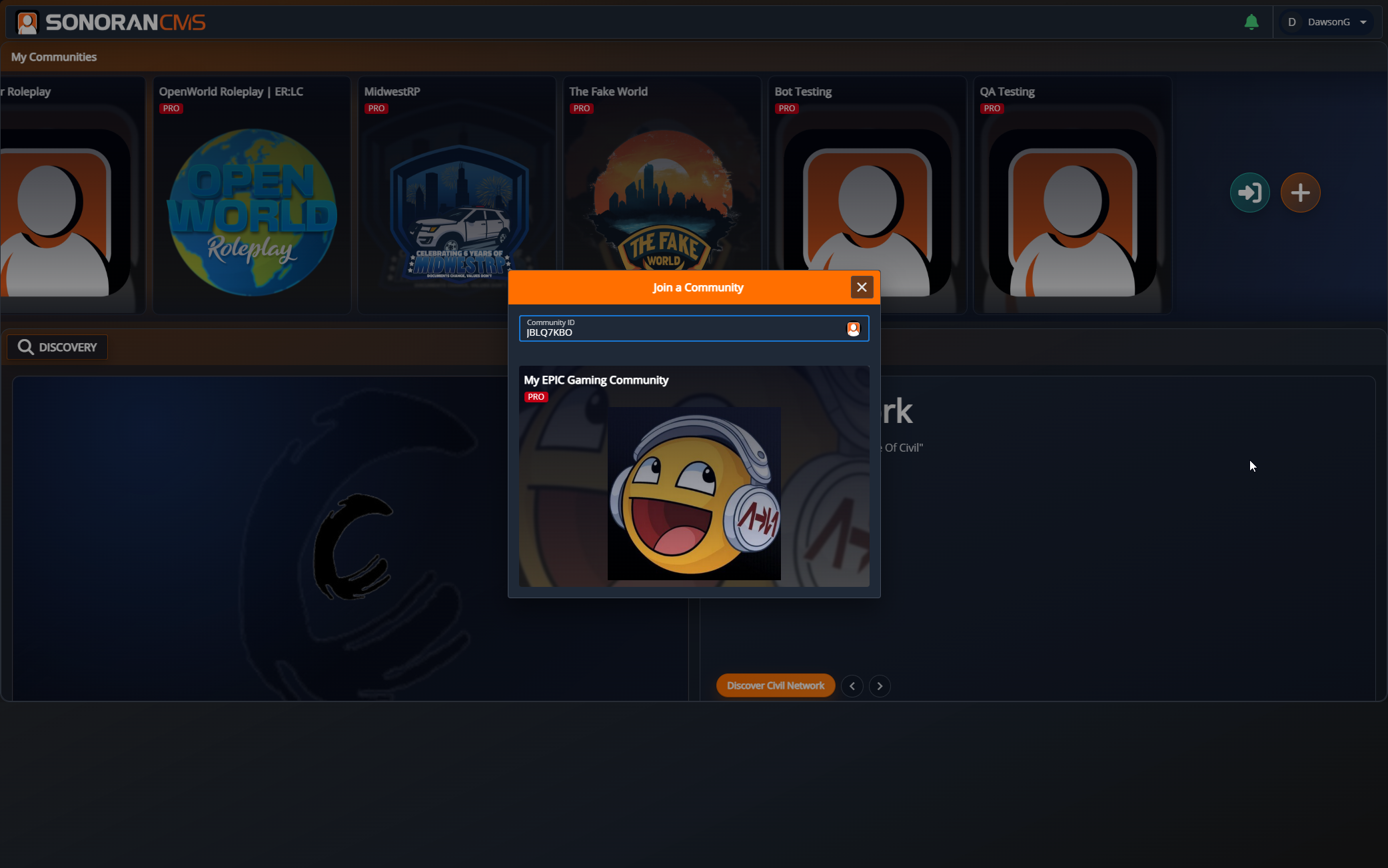
Users can [create an account](https://docs.sonoransoftware.com/cms/tutorials/getting-started/registering-your-account), and click the blue arrow **Join** button on the main page.

* Enter the [Community ID](https://docs.sonoransoftware.com/cms/customization/community-branding-and-settings#community-id-and-vanity-url)
* Press **Enter** to search
* Select the community to join

From there, users can select your community card in the **My Communities** section to log into your CMS.

<figure><img src="https://3006847189-files.gitbook.io/~/files/v0/b/gitbook-x-prod.appspot.com/o/spaces%2F-MdBOa9OFjtdqw9FdXli%2Fuploads%2Fgit-blob-3d9e499c8b581460af93f7650c3ec1b1bdd29b65%2FScreenshot%20(198).png?alt=media" alt=""><figcaption><p>The join community model allows users to search for a community ID.</p></figcaption></figure>

## Join Community with a URL

### Vanity URL

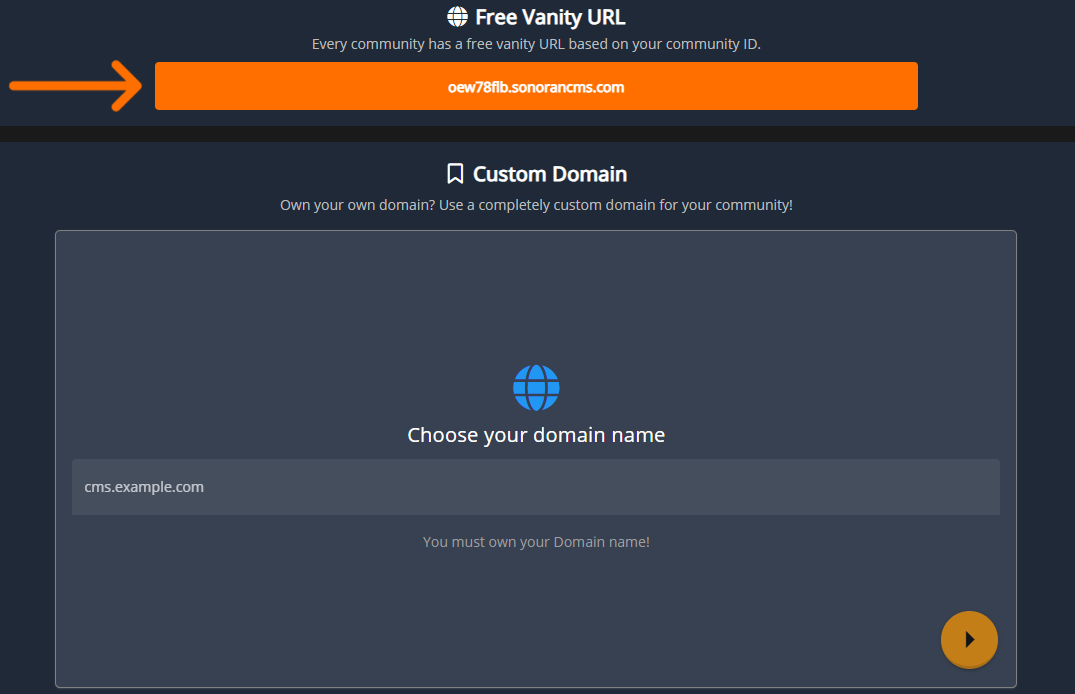
All communities are given a free [vanity URL](https://docs.sonoransoftware.com/cms/customization/community-branding-and-settings#community-id-and-vanity-url) formatted as `<communityid>.sonorancms.com`. This URL will directly load your community homepage, allowing users to login and join.
### Custom Domain

Communities with a **Pro** subscription can [link a custom domain](https://docs.sonoransoftware.com/cms/customization/custom-domain#custom-domain). This custom domain name will load the community homepage, allowing users to login and join.

<figure><img src="https://3006847189-files.gitbook.io/~/files/v0/b/gitbook-x-prod.appspot.com/o/spaces%2F-MdBOa9OFjtdqw9FdXli%2Fuploads%2Fgit-blob-699e2f032c0bbeec747796717e490c74694fd226%2FScreenshot%20(199).png?alt=media" alt=""><figcaption><p>CMS Vanity URL and Custom Domains</p></figcaption></figure>