

FiveM Volume
Sonoran Radio runs in FiveM’s Chromium browser in-game. While FiveM is running, ensure that you have the volume for this turned up:
- Access the Volume Mixer
Open the Volume Mixer via Windows search or right-clicking the sound icon in your taskbar.
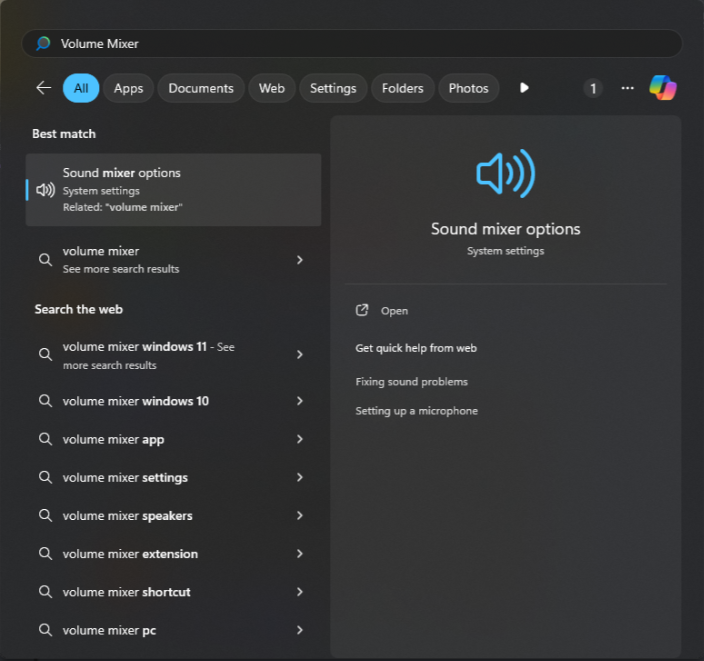 Windows Search: Volume Mixer
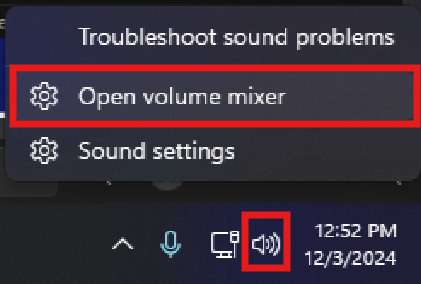 Taskbar: Volume Mixer
- Adjust the FiveM Chromium Subprocess
In the Volume Mixer adjust the volume of the FiveM Chromium Subprocess.
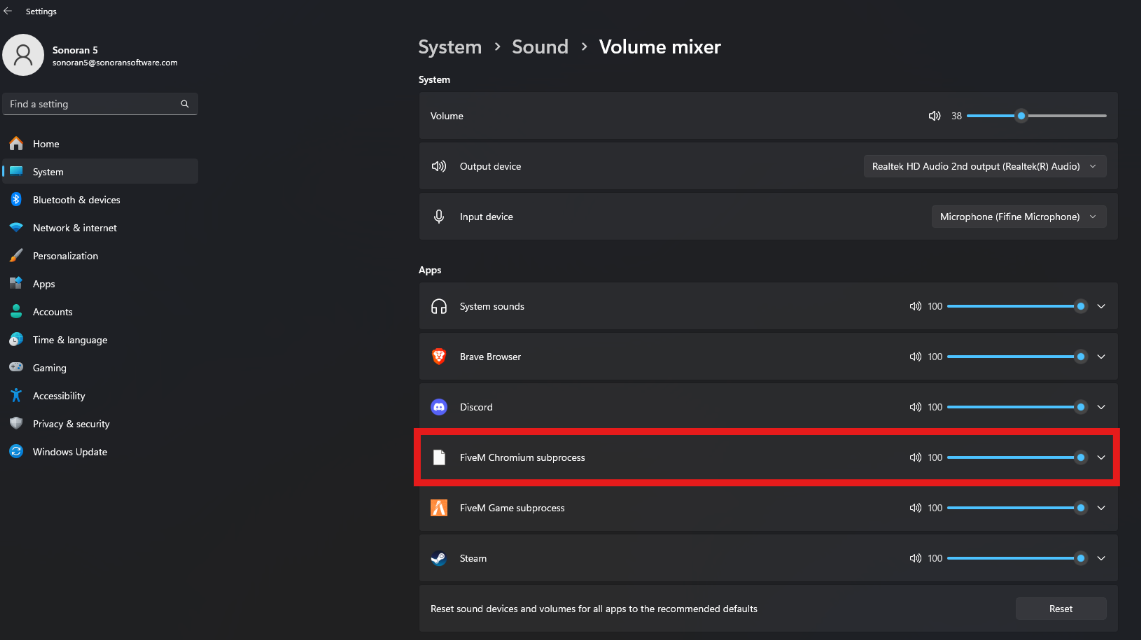 FiveM Chromium Subprocess Volume
Manually Increase Radio Volume
If you’re still having issues, you can manually enter a number higher than the 200% limit on the volume slider. Click theVolume button to change the slider to a number input, and carefully enter a number value higher than 200.
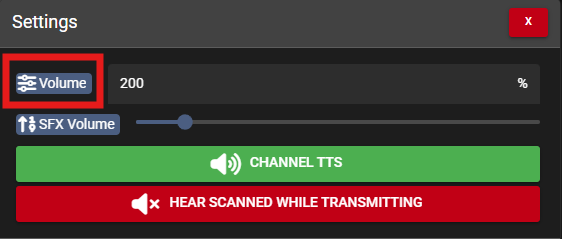 Radio Volume: Manual Input