# Adding a Record

### Open the Record Editor

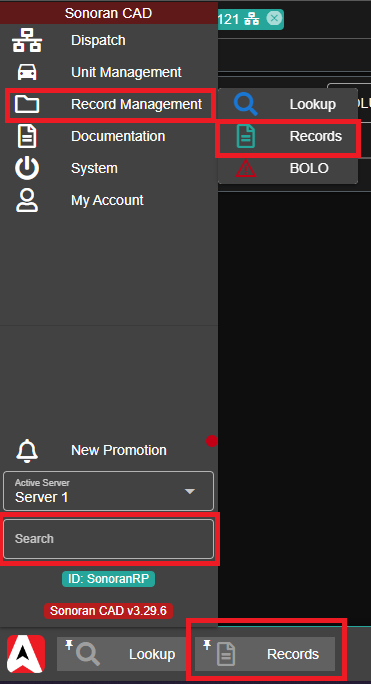
In the police, fire, EMS, or dispatch page open the record panel.

This can be found as a [pinned tab](https://docs.sonoransoftware.com/cad/tutorials/records-management/pages/-M_O3aJdPNa7DL9I8RCh#7.-tab-system), via [taskbar search](/cad/tutorials/customization/customizing-your-layout.md#search-box), or in the taskbar sub menu.

<figure><img src="/files/tR4vVdpPPq7WRAFLDIUj" alt=""><figcaption></figcaption></figure>

### Select The Record Type

Click the "New Record" button and a dropdown menu will appear, where users can select the new record type.
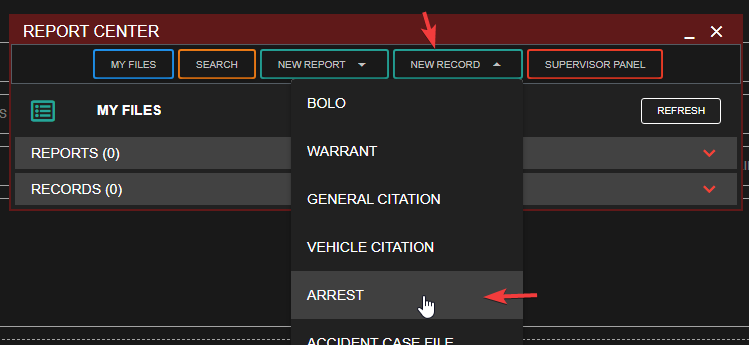
![Selecting the New Record you would like to make](/files/-MXYPjwPAUTTqBPtOPhc)

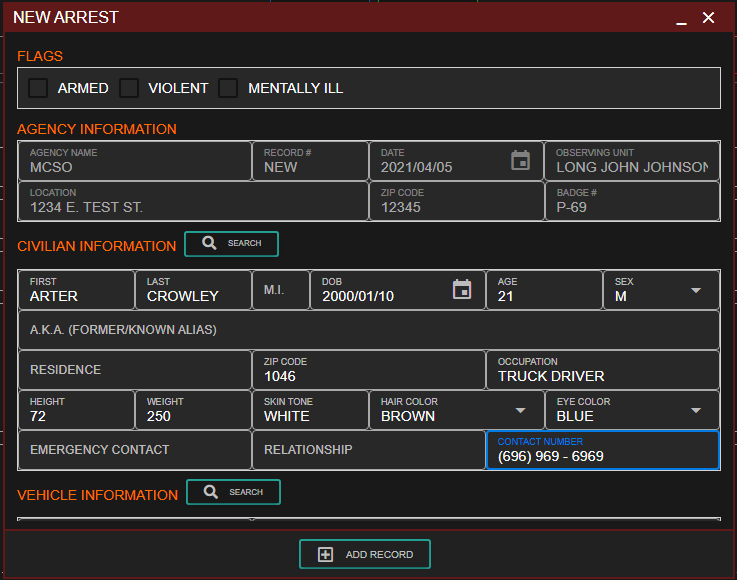
Records (by default) are comprised of several sections:

1. Record Flags
2. Agency/Department Information
3. Civilian Information
4. Vehicle Information
5. Charges
6. Narrative
7. Status

{% hint style="info" %}
All records and reports are fully customizable, you may change the fields as much as you want. Each of the default record types are customizable as well and may look different if your community has customized the record shown below.
{% endhint %}

Civilian and vehicle information sections also include a search feature. Here, you can search and import information from a registered civilian or vehicle. This feature can also [search for civilians and vehicles directly from your in-game database](/cad/integration-plugins/database-sync-and-merge.md).

![Sonoran CAD's record information search feature](/files/-MXYSKf1pnn9xIx9na3D)

## Record Drafts

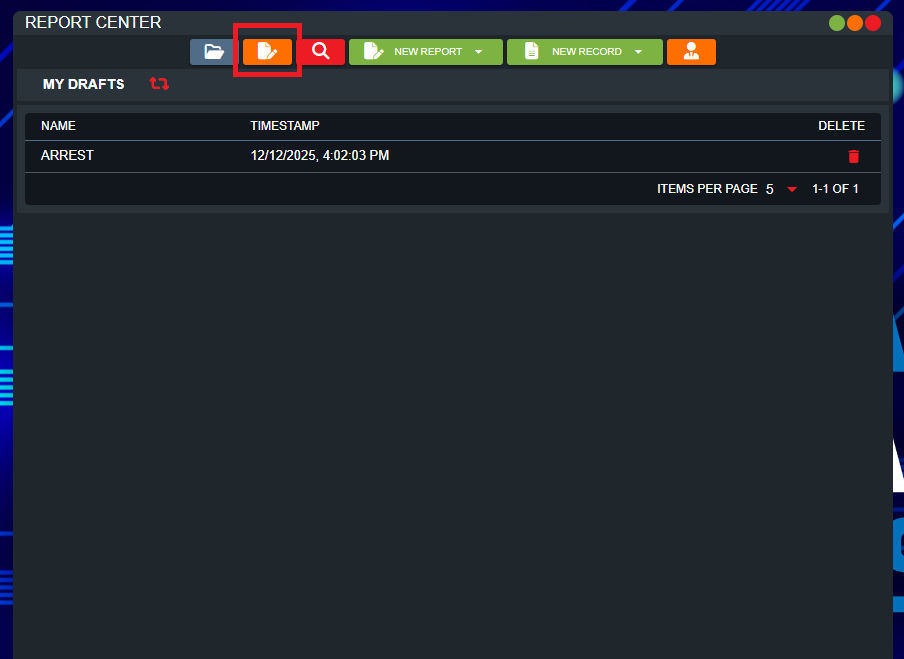
Working on a record but not ready to submit? Records can be saved as drafts and revisited later from the report center before final submission.
<figure><img src="/files/hmjam0V7eCjekrlBrlT9" alt=""><figcaption></figcaption></figure>


---

# Agent Instructions: Querying This Documentation

If you need additional information that is not directly available in this page, you can query the documentation dynamically by asking a question.

Perform an HTTP GET request on the current page URL with the `ask` query parameter:

```
GET https://docs.sonoransoftware.com/cad/tutorials/records-management/adding-a-criminal-record.md?ask=<question>
```

The question should be specific, self-contained, and written in natural language.
The response will contain a direct answer to the question and relevant excerpts and sources from the documentation.

Use this mechanism when the answer is not explicitly present in the current page, you need clarification or additional context, or you want to retrieve related documentation sections.