

Getting Started
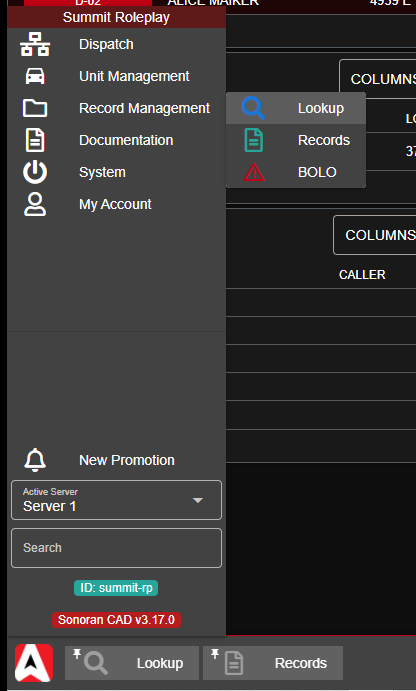
From the start menu selectRecord Management > Lookup to open a new lookup window.You can also minimize and pin this window type to your taskbar for faster access.
Running a Search
The lookup window has tabs at the top to search via name, license plate, unit identifier, record ID, or one of your custom lookup types.Partial vs Exact Lookups
The lookup window allows you to toggle the search to return only exact matches, or partial matches.Example: Partial Search
Running partial lookup onJohn Anderson will return results for John Anderson and John Handerson.
Running an exact lookup on John Anderson will only return results for John Anderson as Handerson is not an exact last name match.
Record Type Filters
Click on the filter button just above the results tab to expand the filters section. Here, you can toggle on/off exactly what record types to search for.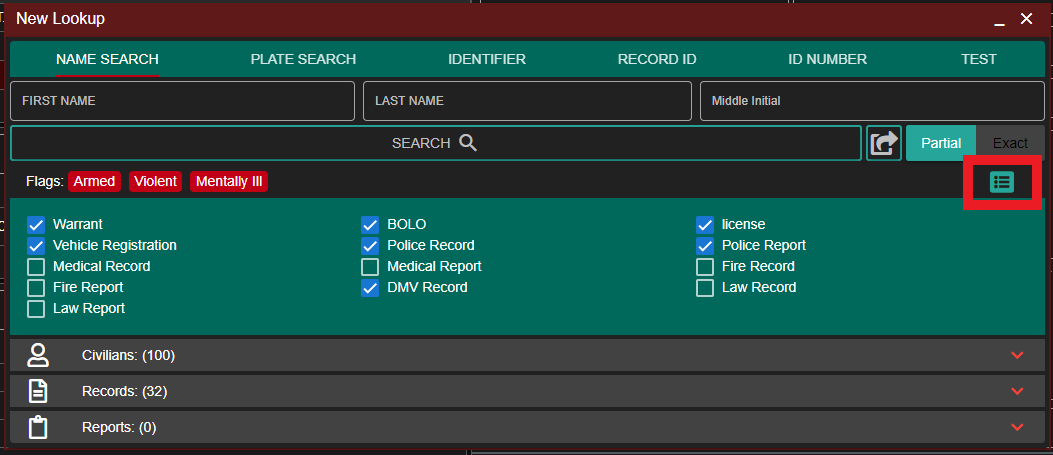
Send Lookup to Units
Anyone on the Dispatcher page, or in self-dispatch mode has the option to send the lookup results to other units. Performing this action will have all record results sent to their CAD.Shortcut and Drag-and-Drop
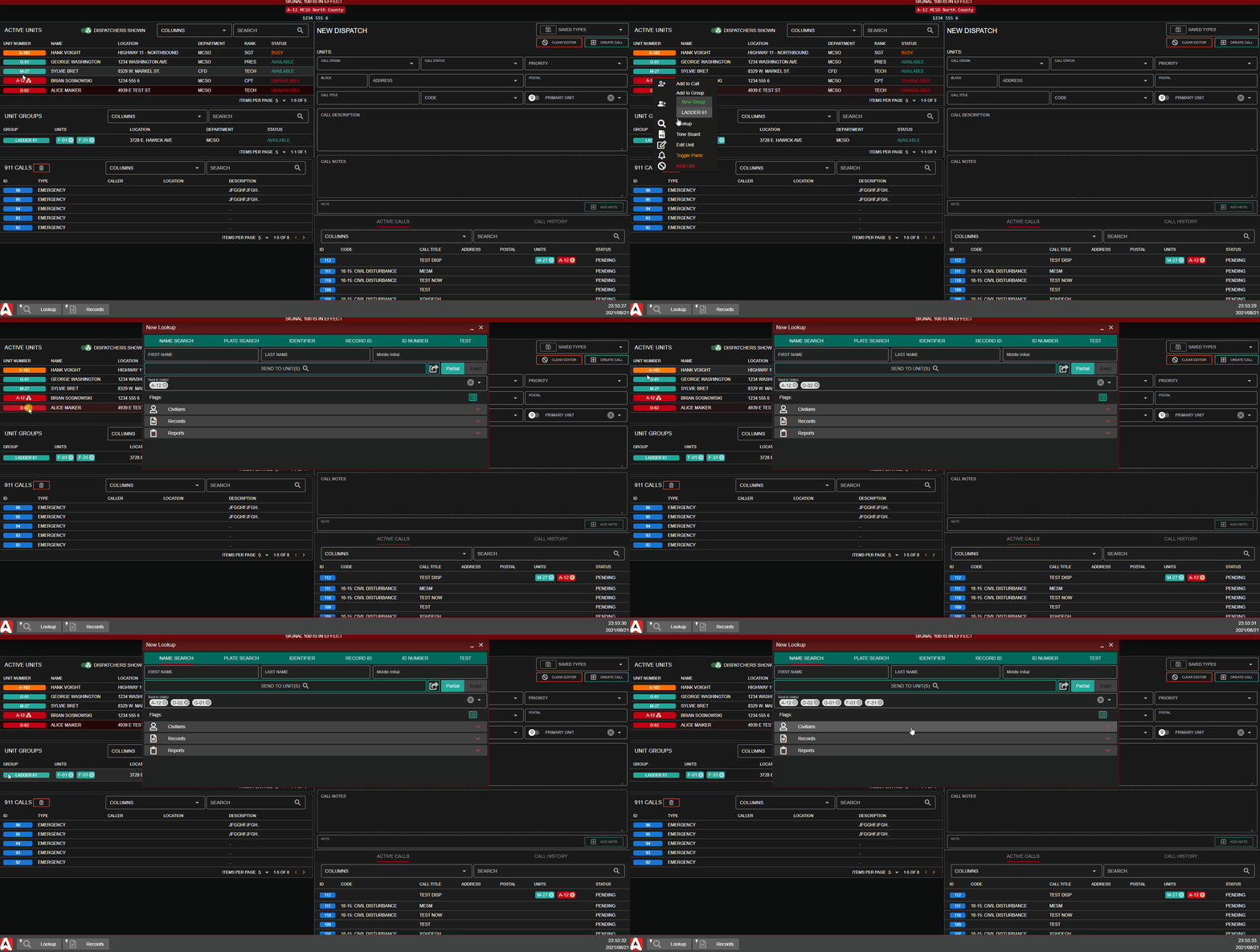
You can click on any active unit and selectLookup to open a new lookup window with this unit added, or have it added to any existing lookup windows.
Additionally, units and unit groups can be dragged-and-dropped directly to the lookup window.
Manual Search and Selection
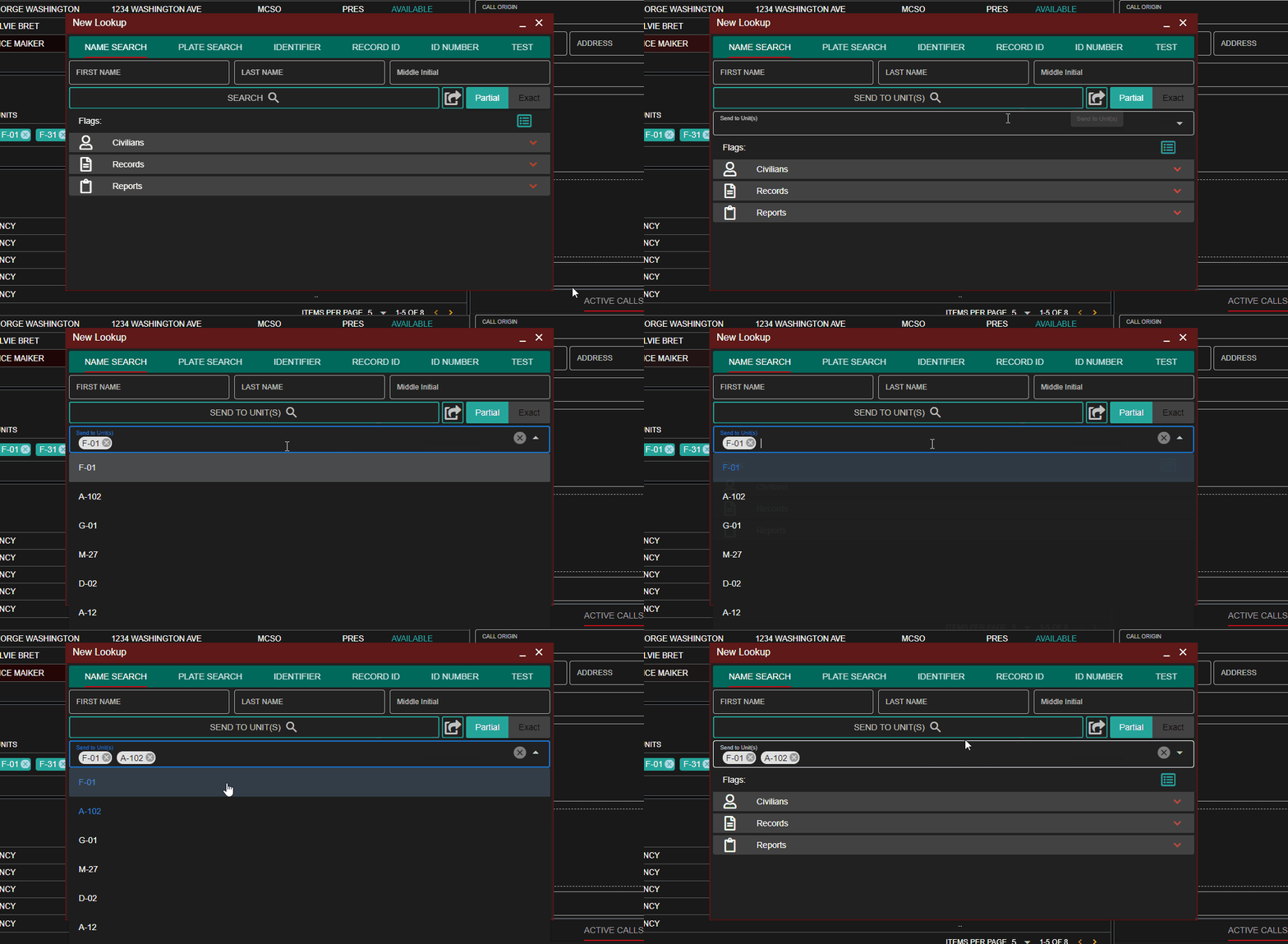
Next to the search button, you can click on theSend to Unit(s) button to toggle this mode on.
Using the dropdown, you can type to filter active units or select them from the list directly.
Copy Record Links
Records can be linked to other records via theLinked Records custom section, or added to dispatch call notes.
Press the link icon in the top left to copy the record to your clipboard.
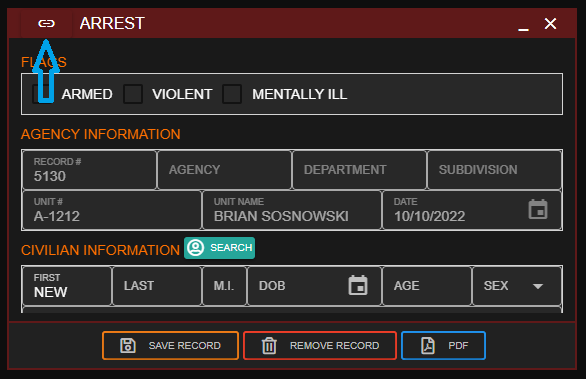 Sonoran CAD - Copy Record Link
Lookup from Plate Lock
Our Wraith radar plugin allows you to lock your plate reader in-game and have the lookup automatically ran in your CAD.Voice Commands
Lookups can also be ran via a search voice command.Record Audit History
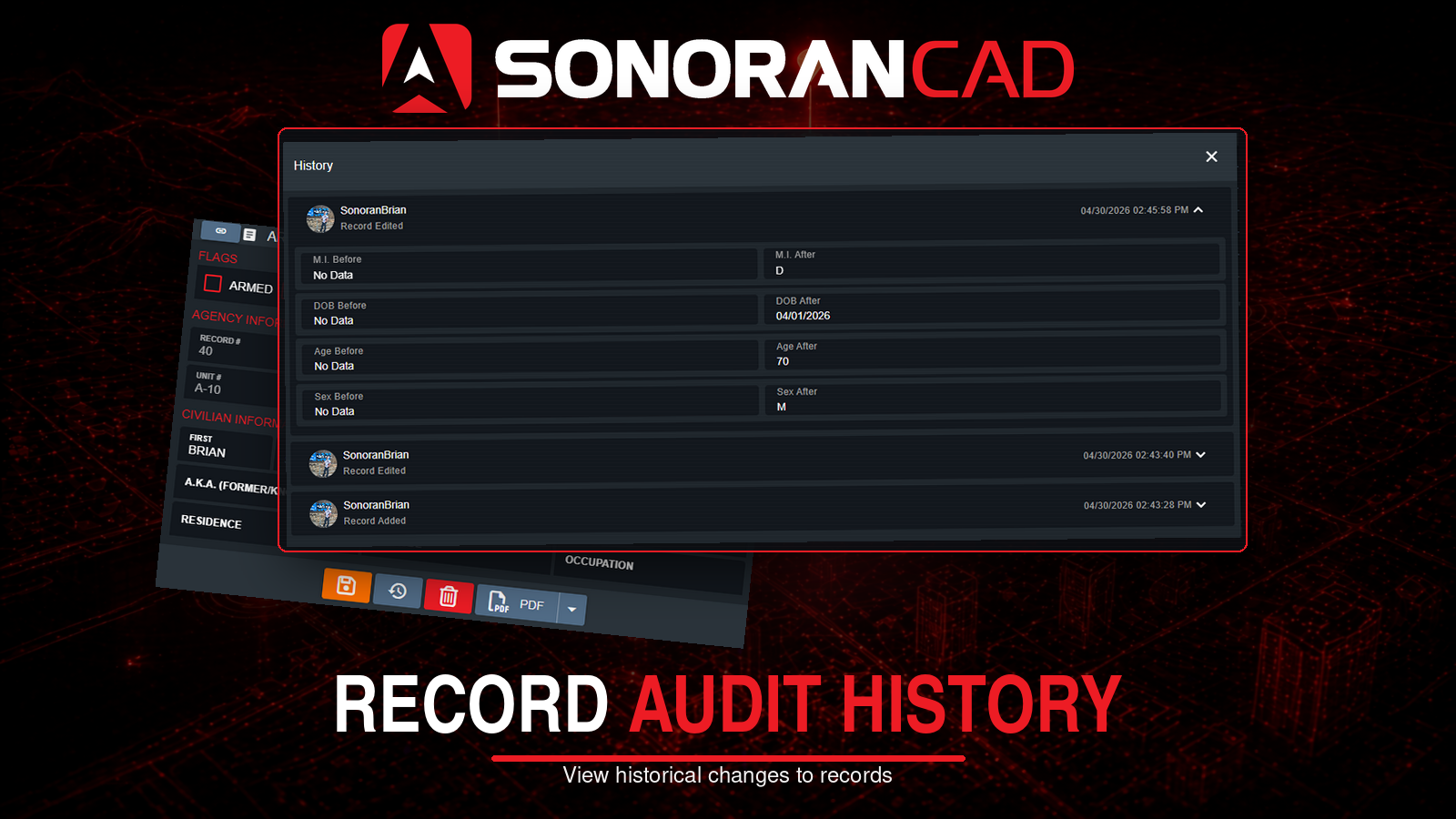 Select the History button when viewing a record to see an audit log of all changes.