

All players of your server must have their API ID setup and must be given a rank that has whitelist permissions for the specified server.
Looking for FiveM hosting? View our current hosting offer.
Installation
- Download the Resource
- Forge
- Fabric
- Bukkit/Spigot/Paper
You can download a copy here.Ensure that you download the one that has
forge in the name.
- Install the Resource
Follow the standard resource installation guide for the whitelist resource, available here.
- Setup Whitelist Permissions
Navigate to the Rank Manager within the Administrative Panel.
Administrative Panel > Ranks
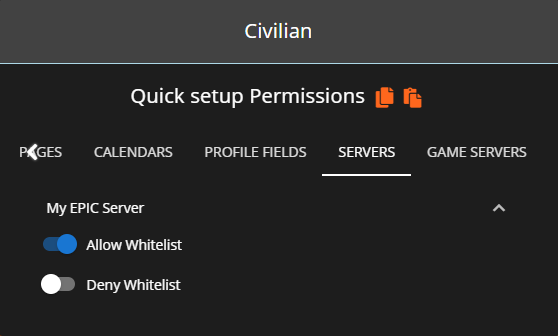
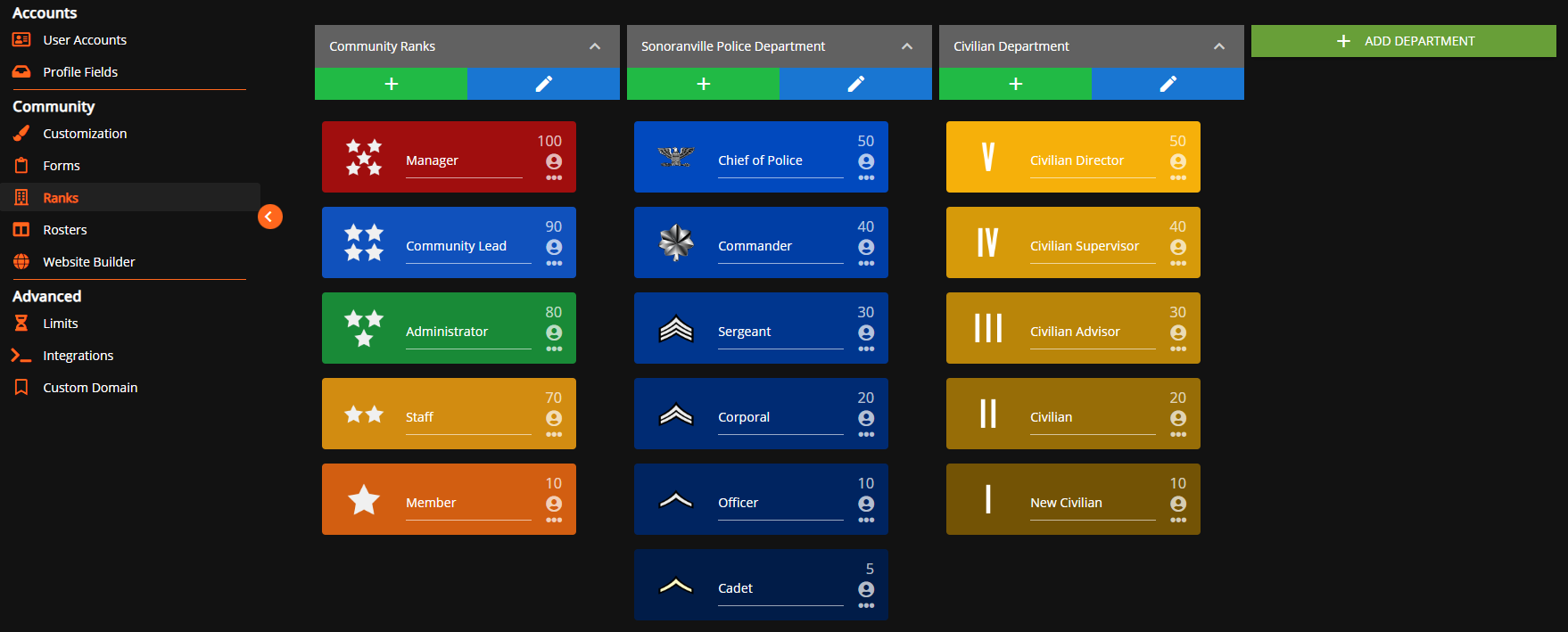 For users in your Sonoran CMS community to be accepted through the whitelist, they’ll need to be granted permission for the whitelist through rank permissions. You will need to grant each rank the permission of Allow Whitelist that you want to be allowed through the whitelist. You will want to grant each rank with the permission of Block Whitelist if you want them to be blocked from passing through the whitelist.
- Add your API ID
Ensure all players have added their API ID to the CMS!
Configuration
- Forge
- Fabric
- Bukkit/Spigot/Paper
The config file is called
cmswhitelist-common.toml in the config folder of your Minecraft server folder.