Roster Trigger Actions
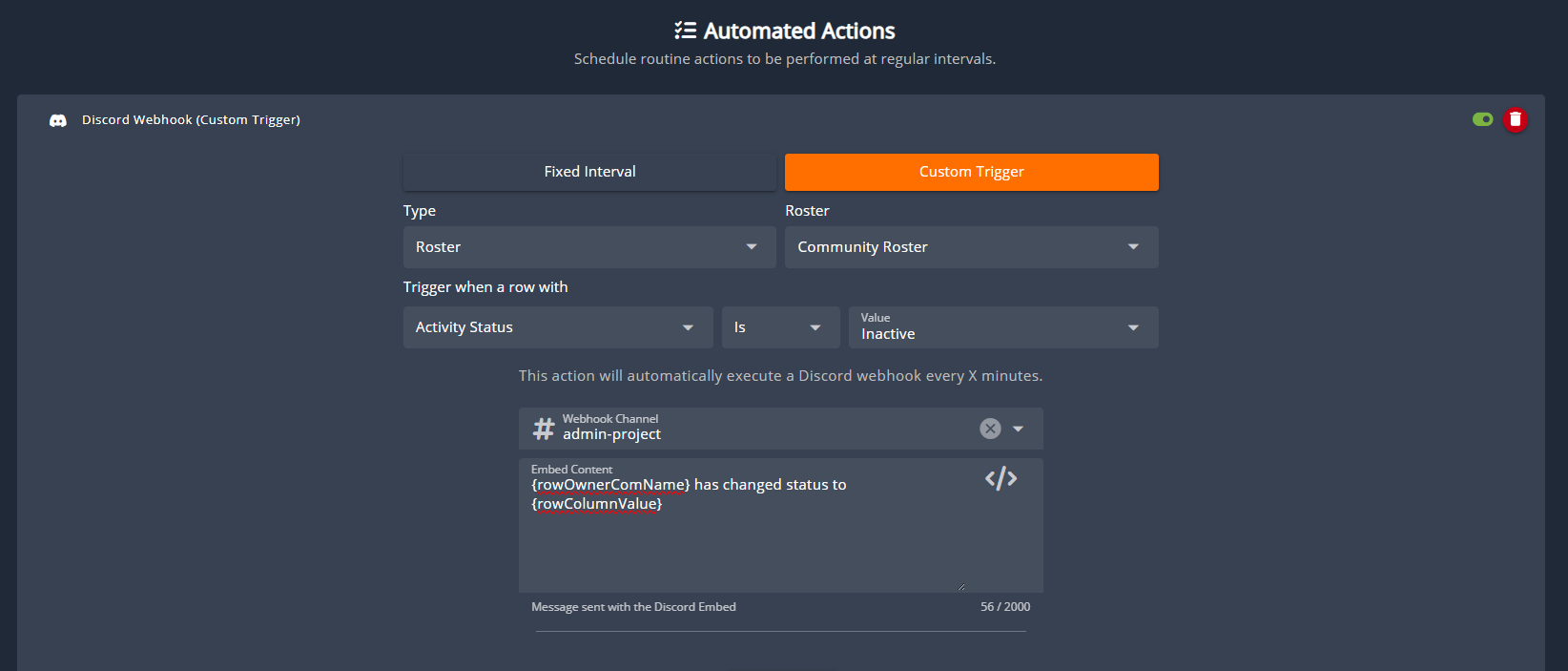
Communities can use the Actions panel to send webhooks, in-game messages, and other automated tasks. These actions can run on a schedule or be triggered when roster cells change. Example:A community roster includes a Status column that automatically switches members between Active and Inactive based on their recent in-game activity. When a member’s playtime drops below the required threshold and their status updates to Inactive, a Discord webhook should be sent automatically. Note: Activity time columns update automatically when new logs (join/leave game) are created. If a member hasn’t logged in recently, no logs exist to trigger a recalculation, so a 12-hour scheduled task re-processes them.
Edit Roster on Form Stage
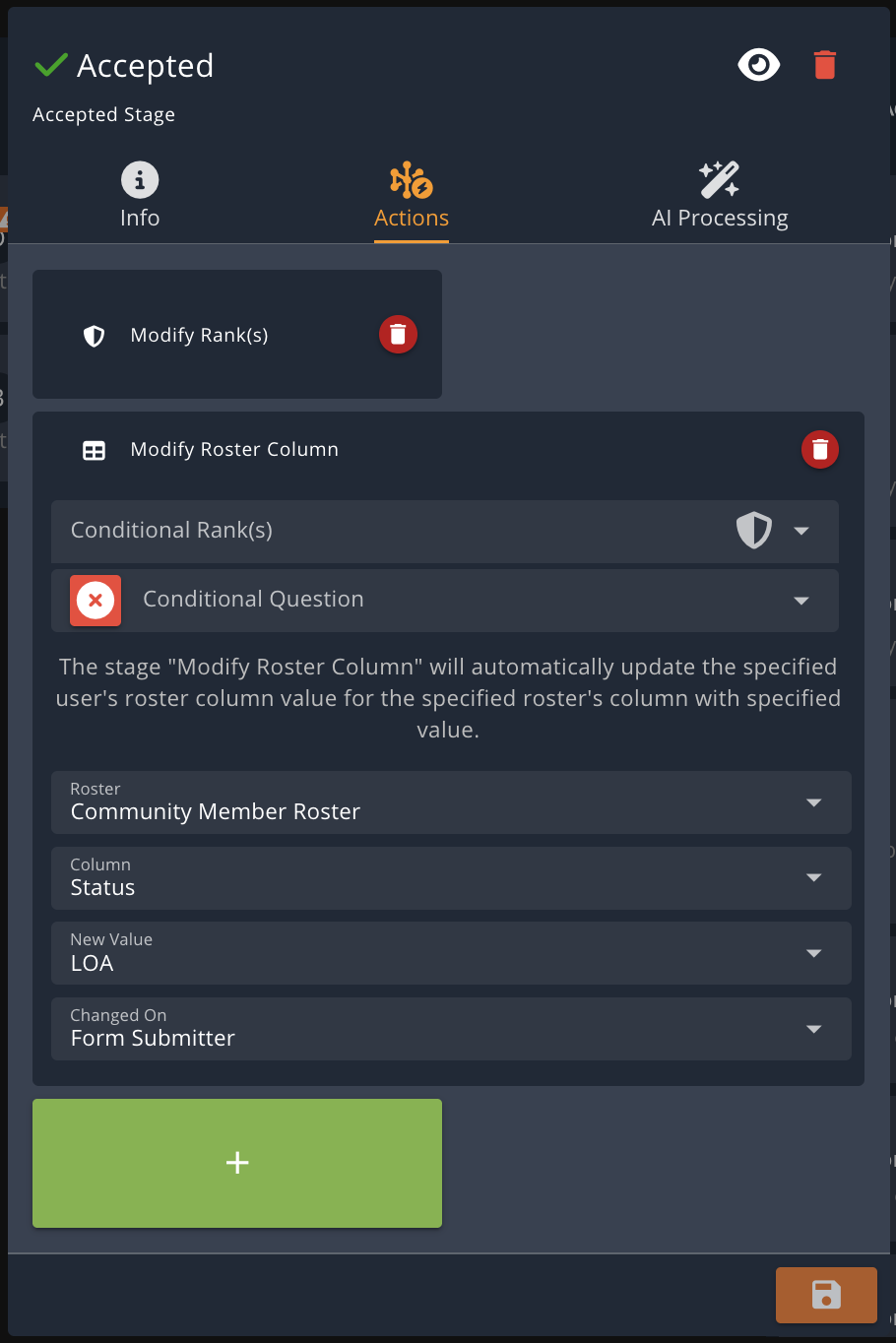
Custom form stages can also update rosters. For example, when a leave-of-absence (LOA) submission moves to the Accepted stage, the submitter’s Status field can automatically be set to LOA.