# Creating Forms

{% embed url="<https://youtu.be/7CMHrEIEuS4>" %}

## Create a New Form

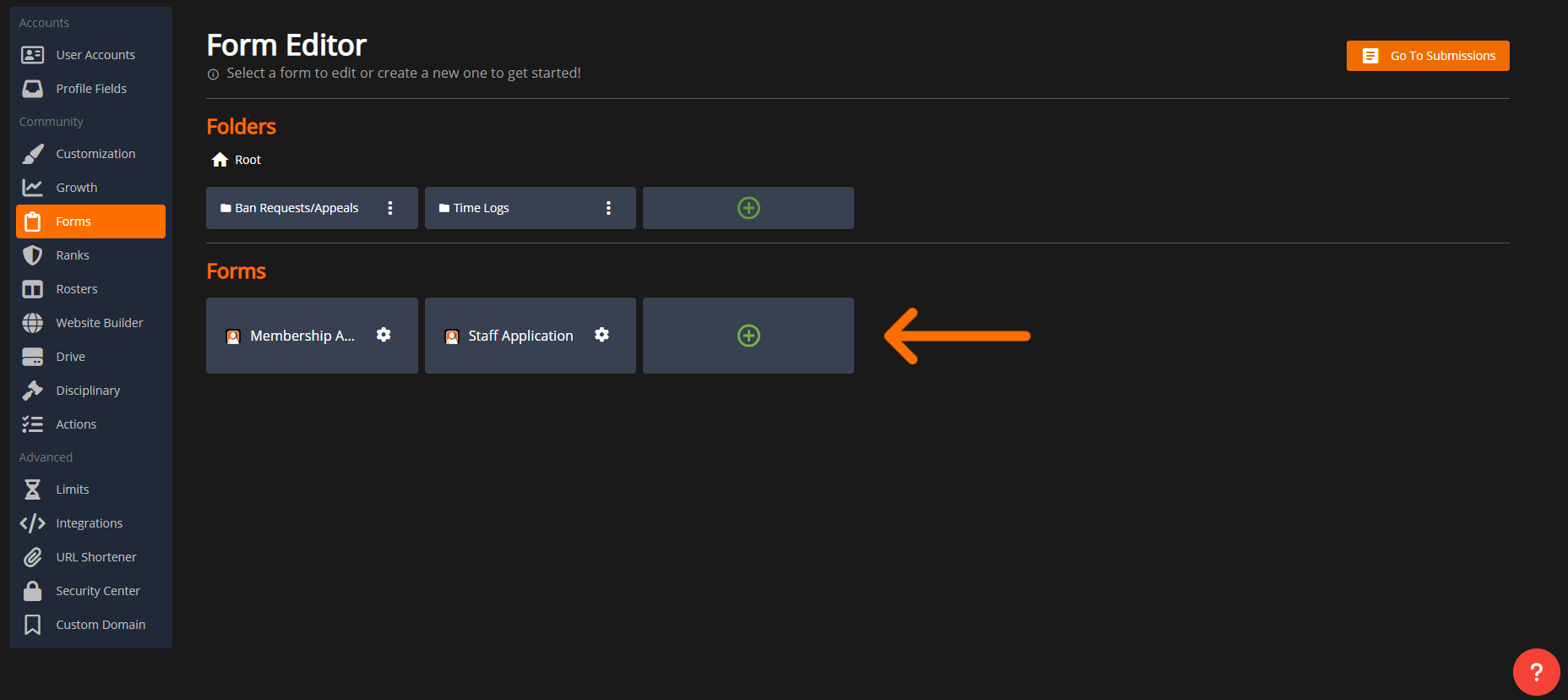
In the `Forms` panel, select the green `+` button to create a new form.

<figure><img src="https://3006847189-files.gitbook.io/~/files/v0/b/gitbook-x-prod.appspot.com/o/spaces%2F-MdBOa9OFjtdqw9FdXli%2Fuploads%2Fgit-blob-41ddbd697087fe56721643927e9fe52344f1d7b7%2FScreenshot%20(356).png?alt=media" alt=""><figcaption><p>Create New Form</p></figcaption></figure>

## Form Customization

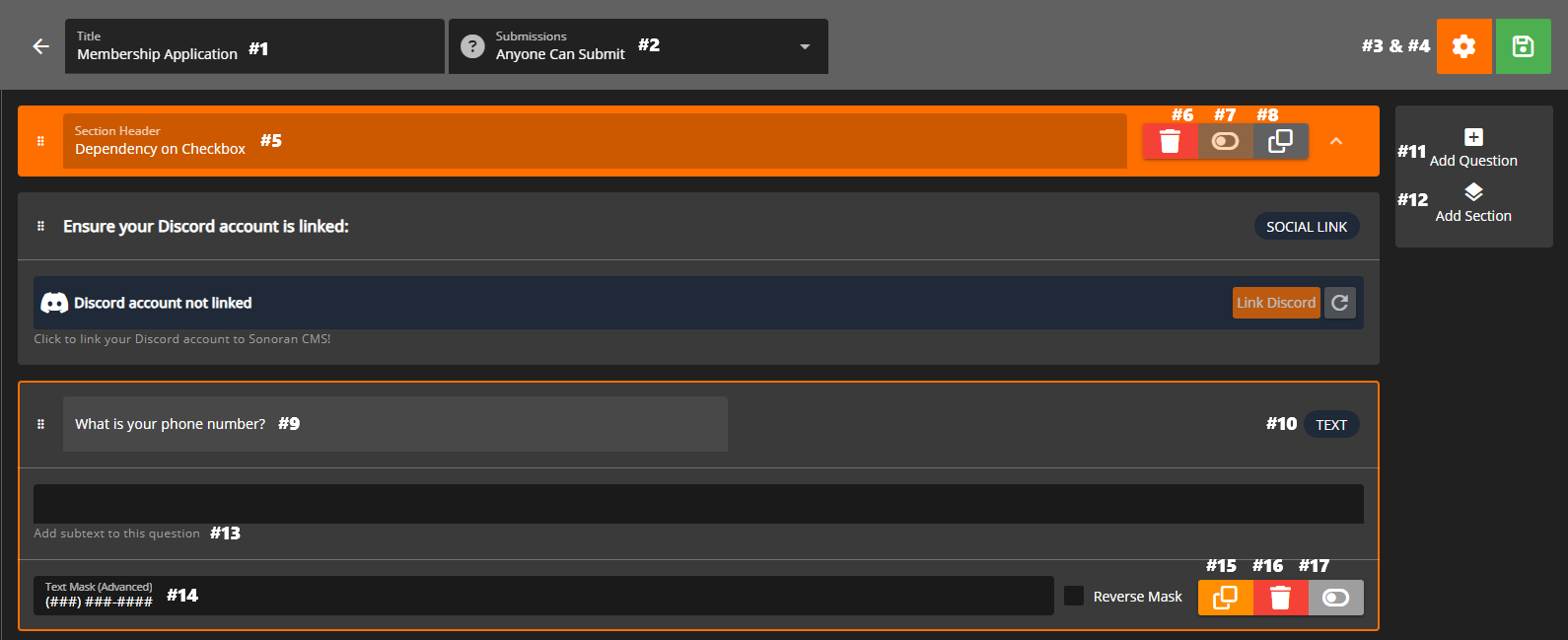
<figure><img src="https://3006847189-files.gitbook.io/~/files/v0/b/gitbook-x-prod.appspot.com/o/spaces%2F-MdBOa9OFjtdqw9FdXli%2Fuploads%2Fgit-blob-1daee873f90402bb6b44d46a25b9b70d536fd028%2FScreenshot%20(358).png?alt=media" alt=""><figcaption><p>Form Editor: Diagram</p></figcaption></figure>

<details>

<summary>Form Editor Explained</summary>

(1) Form Title

(2) Form Submissions

* Anyone Can Submit
* Rank Restricted

[(3) Form Settings](#form-settings)

(4) Save

(5) Section Header

[(6) Section Conditional](#conditional-sections)

(7) Question Title

(8) Question Type (Text, select, etc.)

(9) Add Section

(10) Add Question

(11) Question Subtext

[(12) Text Mask](#text-mask)

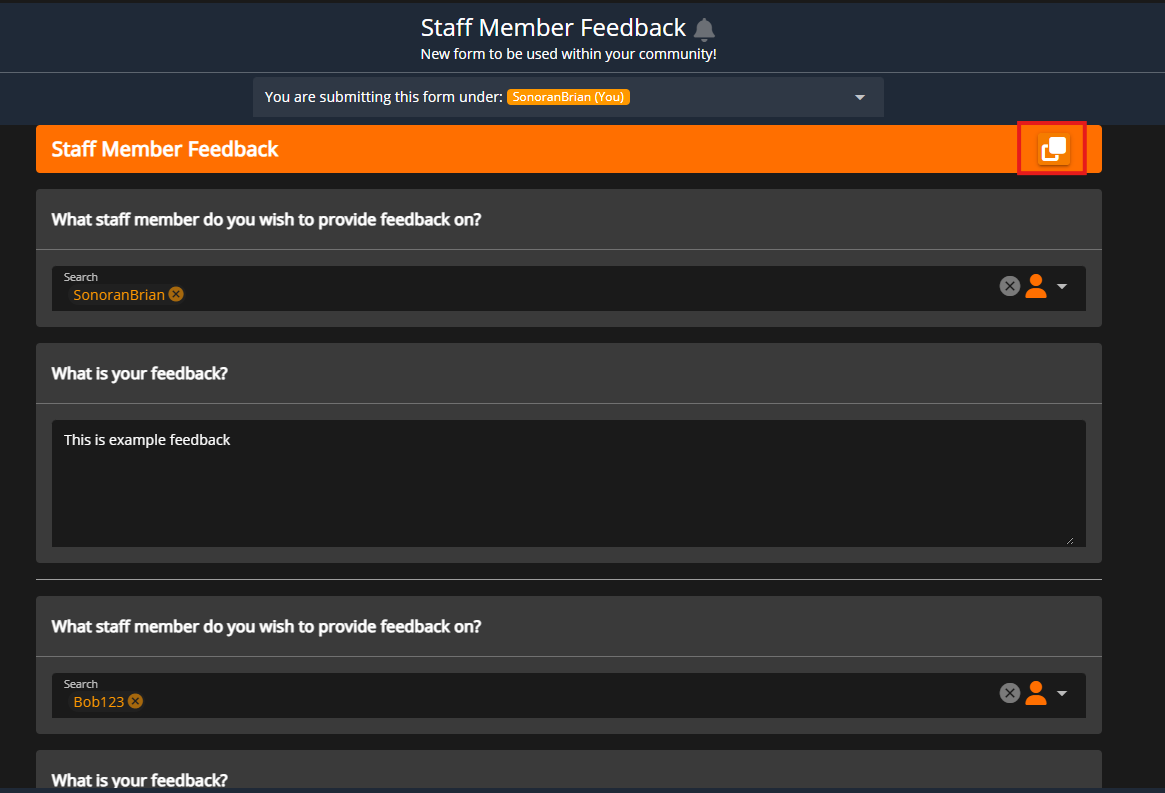
(13) Clone Field, Remove, and Required

</details>

### Form Settings

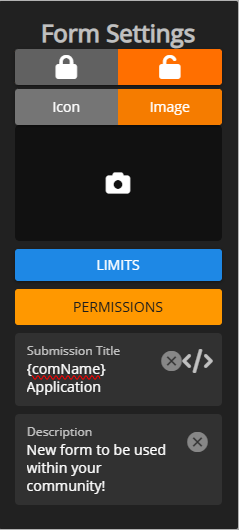
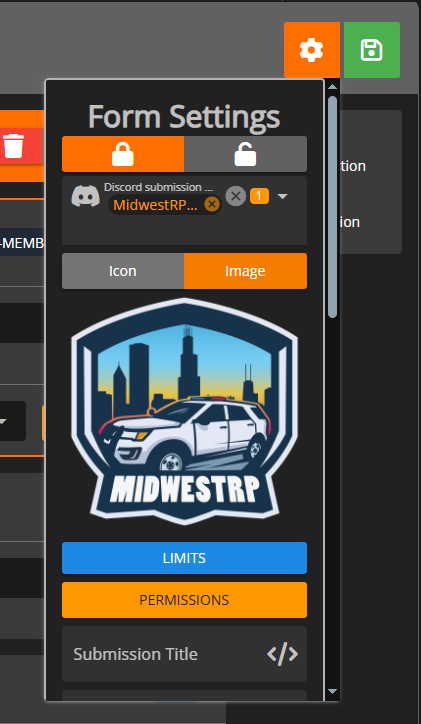
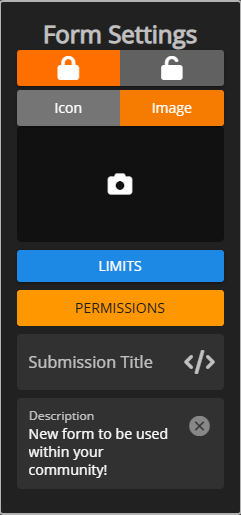
Form settings allows you to lock and unlock submissions, set submission limits, restrict submission permissions, customize the submission board title format, and add a description.
<figure><img src="https://3006847189-files.gitbook.io/~/files/v0/b/gitbook-x-prod.appspot.com/o/spaces%2F-MdBOa9OFjtdqw9FdXli%2Fuploads%2Fgit-blob-71c586ed778798643fd20dbceb8ef85516257575%2FScreenshot%20(359).png?alt=media" alt=""><figcaption></figcaption></figure>

#### Locking a Form

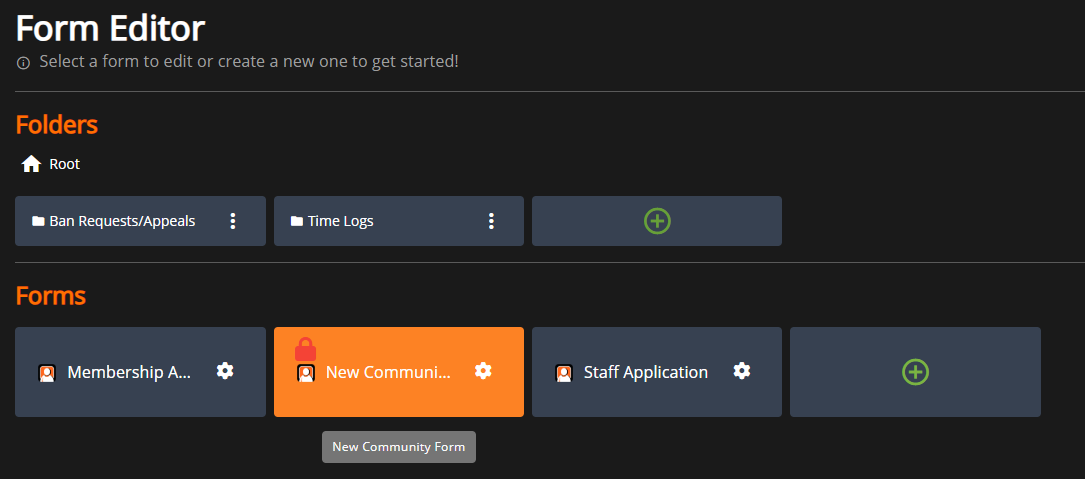
You can lock and unlock form submissions in the form settings, or from the main form editor panel. This prevents users from submitting new forms of this type.
<div><figure><img src="https://3006847189-files.gitbook.io/~/files/v0/b/gitbook-x-prod.appspot.com/o/spaces%2F-MdBOa9OFjtdqw9FdXli%2Fuploads%2Fgit-blob-a4d58e2cd7985caabab25775bcdeaf1117a5d6f8%2FScreenshot%20(360).png?alt=media" alt=""><figcaption><p>Editor: Lock</p></figcaption></figure> <figure><img src="https://3006847189-files.gitbook.io/~/files/v0/b/gitbook-x-prod.appspot.com/o/spaces%2F-MdBOa9OFjtdqw9FdXli%2Fuploads%2Fgit-blob-c35057af21b593f8fa16bb8d055fefa9f202d1b8%2FScreenshot%20(361).png?alt=media" alt=""><figcaption><p>Forms: Lock</p></figcaption></figure></div>

<figure><img src="https://3006847189-files.gitbook.io/~/files/v0/b/gitbook-x-prod.appspot.com/o/spaces%2F-MdBOa9OFjtdqw9FdXli%2Fuploads%2Fgit-blob-df487b1a19aed3686740b0a98d556d2998a19789%2Fimage.png?alt=media" alt="" width="375"><figcaption><p>Available Forms: Locked Form Example</p></figcaption></figure>

#### Icon or Image

The form icon/image is displayed in the available forms page and on [social embeds](https://docs.sonoransoftware.com/cms/pricing/pricing-faq/branding-removal#social-page-embeds).

#### Limits

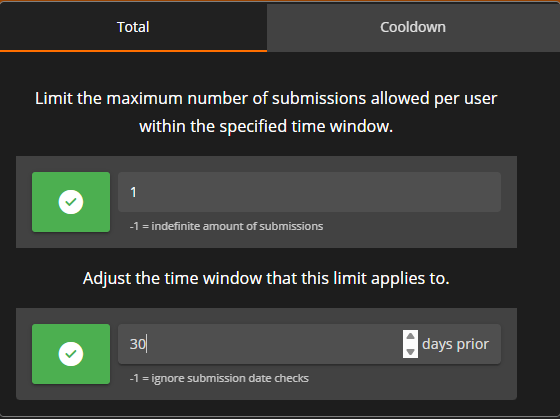
Total: Restrict the maximum number of submissions per-user in the specified time window.

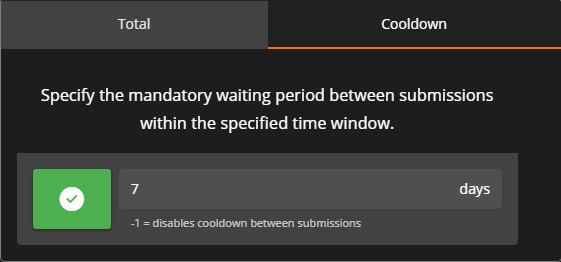
Cooldown: Specify the wait time between submissions within the specified time window.
<div><figure><img src="https://3006847189-files.gitbook.io/~/files/v0/b/gitbook-x-prod.appspot.com/o/spaces%2F-MdBOa9OFjtdqw9FdXli%2Fuploads%2Fgit-blob-9a5d9b0601750e8722acbe0373d0df1bb309cf99%2FScreenshot%20(363).png?alt=media" alt=""><figcaption><p>Limits: Total</p></figcaption></figure> <figure><img src="https://3006847189-files.gitbook.io/~/files/v0/b/gitbook-x-prod.appspot.com/o/spaces%2F-MdBOa9OFjtdqw9FdXli%2Fuploads%2Fgit-blob-54696defeb5a5d4c8aa2f210f97faa7222e7a93d%2FScreenshot%20(364).png?alt=media" alt=""><figcaption><p>Limits: Cooldown</p></figcaption></figure></div>

#### Permissions

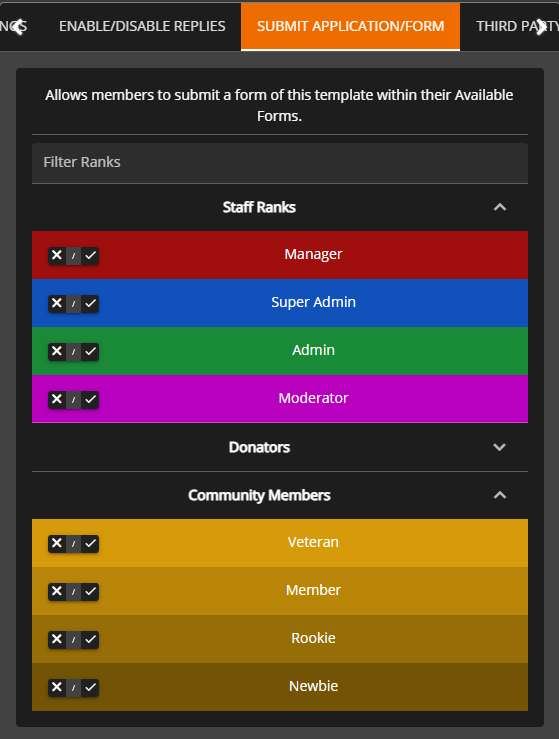
Easily customize what user ranks have access to submit applications, view submissions, change the form stage, and more.
<figure><img src="https://3006847189-files.gitbook.io/~/files/v0/b/gitbook-x-prod.appspot.com/o/spaces%2F-MdBOa9OFjtdqw9FdXli%2Fuploads%2Fgit-blob-7218728227374b55f2e42f1b63f659ff4ea19305%2FScreenshot%20(365).png?alt=media" alt=""><figcaption><p>Form Permissions</p></figcaption></figure>

#### Submission Title

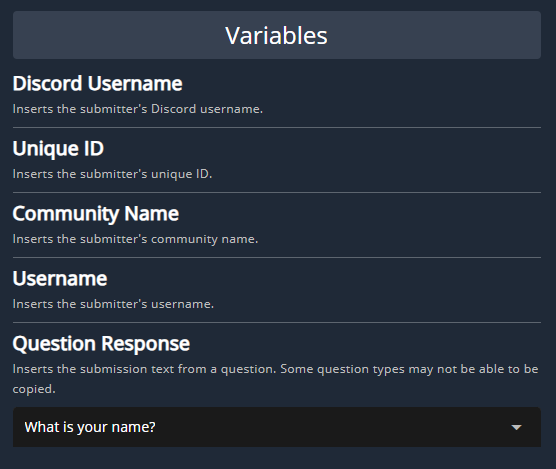
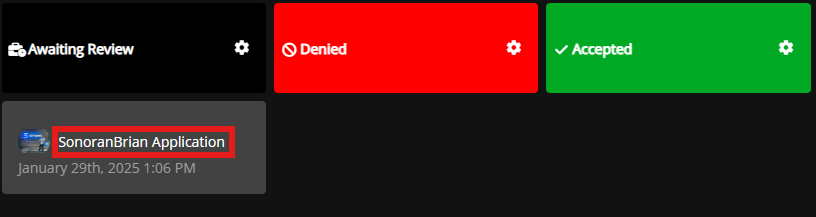
Customize submission titles on the form submission board with variables.

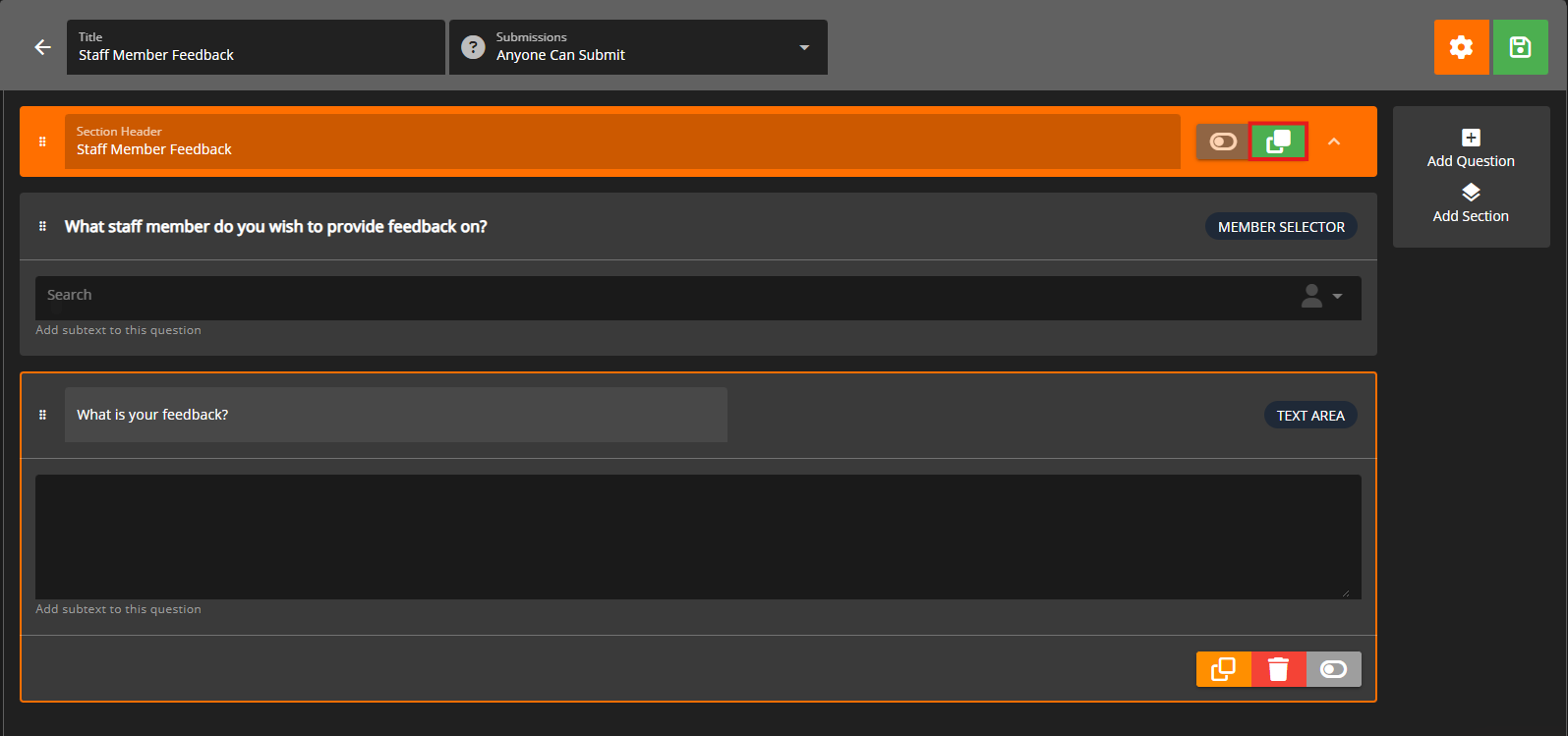
Click the `</>` icon to view available variables. Additionally, copy any form question ID (blue copy button on the question) and use that as a `{variable}` .

<div><figure><img src="https://3006847189-files.gitbook.io/~/files/v0/b/gitbook-x-prod.appspot.com/o/spaces%2F-MdBOa9OFjtdqw9FdXli%2Fuploads%2Fgit-blob-4af7d495ca9d25f665dfb7a9f3a270ad074fcfd4%2FScreenshot%20(366).png?alt=media" alt=""><figcaption><p>Title Format</p></figcaption></figure> <figure><img src="https://3006847189-files.gitbook.io/~/files/v0/b/gitbook-x-prod.appspot.com/o/spaces%2F-MdBOa9OFjtdqw9FdXli%2Fuploads%2Fgit-blob-05c7072a84e299b7f93800e61cb7a560ebd0d91f%2FScreenshot%20(367).png?alt=media" alt=""><figcaption><p>Title Variables</p></figcaption></figure> <figure><img src="https://3006847189-files.gitbook.io/~/files/v0/b/gitbook-x-prod.appspot.com/o/spaces%2F-MdBOa9OFjtdqw9FdXli%2Fuploads%2Fgit-blob-62dc74b2bf6b03e7921773235dd4b5264188e4b9%2Fimage.png?alt=media" alt="" width="375"><figcaption><p>Submission Board</p></figcaption></figure></div>

#### Description

The form description is displayed at the top of the form when submitting. Additionally, the description will be displayed in [social embeds](https://docs.sonoransoftware.com/cms/pricing/pricing-faq/branding-removal#social-page-embeds) when sharing a link.

### Text Mask

Text masks allow you to force a specific format on form questions.

Ex: Mask `(###) ### - ####` forces the input to be all numbers, formatted as `(123) 456 - 7890`

| Token | Description                                        |
| ----- | -------------------------------------------------- |
| `#`   | Numeric                                            |
| `S`   | Letter, a to z, case insensitive                   |
| `N`   | Alphanumeric, case insensitive for letters         |
| `A`   | Letter, transformed to uppercase                   |
| `a`   | Letter, transformed to lowercase                   |
| `X`   | Alphanumeric, transformed to uppercase for letters |
| `x`   | Alphanumeric, transformed to lowercase for letters |

#### Conditional Sections

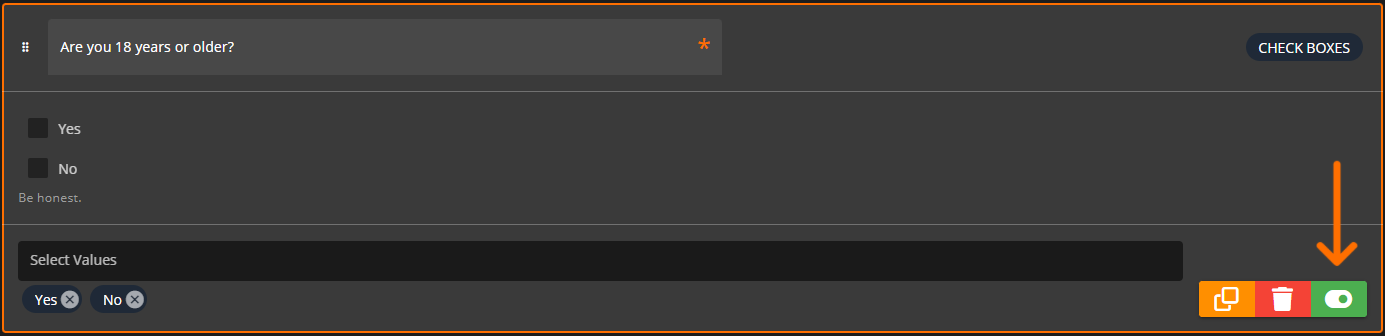
Sections can be displayed conditionally, based on the answer or selection of a previous section's question.

Toggle the conditional section on, select the question it will be conditional on, and enter or select the values that must be met.
<figure><img src="https://3006847189-files.gitbook.io/~/files/v0/b/gitbook-x-prod.appspot.com/o/spaces%2F-MdBOa9OFjtdqw9FdXli%2Fuploads%2Fgit-blob-4c4fd7a846ff0362ac9ebab8b1f4d4e2637f80e5%2FScreenshot%20(368).png?alt=media" alt=""><figcaption></figcaption></figure>

## Form Stages

Form stages allow for automated actions when the form status/stage is changed.

Ex: When changing a user's membership application from `Pending` to `Accepted` you can send them an automated message, apply ranks, and more.

### Customizing Stages

Stages can be customized in the submission board.
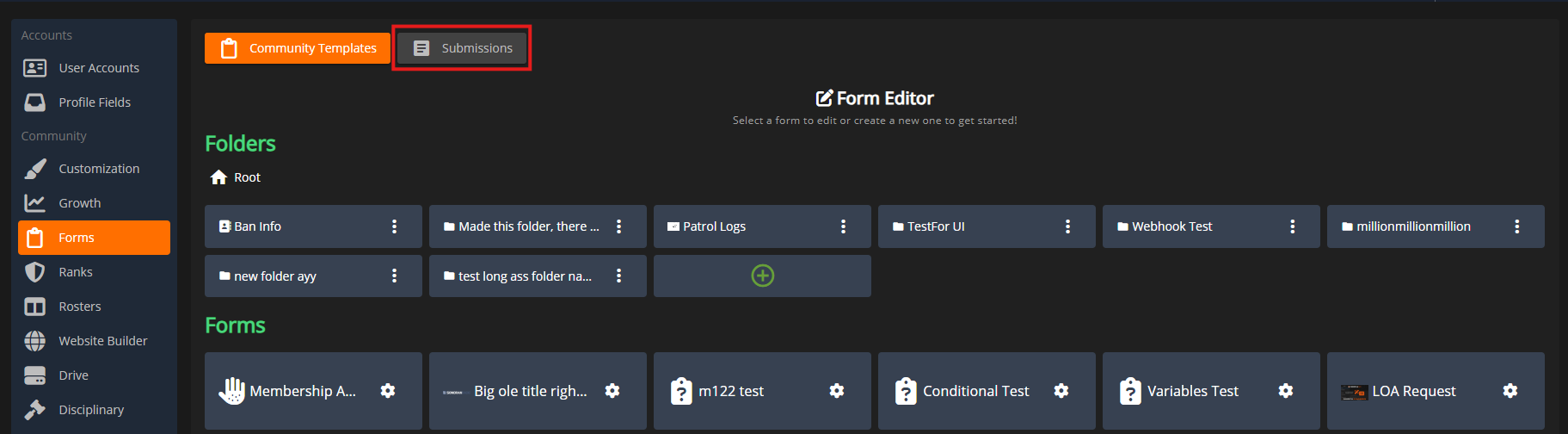
<figure><img src="https://3006847189-files.gitbook.io/~/files/v0/b/gitbook-x-prod.appspot.com/o/spaces%2F-MdBOa9OFjtdqw9FdXli%2Fuploads%2Fgit-blob-93c299c3b26ddd2adbde7ad4ceddf0fbd614e164%2FScreenshot%20(369).png?alt=media" alt=""><figcaption><p>Form Editor: Go To Submissions</p></figcaption></figure>

Select the desired form to view the available stages.

Stages can be reordered via drag-and-drop.

A new stage can be added by pressing the green `+` button at the end of the row.

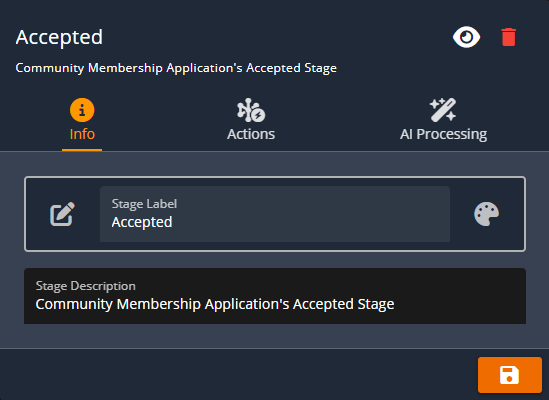
An existing stage can be customized by hitting the gear icon.

<div><figure><img src="https://3006847189-files.gitbook.io/~/files/v0/b/gitbook-x-prod.appspot.com/o/spaces%2F-MdBOa9OFjtdqw9FdXli%2Fuploads%2Fgit-blob-d1fa9aa614678ada5559c53bacd6cf10c70159f3%2FScreenshot%20(371).png?alt=media" alt=""><figcaption><p>Submission Board: Add and Edit Stages</p></figcaption></figure> <figure><img src="https://3006847189-files.gitbook.io/~/files/v0/b/gitbook-x-prod.appspot.com/o/spaces%2F-MdBOa9OFjtdqw9FdXli%2Fuploads%2Fgit-blob-7886dcd4dfe381954a17b0c875e3c559e911ef75%2FScreenshot%20(372).png?alt=media" alt=""><figcaption><p>Stage Editor: Style</p></figcaption></figure></div>

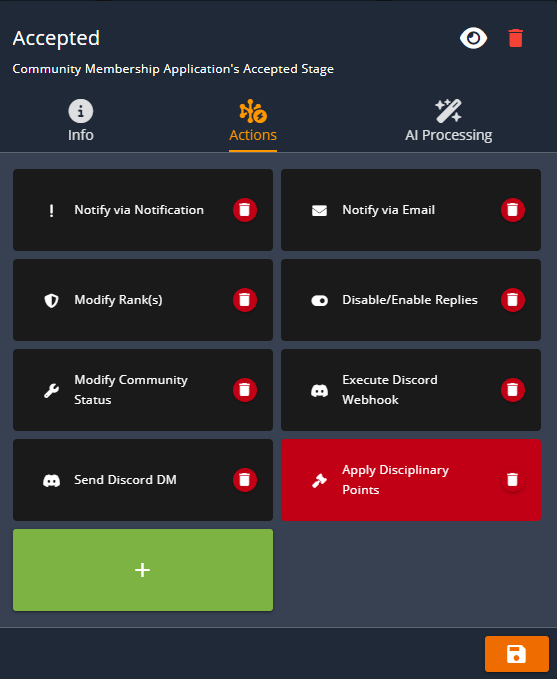
The `Actions` tab allows you to customize automated actions that will occur when a submission is set to this stage.

<figure><img src="https://3006847189-files.gitbook.io/~/files/v0/b/gitbook-x-prod.appspot.com/o/spaces%2F-MdBOa9OFjtdqw9FdXli%2Fuploads%2Fgit-blob-5b237d332c8464575b07492cf3cb41f1ffbcf626%2FScreenshot%20(373).png?alt=media" alt=""><figcaption><p>Stage Editor: Actions</p></figcaption></figure>

### Conditional Stages

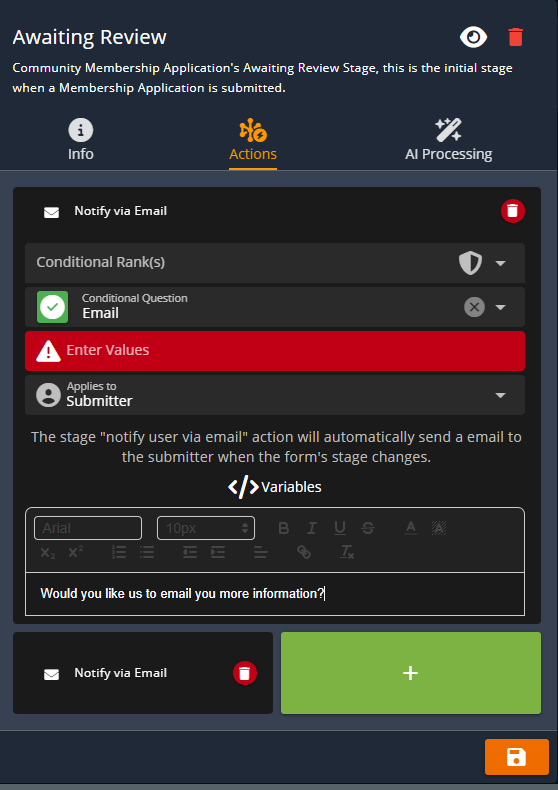
Form stage actions can be conditional, meaning they will only trigger if a certain question response was selected.

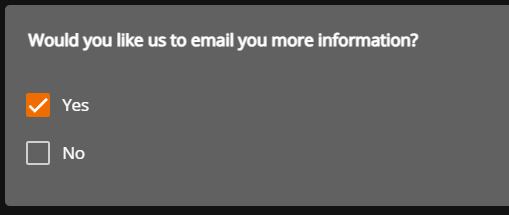
The example action below shows that the email will only be sent if the form submitter selects `Yes` to the question `Would you like us to email you more information?`
<div><figure><img src="https://3006847189-files.gitbook.io/~/files/v0/b/gitbook-x-prod.appspot.com/o/spaces%2F-MdBOa9OFjtdqw9FdXli%2Fuploads%2Fgit-blob-fd29637003aacc5e6ce4dd3fcce621986d10d1ad%2FScreenshot%20(374).png?alt=media" alt=""><figcaption><p>Stage Action: Conditional Question</p></figcaption></figure> <figure><img src="https://3006847189-files.gitbook.io/~/files/v0/b/gitbook-x-prod.appspot.com/o/spaces%2F-MdBOa9OFjtdqw9FdXli%2Fuploads%2Fgit-blob-1bce134fb2f0194dc2857cf7da9b5eb8a854ac52%2Fimage.png?alt=media" alt="" width="255"><figcaption><p>Form Submission: Conditional Question</p></figcaption></figure></div>

### Form Submissions: Submit, View, and Change Stages

{% content-ref url="form-submissions" %}
[form-submissions](https://docs.sonoransoftware.com/cms/tutorials/forms/form-submissions)
{% endcontent-ref %}