

# Transmission Logs

<figure><img src="/files/lGEptsbP6EzJ1j3KlTbq" alt=""><figcaption><p>Sonoran Radio: Transmission Logs</p></figcaption></figure>

{% hint style="warning" %}
Community transmission logs are only available on the pro version.

[Learn more about our paid plans](broken://pages/FjG6luNtOYdxkXxVERZt).
{% endhint %}

## Accessing Transmission Logs

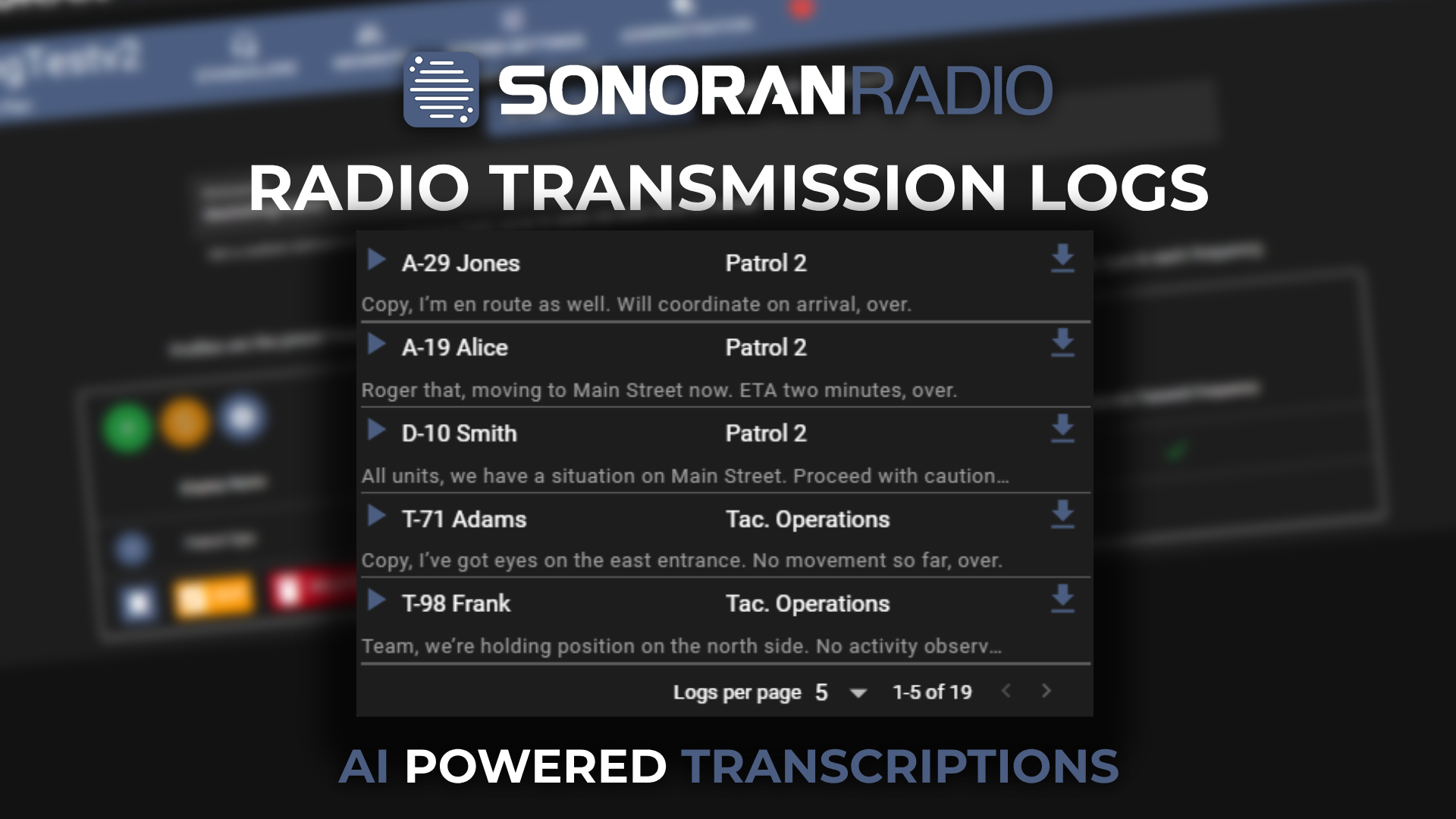
The transmission log viewer can be accessed on the dispatch panel by clicking the list icon. Users will be able to view all logs within the last 24 hours transmitted on [channels that they have access to](/radio/tutorials/usage/dispatch-panel/configure-channels.md#restrict-channel-visibility).

Transmission logs have the following properties:

* Play/Pause Recording
* Username of Transmitter
* Channel of the Transmission
* Download the Recording
* AI Transcript

<figure><img src="/files/n1lzJEQadaHiC8GjtQJV" alt=""><figcaption><p>Sonoran Radio: Transmission Logs</p></figcaption></figure>

## AI Audio Transcripts

Audio transcripts can also be automatically generated for each transmission recording.

Communities can optionally enable the `Transmission Log STT` option in the [AI configuration panel](/radio/tutorials/integrations/ai.md#ai-options).

## Disable User Transmission Recording

Some users may wish to manually opt-out of submitting their transmissions for recording. This can be toggled in the **Settings** menu under the **Privacy** tab.

<figure><img src="/files/vPBaainUfqFzpMC20yXv" alt=""><figcaption></figcaption></figure>


---

# Agent Instructions: Querying This Documentation

If you need additional information that is not directly available in this page, you can query the documentation dynamically by asking a question.

Perform an HTTP GET request on the current page URL with the `ask` query parameter:

```
GET https://docs.sonoransoftware.com/radio/tutorials/usage/dispatch-panel/transmission-logs.md?ask=<question>
```

The question should be specific, self-contained, and written in natural language.
The response will contain a direct answer to the question and relevant excerpts and sources from the documentation.

Use this mechanism when the answer is not explicitly present in the current page, you need clarification or additional context, or you want to retrieve related documentation sections.

