# Chat

## CAD Chat

The Sonoran CAD chat system allows units to send text messages to eachother, or in groups. Messages can also contain links to custom records.

## Using CAD Chat

### Opening the Chat

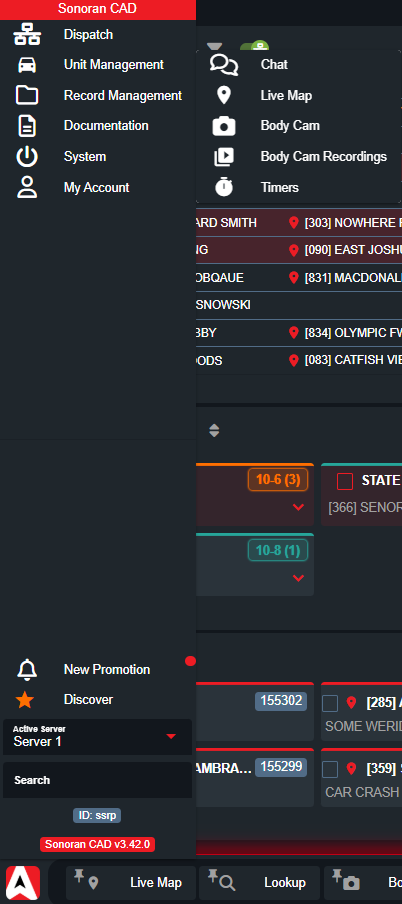
The **Chat** window can be found under the **Taskbar** > **Unit Management** > **Chat**

Additionally, it can be found by searching for **Chat** in the taskbar search.

<figure><img src="https://232668649-files.gitbook.io/~/files/v0/b/gitbook-x-prod.appspot.com/o/spaces%2F-M4pGN81fb4R6zFhodcu%2Fuploads%2F28RoRSELFzDujhujoxEN%2Fimage.png?alt=media&#x26;token=590b95c3-cb3d-4f4e-a8ff-ee76d6fe7773" alt="" width="201"><figcaption></figcaption></figure>

### Creating a Chat

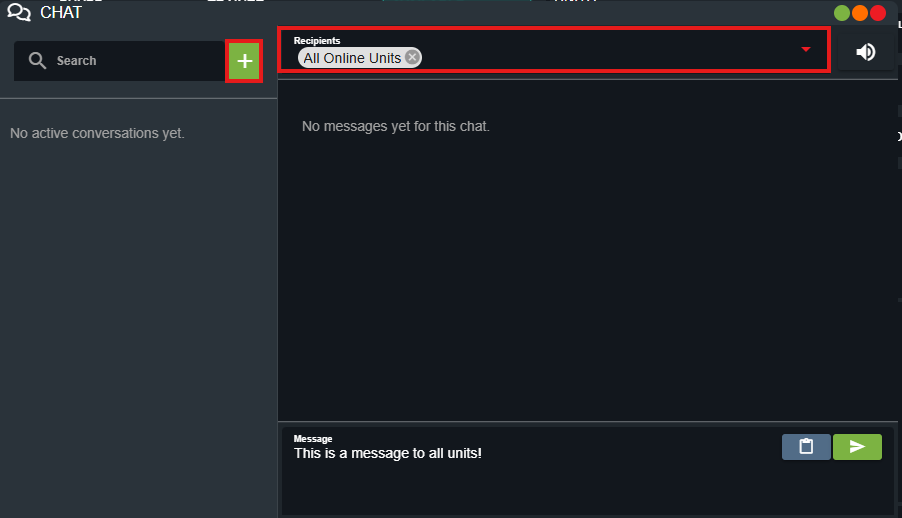
Select the green **Plus** button to create a new chat.

In the **Recipients** drop-down, type to filter for user options. Individual units can be selected, entire departments, specific dispatch calls, or even all online units.

Once you enter a message and press **send** the chat room is created.

<figure><img src="https://232668649-files.gitbook.io/~/files/v0/b/gitbook-x-prod.appspot.com/o/spaces%2F-M4pGN81fb4R6zFhodcu%2Fuploads%2FUql2OSo8dfeftDjRou60%2Fimage.png?alt=media&#x26;token=a50a1588-5f03-4803-bc47-c68a5ccbfac8" alt="" width="375"><figcaption></figcaption></figure>

### Attachments

Just like dispatch call notes, chat messages can contain records to be quickly referenced and opened.

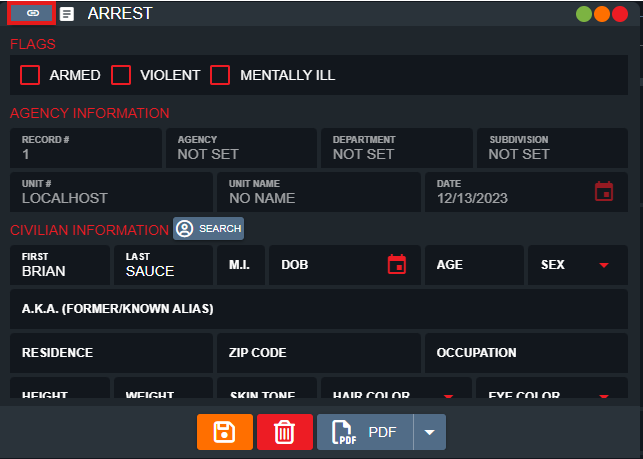
On a record window, select the **copy** button at the top left. Then, in the chat window, select the blue **paste attachment** button.

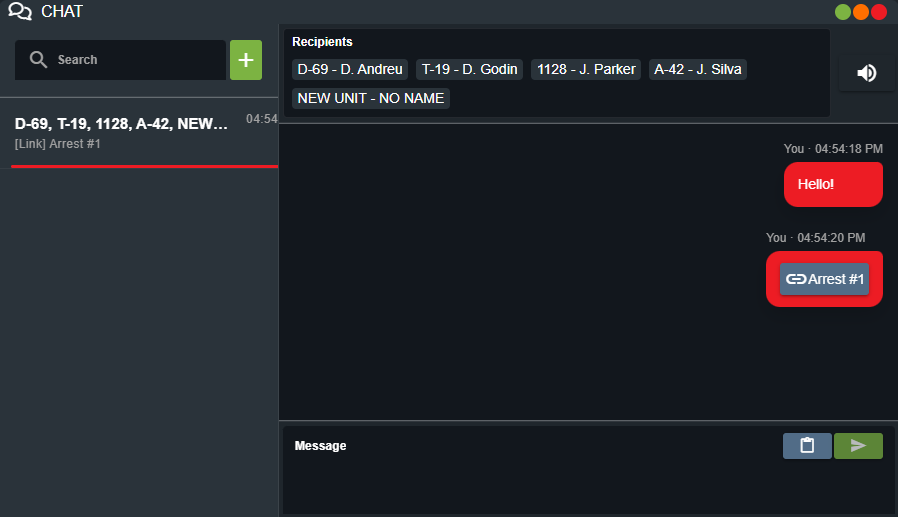
Once sent, units can click on the attachment to open the record.
<div><figure><img src="https://232668649-files.gitbook.io/~/files/v0/b/gitbook-x-prod.appspot.com/o/spaces%2F-M4pGN81fb4R6zFhodcu%2Fuploads%2Fyxph4Ru4itBQLGetOvYh%2Fimage.png?alt=media&#x26;token=dfdf4d0e-5c28-4858-83d1-66bcbd5a3bbc" alt=""><figcaption></figcaption></figure> <figure><img src="https://232668649-files.gitbook.io/~/files/v0/b/gitbook-x-prod.appspot.com/o/spaces%2F-M4pGN81fb4R6zFhodcu%2Fuploads%2FvuOK45muqg2VnBcrJF4w%2Fimage.png?alt=media&#x26;token=52ba778b-79db-4729-a2fb-14d42a003d16" alt=""><figcaption></figcaption></figure></div>

### Text-to-Speech

Users can optionally toggle on text-to-speech, which will read out incoming messages.

Text-to-speech voice can be customized in the **settings** panel.

<figure><img src="https://232668649-files.gitbook.io/~/files/v0/b/gitbook-x-prod.appspot.com/o/spaces%2F-M4pGN81fb4R6zFhodcu%2Fuploads%2FYJnZ9zPfqbkI4S476ppS%2Fimage.png?alt=media&#x26;token=1e19cf61-dd6b-4fce-b7f4-987c12198d0d" alt=""><figcaption></figcaption></figure>

### Data Retention

Currently, chat messages are temporary and stored locally on the client and are wiped on refresh. Messages are not stored or persisted in any database.