Unit Management
Modifying Status
Modifying Status
You can click on a unit’s status for a dropdown menu to quickly modify it.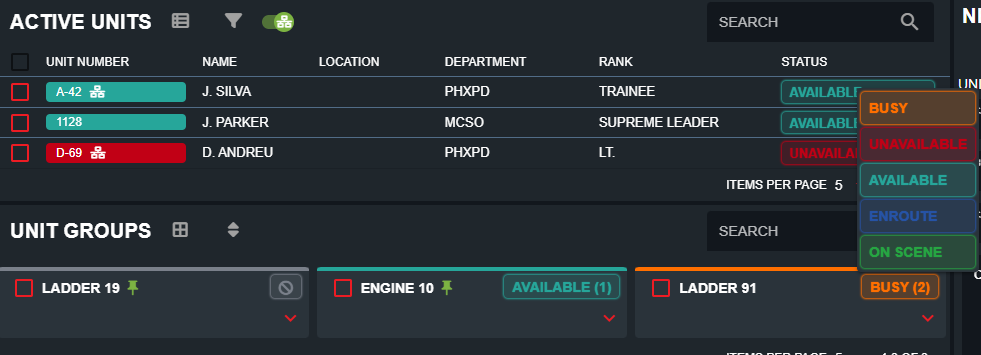 Units can also select one of the status buttons in the header:
Units can also select one of the status buttons in the header:Modifying Unit Information
Modifying Unit Information
Click on any active unit and select “Edit Unit” to change their identifier information.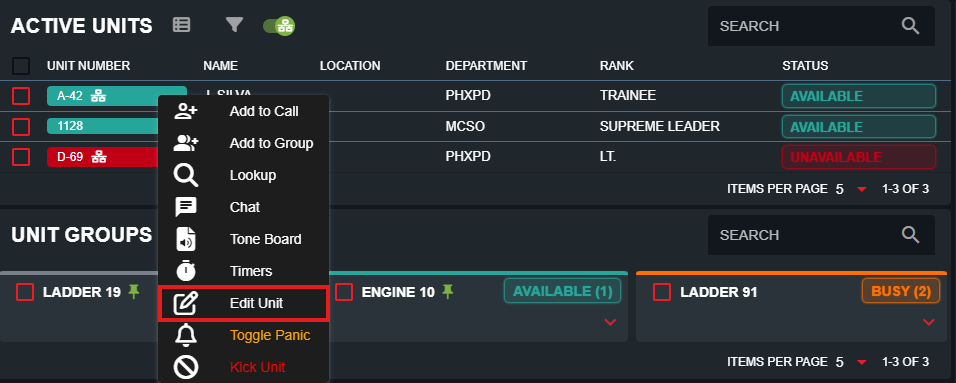 Units with the edit identifier permission can also click on their unit number in the header to open the identifier editor:
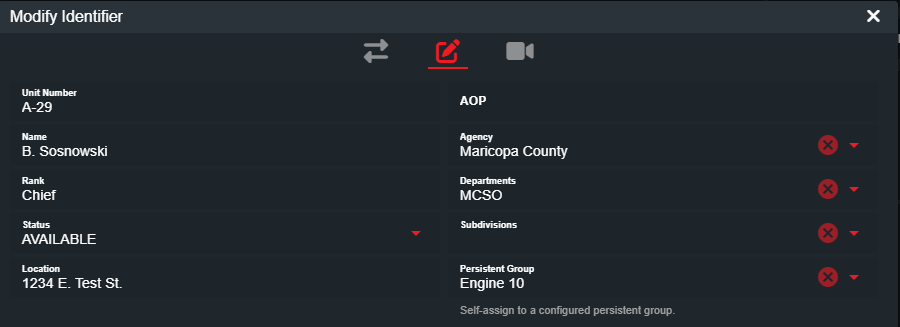
Units with the edit identifier permission can also click on their unit number in the header to open the identifier editor:Unit Groups
Unit Groups
Unit groups are a way to combine two units together, typically when they’re in the save vehicle or apparatus.To add a unit to a group, simply select the unit and select Add to Group > New Group or an existing group.Or, drag-and-drop a unit to an existing group to attach.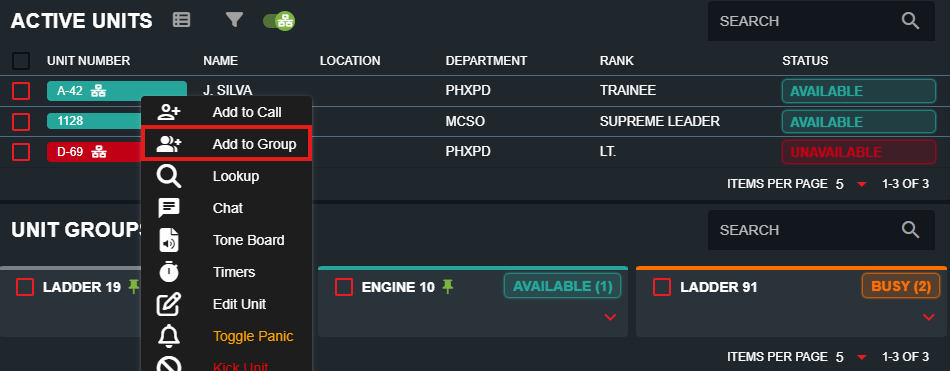
Persistent Unit Groups
Persistent Unit Groups
Unit groups can be configured as persistent, meaning they remain visible even when no units are assigned.Persistent groups are set up in the Department Editor under Admin → Customization → Departments. These groups can optionally enforce a maximum number of units that may be attached. Once configured, persistent groups can be dragged into the Call Editor or onto an existing dispatch call to attach them.
 Units can self-attach to these groups by clicking on their unit number to open the identifier editor → Persistent Group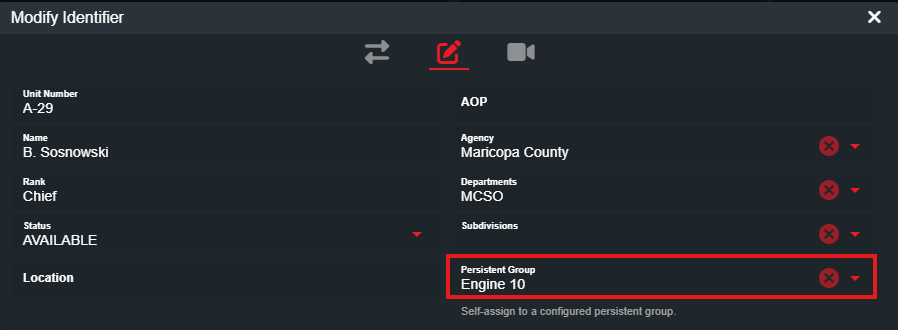
Once configured, persistent groups can be dragged into the Call Editor or onto an existing dispatch call to attach them.Units can self-attach to these groups by clicking on their unit number to open the identifier editor → Persistent GroupAutomatic Unit Status
Automatic Unit Status
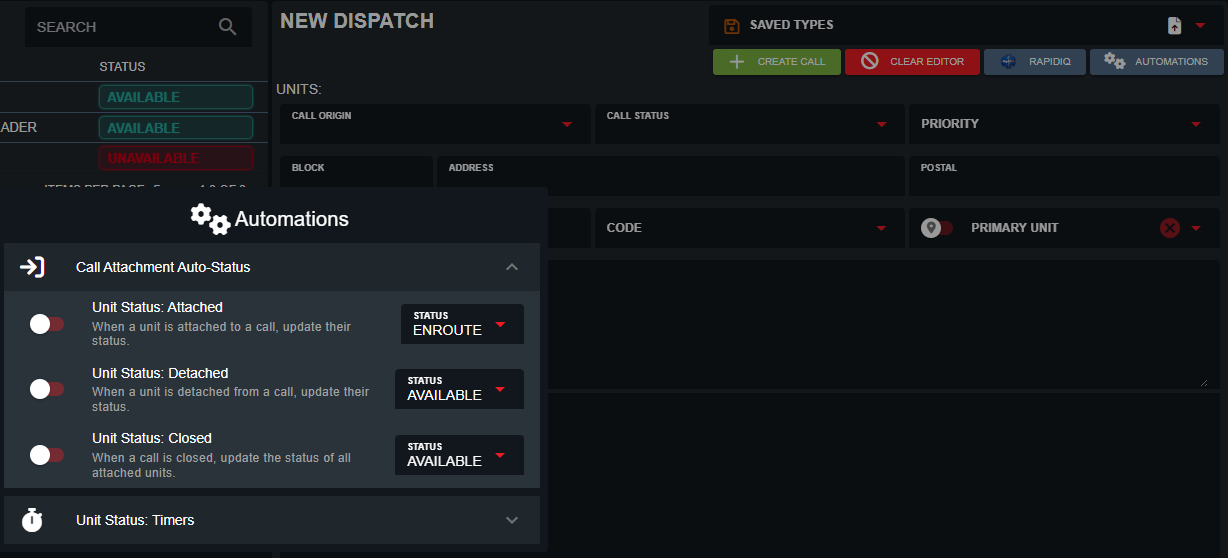
Dispatchers can also customize what to automatically set unit statuses to after specific actions. Select the Automations button in the call editor to enable status changes on call attachment, detachment, and closure.