# Self Dispatch

{% hint style="info" %}
Self Dispatch requires an additional user account permission!

Users will need the "Self Dispatch" permission to enable this feature. View our guide on [granting account permissions](https://docs.sonoransoftware.com/cad/tutorials/getting-started/permissions) for more information.
{% endhint %}

### Enable Self-Dispatch

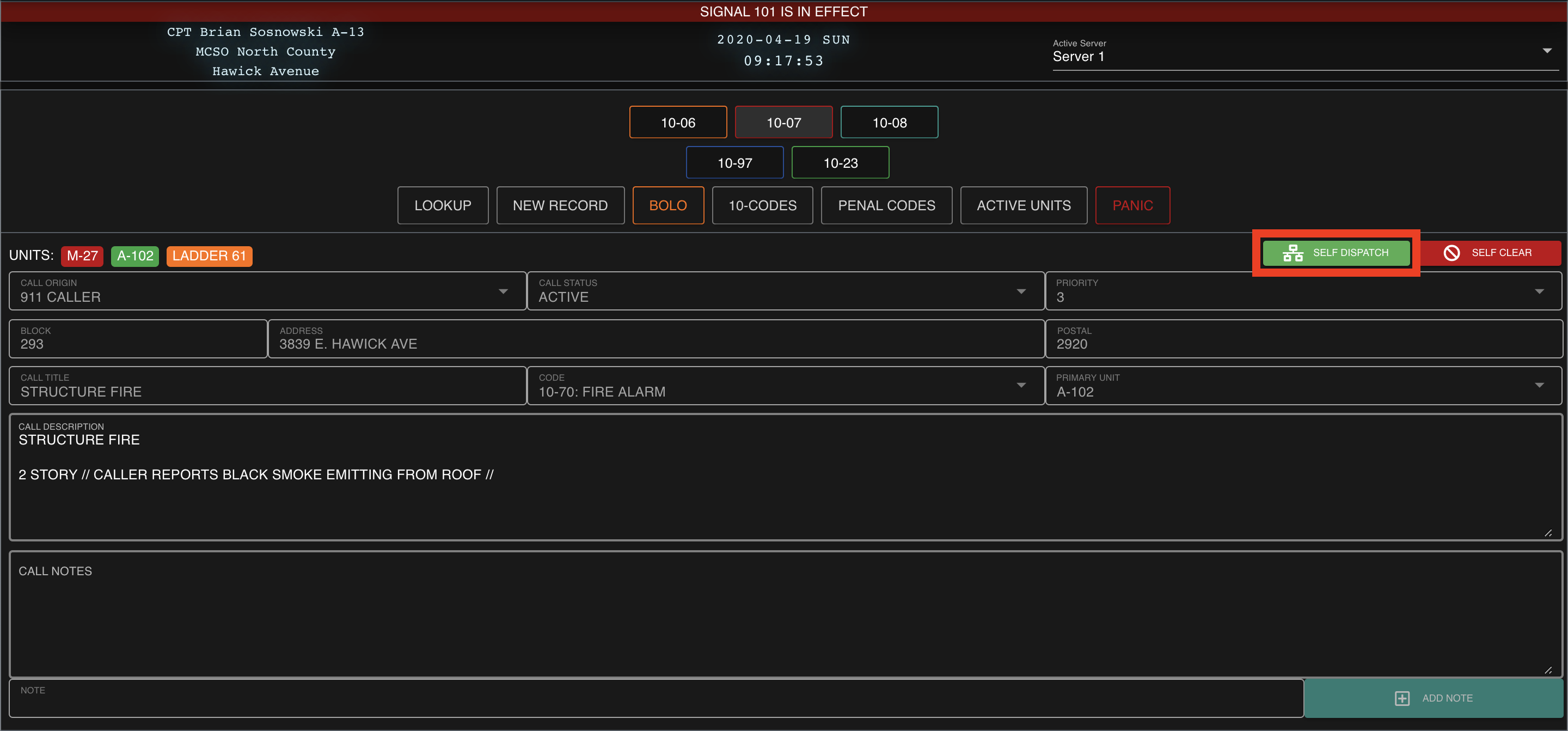
In the top right of the call viewer, select "Self Dispatch"

![Sonoran CAD's "Self Dispatch" option](https://232668649-files.gitbook.io/~/files/v0/b/gitbook-legacy-files/o/assets%2F-M4pGN81fb4R6zFhodcu%2F-M5GiP9PFNVsIkXw3W7v%2F-M5Gj8AqicGKGiWC3rIt%2FScreen%20Shot%202020-04-19%20at%202.17.54%20AM.png?alt=media\&token=e331665b-d22f-4425-a007-6e04f486c5c0)

### Add, Edit, or Attach

With self dispatch enabled, regular units can now open additional windows to view dispatch calls, 911 calls, and active units.
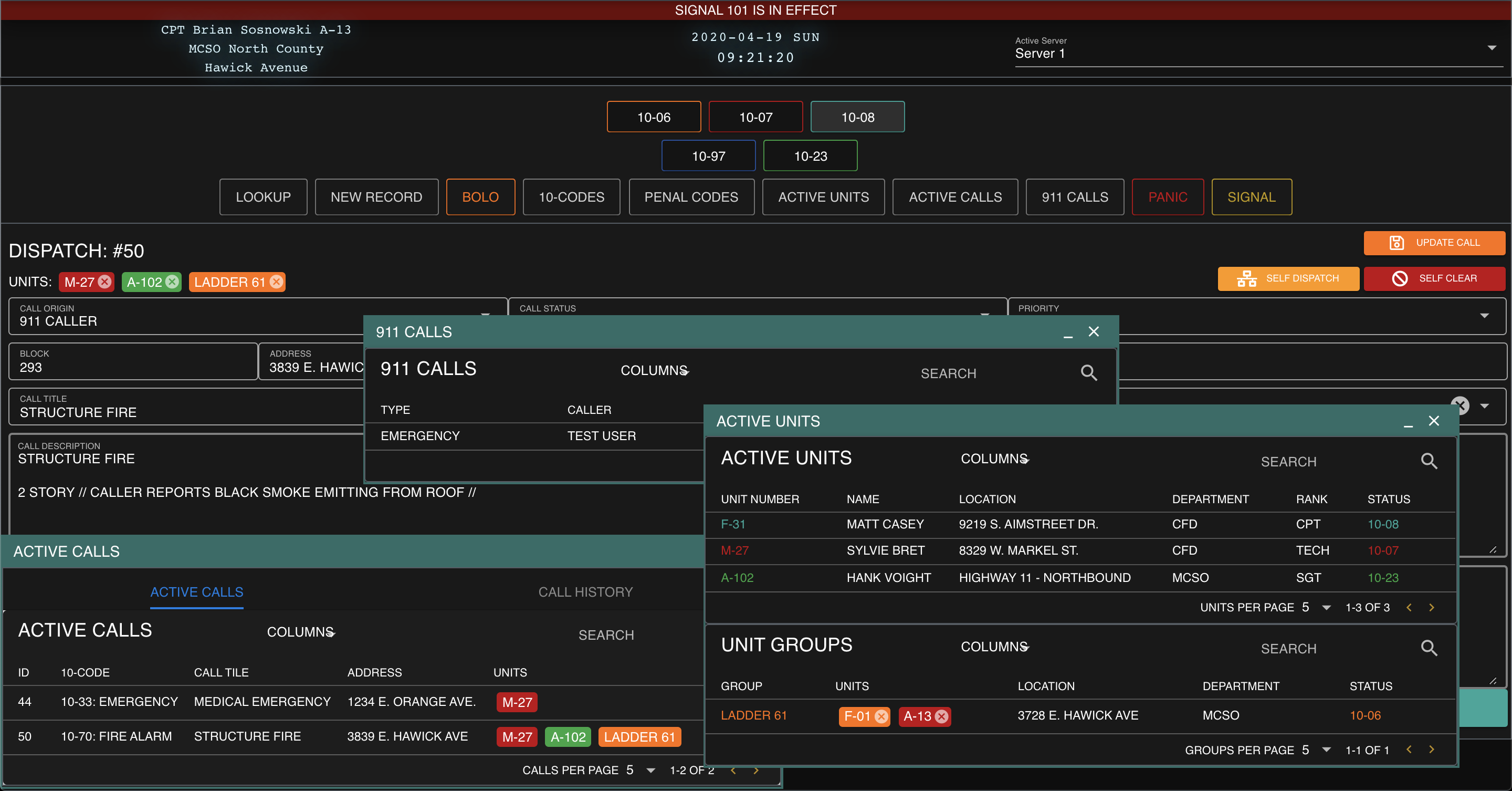
![Sonoran CAD's "Self Dispatch" windows](https://232668649-files.gitbook.io/~/files/v0/b/gitbook-legacy-files/o/assets%2F-M4pGN81fb4R6zFhodcu%2F-M5GiP9PFNVsIkXw3W7v%2F-M5GjdPlxAIzabaIL6i0%2FScreen%20Shot%202020-04-19%20at%202.21.21%20AM.png?alt=media\&token=f50820eb-fb24-4326-8fef-8d1c3e769c6e)