# Characters

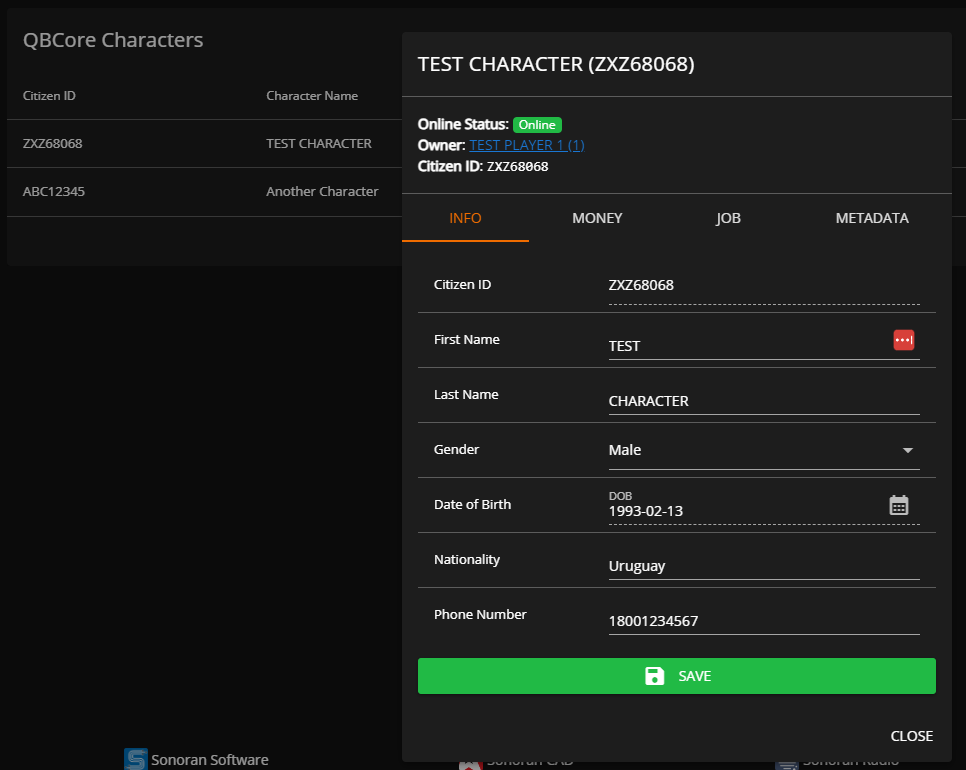
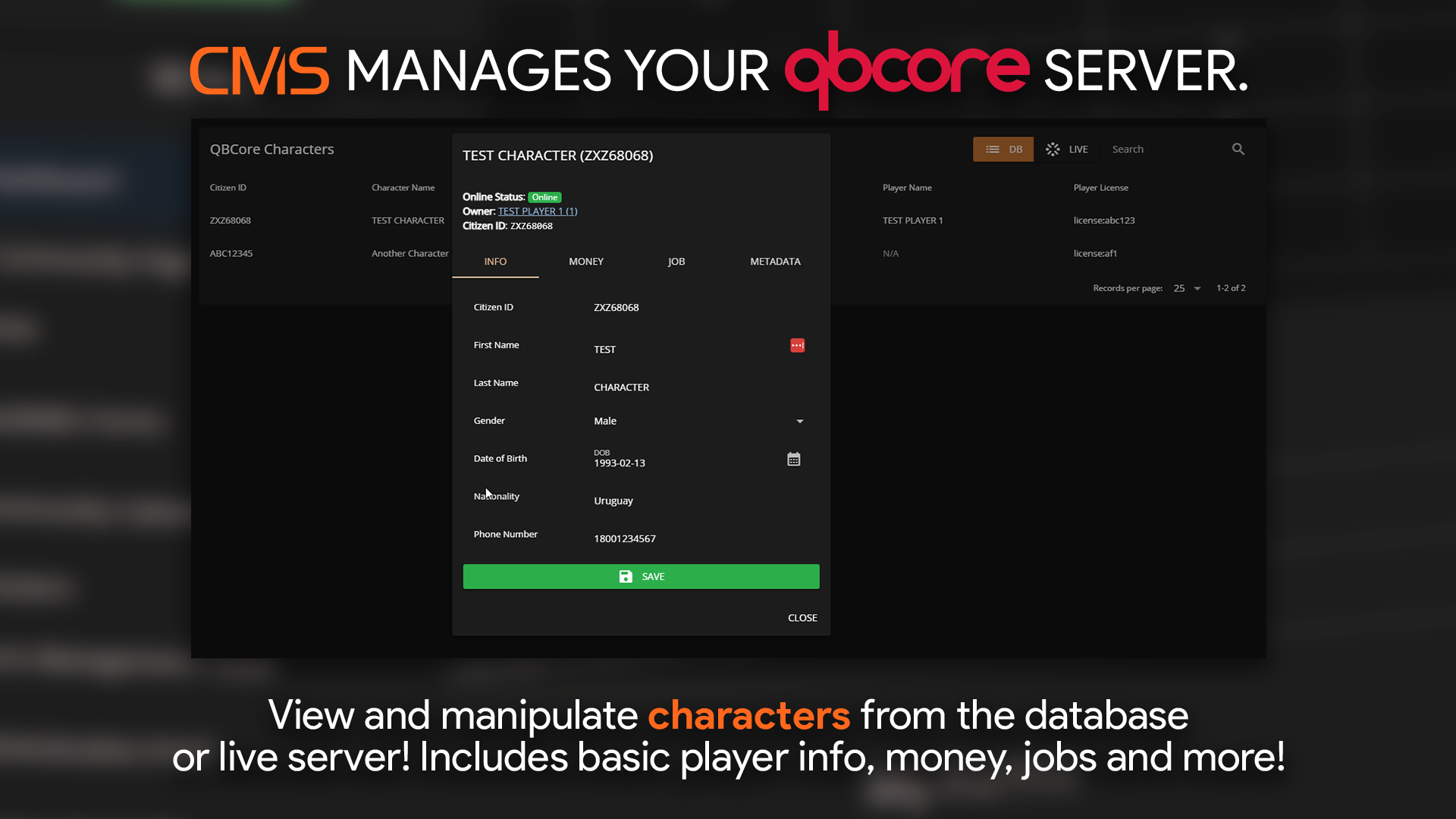
<figure><img src="https://3006847189-files.gitbook.io/~/files/v0/b/gitbook-x-prod.appspot.com/o/spaces%2F-MdBOa9OFjtdqw9FdXli%2Fuploads%2Fgit-blob-602f170d523a505476abde8aaec1016cac1539b0%2Fcharacters.png?alt=media" alt=""><figcaption><p>Sonoran CMS - QBCore Game Panel Promotional Image</p></figcaption></figure>

## 1. Manage a Character

<figure><img src="https://3006847189-files.gitbook.io/~/files/v0/b/gitbook-x-prod.appspot.com/o/spaces%2F-MdBOa9OFjtdqw9FdXli%2Fuploads%2Fgit-blob-28240439ff48f8d7f0f0d156750fddb68f80f08e%2Fimage.png?alt=media" alt="" width="375"><figcaption></figcaption></figure>

The characters tab allows you to view and edit:

* First Name
* Last Name
* Gender
* DOB
* Nationality
* Phone Number
* Cash Balance
* Bank Balance
* Crypto Balance
* and more!

## 2. Player Inventories

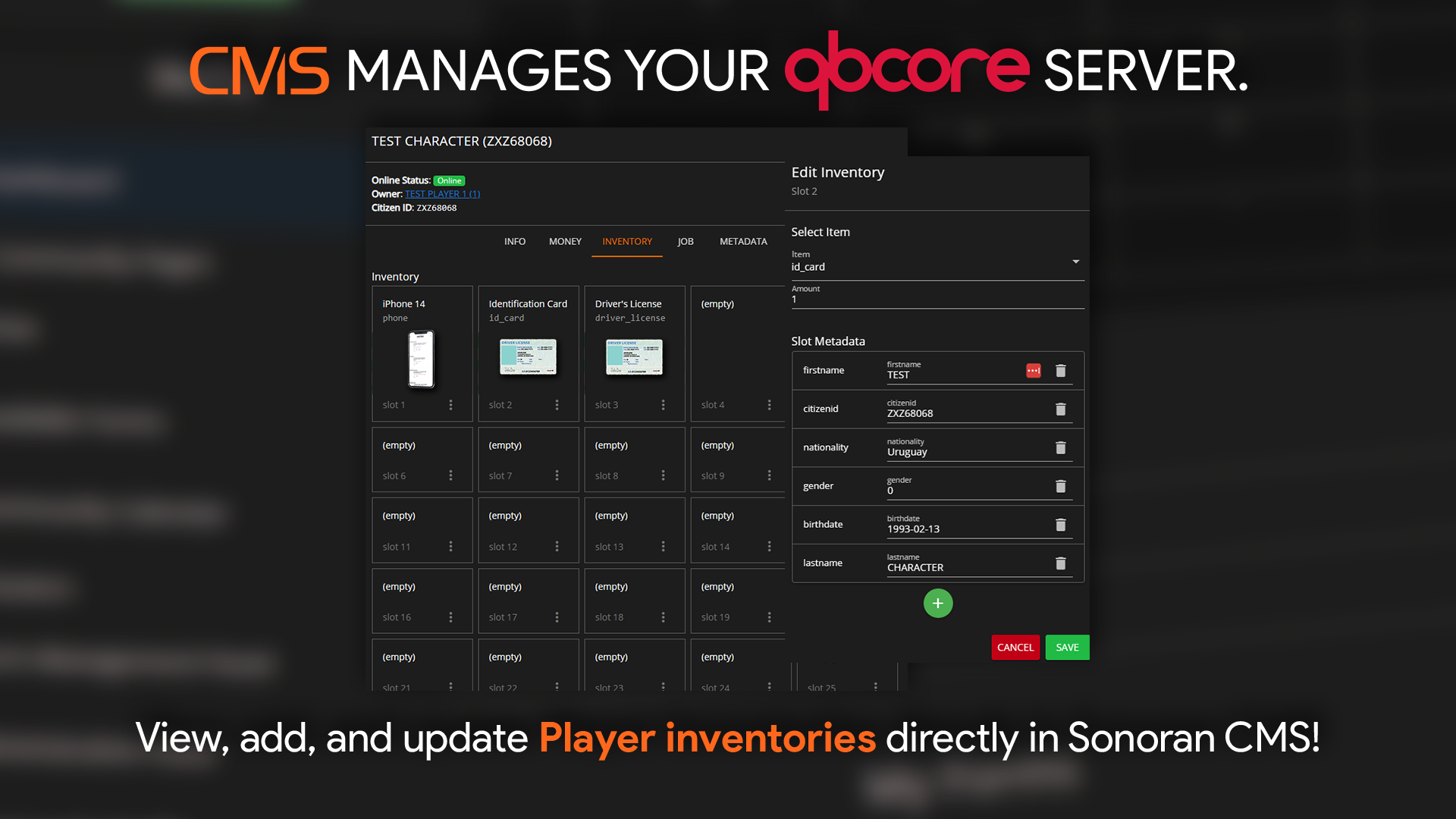
Select the `Inventory` tab on a character to open a drag-and-drop inventory manager.
<figure><img src="https://3006847189-files.gitbook.io/~/files/v0/b/gitbook-x-prod.appspot.com/o/spaces%2F-MdBOa9OFjtdqw9FdXli%2Fuploads%2Fgit-blob-50d010d7fed3dc63e8cb4ff4b9d83b0bf3a90c8e%2Fimage.png?alt=media" alt=""><figcaption></figcaption></figure>

## Supported Inventory Scripts

Currently, Sonoran CMS supports the following QB Core inventory scripts:

* QB (Base) Inventory
* Ox Inventory
* Quasar Inventory
* Project Sloth Inventory
* Origen Inventory
* Core Inventory
* Tgiann Inventory

You can suggest more integrations on our [support portal](https://support.sonoransoftware.com).