# URL Shortener

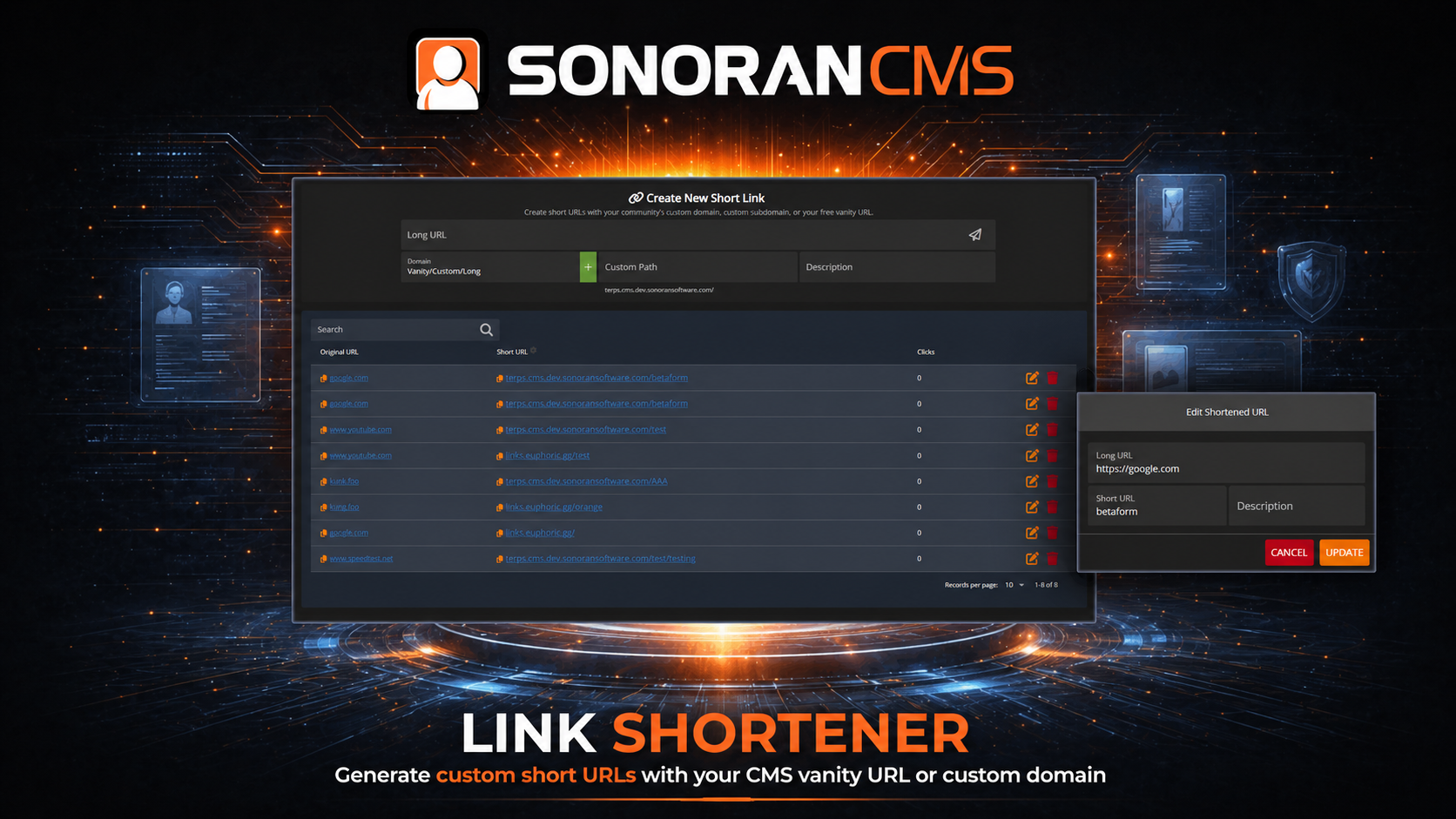
<figure><img src="https://3006847189-files.gitbook.io/~/files/v0/b/gitbook-x-prod.appspot.com/o/spaces%2F-MdBOa9OFjtdqw9FdXli%2Fuploads%2Fgit-blob-a81fa0ce7e65affb8c040197e55db220026ba8e7%2Frectangle_linkshort.png?alt=media" alt=""><figcaption><p>Sonoran CMS - URL Shortener</p></figcaption></figure>

{% hint style="danger" %}
**The URL Shortener is only enabled with a Pro Subscription!**

Learn more about our [paid plans](https://docs.sonoransoftware.com/cms/pricing/pricing-faq/create-and-manage-a-subscription).
{% endhint %}

## What are Short URLs?

Create friendly, short URLs for anything in your community!

The URL shortener takes any link and converts it to a short and readable format!\
Ex: `https://discord.com/invite/123456` -> `mycommunity.com/discord`

## Creating a Short URL

### New Short URL

To forward `https://discord.com/invite/123456` to our [custom domain](https://docs.sonoransoftware.com/cms/customization/custom-domain#custom-domain)'s `mycommunity.com/discord`

1. Enter the existing URL `https://discord.com/invite/123456`
2. Enter the new short URL path `discord`
3. (Optional) add a description `Discord invite link`

<figure><img src="https://3006847189-files.gitbook.io/~/files/v0/b/gitbook-x-prod.appspot.com/o/spaces%2F-MdBOa9OFjtdqw9FdXli%2Fuploads%2Fgit-blob-01e1ce7f01353cd1206e12d3b946fa76983a72a4%2Fimage.png?alt=media" alt="" width="547"><figcaption></figcaption></figure>

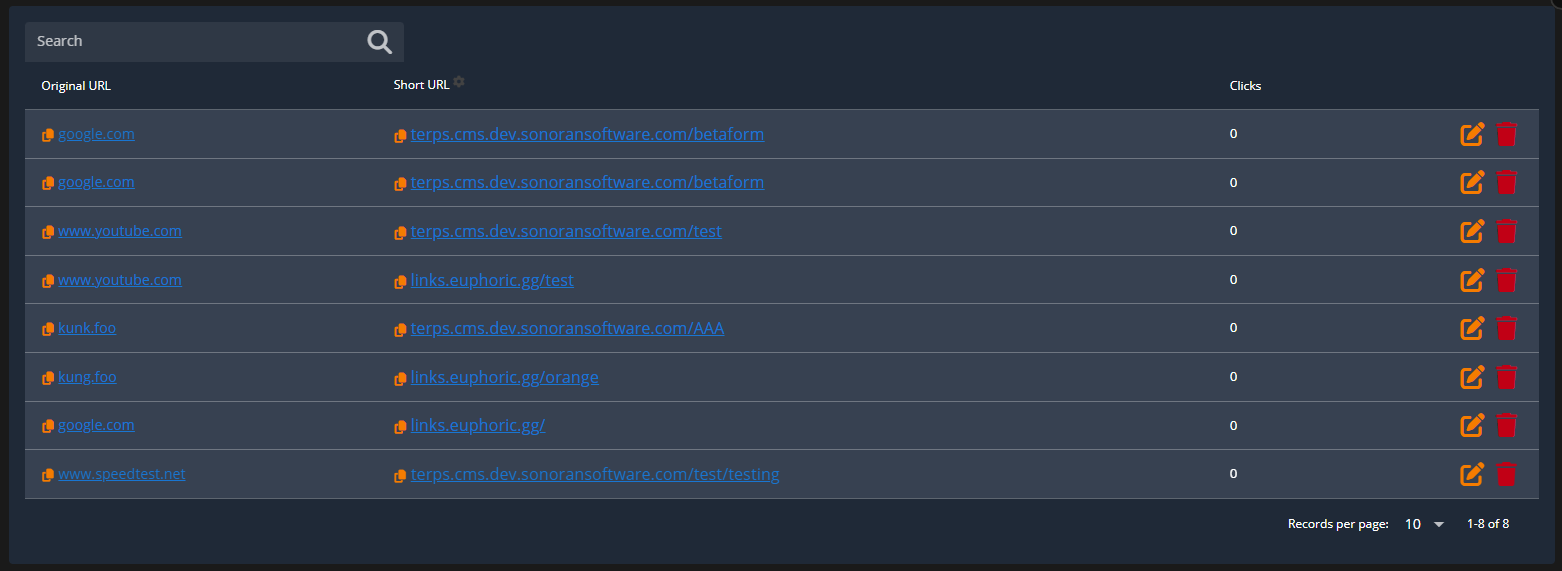
After adding the new short URL, it will be viewable, searchable, and copyable in the table below.
<figure><img src="https://3006847189-files.gitbook.io/~/files/v0/b/gitbook-x-prod.appspot.com/o/spaces%2F-MdBOa9OFjtdqw9FdXli%2Fuploads%2Fgit-blob-7fcba4f810c46ef66a9442facc452874b174151c%2Fimage.png?alt=media" alt="" width="563"><figcaption></figcaption></figure>

### Domain Formats

The CMS supports three types of short URL formats:

* [Custom Domain](https://docs.sonoransoftware.com/cms/customization/custom-domain#custom-domain): `customdomain.com/shorturl`
* [Custom Subdomain](#custom-subdomains): `example.customdomain.com/shorturl`
* [Vanity Domain](https://docs.sonoransoftware.com/cms/customization/custom-domain#vanity-urls): `communityid.sonorancms.com/shorturl`
* Long Domain: `sonorancms.com/com/communityuuid/shorturl`

The custom path will work on all three of these options. The toggle simply allows you to select which format you are copying.

## Custom Subdomains

Subdomains are extensions of your custom domain and are used to organize or separate different sections of a website (e.g., info.customdomain.com).

### Adding A Subdomain

<details>

<summary>1. Click to Add a New Subdomain</summary>

Click the `+` icon next to the short URL type selector.

<img src="https://3006847189-files.gitbook.io/~/files/v0/b/gitbook-x-prod.appspot.com/o/spaces%2F-MdBOa9OFjtdqw9FdXli%2Fuploads%2Fgit-blob-6183d7274d9f215aad07ea1d09ad14033930a401%2Fimage.png?alt=media" alt="URL Shortener: Add Subdomain" data-size="original">

</details>

<details>

<summary>2. Enter the Desired Subdomain</summary>

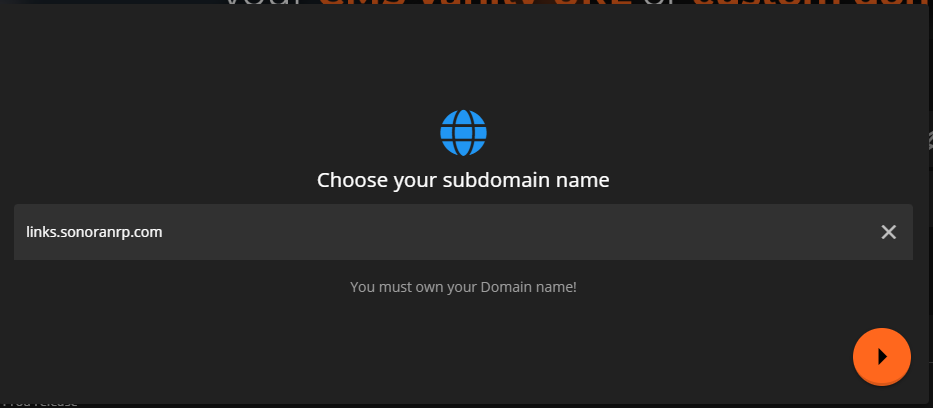
Enter your desired subdomain for your community's [configured custom domain](https://docs.sonoransoftware.com/cms/customization/custom-domain#custom-domain).

Here, the subdomain is `links` and the custom domain is `sonoranrp.com`

<img src="https://3006847189-files.gitbook.io/~/files/v0/b/gitbook-x-prod.appspot.com/o/spaces%2F-MdBOa9OFjtdqw9FdXli%2Fuploads%2Fgit-blob-b7aa6c6f7904df51f20f4a82d5f51ce53e81d4ad%2Fimage.png?alt=media" alt="URL Shortener: Subdomain Url" data-size="original">

</details>

<details>

<summary>3. Copy and Add DNS Records</summary>

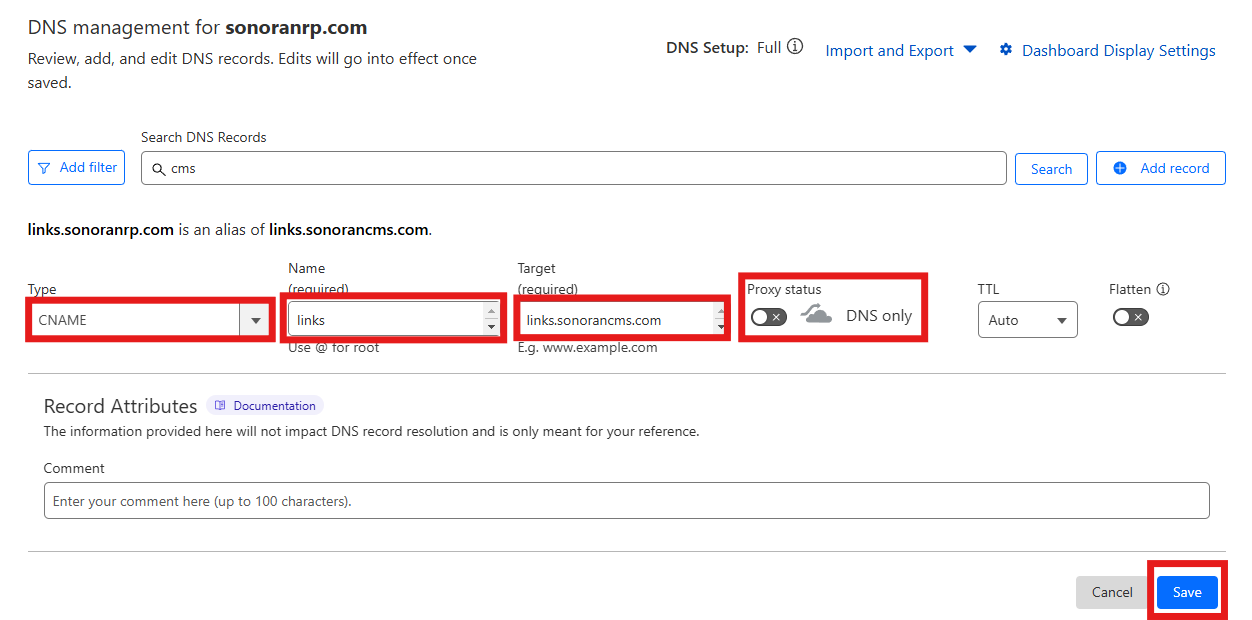
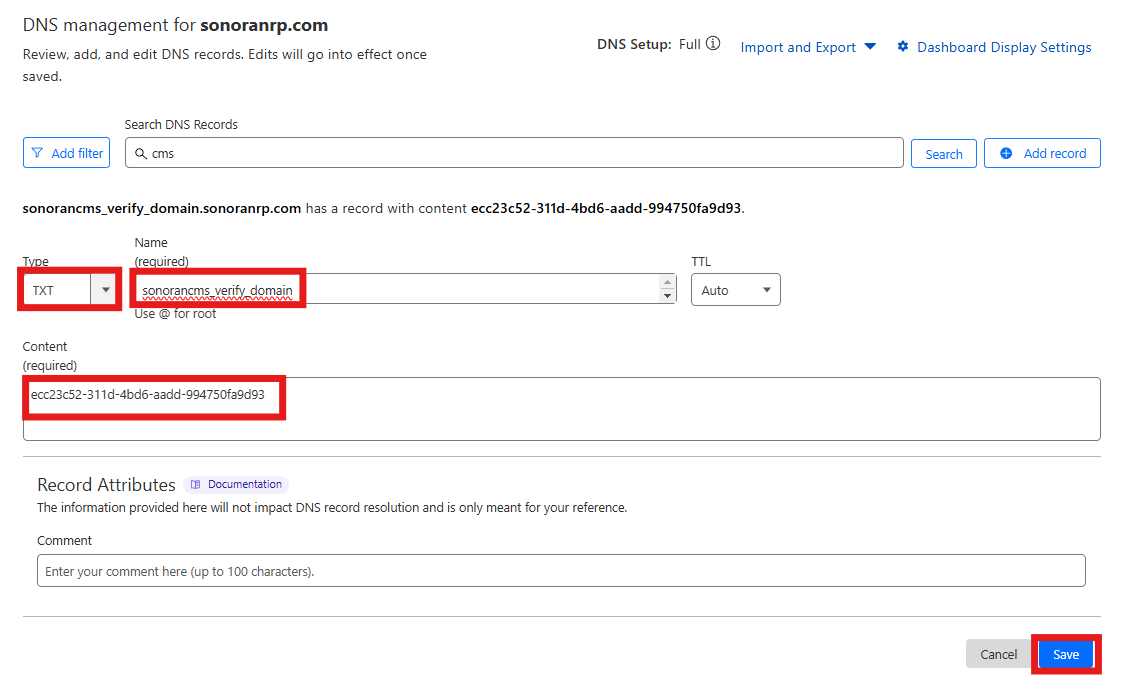
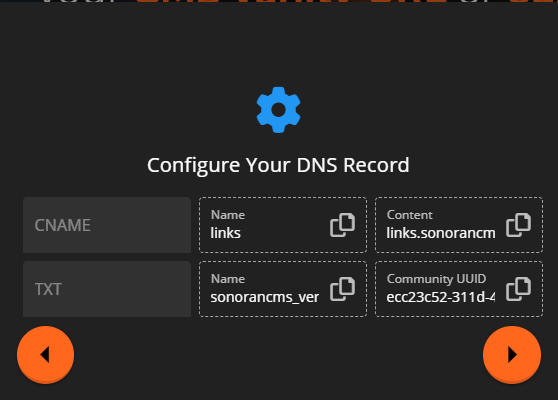
Copy the information from the panel to create a `CNAME` and `TXT` DNS record.
<img src="https://3006847189-files.gitbook.io/~/files/v0/b/gitbook-x-prod.appspot.com/o/spaces%2F-MdBOa9OFjtdqw9FdXli%2Fuploads%2Fgit-blob-0293a5bce1dbad57b68c6e08bbb81d6b64d32c6c%2Fimage.png?alt=media" alt="" data-size="original">

The examples below show DNS management via Cloudflare.\
If you are unsure how to add a DNS record, contact your domain provider.

\
If you are using Cloudflare, **DISABLE the proxy mode** and set it to `DNS Only`

![Cloudflare: Subdomain CNAME Record](https://3006847189-files.gitbook.io/~/files/v0/b/gitbook-x-prod.appspot.com/o/spaces%2F-MdBOa9OFjtdqw9FdXli%2Fuploads%2Fgit-blob-3c51282f8952b5467674a9fa2888a424936c7a0f%2Fimage.png?alt=media) ![Cloudflare: Subdomain TXT Record](https://3006847189-files.gitbook.io/~/files/v0/b/gitbook-x-prod.appspot.com/o/spaces%2F-MdBOa9OFjtdqw9FdXli%2Fuploads%2Fgit-blob-817327767b379595d8dd8b51377941c052778531%2Fimage.png?alt=media)

</details>

<details>

<summary>4. Save and Use Subdomain</summary>

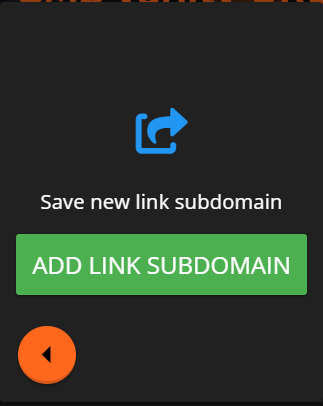
After saving your new `CNAME` and `TXT` record, click `Add Link Subdomain` to verify the DNS records.

Note: *Depending on your DNS provider, there may be a cache delay before the DNS records are detected.*

<img src="https://3006847189-files.gitbook.io/~/files/v0/b/gitbook-x-prod.appspot.com/o/spaces%2F-MdBOa9OFjtdqw9FdXli%2Fuploads%2Fgit-blob-78aba6caa7beeb6e82a4e5bb67f4764461184cbc%2Fimage.png?alt=media" alt="" data-size="original">

You can now select the custom domain in the `URL Type` drop-down to be used when creating a new short URL.

</details>

## Reserved Paths

Sonoran CMS has several internal URL paths that can not be overridden by a custom short URL.

Sonoran CMS will also not allow you to override an existing [website slug](https://docs.sonoransoftware.com/cms/tutorials/community-website/website-builder) with a custom short URL.

```
admin
index
login
logout
signup
gallery
menu
event
account
oauth/discord
oauth/sonoran
oauth/apple
drive/file
game/menu
game/qbcore
profile
roster
forums
forums/topics
calendar
forms
```

These paths are restricted only in their absolute form. Appending additional paths to these are allowed. For example:

A short URL can **NOT** be: `example.com/forms`

However, a short URL **CAN** be: `example.com/forms/civ`