


What is the Disciplinary Panel?
The Sonoran CMS disciplinary panel makes handling misbehaving members easy! This panel allows you manage disciplinary “points” to a user when they break the rules, misbehave, etc. Additionally, you can configure automated actions like sending the user an email, Discord message, modifying their ranks, banning them from the community, etc.Configuring the Disciplinary Points
Configure Point Expiration
Many communities may wish to have points expire after a certain length of time. In the configuration tab, you can enable or disable point expiration and set the length of time.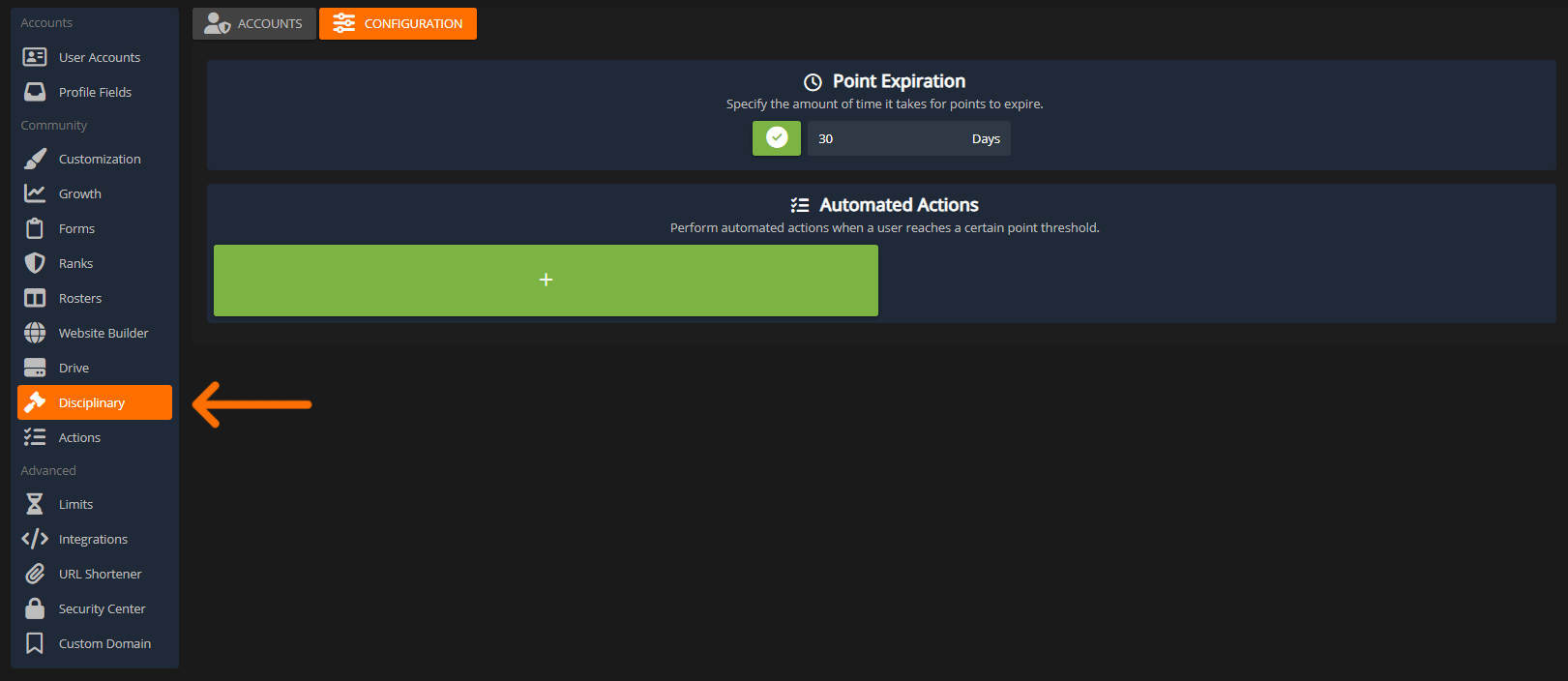 Sonoran CMS Disciplinary Point Expiration
Configure Automated Actions
You can also configure automated actions that apply to users once they meet specific point levels. In this example, once a user receives 1 or more points they will receive a Discord DM message.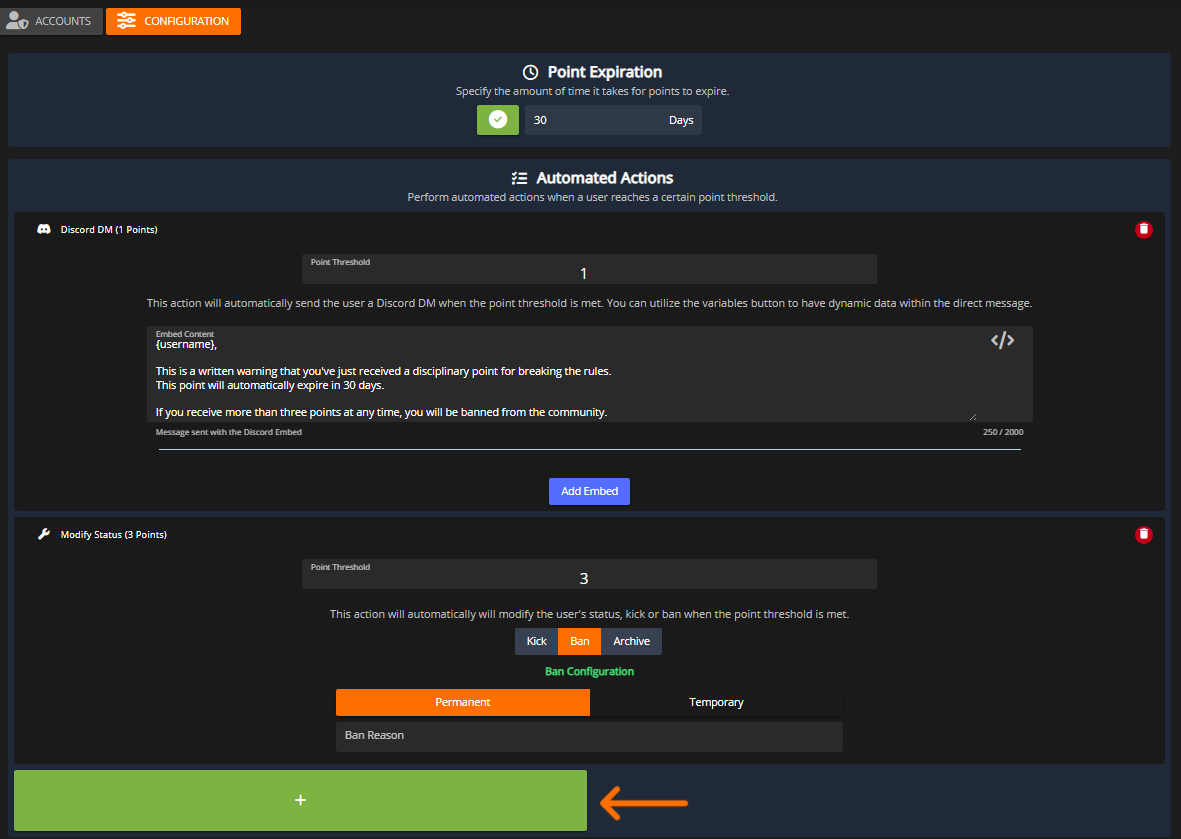 Sonoran CMS Disciplinary Point Actions
Using the Disciplinary Panel
View Active Points
Disciplinary points will be displayed on a member’s avatar for anyone that has access to the disciplinary panel.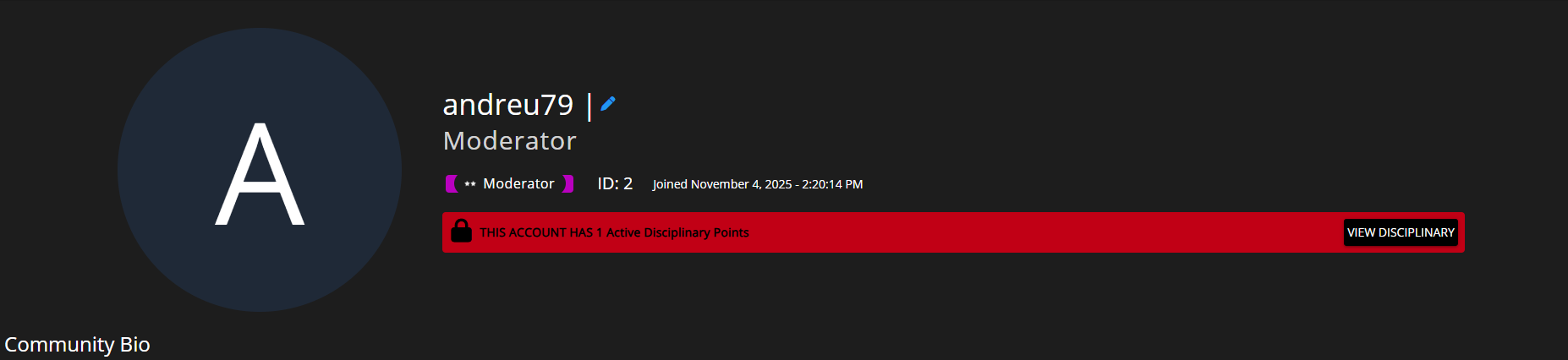 Sonoran CMS Avatar Disciplinary Points
Use the search bar to filter to a specific community member.
Select the user to view all active points or remove them.
Sonoran CMS Avatar Disciplinary Points
Use the search bar to filter to a specific community member.
Select the user to view all active points or remove them.
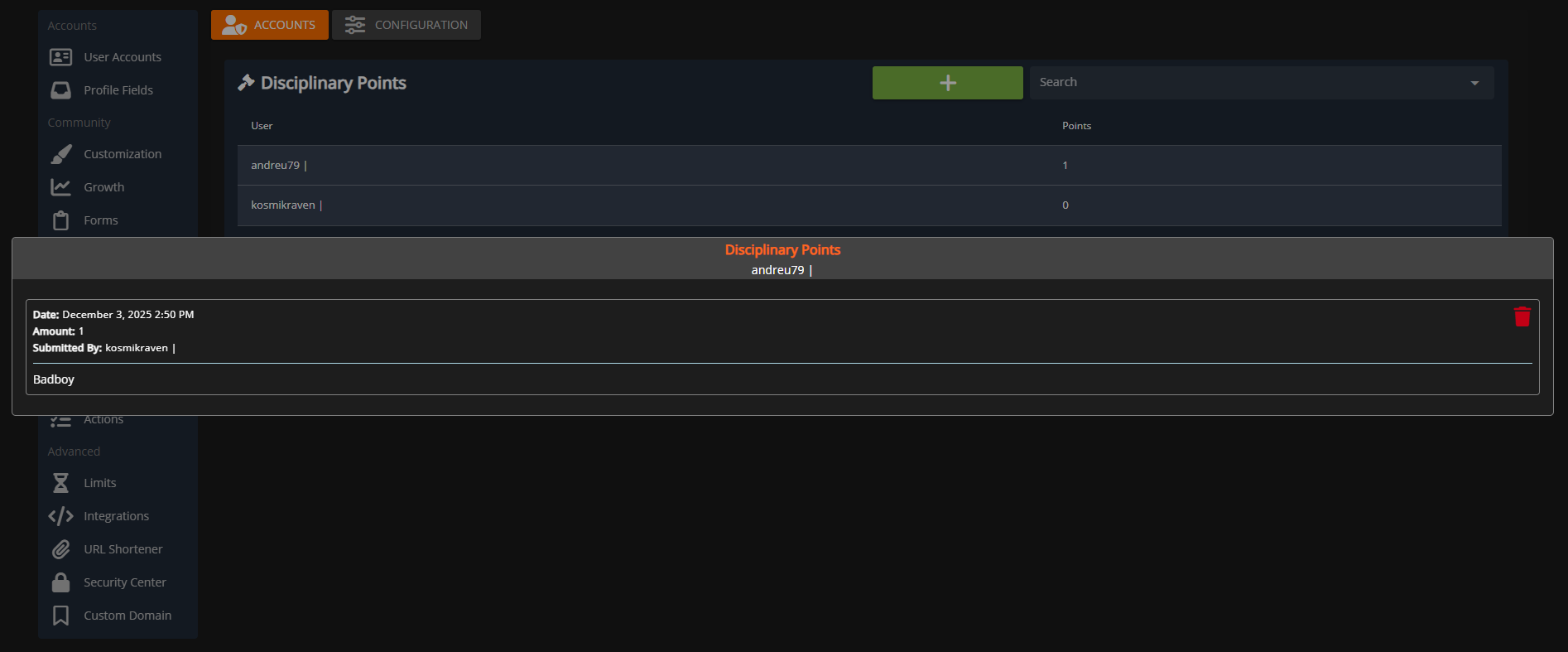 Sonoran CMS View/Remove Disciplinary Points
Manually Add Points
To add points to a member press the green + icon. Use the popup dialog to select the account, amount of points, and a description.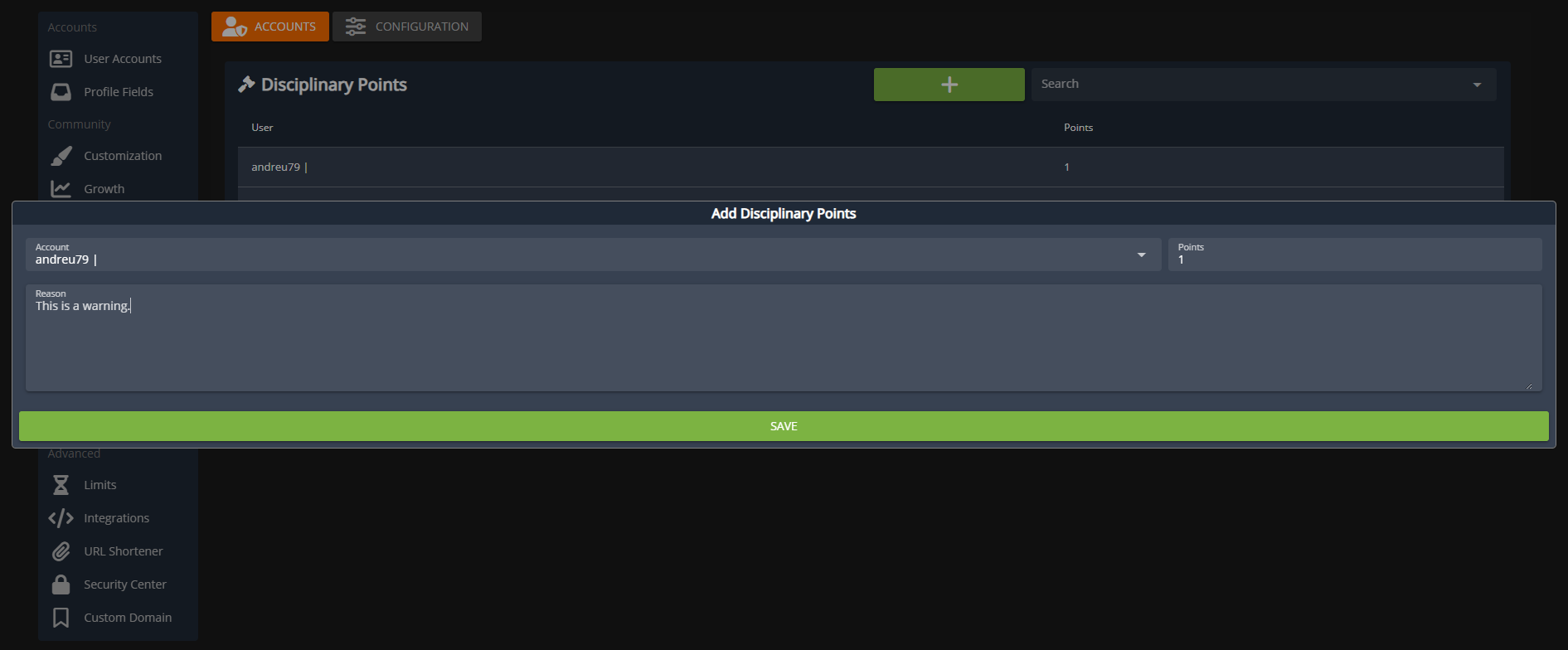 Sonoran CMS Add Disciplinary Points
Add Points via Form Stage
Communities can also create custom form stage actions that add disciplinary points. You can specify aMember Selector field on the form for someone to report a community member.
Additionally, a Number field on the form can also be utilized to add a custom amount of points to a user.
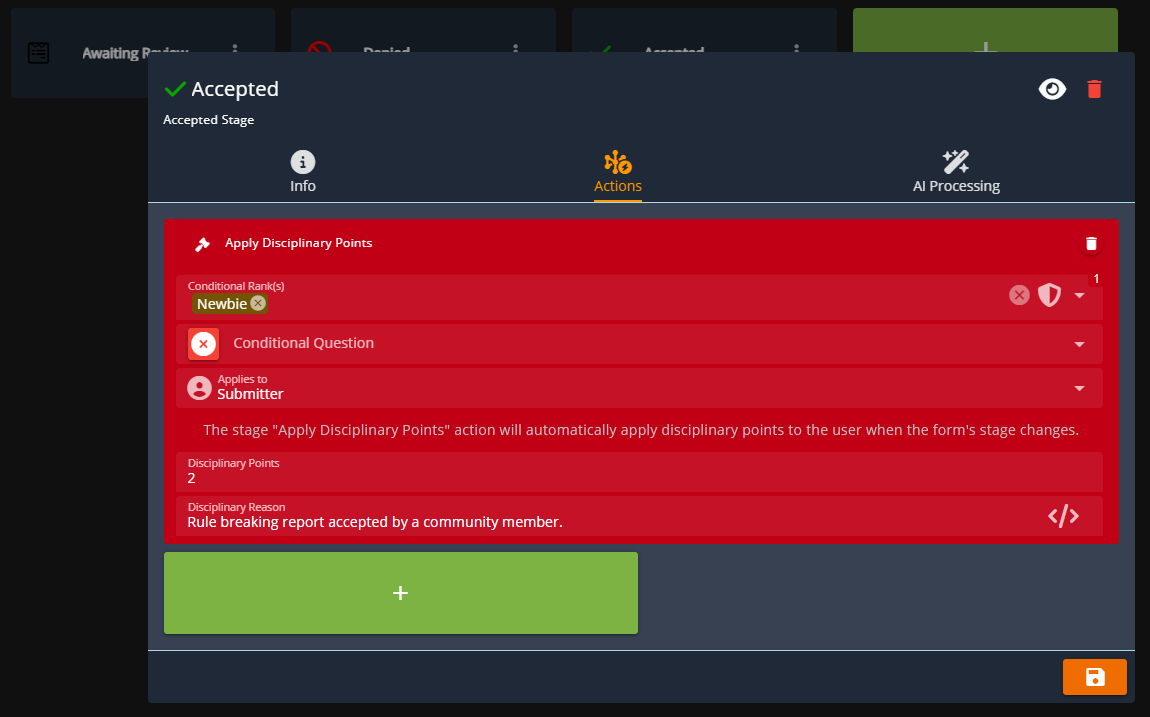 Sonoran CMS - Form Stage Action: Add Disciplinary Points