> For the complete documentation index, see [llms.txt](https://docs.sonoransoftware.com/llms.txt). Markdown versions of documentation pages are available by appending `.md` to page URLs; this page is available as [Markdown](https://docs.sonoransoftware.com/store/sonoran-station-displays/active-units.md).

# Active Units

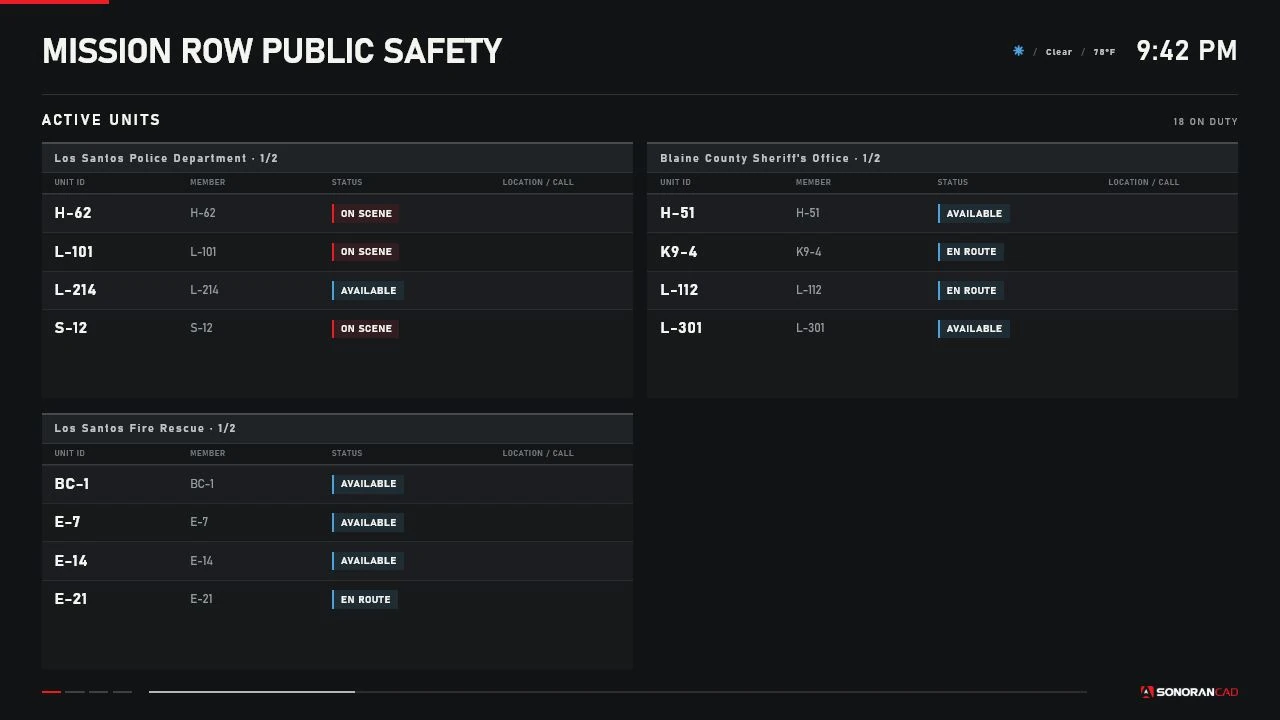
The Active Units page shows entries from the SonoranCADFiveM on-duty unit cache. Server owners do not need to define every department.

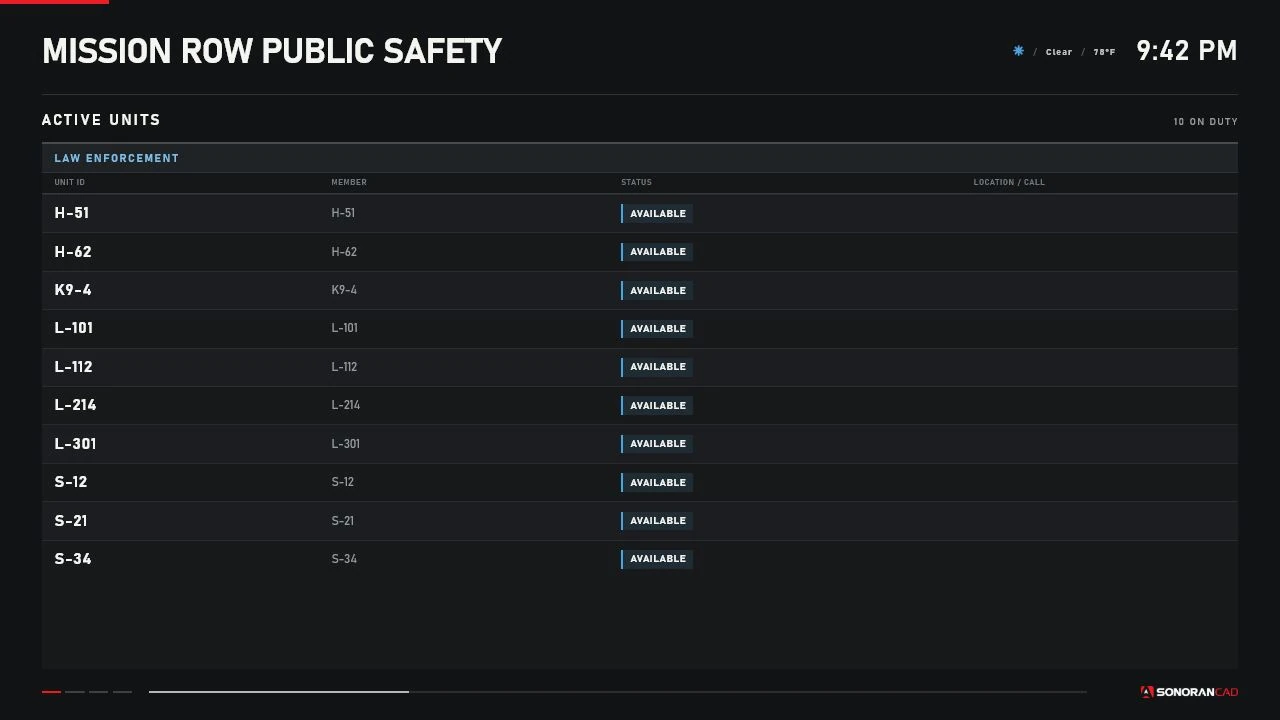
<figure><img src="/files/zytUEZn5iG4NmzgFUJrL" alt="Sonoran Station Displays Active Units page showing LEO sample units"><figcaption><p>The production LEO renderer using controlled sample data.</p></figcaption></figure>

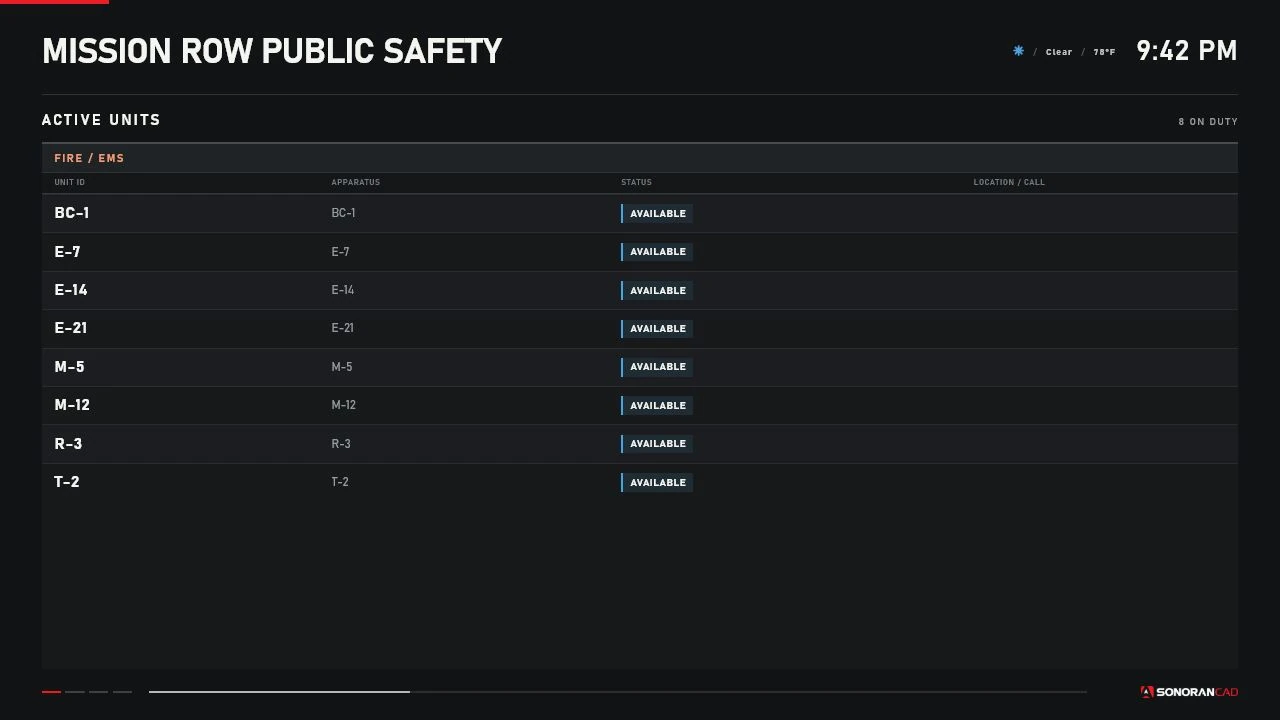
<figure><img src="/files/95hAJ3bRNkKdLUHye3QM" alt="Sonoran Station Displays Active Units page showing Fire and EMS sample units"><figcaption><p>The production Fire/EMS renderer using controlled sample data.</p></figcaption></figure>

## Duty and service

An entry must be present in `GetUnitCache()` and must not have offline status `100`. Player connection alone is not duty status.

Service comes from `unit.data.page`:

* Police (`0`) → `LEO`
* Fire (`1`) or EMS (`2`) → `FIRE_EMS`
* Dispatch (`3`) or unknown → `OTHER`

`OTHER` units are not shown on Active Units. The combined filter shows LEO and Fire/EMS, not `OTHER`.

## Displayed fields

Each row renders:

| Field               | Fallback                                                   |
| ------------------- | ---------------------------------------------------------- |
| Callsign            | Cached unit number/callsign/group, then `UNIT`             |
| Name                | Cached name, then agency, then `On Duty`                   |
| Status              | Normalized label or raw status/`UNKNOWN`                   |
| Assignment/location | `CALL <id>` when assigned; otherwise location, then postal |

Agency or subdivision may also appear as a group heading.

The normalized cache includes rank, district, group, coordinates, player association, panic, and update data, but version 1.0.0 does not render each of those as a row field. Panic callsigns receive a visual panic class.

Long callsigns, names, and locations are escaped and truncated with an ellipsis to protect the display layout. Missing values use the fallbacks above.

## Status values

| CAD status code | Display label          |
| --------------- | ---------------------- |
| `0`             | `UNAVAILABLE`          |
| `1`             | `BUSY`                 |
| `2`             | `AVAILABLE`            |
| `3`             | `EN ROUTE`             |
| `4`             | `ON SCENE`             |
| `100`           | `OFFLINE` and excluded |

Unknown codes show the raw cached status or `UNKNOWN`.

Enable **Hide Unavailable Units** on a display to exclude status code `0`.

## Grouping

| Config value  | Menu label     | Behavior                                                |
| ------------- | -------------- | ------------------------------------------------------- |
| `SERVICE`     | By Service     | Law Enforcement and Fire/EMS columns where applicable   |
| `AGENCY`      | By Agency      | Cached agency; missing values use `UNASSIGNED AGENCY`   |
| `SUBDIVISION` | By Subdivision | Cached subdivision; missing values use `NO SUBDIVISION` |
| `NONE`        | Disabled       | One `ON-DUTY UNITS` group                               |

Empty groups are not created. A display with no matching units shows:
```
NO ON-DUTY UNITS
The selected service has no active units
```

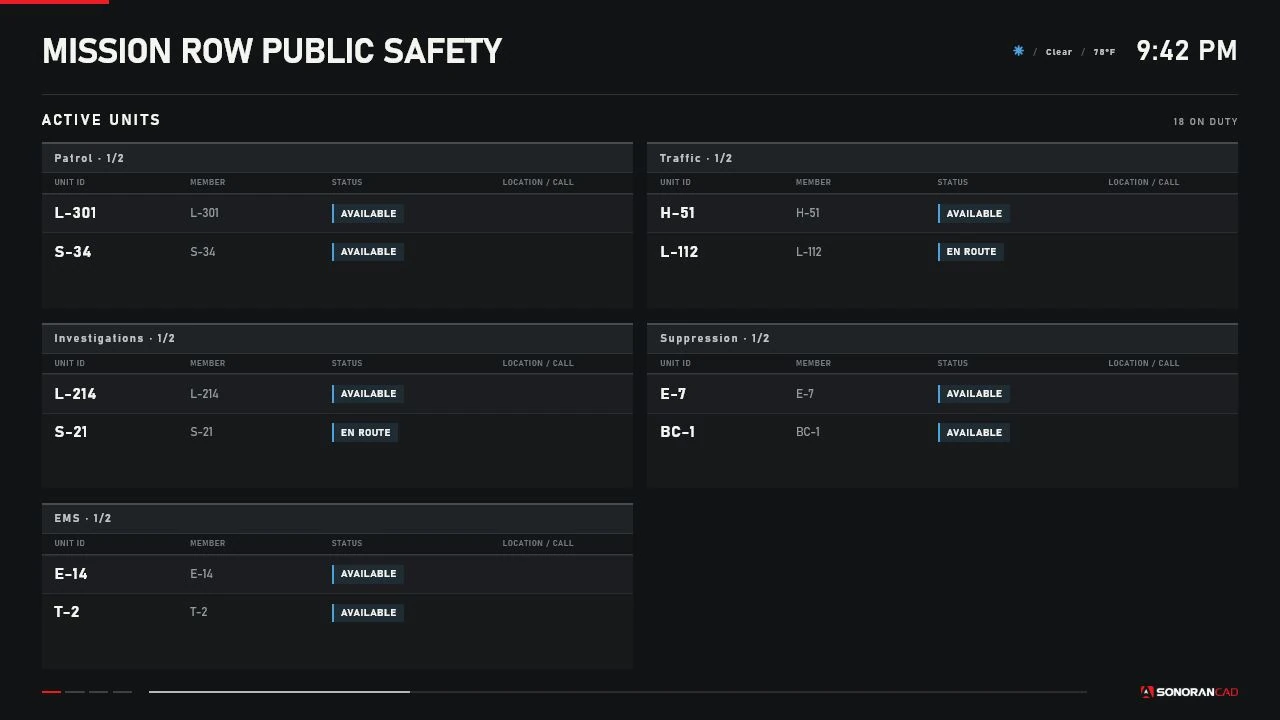
<figure><img src="/files/F8oVQq1HEBAstbaf55Ma" alt="Active Units grouped by agency"><figcaption><p>Agency grouping with natural callsign ordering and independent group pagination.</p></figcaption></figure>

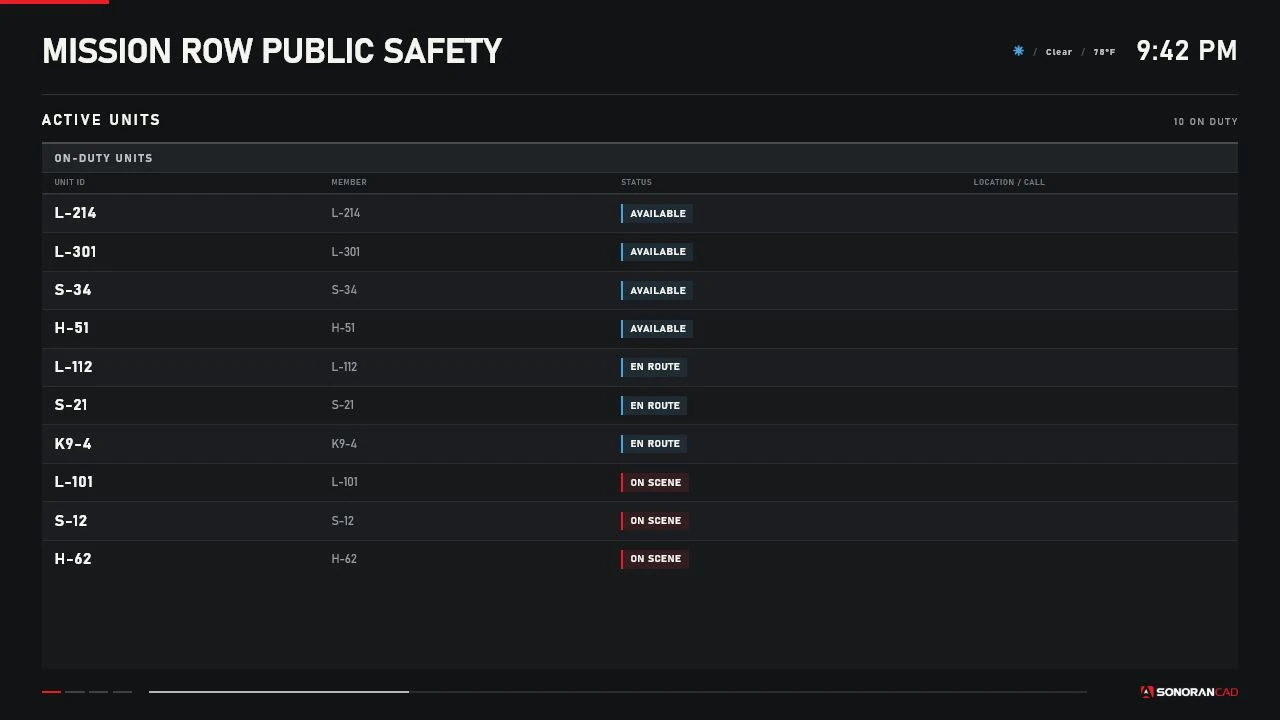
<figure><img src="/files/w7CNlJ5qdLY3SgTBf4H6" alt="Active Units grouped by subdivision and sorted by status"><figcaption><p>Subdivision grouping with status sorting in a controlled renderer capture.</p></figcaption></figure>

## Sorting

| Config value  | Field                |
| ------------- | -------------------- |
| `CALLSIGN`    | Callsign             |
| `STATUS`      | Display status label |
| `AGENCY`      | Agency               |
| `SUBDIVISION` | Subdivision          |

Sorting uses case-insensitive, numeric-aware browser ordering. Callsigns such as `1A-2` therefore sort naturally before `1A-10`.

<figure><img src="/files/fvXKrjEDZ7fvvU0F1qeh" alt="Active Units with grouping disabled and sorted by status"><figcaption><p>A single group sorted by status.</p></figcaption></figure>

## Pagination and maximum rows

The default row budget is 12 and the allowed per-display range is 4–40.

When multiple groups are present, the budget is divided evenly across the number of groups with a minimum of one row per group. Each group automatically changes its list page every 10 seconds and shows `current/total` beside the group heading.

## Assignment and location

Dispatch call assignments are matched using the call cache's `idents` or `units` values. When a match is found:

* The unit row shows `CALL <call ID>`.
* The call card lists the unit's callsign.
* The map can add the call ID beneath the unit marker.

If no assignment exists, cached location is preferred over postal.

## Stale and missing data

An unchanged unit is marked stale internally after `Config.StaleAfterSeconds` (30 seconds by default). The Active Units table does not visually label individual stale rows; Live Map dims and outlines stale markers. If a cache call fails, the display shows the disconnected overlay.

Use diagnostics and `sonorancad viewcaches` to investigate a frozen or missing unit.


---

# Agent Instructions
This documentation is published with GitBook. GitBook is the documentation platform designed so that both humans and AI agents can read, navigate, and reason over technical content effectively. Learn more at gitbook.com.

## Querying This Documentation
If you need additional information that is not directly available in this page, you can query the documentation dynamically by asking a question.

Perform an HTTP GET request on the current page URL with the `ask` query parameter, and the optional `goal` query parameter:

```
GET https://docs.sonoransoftware.com/store/sonoran-station-displays/active-units.md?ask=<question>&goal=<endgoal>
```

`ask` is the immediate question: it should be specific, self-contained, and written in natural language.
`goal` is optional and describes the broader end goal you are ultimately trying to accomplish on behalf of the user. GitBook uses it to tailor the answer towards what is most useful for that goal.

The response will contain a direct answer to the question and relevant excerpts and sources from the documentation.

Use this mechanism when the answer is not explicitly present in the current page, you need clarification or additional context, or you want to retrieve related documentation sections.