

BODYCAMS page displays periodic live images captured locally from active, on-duty officers. It is not continuous video. Station Displays no longer uses the previous PeerJS/TURN viewer, remote image relay, or hosted bodycam URL.
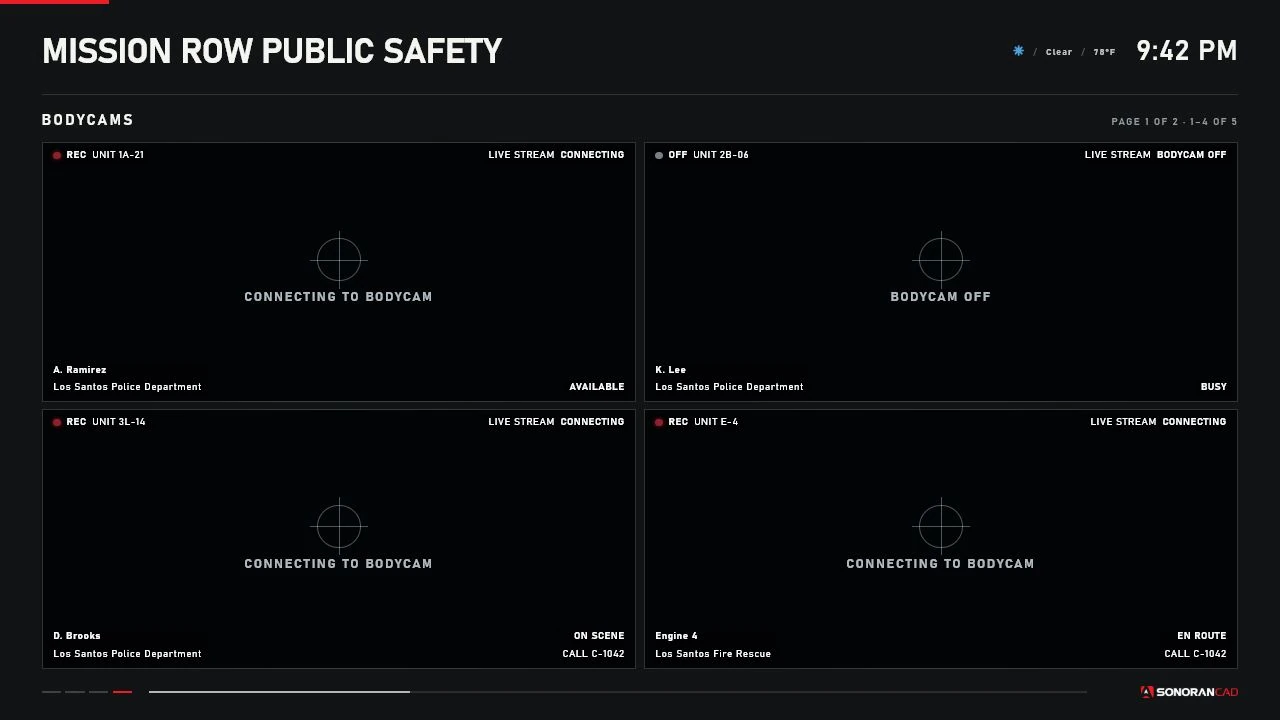 The production four-tile renderer. This controlled capture contains no officer footage.
Requirements
- Start the core resource as
sonorancad. - Install and start
screenshot-basic. - Use a SonoranCADFiveM build with
GetBodycamRuntime()andSonoranCAD::bodycam::RuntimeChanged. - Enable the Sonoran bodycam submodule, put the officer on duty, and activate it.
- No viewing ACE is required; image delivery is limited to eligible nearby viewers.
screenshot-basic is missing, the rest of Station Displays continues to operate and the bodycam page reports an unavailable capture dependency.
How local capture works
SonoranCADFiveM supplies authoritative bodycam active state, player source, and CAD unit ownership. A nearby DUI subscribes only to the feeds visible on its mounted display. The Station Displays server validates distance, routing bucket, interior, current page, service filter, on-duty ownership, and active state. For each active subscribed officer, the server requests one client-local capture:screenshot-basic returns the image through its built-in FXServer HTTP upload handler. Station Displays validates the JPEG and keeps only the latest frame. It uses a rate-controlled latent event to deliver that frame only to eligible subscribed viewers. The DUI replaces and revokes its previous Blob object URL.
Several displays showing the same officer reuse the same capture. Display count never increases the officer’s capture frequency.
Limits and expected bandwidth
- Capture interval: 4 seconds (15 frames per minute maximum).
- JPEG quality: 0.55.
- Maximum decoded frame: 300 KB.
- Maximum simultaneous visible feeds per viewing client: 4.
- Subscription heartbeat/expiry: 4/8 seconds.
- Stale frame timeout: 30 seconds.
screenshot-basic API supports encoding and quality but not resize options, so capture uses the officer’s native game-frame dimensions and the DUI scales it into the tile. Frames over 300 KB are rejected. At the hard limit, one feed is about 75 KB/s (0.6 Mbps), and four feeds are about 300 KB/s (2.4 Mbps) per viewer, before protocol overhead. Measure average and maximum JPEG sizes on the graphics profiles used by your community.
Layouts
Extra feeds create additional bodycam pages. These rotate independently using the saved bodycam interval (15 seconds by default). Page Down/Page Up moves between feed pages on the targeted DUI.
Overlay and states
The Station Displays overlay can show recording state, callsign, unit name, agency, status, assigned call, and capture freshness without depending on a baked-in label.Security and privacy
The server chooses the source officer, capture interval, JPEG settings, and recipients. It does not trust client-submitted callsigns, agency labels, active state, viewers, or frame sequence. MIME, base64 form, ownership, size, freshness, and subscriptions are validated server-side. Frames are never broadcast globally, written todata/displays.json, included in webhooks, logged, or returned by diagnostics. Diagnostics expose sizes, timing, sequence counters, source IDs, and subscriber counts only.
Bodycam imagery can contain sensitive roleplay information. Use intentional display placement, interiors, routing buckets, and short render distances. Avoid placing a bodycam page on a publicly accessible screen.
Troubleshooting
No bodycams appear
Check the bodycam submodule, duty/active state, service filter, enabledBODYCAMS page, GetBodycamRuntime() bridge, and viewer range.
Capture dependency unavailable
Startscreenshot-basic before Station Displays and check the server console for SSD-BODYCAM-001.