> For the complete documentation index, see [llms.txt](https://docs.sonoransoftware.com/llms.txt). Markdown versions of documentation pages are available by appending `.md` to page URLs; this page is available as [Markdown](https://docs.sonoransoftware.com/store/sonoran-station-displays/calls.md).

# Calls

Sonoran Station Displays provides two call pages because SonoranCADFiveM exposes two separate caches.

## Emergency Calls

Source:

```lua
exports["sonorancad"]:GetEmergencyCache()
```

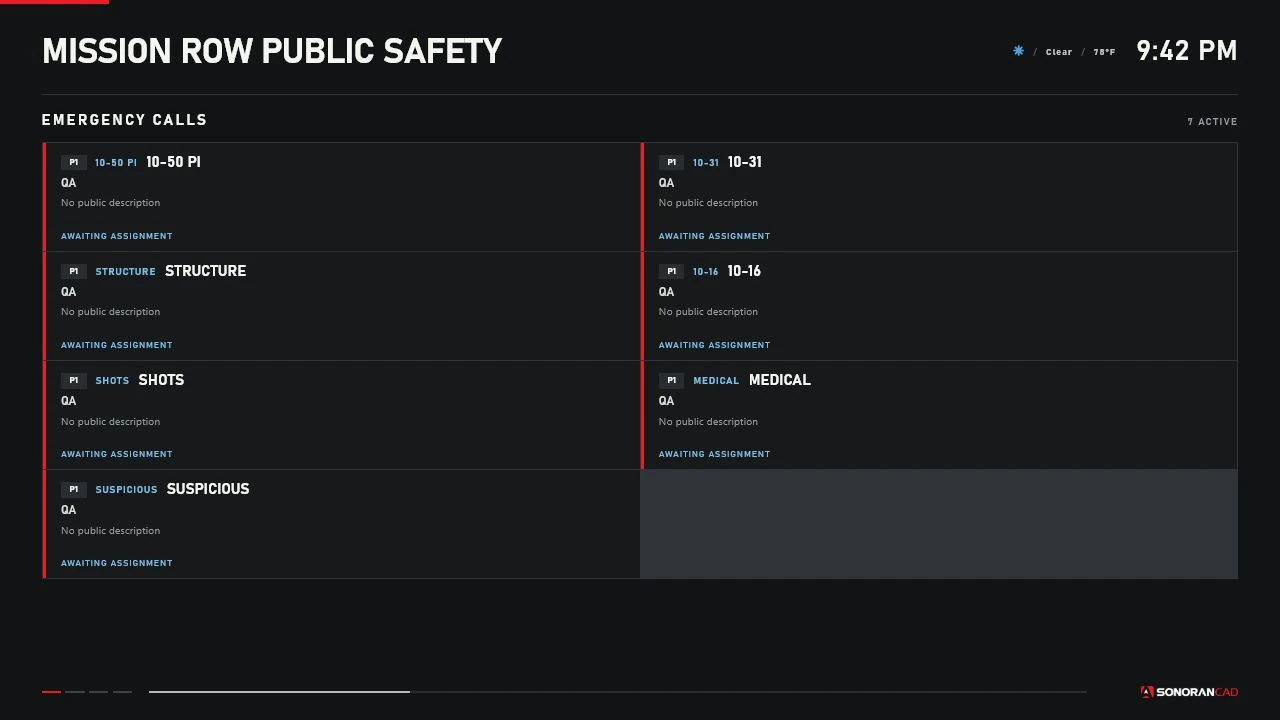
Emergency entries are normalized as `EMERGENCY_CALL` while they remain in the cache. The default title is `Emergency Call` when `isEmergency` is true, otherwise `Incoming Call`. Default priority is `1` for an emergency and `0` for another incoming call.

<figure><img src="/files/sVNpklDfAcH21qVSQhGf" alt="Sonoran Station Displays Emergency Calls page rendered with sample data"><figcaption><p>The production Emergency Calls renderer using controlled sample data.</p></figcaption></figure>

## Dispatch Calls

Source:

```lua
exports["sonorancad"]:GetCallCache()
```

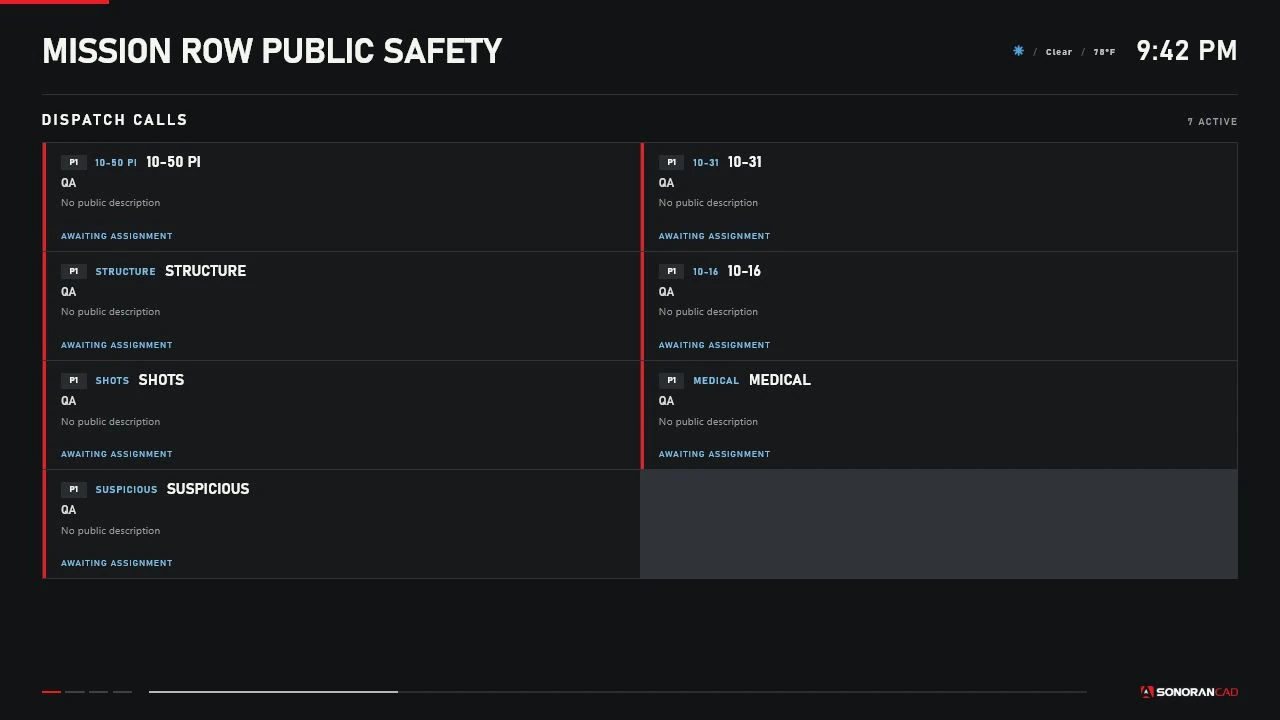
Dispatch entries are normalized as `DISPATCH_CALL`. Status `2` (`CLOSED`) is removed from the display cache. Default title is `Dispatch Call`.

<figure><img src="/files/sxsqBpX2s0lVs4R9NeEs" alt="Sonoran Station Displays Dispatch Calls page rendered with sample data"><figcaption><p>The production Dispatch Calls renderer using controlled sample data.</p></figcaption></figure>

## Normalized fields

The adapter can normalize:

* Call ID, kind, title, and code
* Numeric priority
* Status
* Address/location and postal
* Description
* Assigned unit IDs and callsigns
* Emergency caller text when enabled
* World coordinates from `metaData`
* Created/updated values
* Service classification

## Visible call cards

Version 1.0.0 renders:

* Priority badge when `VisibleCallFields.priority = true`
* Call code when present
* Title
* Address and appended postal when `VisibleCallFields.address = true`
* Description when `VisibleCallFields.description = true`
* Assigned callsigns or `AWAITING ASSIGNMENT` when `VisibleCallFields.assignedUnits = true`

Titles and assigned-unit lines truncate with an ellipsis. Descriptions are clipped to a fixed two-line-height area.

Current renderer limitations:

* Status is normalized and sent but is not displayed.
* `VisibleCallFields.postal` is not an independent switch; postal follows the address block.
* Caller text is not rendered even if normalization is enabled.

These are implementation limitations, not hidden fields elsewhere in the customer UI.

Keep `VisibleCallFields.caller = false`.

## Service filtering

A call is classified from its assigned normalized units.

| Assignment                      | Call service |
| ------------------------------- | ------------ |
| LEO only                        | `LEO`        |
| Fire/EMS only                   | `FIRE_EMS`   |
| Both                            | `BOTH`       |
| None or only unclassified units | `OTHER`      |

Filtering:

* LEO displays show `LEO` and `BOTH`.
* Fire/EMS displays show `FIRE_EMS` and `BOTH`.
* Both displays show every call, including `OTHER`.
* Optional fallback settings can show `OTHER` on a single-service display.

The resource does not infer service from call titles or department text.

## Priorities and sorting

Priority is a number and receives a `priority-<number>` CSS class. The shipped renderer does not reorder calls. Calls retain the normalized cache iteration order; do not depend on priority or creation-time sorting.

## Pagination and maximum calls

The default maximum is eight call cards and the allowed per-display range is 2–30. Large lists automatically move to the next list page every 10 seconds.

## Stale calls and removal

Version 1.0.0 does not age out or visually mark individual calls by timestamp.

* Dispatch calls disappear when closed or removed from `GetCallCache()`.
* Emergency calls disappear when removed from `GetEmergencyCache()`.
* Cache deltas remove the client entry.
* A failed cache call changes the connection to disconnected.

## Calls without coordinates

A call without usable X/Y values still appears on the corresponding call page. It does not receive a Live Map marker.

## Sensitive information

The board is an in-world display and viewing is public. Review all configured fields before enabling a page on displays accessible to players.

Recommended public-facing configuration:

```lua
Config.VisibleCallFields = {
    priority = true,
    status = true,
    address = true,
    postal = true,
    description = true,
    assignedUnits = true,
    caller = false
}
```

Disable description or address if those values are inappropriate for the display's audience.


---

# Agent Instructions
This documentation is published with GitBook. GitBook is the documentation platform designed so that both humans and AI agents can read, navigate, and reason over technical content effectively. Learn more at gitbook.com.

## Querying This Documentation
If you need additional information that is not directly available in this page, you can query the documentation dynamically by asking a question.

Perform an HTTP GET request on the current page URL with the `ask` query parameter, and the optional `goal` query parameter:

```
GET https://docs.sonoransoftware.com/store/sonoran-station-displays/calls.md?ask=<question>&goal=<endgoal>
```

`ask` is the immediate question: it should be specific, self-contained, and written in natural language.
`goal` is optional and describes the broader end goal you are ultimately trying to accomplish on behalf of the user. GitBook uses it to tailor the answer towards what is most useful for that goal.

The response will contain a direct answer to the question and relevant excerpts and sources from the documentation.

Use this mechanism when the answer is not explicitly present in the current page, you need clarification or additional context, or you want to retrieve related documentation sections.