

Migrate from Melonly
Easily import your Melonly player logs to convert them to CMS player records!
- Create a Melonly API Key
1. Create a Melonly API Key
1. Create a Melonly API Key
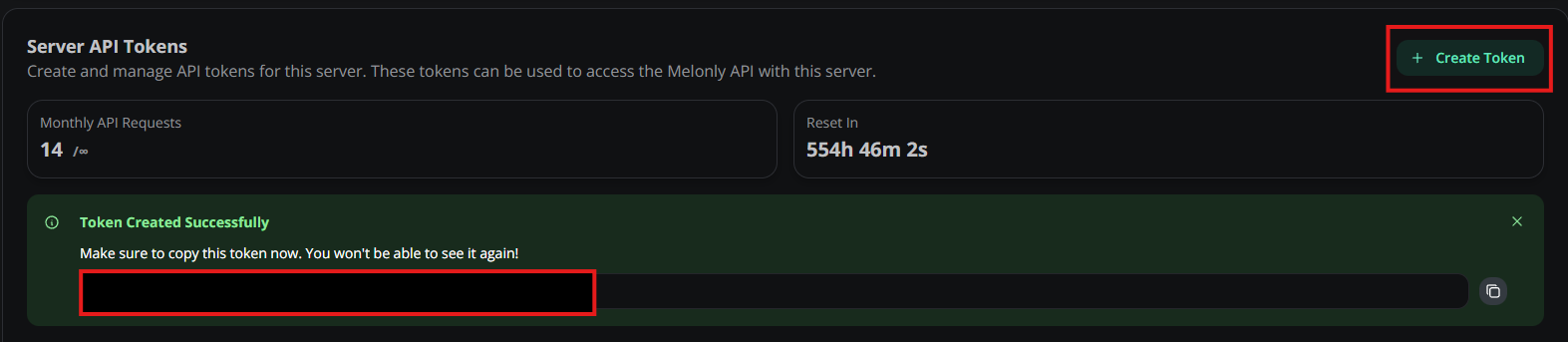
On the Melonly dashboard select Settings > Panel > Server API Tokens > Create TokenCreate and copy the API token to be used with Sonoran CMS.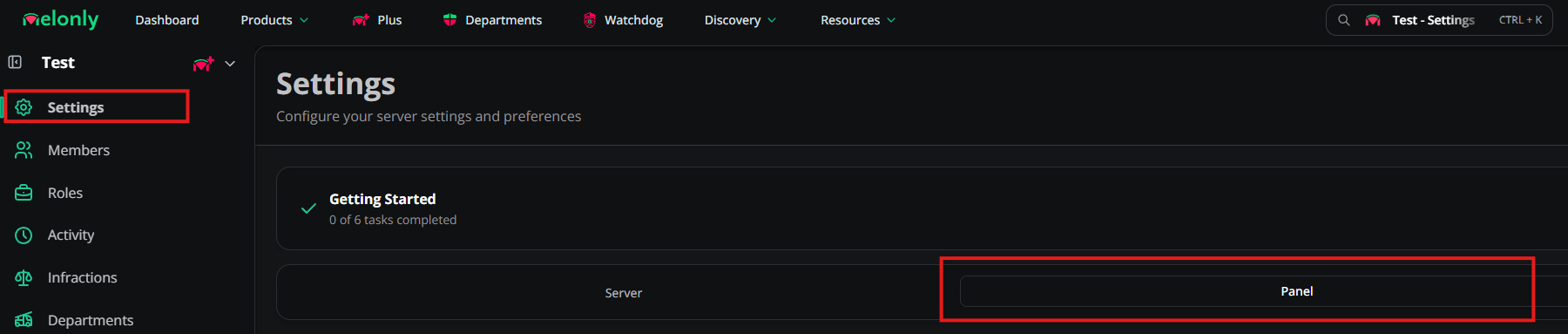
- Import into CMS
2. Import into CMS
2. Import into CMS
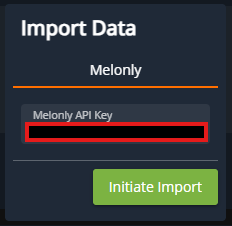
Select Import on the side panel > Melonly > paste your Melonly API Token > Initiate ImportOnce started, the CMS will begin importing your Melonly player logs, including any custom log types. After a few minutes, your Melonly logs will begin to display in the activity feed and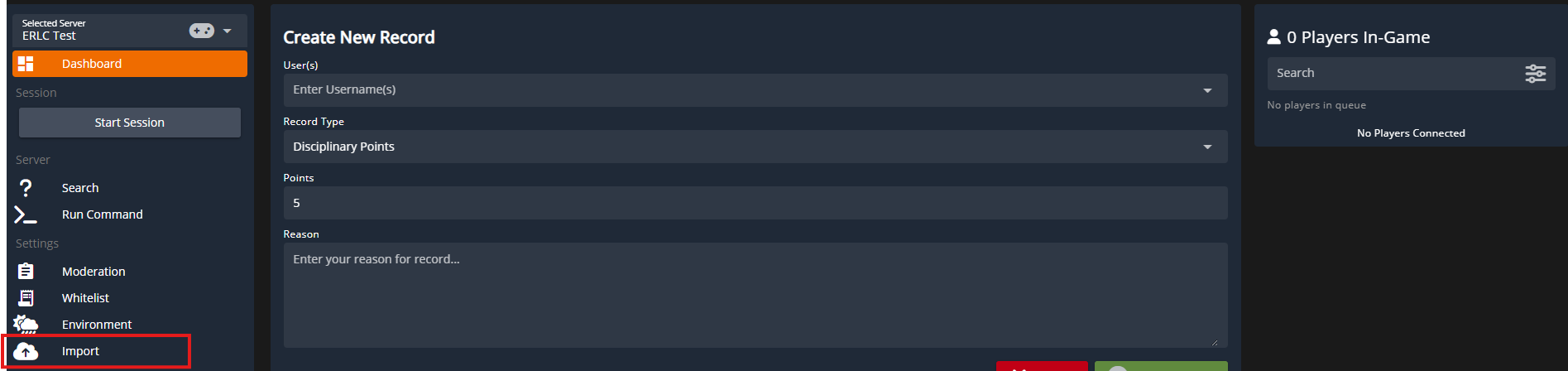
 CMS: Import Melonly Logs
CMS: Import Melonly Logs
- Custom Log Types
3. Custom Log Types
3. Custom Log Types
Both Melonly and Sonoran CMS allow for the creation of custom player log/record types. Because Melonly does not expose the record type labels in their API these logs will be imported as 
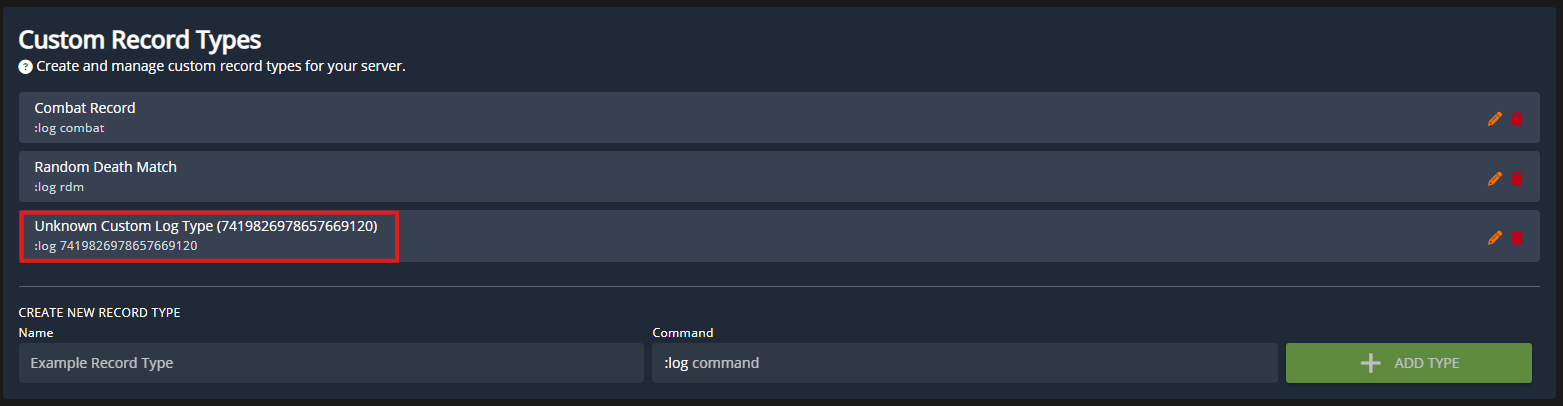
Unknown Custom Log Type.You can rename these custom log types from Melonly properly in the Moderation panel.