Form Stage Actions
Form Stage Actions
Form Stage Actions
Form stages have configurable actions to send webhooks, messages, modify ranks, in-game commands, and more. When a form submission is moved to the stage, the stage actions are ran.CMS form stage actions also support running ER:LC commands.The ER:LC commands can be ran on the form submitter, the user who changed the form stage, or on a specific user selected in the submission with a Member Select type form field.Example: Priority RequestIn this example, when a user’s Priority Request form submission is moved to Accepted we send that user an in-game private message.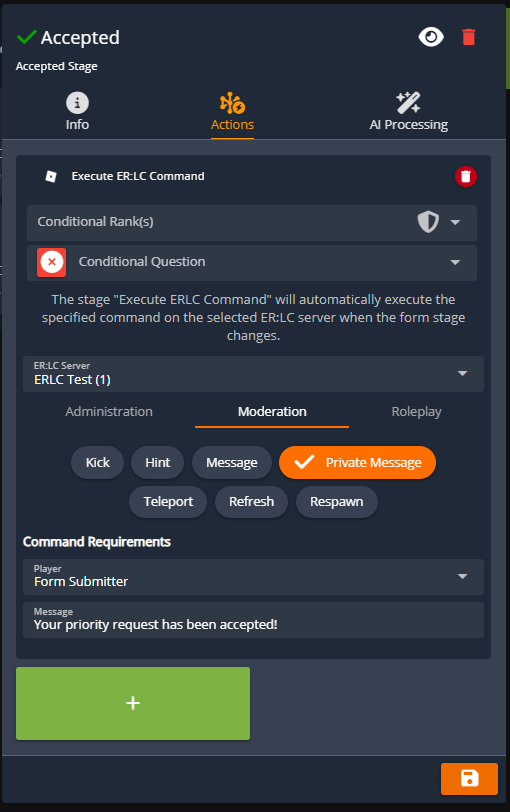
Roster Activity Time
Roster Activity Time
Roster Activity Time
The ER:LC panel extends functionality to CMS rosters by allowing you to add an 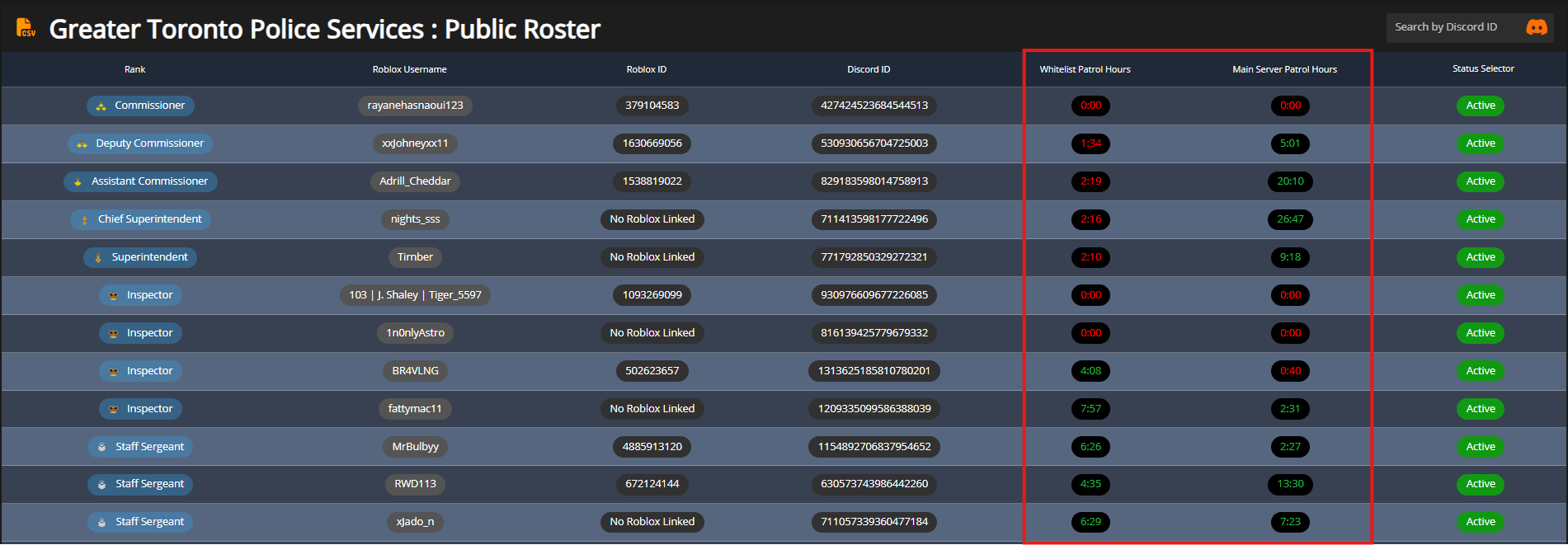
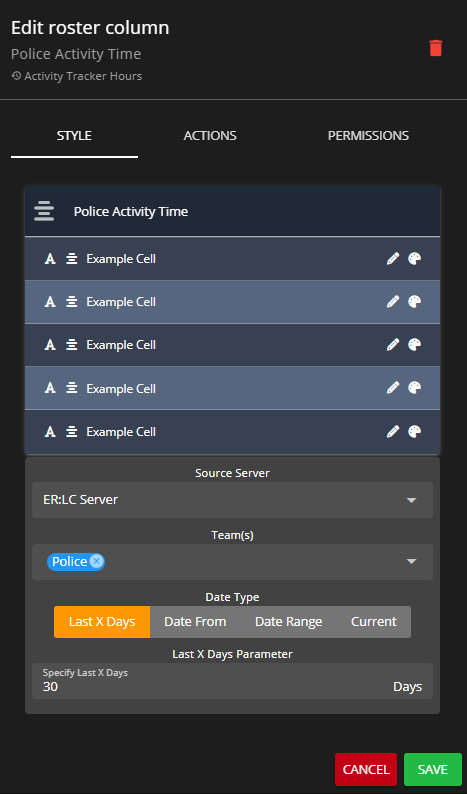
Activity Tracker Hours column that automatically displays each user’s in-game time over a configurable period. This column can also be configured to track time spent on specific ER:LC team(s).Routine Actions
Routine Actions
Routine Actions
The CMS Actions panel performs routine actions at custom intervals. This panel integrates with the ER:LC panel to offer automated in-game hints and notifications.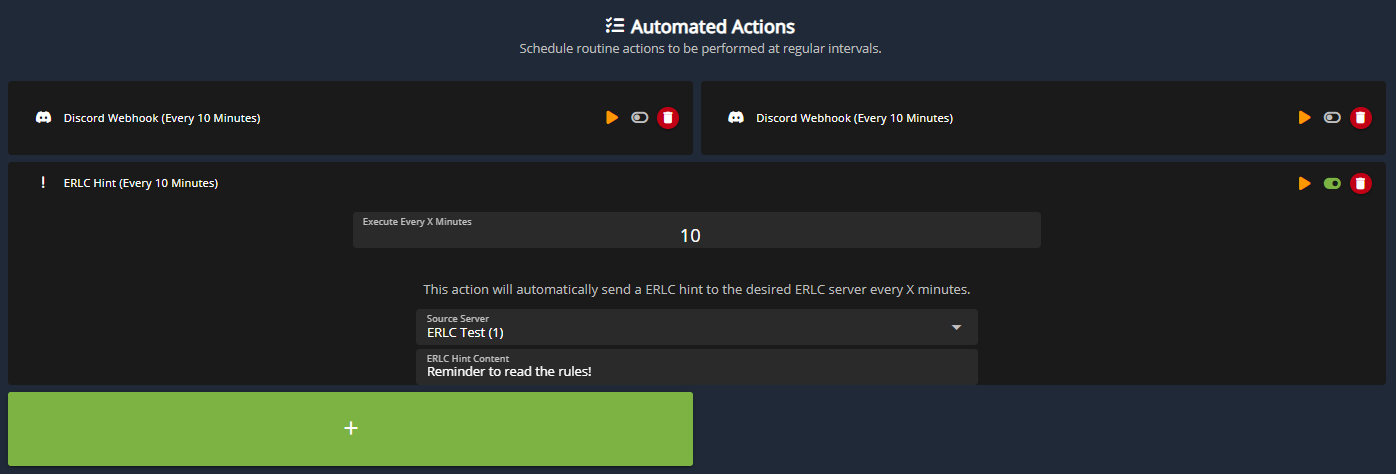 Additionally, actions can be triggered via a manual in-game ER:LC command.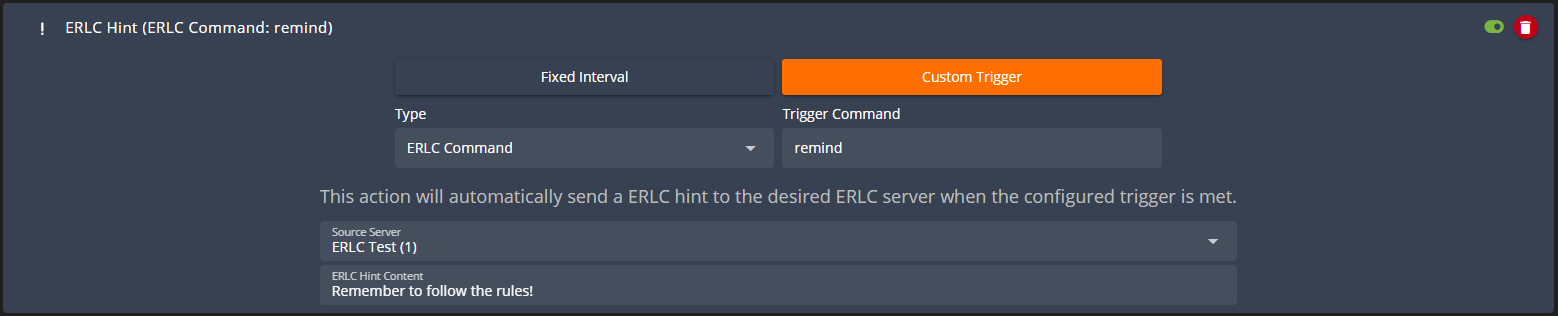
Additionally, actions can be triggered via a manual in-game ER:LC command.Disciplinary Points
Disciplinary Points
Disciplinary Points
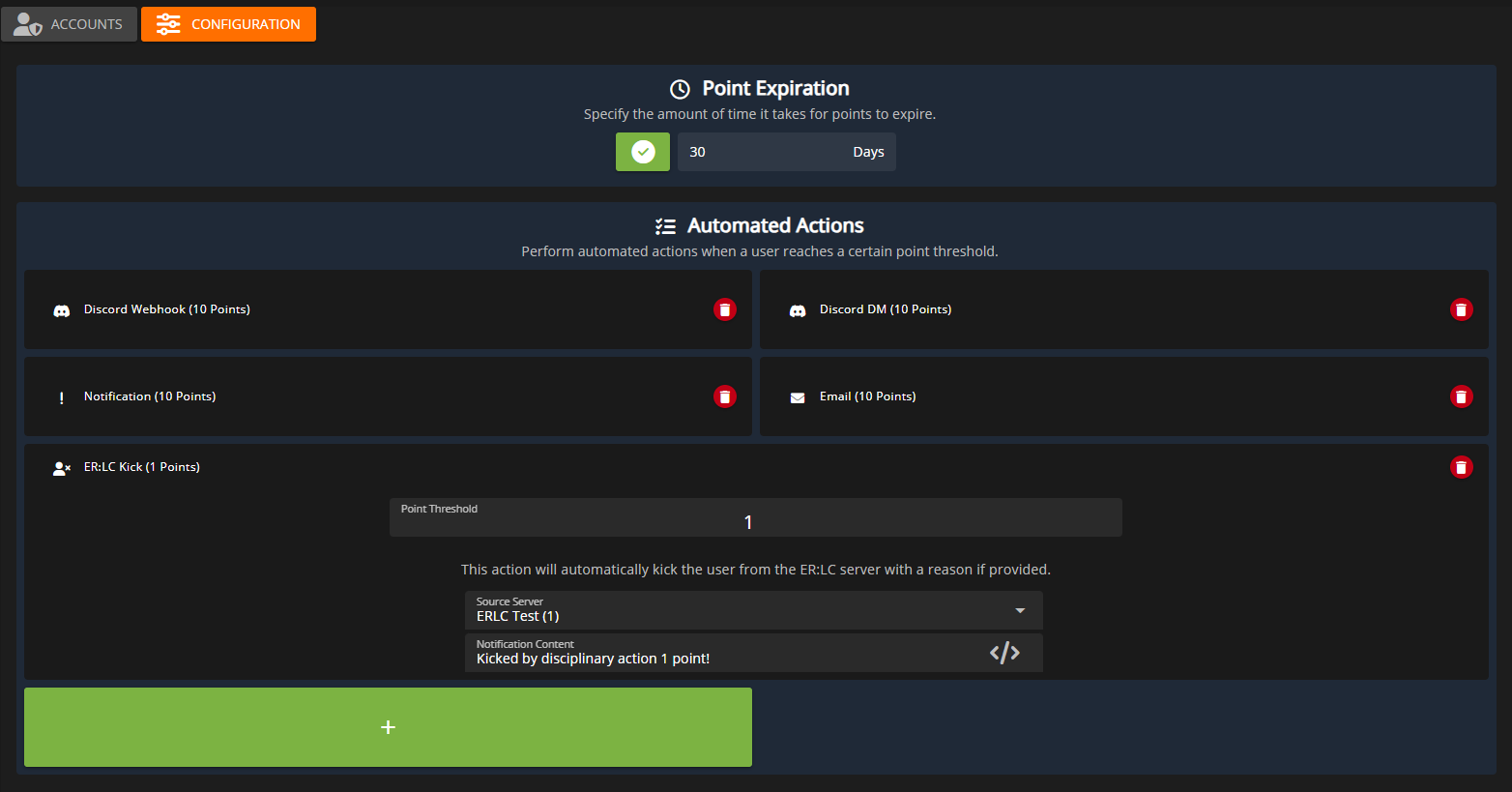
Disciplinary points can be assigned either through an ER:LC player record or manually in the CMS. Once a user exceeds a defined point threshold, the associated disciplinary actions are executed automatically.The ER:LC panel extends this functionality by enabling automated kicks or bans when a user reaches the configured disciplinary point limit.