

Community Spotlight
The community discovery system highlights both active, growing small communities and large communities with many members. Communities in the spotlight are also advertised in the CAD, CMS, and radio main menus. All of these metrics are based off the last seven days.📈Fastest Growing Community
This category is based on user growth as a percentage and is limited to communities between50 and 250 members.
Improve your ranking in this category by signing up new members in your community.
👀Highest Website Traffic
This category is based off the number of unique user visits to the homepage per day. You can improve your ranking in this category by using CMS as your primary website. Both visitors and members count towards traffic.👥Most Active Community
This category is based off of the number of unique user logins in your community per day. You can improve your ranking in this category by having your members utilize your CMS website more frequently. Using a custom domain, running all applications/forms via CMS, utilizing online CMS forums, etc.⬆️Most Recently Bumped Community
This category randomly selects communities that have been bumped in the last hour. You can improve your ranking in this category by bumping your community in the discovery panel. Bumped communities are also posted to the #advertise-here channel in our Official Discord!Discovery Metrics
Every time your community is viewed or clicked on via the community discovery page, or CAD/CMS/radio menu those metrics are logged. You can view these in the growth panel to see how the community spotlight and discovery page are impacting your community.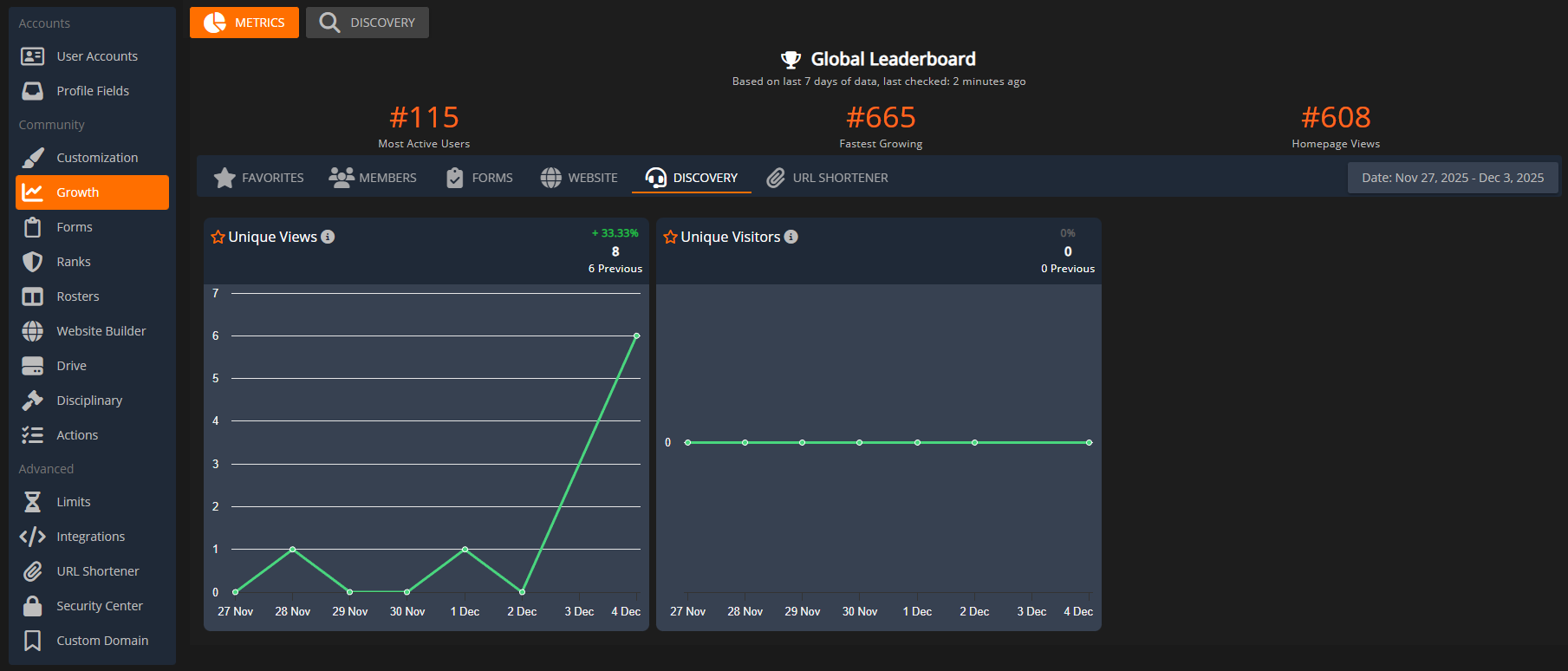 Sonoran CMS: Community Discovery Metrics
Configuring Community Discovery
Community Approval
In order to be on the community discovery page, communities must meet specific criteria:- The community must be more than 72 hours old.
- The homepage must be customized and cleared of any default/placeholder text.
- The homepage must have a clear button or link for a new user to apply or join.