

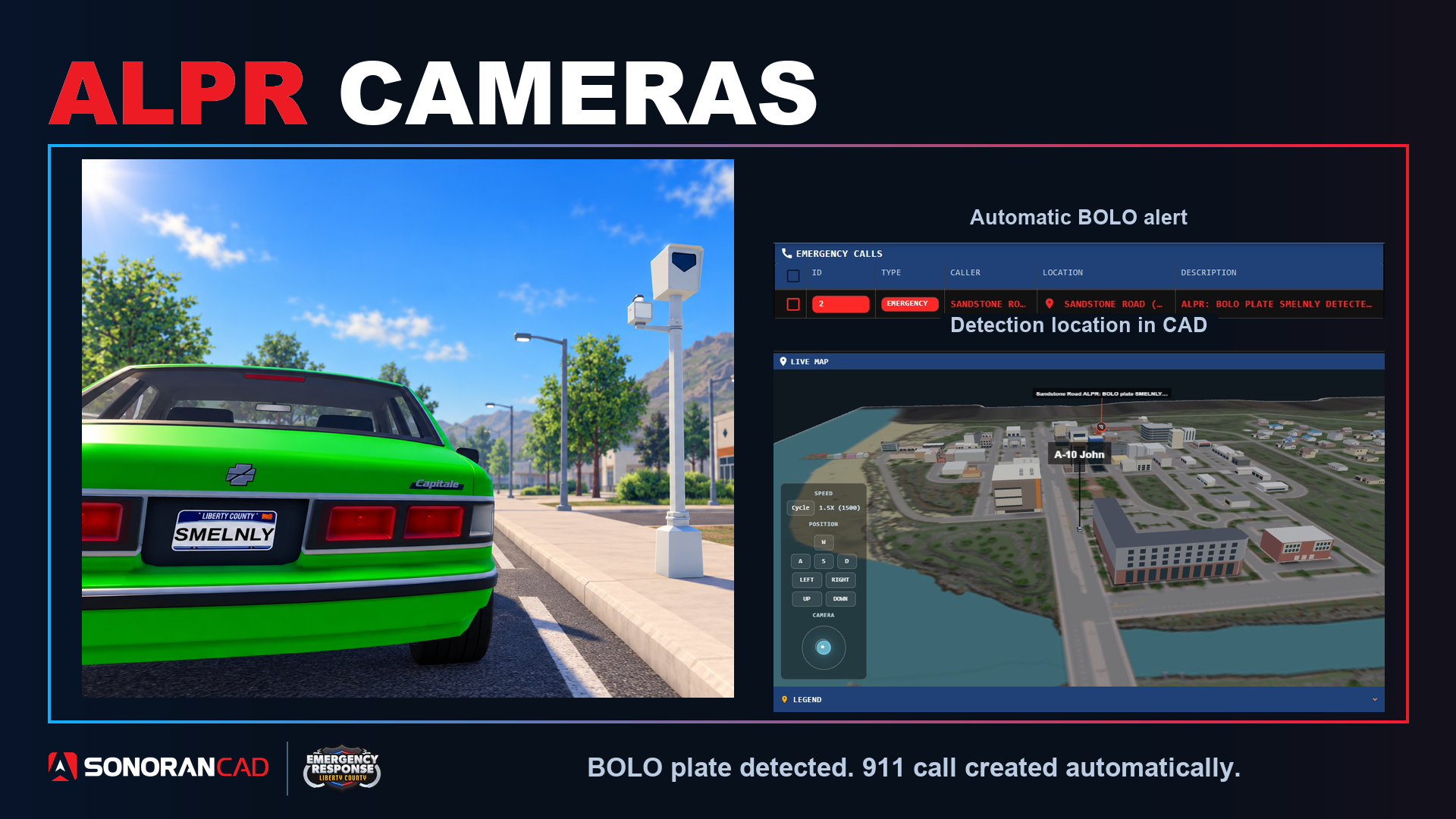
Setup
- Connect your ER:LC server.
- In Admin > Integrations, open ALPR Cameras, select your server, and enable ALPR.
- Select Apply default cameras, or Place camera to add your own. Drag cameras to move them and adjust their detection radius.
- Create an active BOLO record with the vehicle’s license plate.
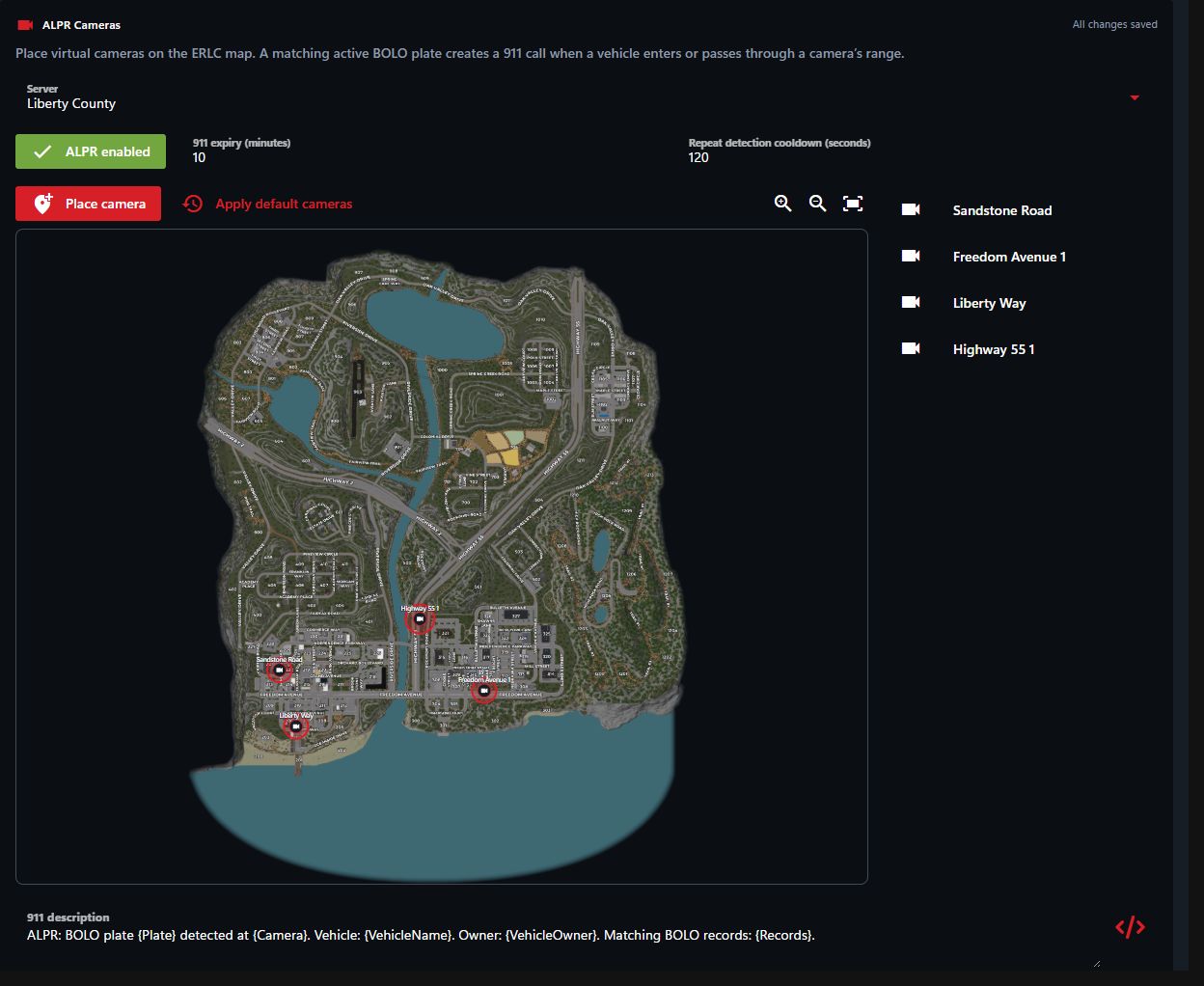 Camera locations
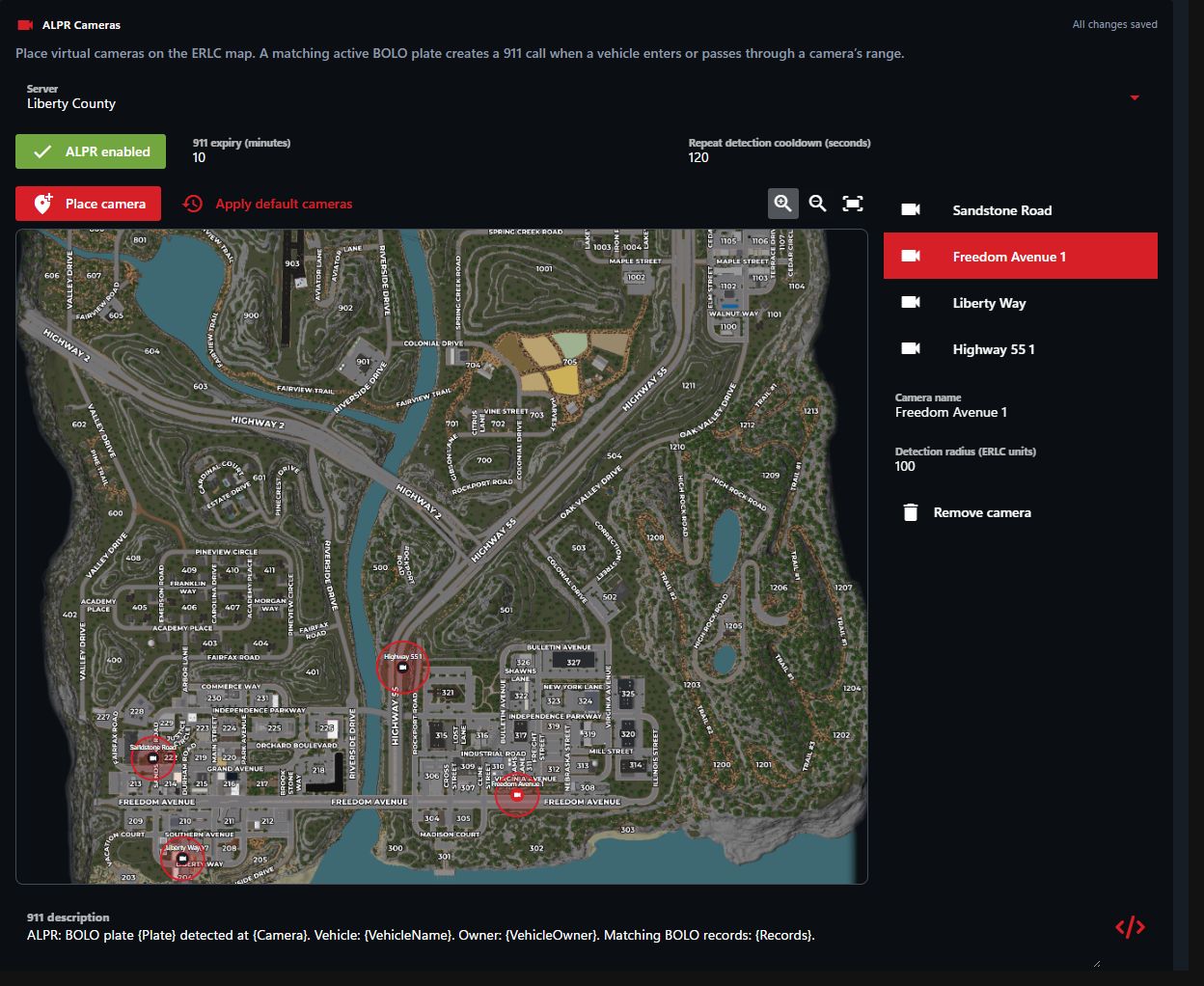 Select a camera to edit its name and detection radius.
Camera settings save automatically. You can customize the 911 description, call expiry, and repeat detection cooldown.
Select a camera to edit its name and detection radius.
Camera settings save automatically. You can customize the 911 description, call expiry, and repeat detection cooldown.