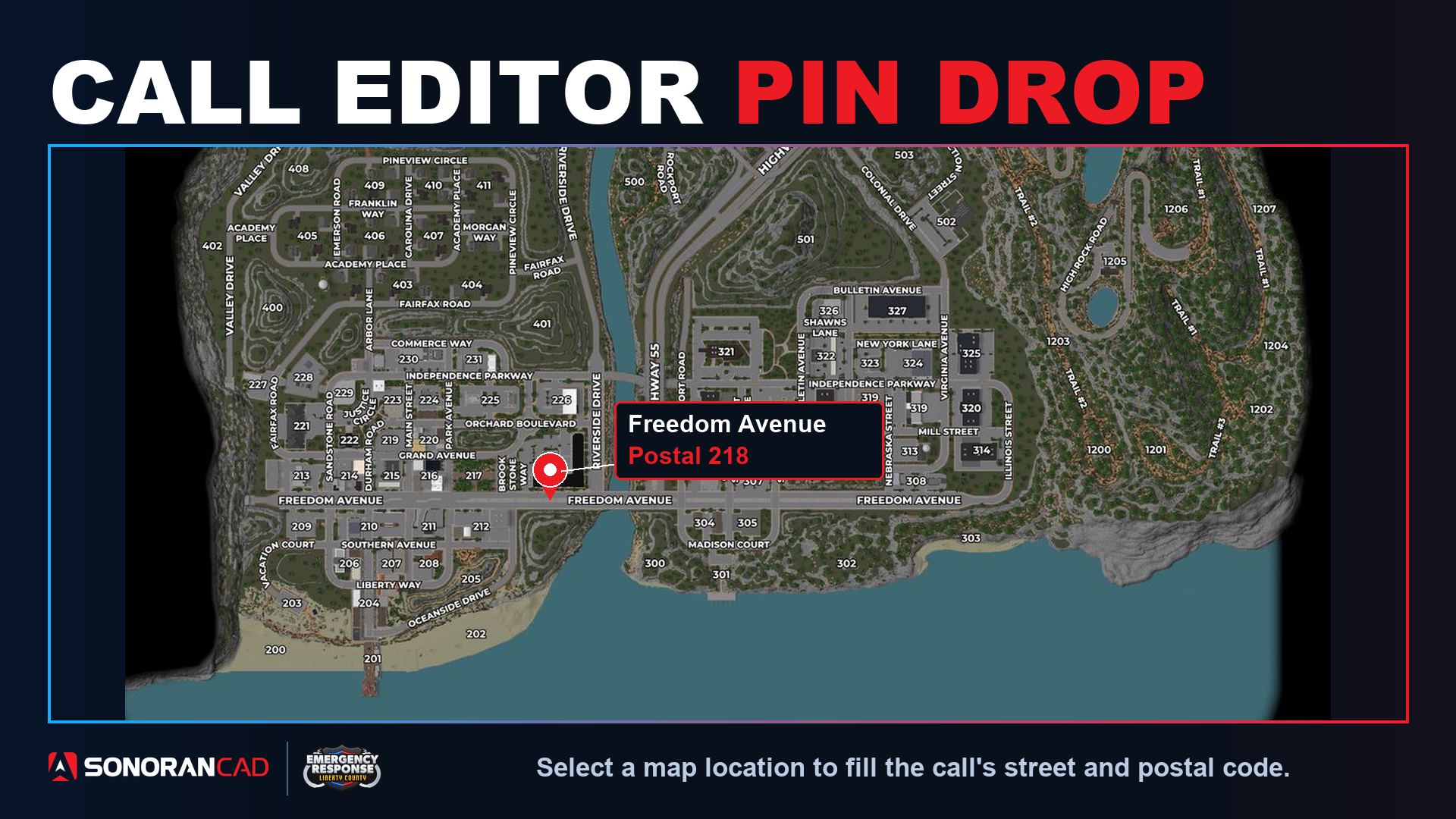
 Drop a pin instead of typing an address. Select a location on the 2D ERLC map and Sonoran CAD fills the nearest street name and postal code in your dispatch call.
- Check ERLC mode
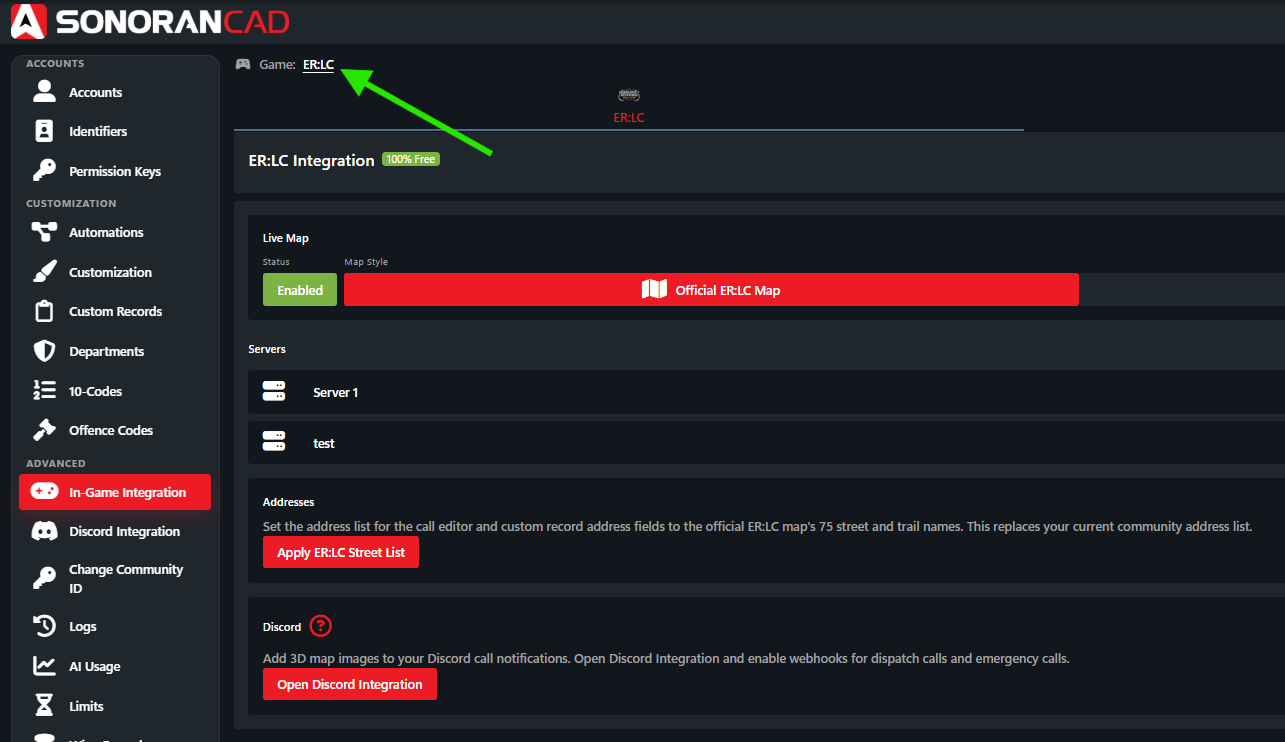
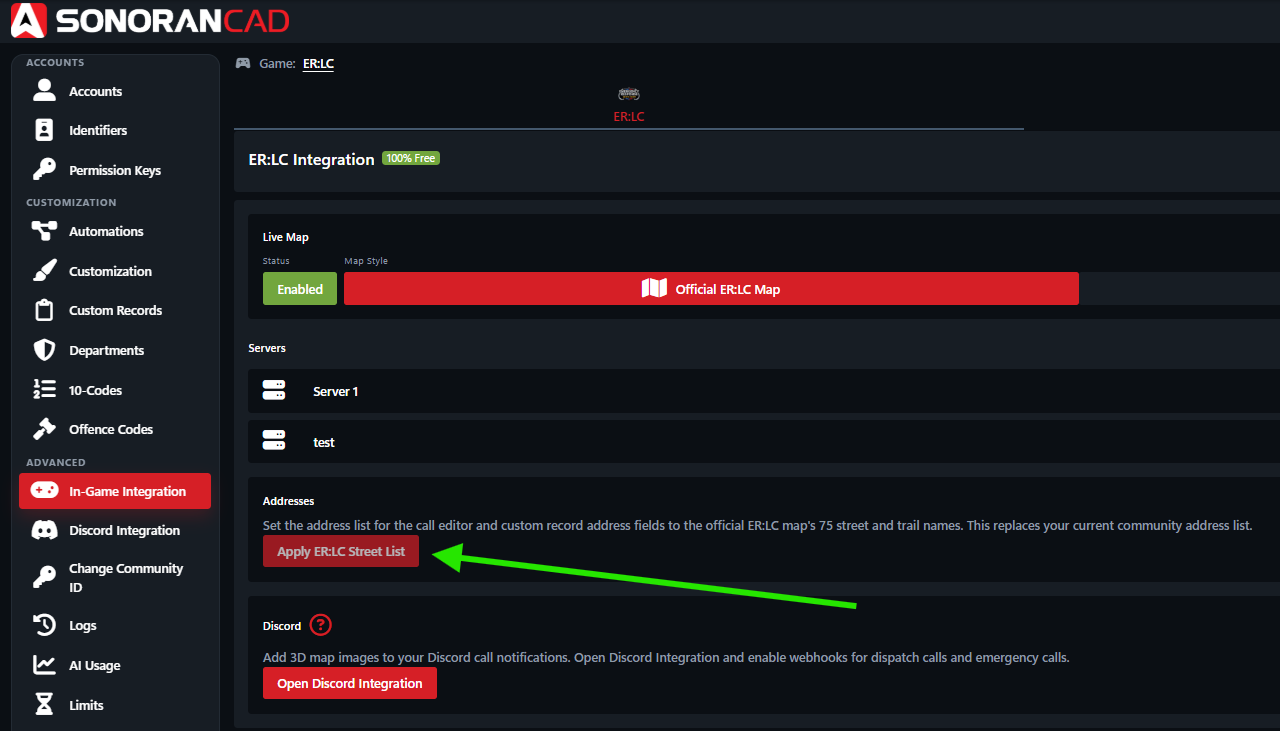
Make sure your CAD community is in ER:LC mode under Administration → Advanced → In-Game Integration.
- Open the map
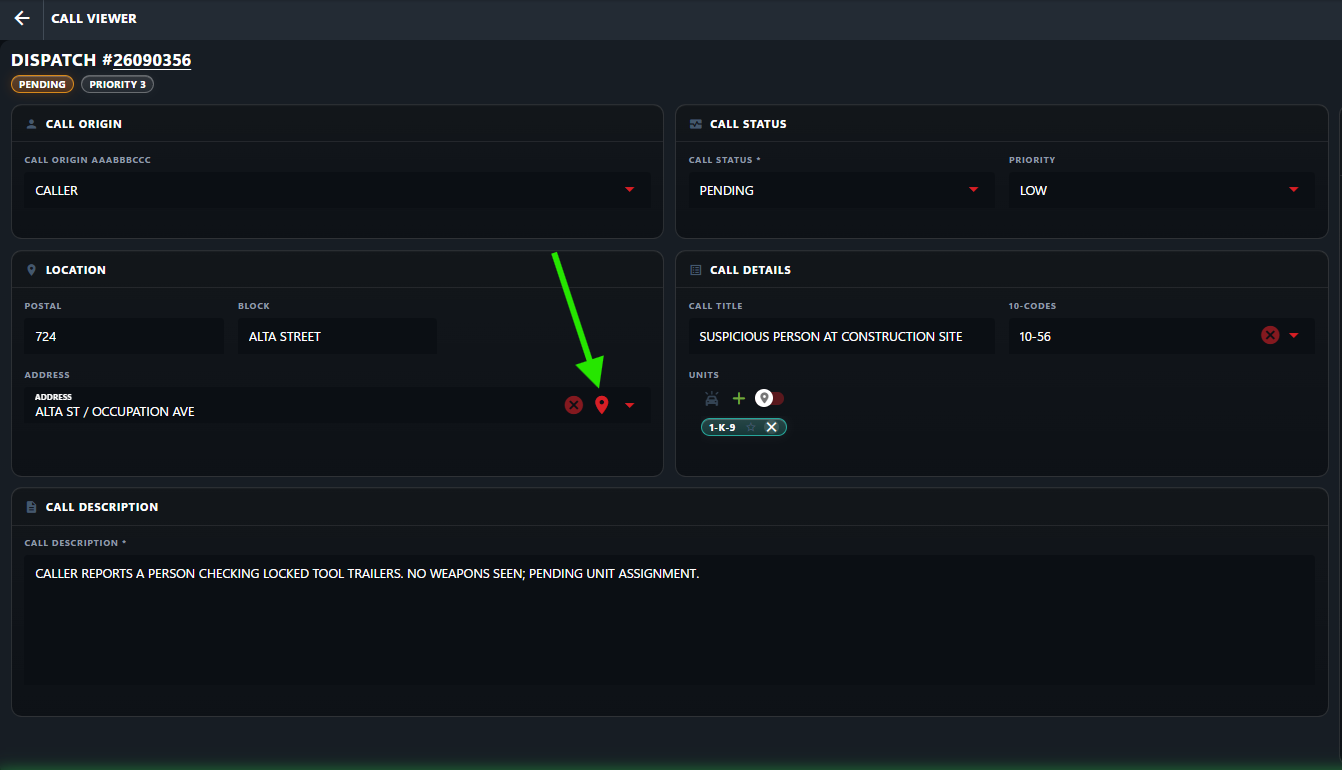
Create or edit a dispatch call. Select the pin icon inside the Address field to open the 2D map picker.
- Select the location
Drag to pan and scroll to zoom. Open Legend to access the map controls, including the map labels button to show or hide street and postal labels.
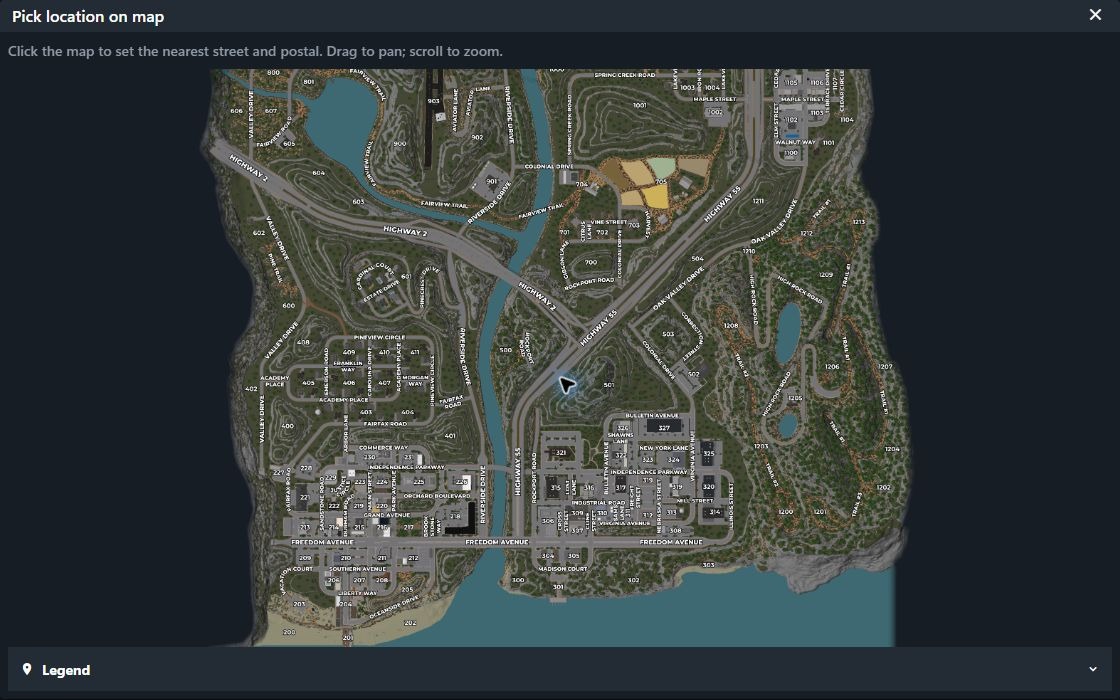 Click the call’s location. The map closes and fills the Address and Postal fields.
Use the ERLC street list
The type-to-filter Address field is also pre-configured with the full list of ER:LC’s street and trail names. These custom street names can be re-applied under Administration → Advanced → In-Game Integration → ER:LC. In Addresses, select Use ER:LC street list.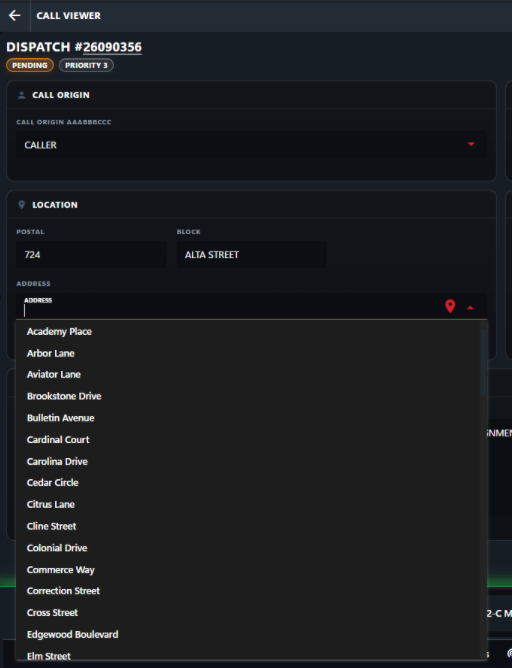
Send the location to Discord
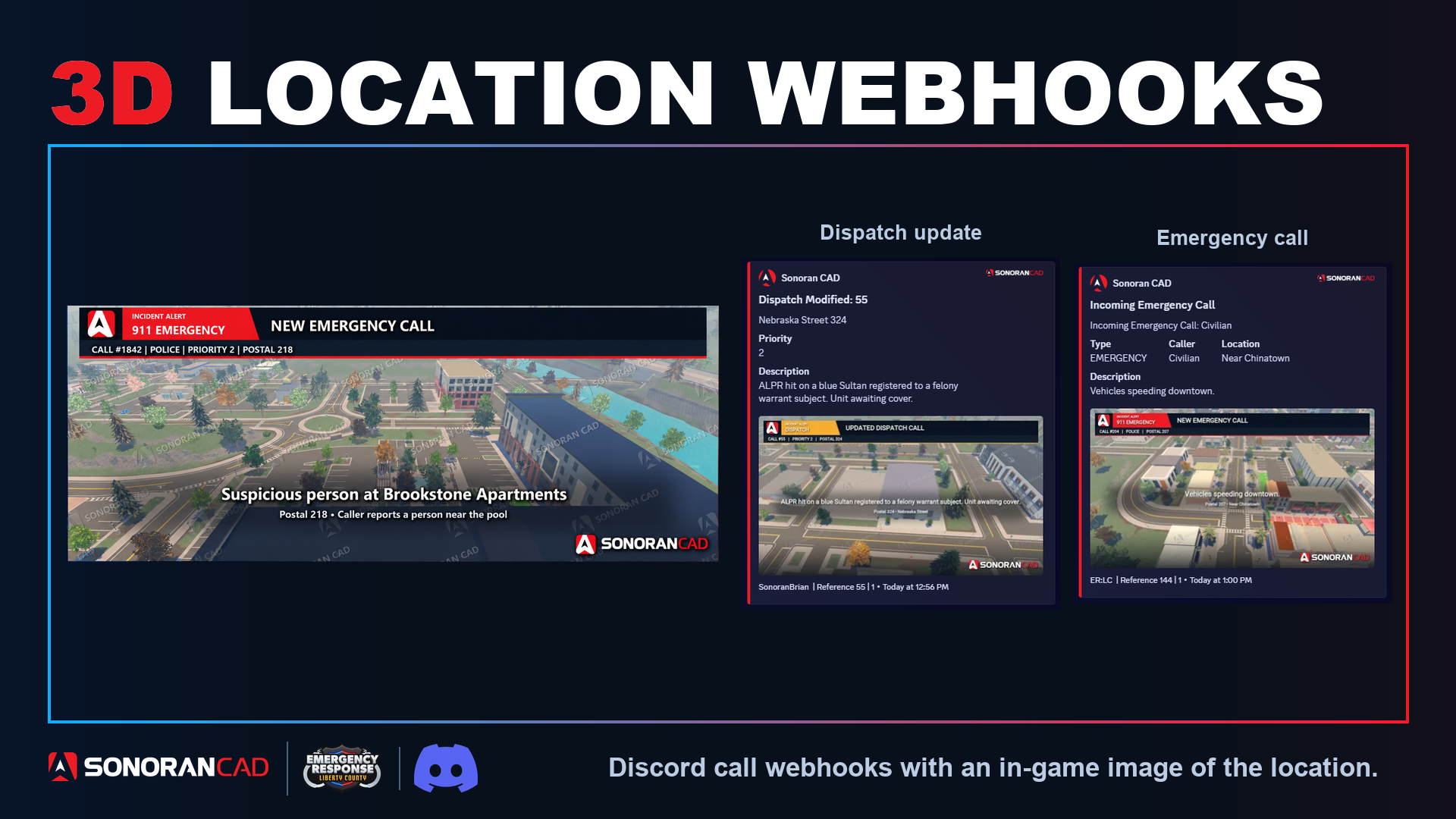
You can also enable ERLC 3D Location Webhooks to include an aerial location image with emergency and dispatch call webhooks.