

ER:LC Live Map
Sonoran CAD includes an interactive 2D and 3D live map that displays unit locations, bodycams, emergency calls, dispatch calls, and more in real time.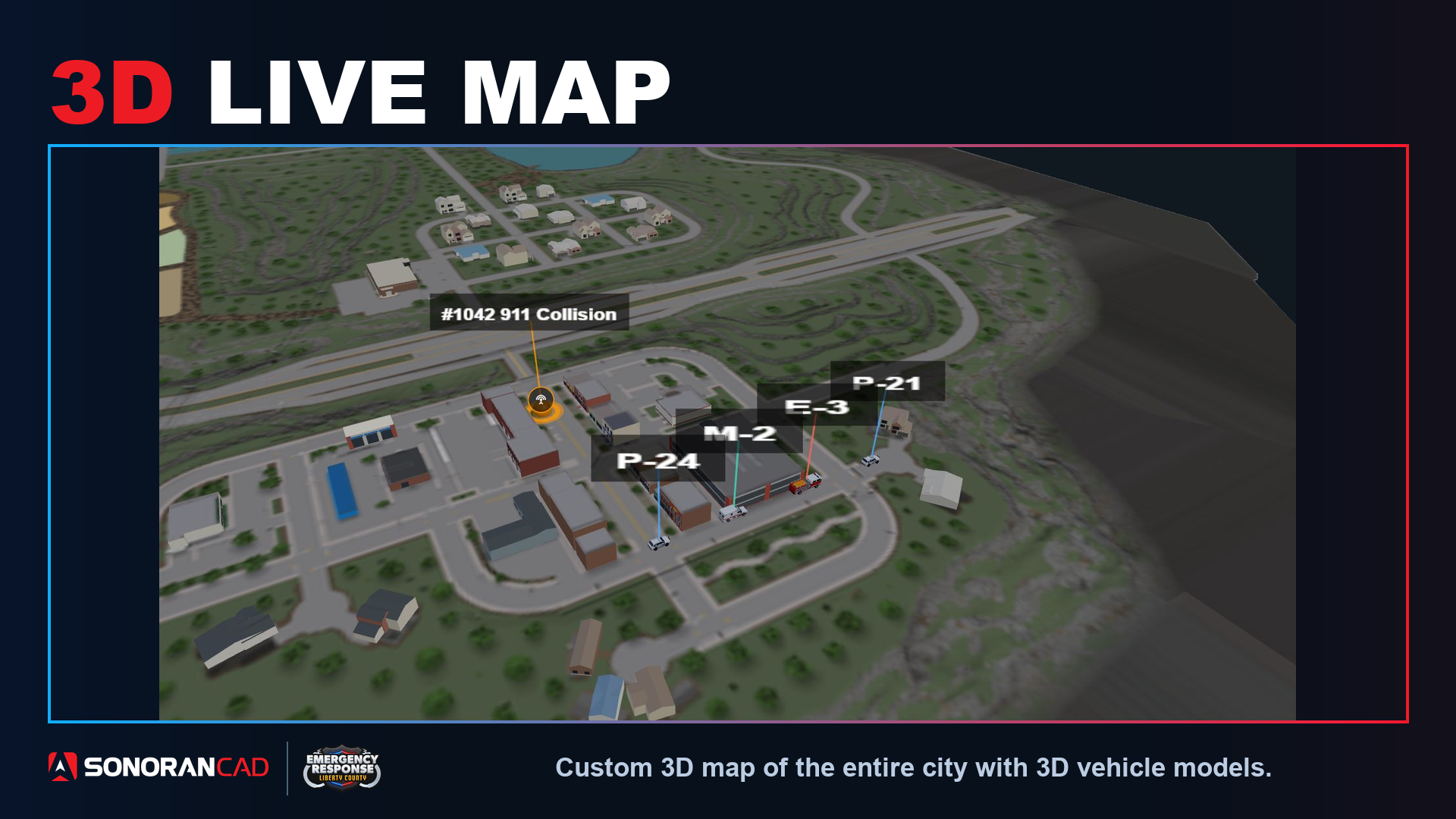
Configuring the Live Map
Configuring the Live Map
Configuring the Live Map
The live map is automatically enabled for ER:LC communities once your API key is setup.The map can be enabled or disabled under Admin > Advanced > In-Game Integration > Live Map. Ensure that the map is toggled to Official ER:LC Map.Users will need the Live Map account permission.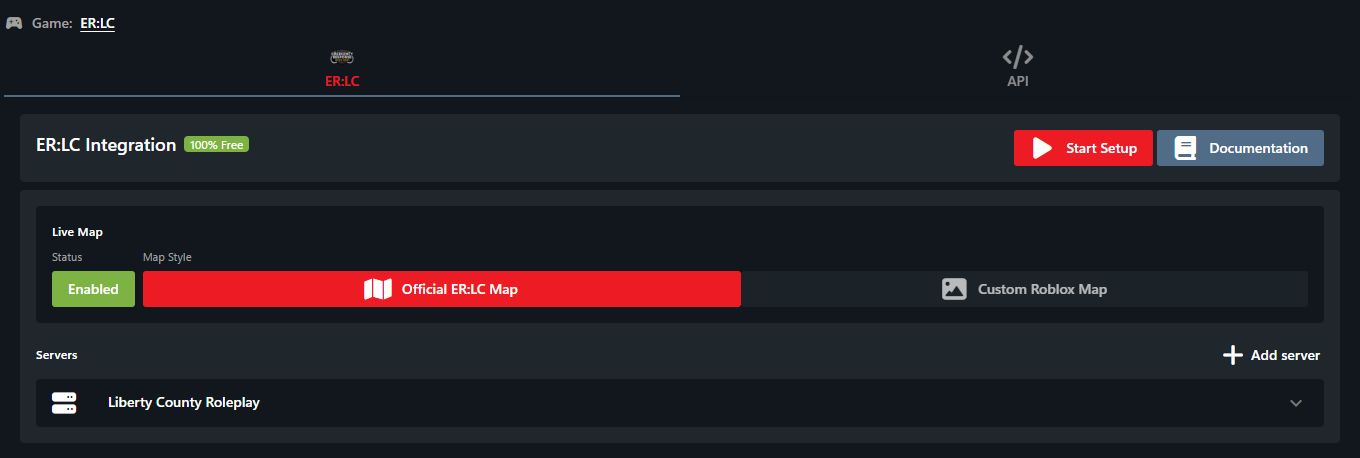 Enable the official ER:LC live map in the integration settings.
Enable the official ER:LC live map in the integration settings.CAD Permission Requirements
In order to appear on the live map, players must have a linked Roblox account. In order to access the live map, players must have the Live Map account permission.Usage
Accessing the Live Map
The live map can be opened by the Live Map button in the taskbar. Or add the Live Map panel to your custom layout by selecting the New button at the bottom of any layout column.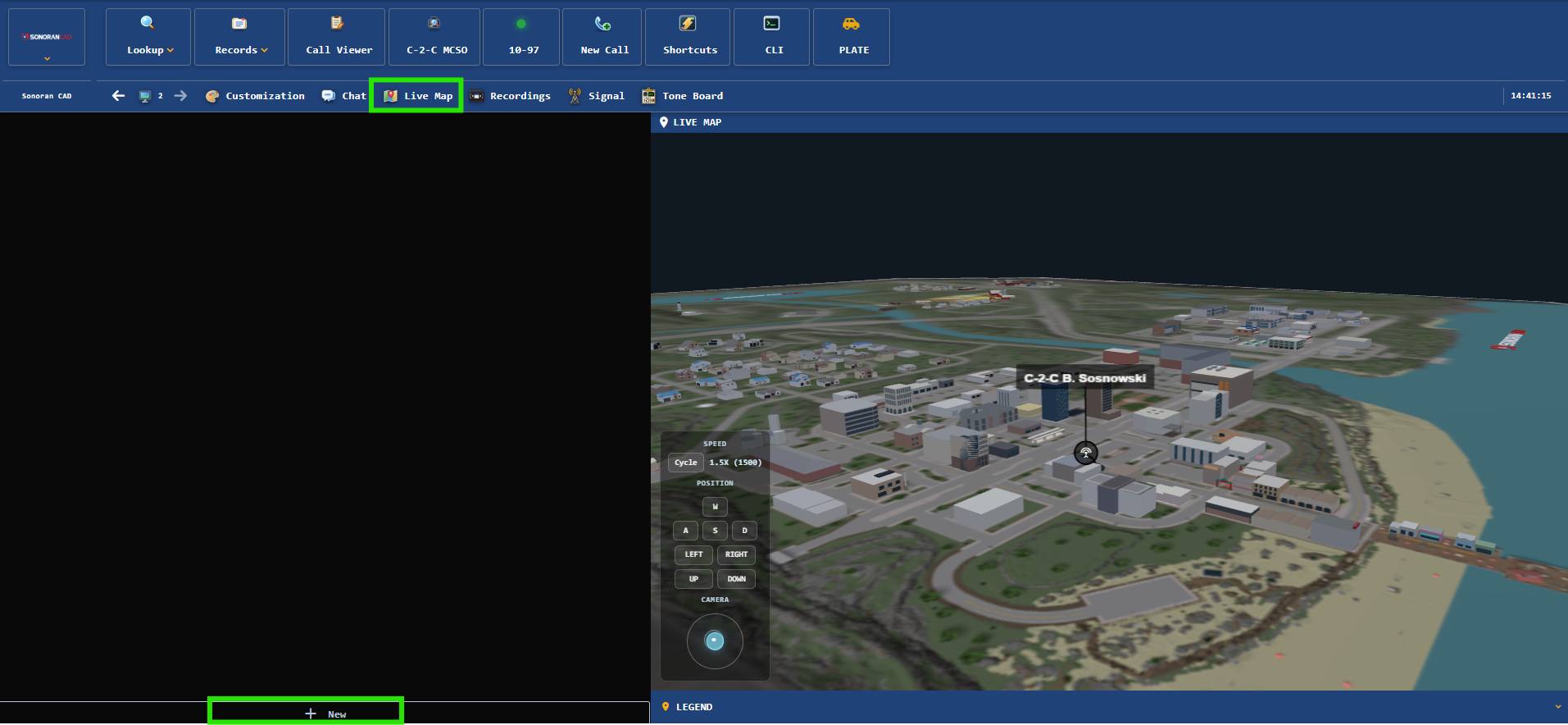
Using the Live Map
2D and 3D Mode
Change the map view from 2D, 2.5D, or 3D via the top right.Searching Postal Codes
Enter a postal code, such as 1007, in the Postal field at the top of the legend. Press Enter or select Search to center the map on that location. Postal search works in 2D, 2.5D, and 3D. If a code is not found, the field displays an inline error. Check the code and try again.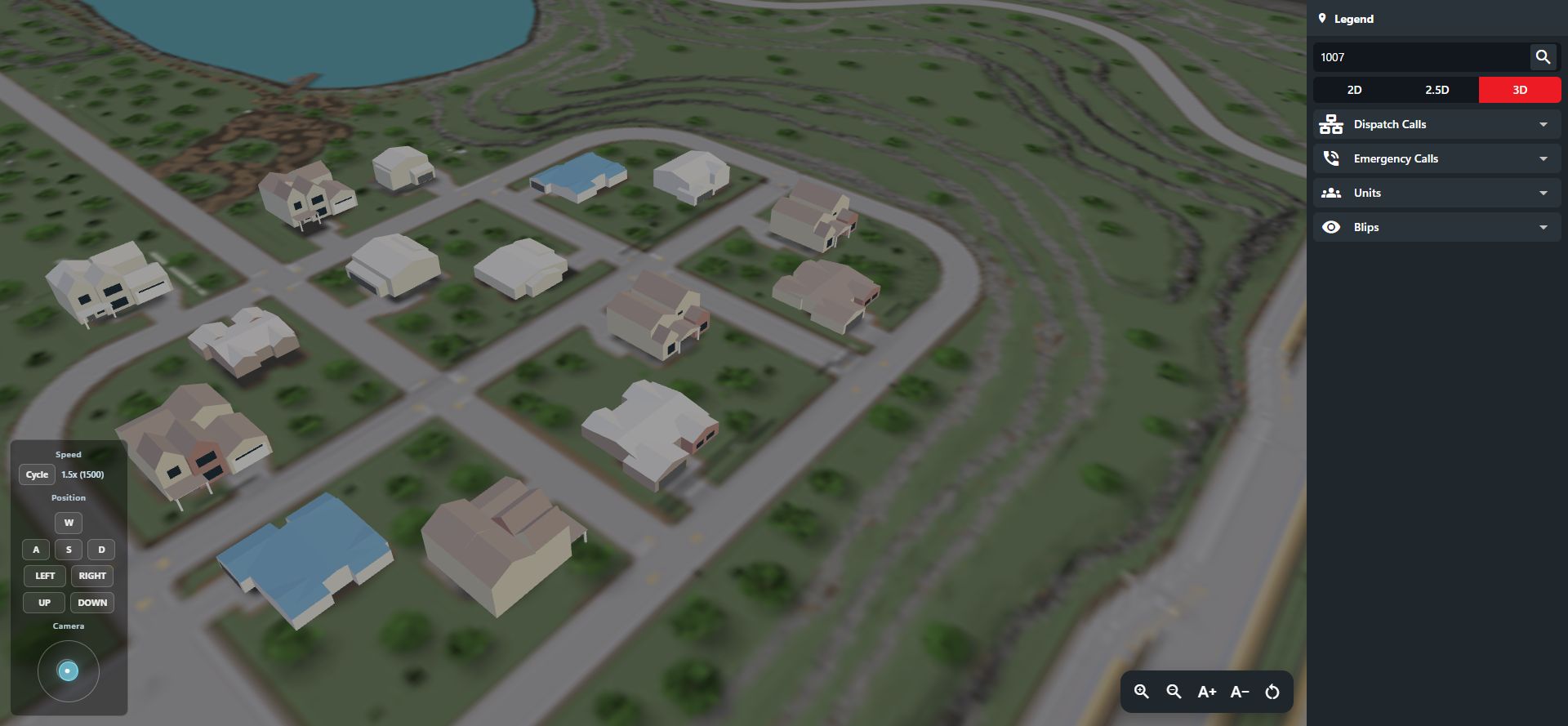 Search for a postal code from the map legend.
In 2D and 2.5D, the label button beside the mode controls shows or hides postal codes and street names together.
Search for a postal code from the map legend.
In 2D and 2.5D, the label button beside the mode controls shows or hides postal codes and street names together.
Exploring the 3D Map
Zoom in to inspect buildings and roads, and use the movement and camera controls to change your view. The new ER:LC map is being modeled in stages, so detail varies by area.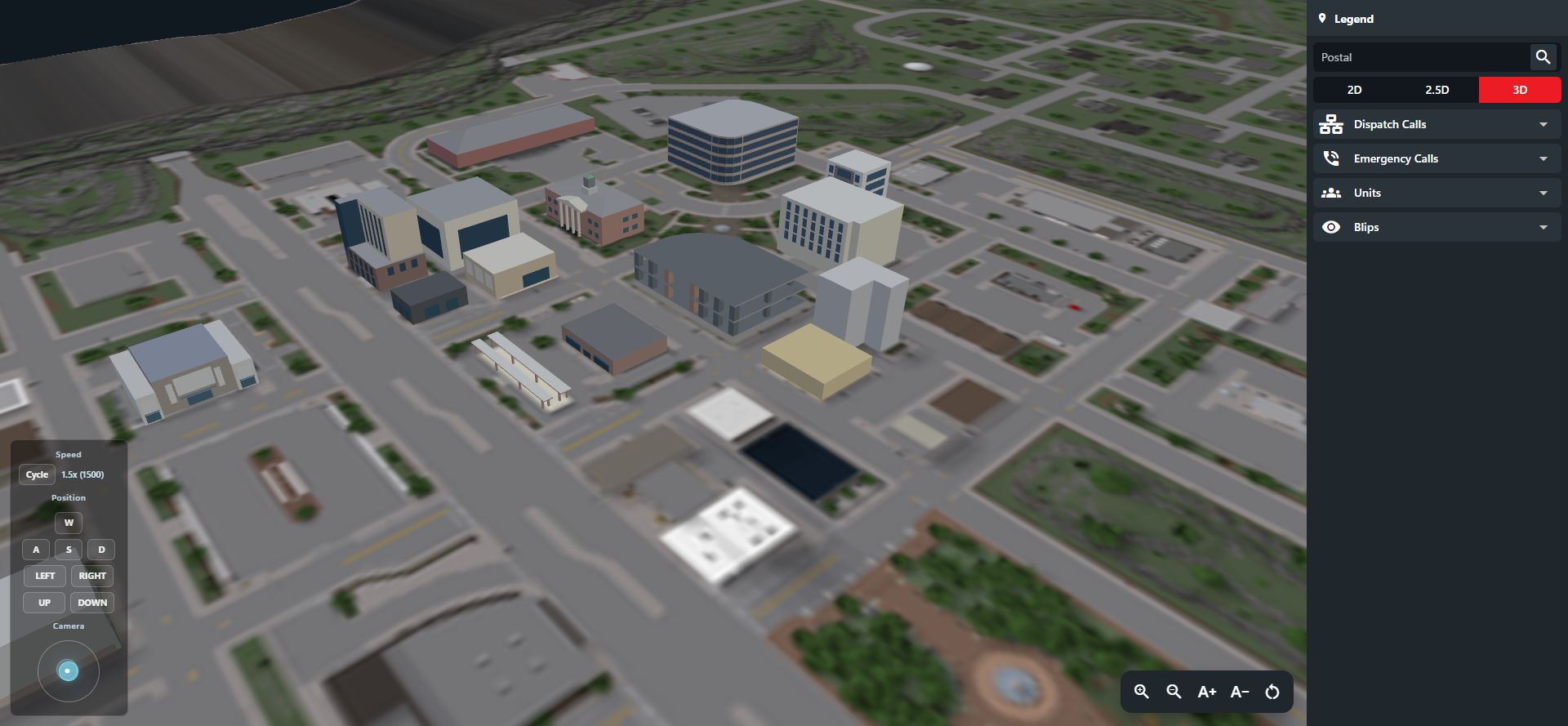 A closer look at the downtown area.
New map geometry loads automatically when you open the map. An active map also checks for updates approximately every five minutes.
A closer look at the downtown area.
New map geometry loads automatically when you open the map. An active map also checks for updates approximately every five minutes.
Unit Blips
Units will appear on the map if they have a linked Roblox account and are active on the CAD police, fire, EMS, or dispatch page. Click on a unit to access dispatch calls, lookups, the tone board, timers, and other options. If the unit is streaming a bodycam, its live video appears at the top of the unit menu. Click the video preview to open the dedicated bodycam viewer. This works in 2D, 2.5D, and 3D.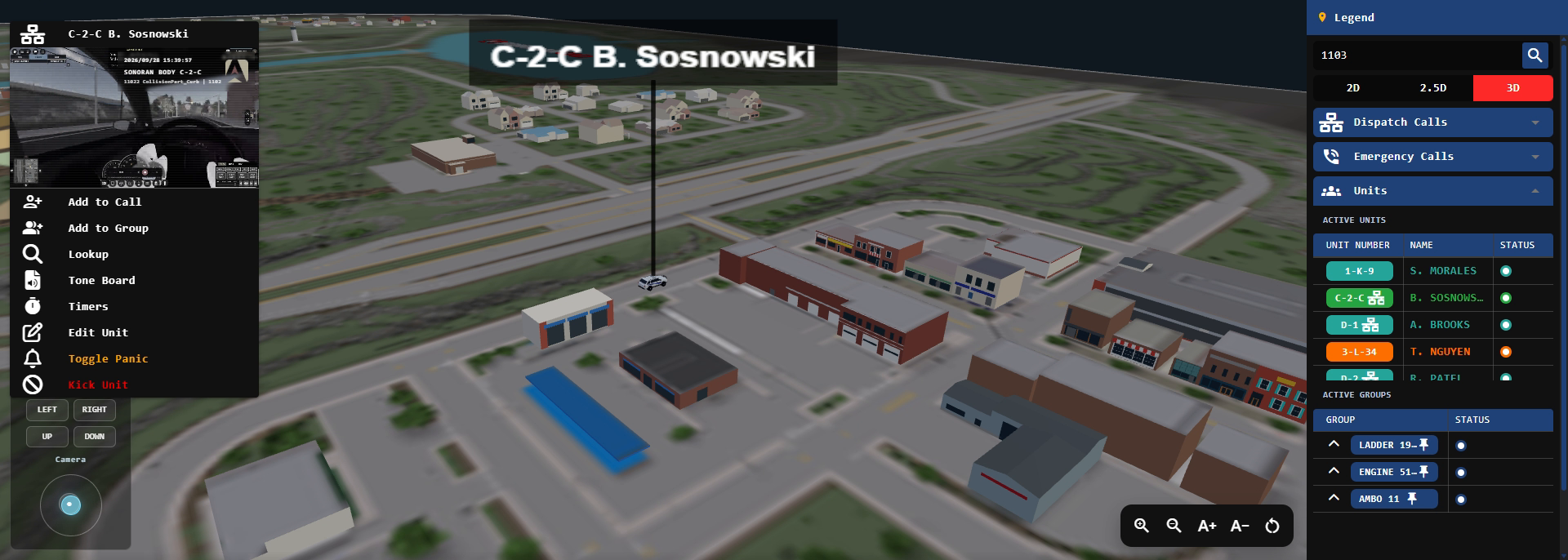 View a unit’s live bodycam directly from its map blip.
Expand Blips in the legend to choose which unit and emergency-call categories appear. Use the text-size controls to adjust blip size.
Supported teams use police, fire, EMS, or DOT models. When the API does not report vehicle occupancy, the team’s vehicle model is used. A character model is used when on-foot status is explicitly reported.
View a unit’s live bodycam directly from its map blip.
Expand Blips in the legend to choose which unit and emergency-call categories appear. Use the text-size controls to adjust blip size.
Supported teams use police, fire, EMS, or DOT models. When the API does not report vehicle occupancy, the team’s vehicle model is used. A character model is used when on-foot status is explicitly reported.
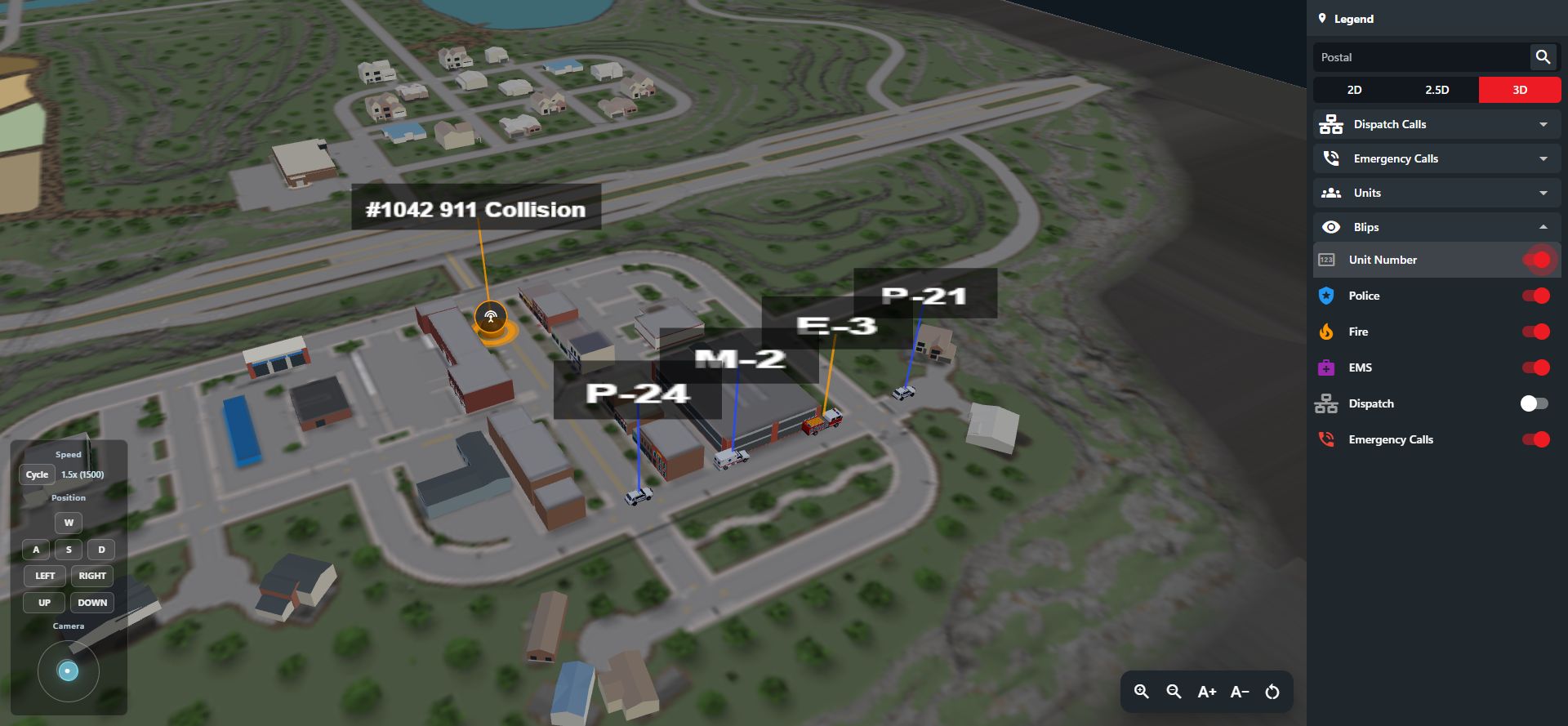 Service vehicles beside a sample dispatch call.
Emergency Calls
When an emergency call is made from in-game a blip will appear on the map. Select the blip to view the call and open it in your call editor.Dispatch Calls
Dispatch calls created from an in-game emergency call or an in-game traffic stop will automatically have location data showing a blip on the map. Select the call blip to open it in the editor or close it.Roblox Custom Maps
Roblox Custom Maps
Roblox Custom Maps
Sonoran CAD allows any Roblox game to also send and update live map positions.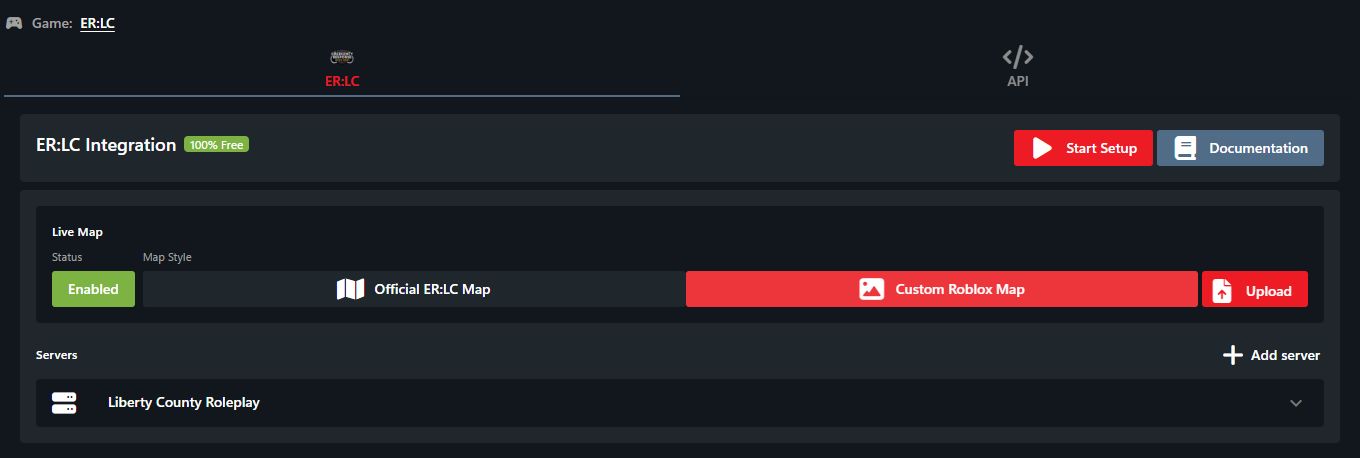 Custom map image uploads are separate from the official ER:LC map.
- ER:LC
- Select Official ER:LC Map for the maintained map and automatic geometry updates.
- Maple County | Fall Update
- Requires a custom map upload from the game
- Open Admin > Advanced > In-Game Integration > ER:LC.
- Under Live Map, select Custom Roblox Map and use Upload to upload your map image. Custom map images require Pro.
Custom map image uploads are separate from the official ER:LC map.For Roblox Developers
For Roblox Developers
Maple County has recently added Sonoran CAD live map access to their Roblox game mode.
To do the same for your game:
To do the same for your game:
- Send Unit Location API updates with the
coordinatexandyvalues - Convert (if needed) your
coordinatexandyvalues so that the top left of your map image is{0,0} - Export your square map as a PNG and upload it under Admin > Advanced > In-Game Integration > ER:LC > Live Map > Custom Roblox Map > Upload. Make sure the image coordinates match the coordinates your integration sends.