

Video Tutorials
Follow these tutorials in order, or watch the Sonoran CAD ERLC Tutorials playlist.
- ER:LC Integration Setup
Create your ER:LC API key, connect your server to Sonoran CAD, configure the Event Log Webhook, and test the connection.
- Accounts and Permissions
Invite members to your community, review pending accounts, and manage individual permissions. This tutorial also introduces Discord role mapping for automatic permission sync.
Linking your ER:LC Server
- Create an ER:LC API Key
ER:LC API Key
ER:LC API Key
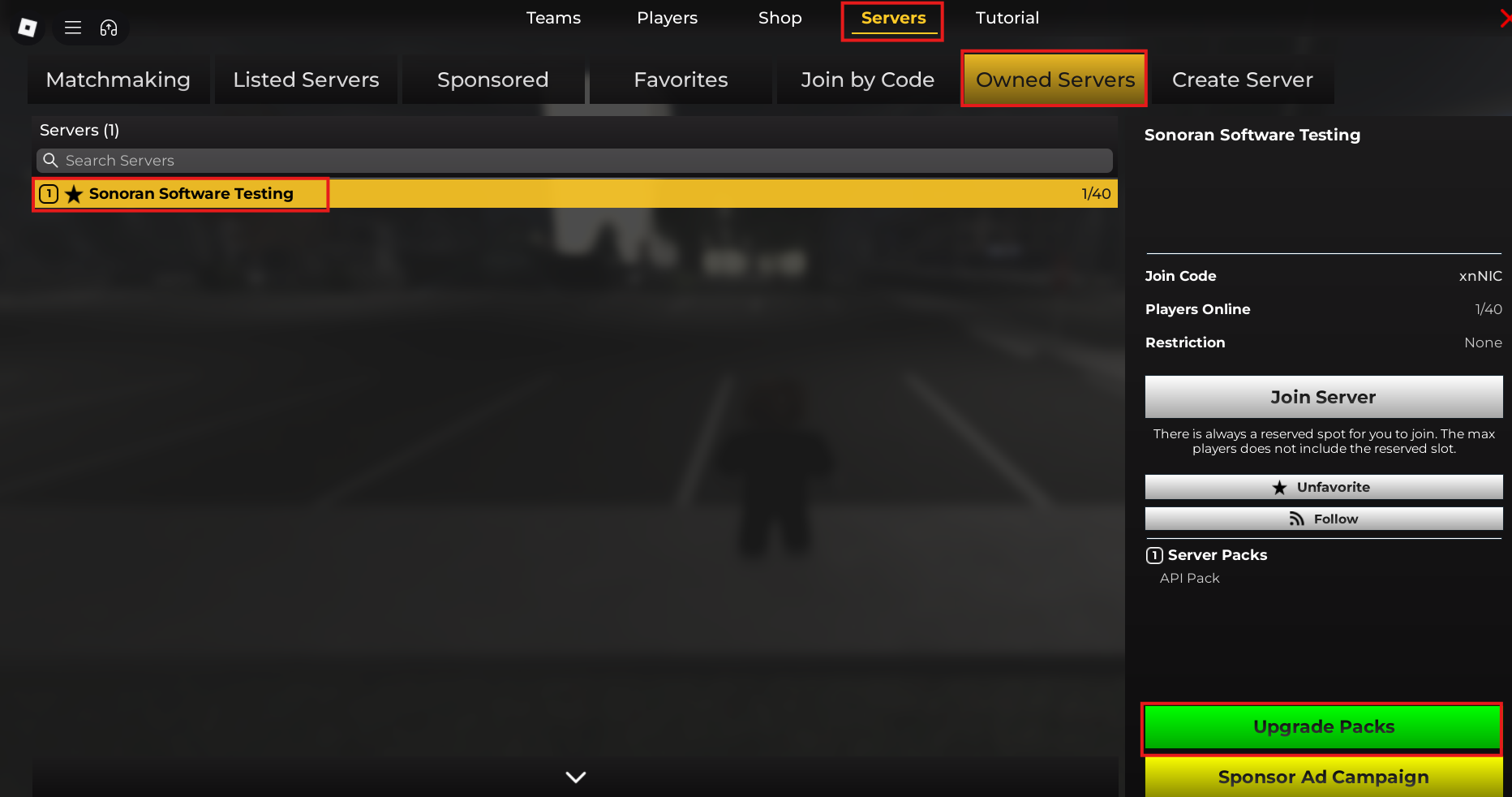
ER:LC grants API access as a paid upgrade.Once in-game, select the Menu button at the top right > Servers > Owned Servers > Select your private server > Upgrade Packs > API Pack.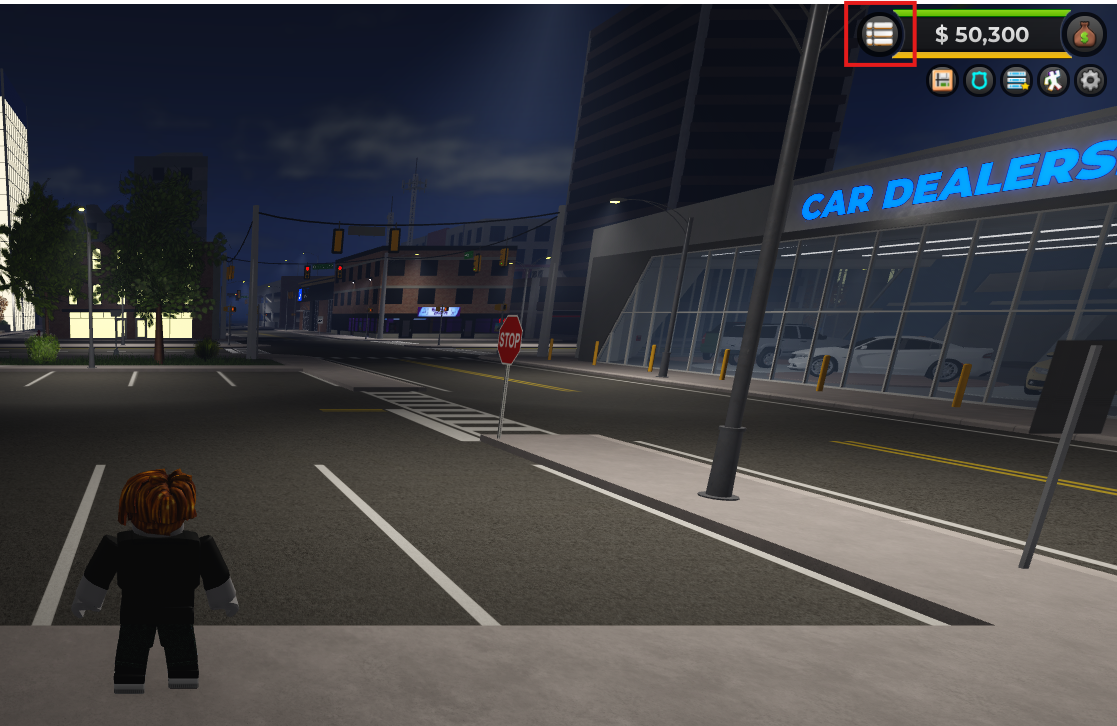
 Once in your private ER:LC server, open the Server Info tab.Select Edit Server Settings > Navigate To ER:LC API > Select Edit to Copy.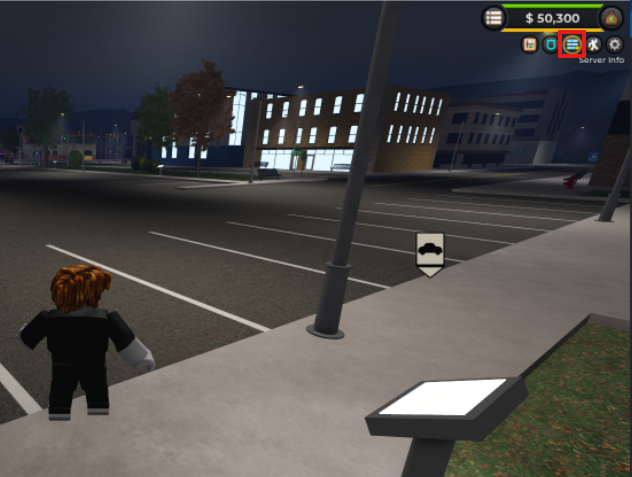
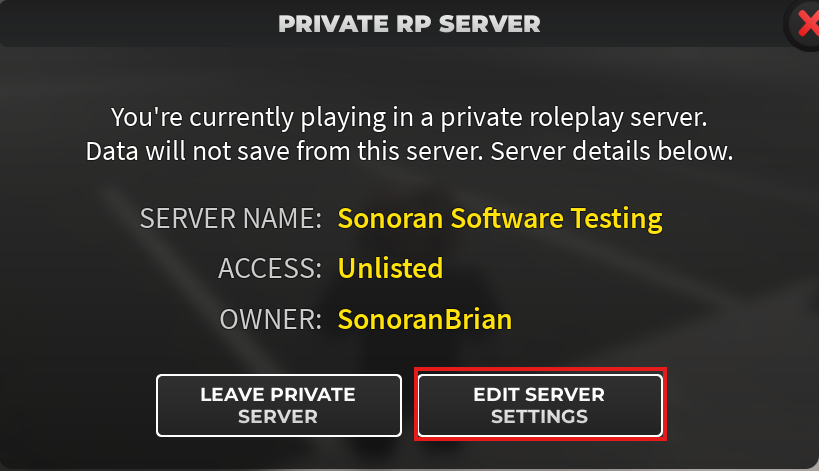
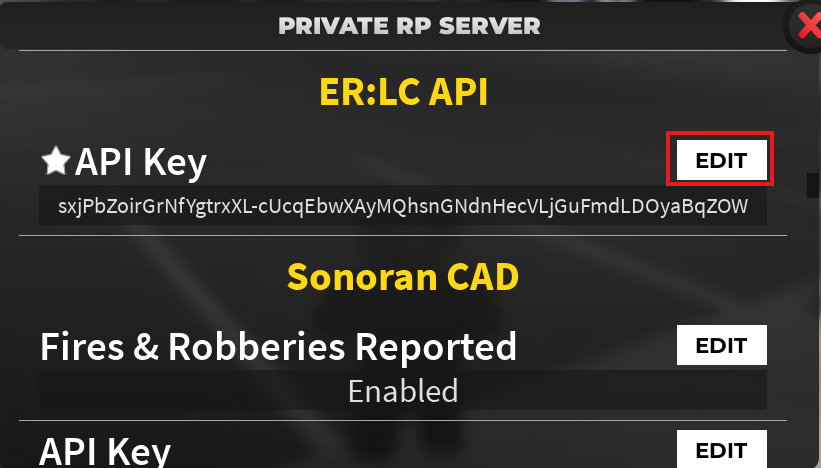
Once in your private ER:LC server, open the Server Info tab.Select Edit Server Settings > Navigate To ER:LC API > Select Edit to Copy.
- Link ER:LC to Sonoran CAD
Linking ER:LC to Sonoran CAD
Linking ER:LC to Sonoran CAD
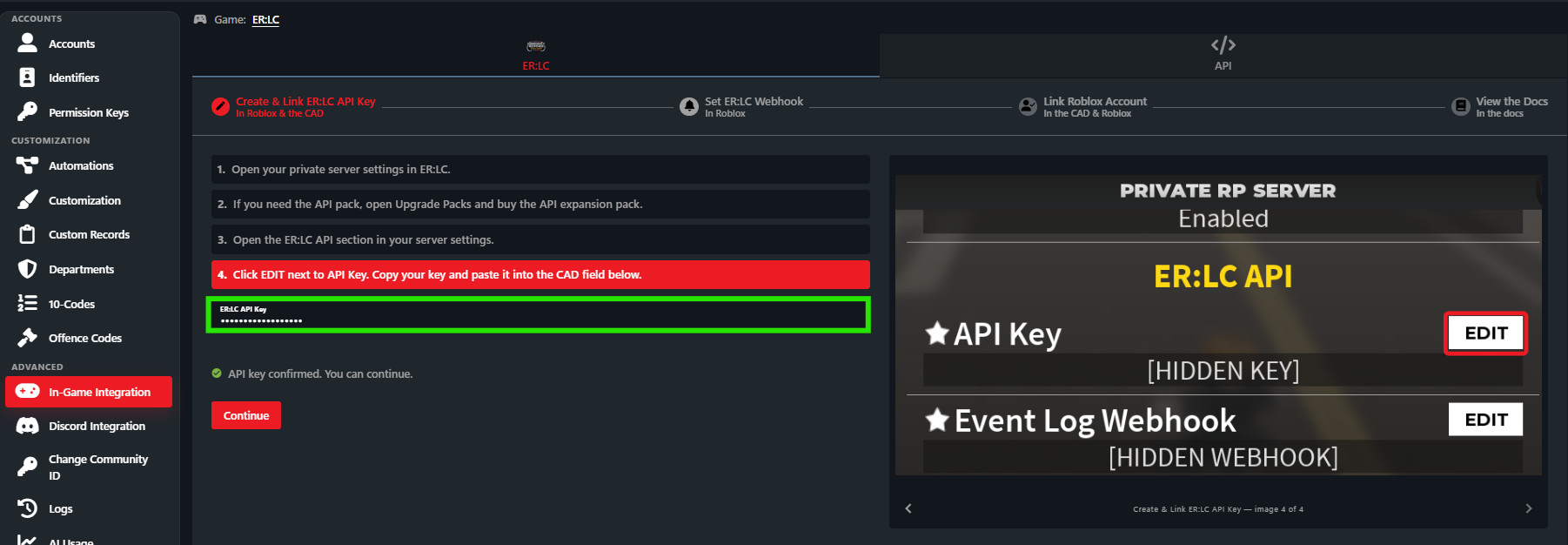
- In the CAD, navigate to Admin > Advanced > In-Game Integration.
- At the top right, make sure Game: ER:LC is selected.
- Select the ER:LC tab and Start Setup.
- Select Start Setup and paste your ER:LC API Key in.
- Link ER:LC Event Webhooks to Sonoran CAD
Link ER:LC Event Webhooks to Sonoran CAD
Link ER:LC Event Webhooks to Sonoran CAD
ER:LC sends Sonoran CAD events for custom commands like traffic stops and vehicle registrations. Additionally, in-game events for robberies, fires, etc. are also sent.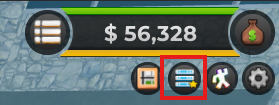
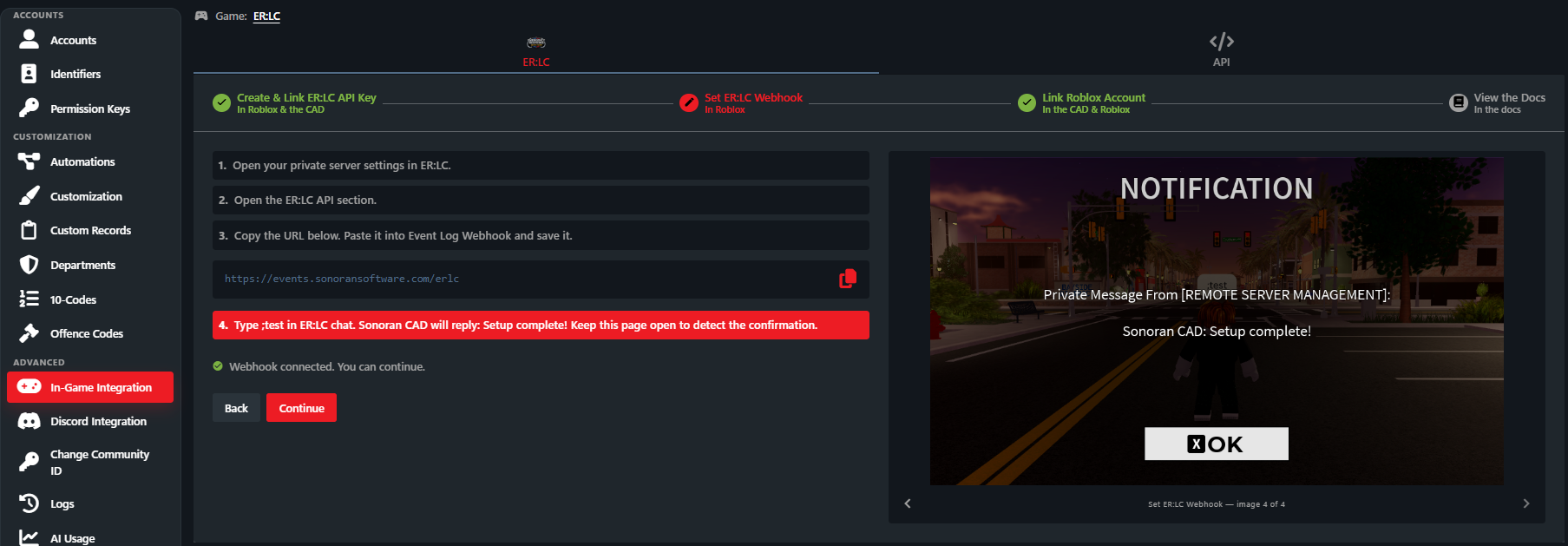 Webhook ErrorsThe ER:LC API may be experiencing a partial outage—this is common after weekend game updates. If you see a red error when setting the Event Log Webhook, it’s likely due to this issue.This outage is on the ER:LC side, not Sonoran CAD. When we’re notified, we’ll relay the issue to the PRC/ER:LC development team and keep you updated as more information becomes available.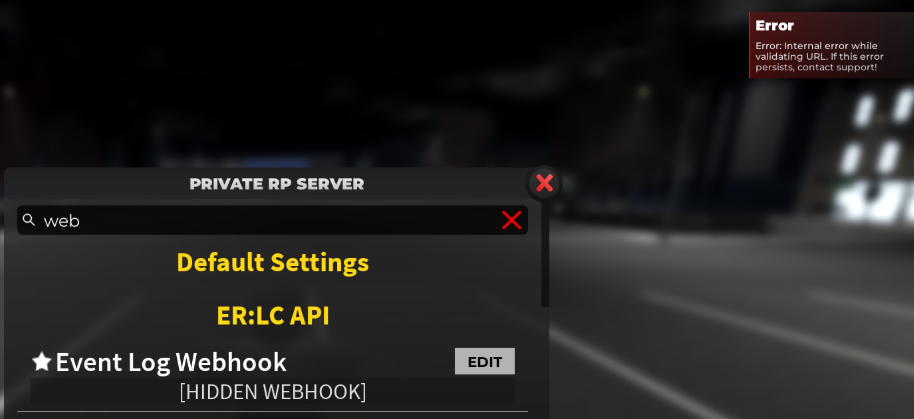
- Open the Server Info
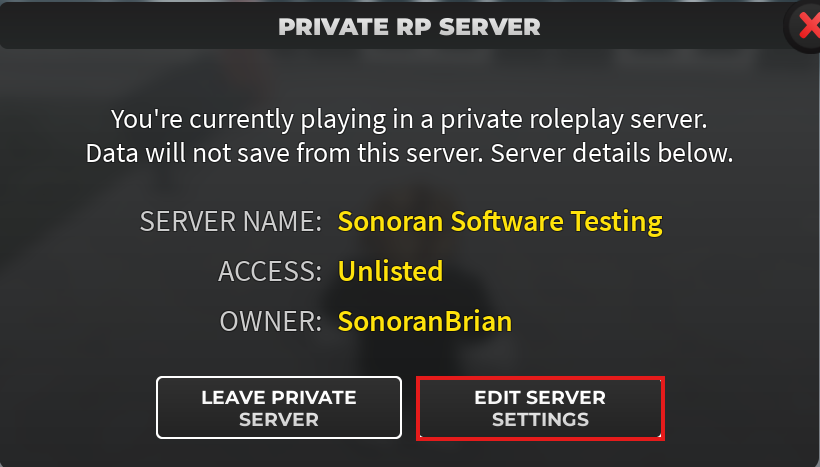
- Select Edit Server Settings
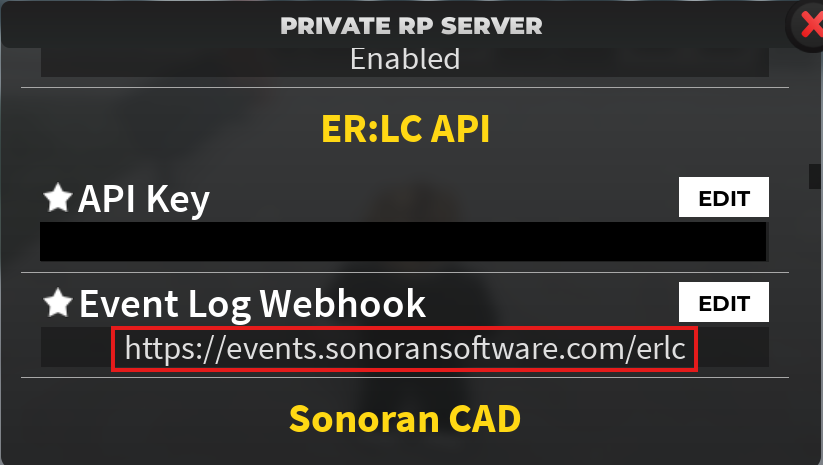
- Under ER:LC API > Event Log Webhook > Edit
- Paste:
https://events.sonoransoftware.com/erlc
- Paste:
- In the in-game chat, enter
;testto verify.
Webhook ErrorsThe ER:LC API may be experiencing a partial outage—this is common after weekend game updates. If you see a red error when setting the Event Log Webhook, it’s likely due to this issue.This outage is on the ER:LC side, not Sonoran CAD. When we’re notified, we’ll relay the issue to the PRC/ER:LC development team and keep you updated as more information becomes available.Linking your Roblox Account
Players must link their Roblox account to their Sonoran account in order to use in-game integrations. Once linked, the Sonoran account can be used for ER:LC integrations across Sonoran CAD, CMS, and radio.Linking Roblox to Sonoran
Linking Roblox to Sonoran
If a user in an ER:LC linked community does not have their Roblox account linked, the Roblox Account Link Required banner will display at the top of the screen. Press the red Link button to redirect to Roblox and link your account. Pressing Link will open up a window to login and link with Roblox:
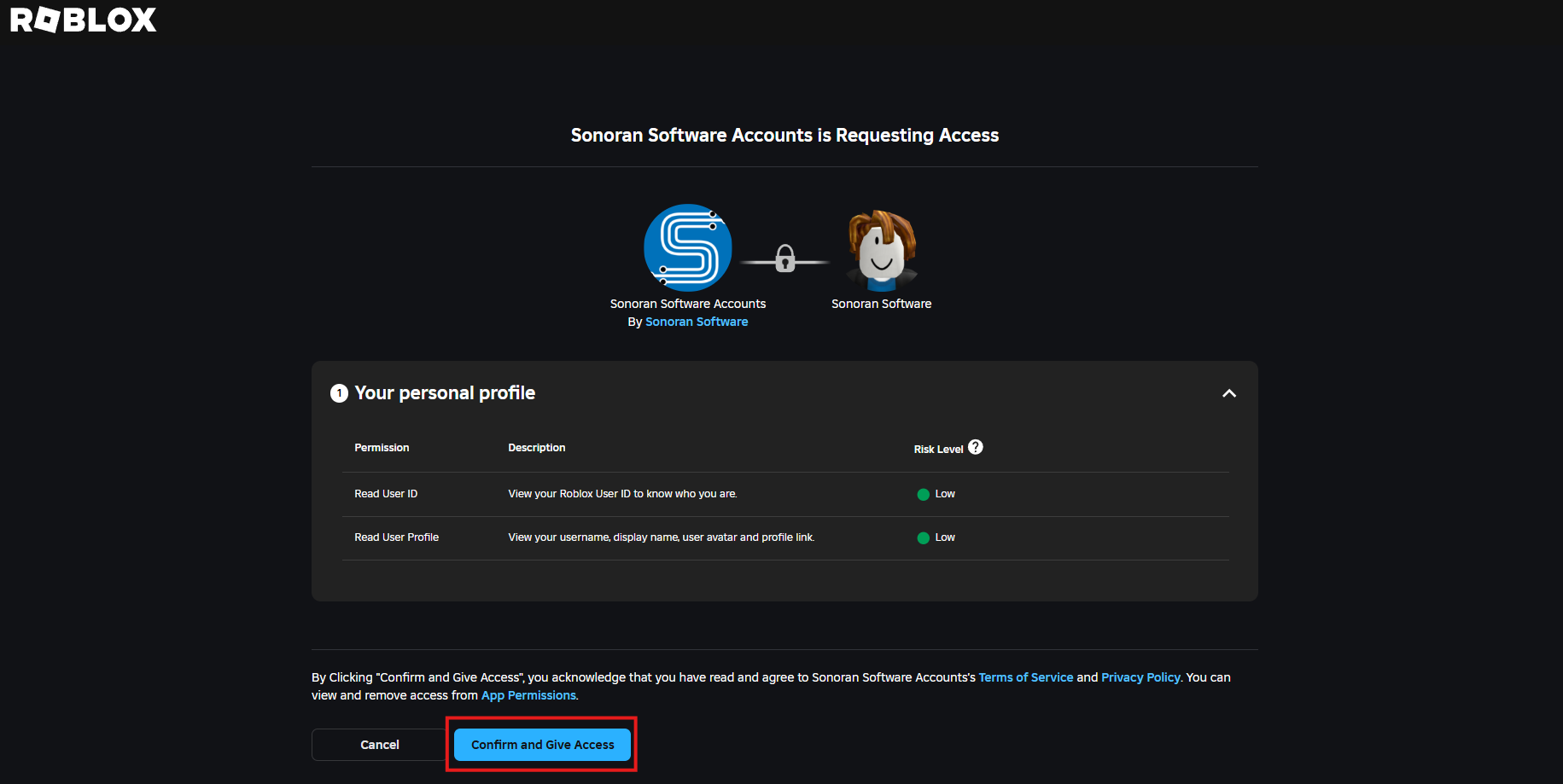 Once linked, return to the CAD and press Refresh. The banner disappears when your linked account is detected.
Pressing Link will open up a window to login and link with Roblox:Once linked, return to the CAD and press Refresh. The banner disappears when your linked account is detected.