ER:LC Vehicle Registration
Automatically register vehicles using an in-game command!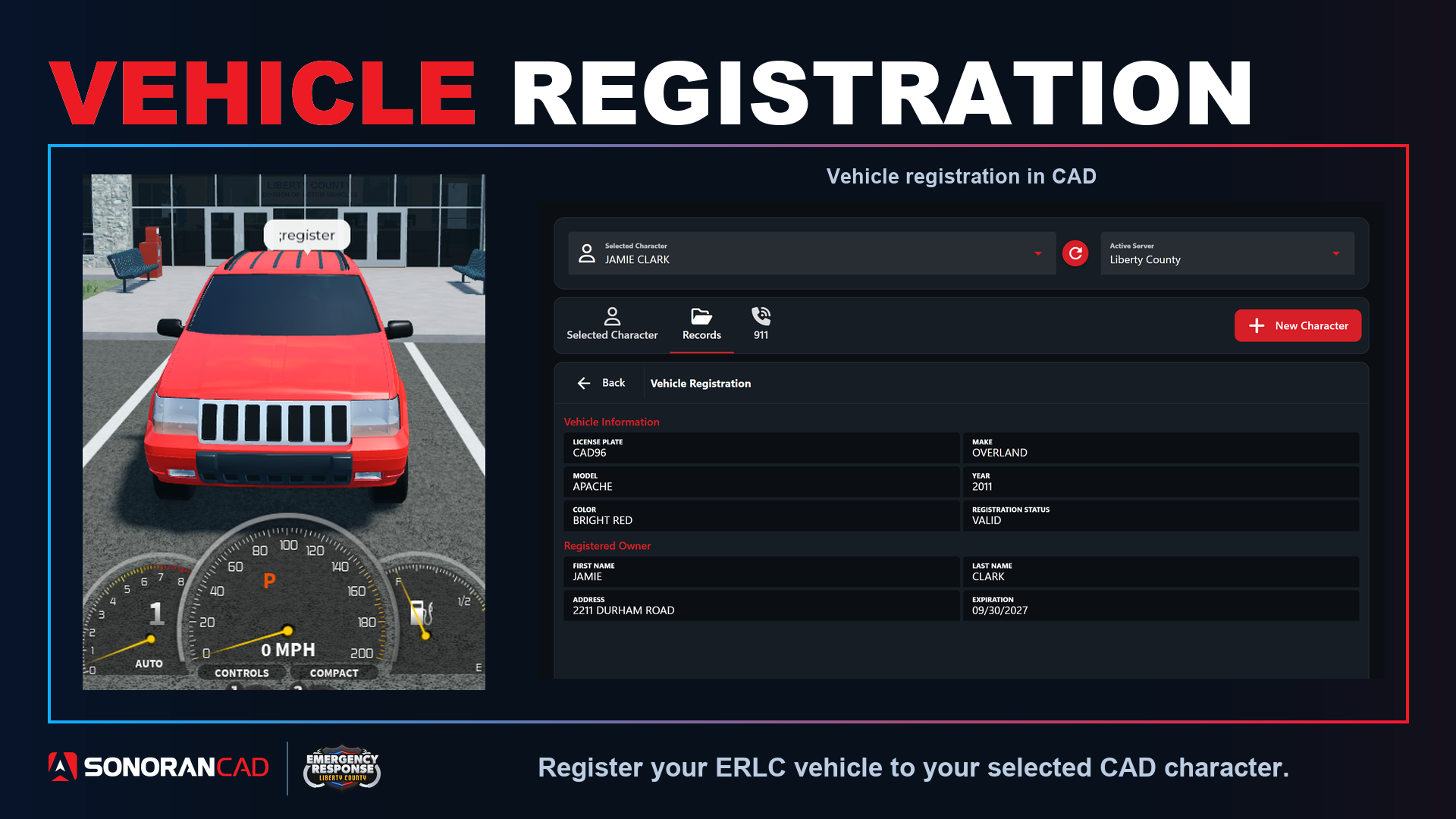
Civilian Panel Access
Automatically register your current vehicle via the civilian panel.Civilian Panel Automatic Registration
Civilian Panel Automatic Registration
Users can automatically register their current vehicle via the civilian panel.
- Create and Select a Character
- Trigger ER:LC Automatic Registration
- Civilian > DMV > ER:LC Automatic Registration
- View the Registration
- Select the Records button to search and view your new vehicle registration.
In-Game Registration Command Configuration
Register a vehicle via a custom in-game command.Persistent Registration
In-Game Persistent Registration Command
In-Game Persistent Registration Command
When the registration command is ran a new vehicle registration will be created under the user’s currently selected character in the CAD. The registration information will include the character information, license plate, make, and color.If the user already has this license plate registered under any of their characters, the registration will be moved to the currently selected character and the vehicle information will be updated.
Temporary Registration
In-Game Temporary Registration Command
In-Game Temporary Registration Command
Running the temporary registration command will perform the same actions as above. However, the registration record will be automatically deleted after 24 hours.
Note: Vehicle Registration Persistence
Vehicles purchased in public ER:LC servers persist their license plate across public and private servers. If a vehicle is purchased in a private server, vehicles are not persisted and are removed when the user leaves the game. For private server vehicles, it is best to use the temporary registration command.CAD Permission Requirements
Users in-game must first register a character in the CAD. This can be done with or without a CAD account all from an in-game command or in the CAD.Using the In-Game Commands
When in-game, users can run the customizable vehicle registration commands followed by the license plate on the vehicle. Ex:;register
Once the registration has been created in the CAD, users will be notified by an optional in-game message.
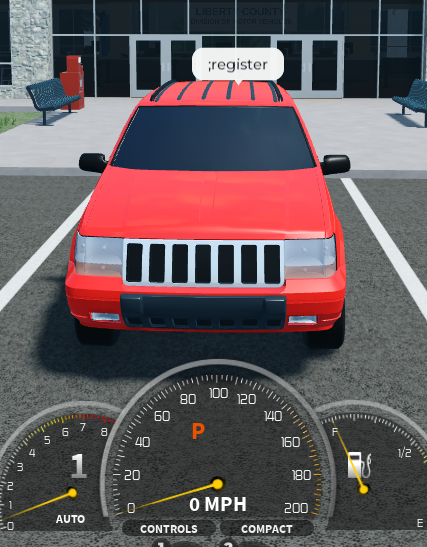
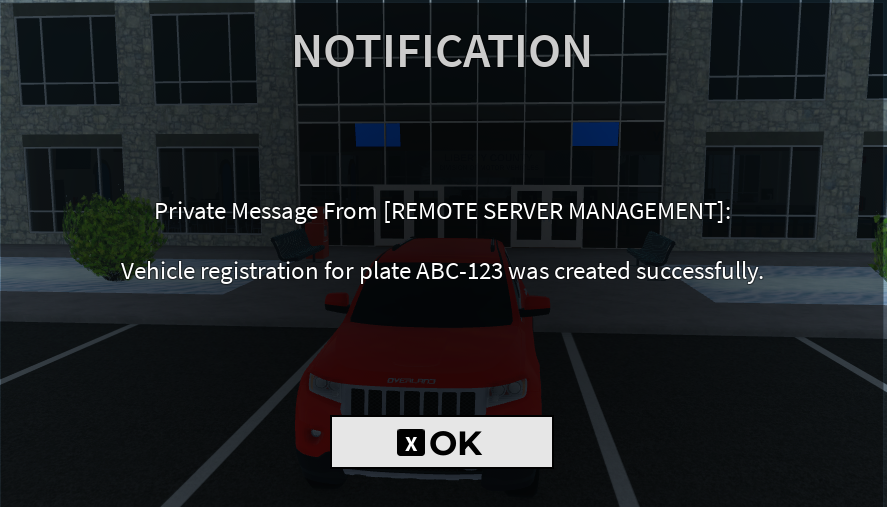
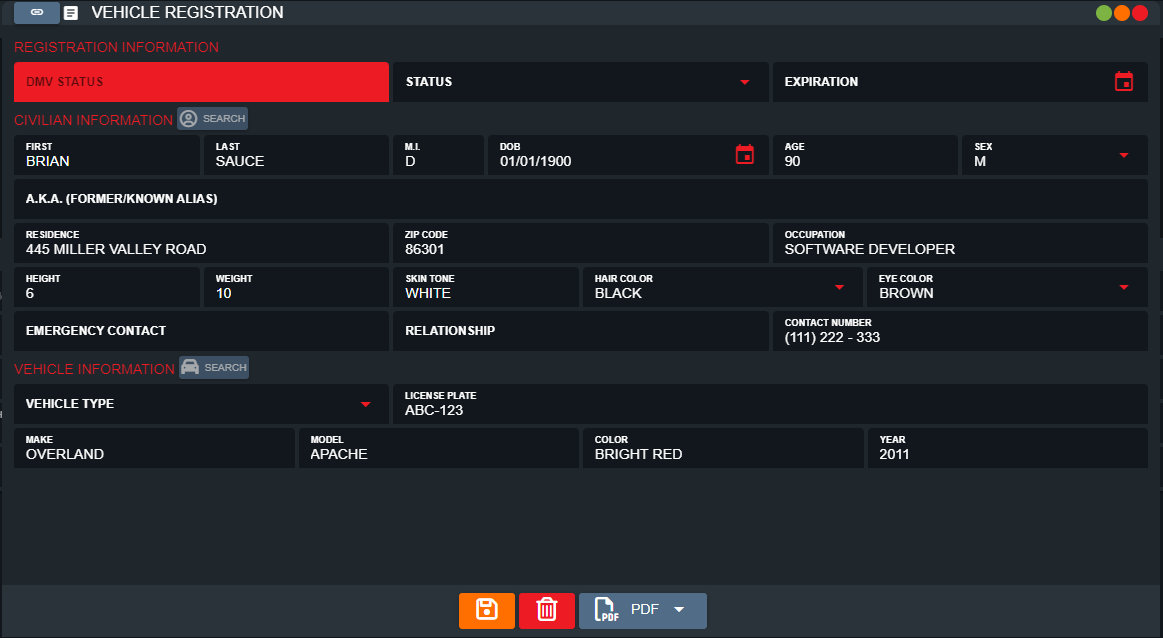 In-game commands not working? Make sure you have connected the webhook.
Customize the In-Game Commands
In-Game commands can be customized under Admin > In-Game Integration > ER:LC > Server > Vehicle Registration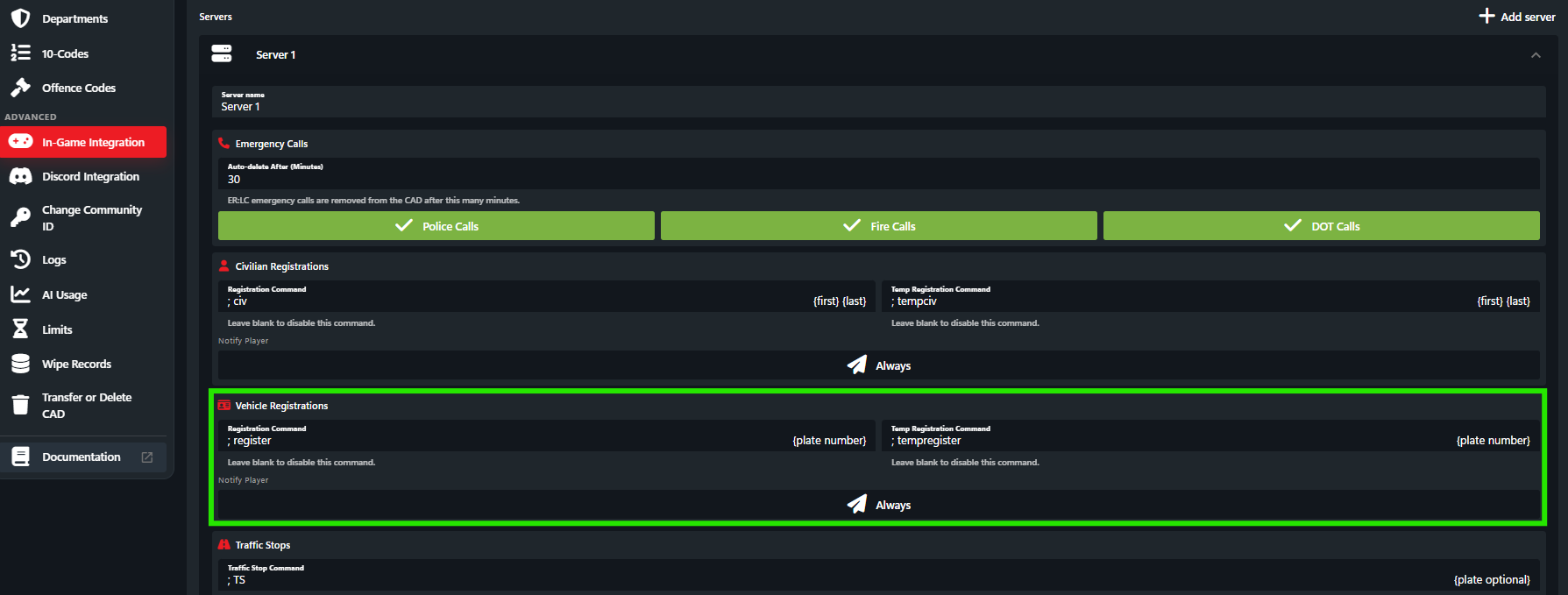
Troubleshooting
Registration Fields Blank
Registration Fields Blank
Registration Fields Blank
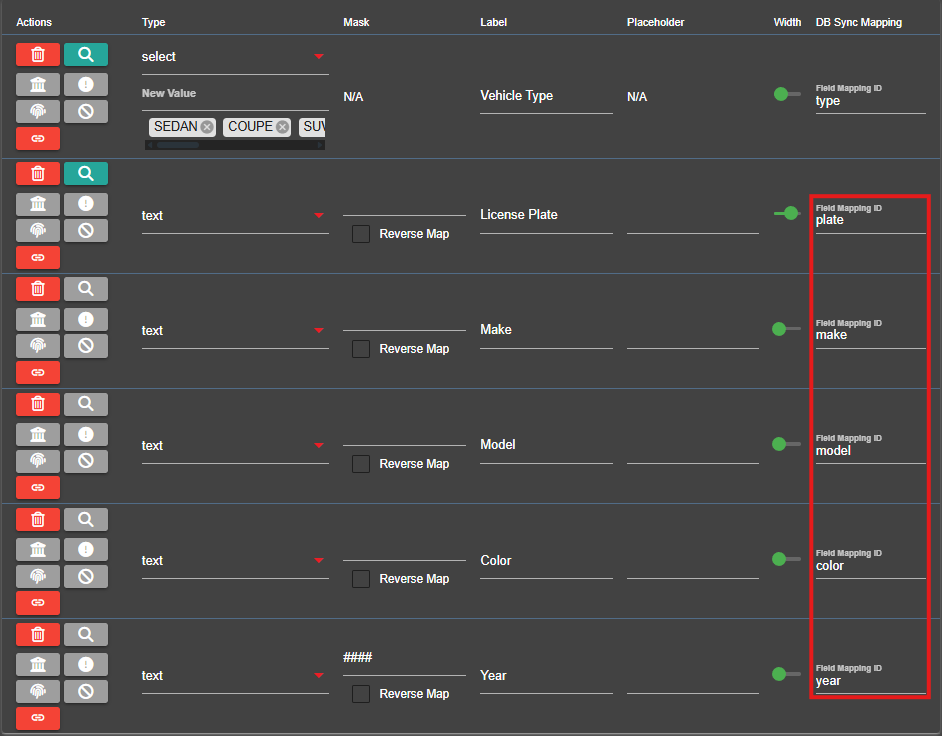
In order for Sonoran CAD to know where to place information (license plate, color, etc.) in your custom record fields, the field IDs must match.