

What are penal codes?
Penal Codes Explained
Penal Codes Explained
Penal codes can easily be referenced and cited in records/reports as charges.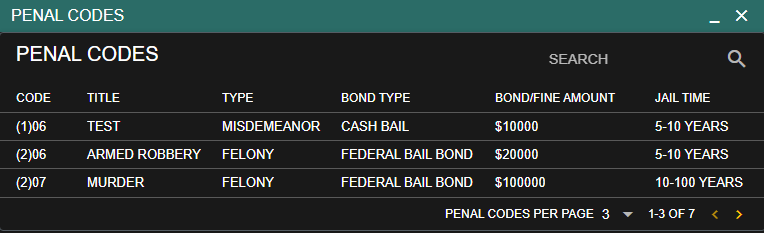

You can create your own “Charge Type” options for penal codes. If your country does not have “felonies” you can edit or remove this option.You can also use the “Auto Sort” feature to quickly format the order of these charge types.Be sure to hit “Save” before exiting the page.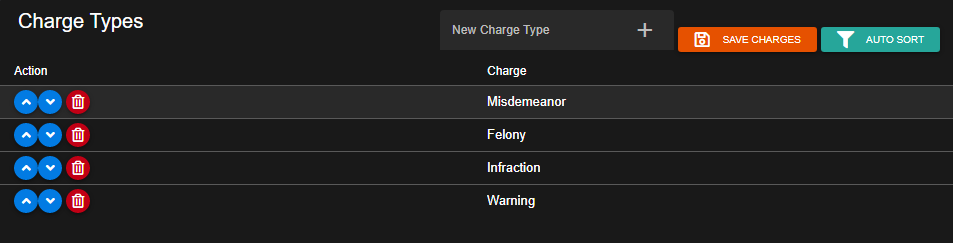
You can create your own “Bond’/Bail Type” options for penal codes. Again, if your country does not use these, you can edit or remove them as needed.You can also use the “Auto Sort” feature to quickly format the order of these charge types.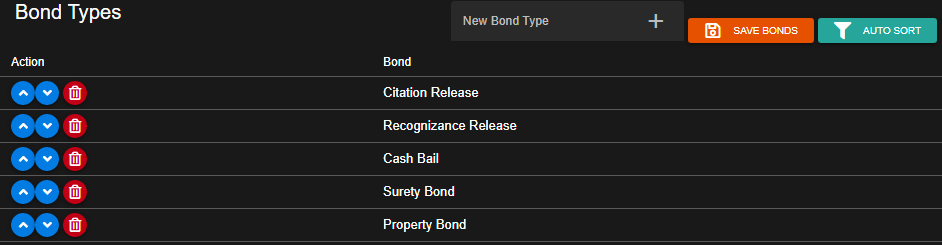
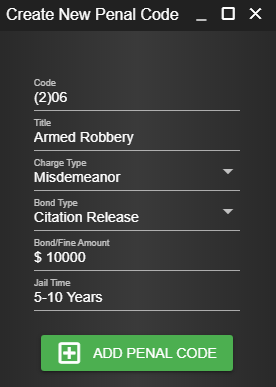
Adding, editing, or removing a penal code is easy. Simply click on the existing code to edit it, or press “New Penal Code” to create a new one.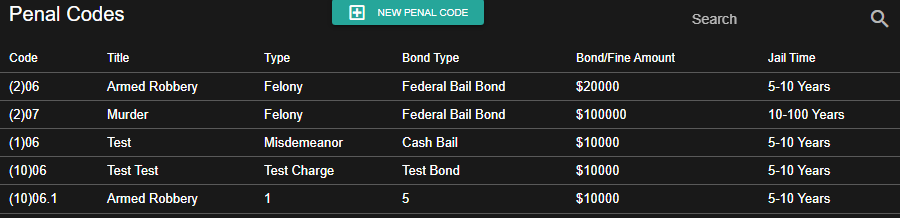
Sonoran CAD allows you to change the naming of “Penal Codes” to anything else you’d like.
Learn more about our geographical customization.
- Charge Types
You can create your own “Charge Type” options for penal codes. If your country does not have “felonies” you can edit or remove this option.You can also use the “Auto Sort” feature to quickly format the order of these charge types.Be sure to hit “Save” before exiting the page.
- Bond Types
You can create your own “Bond’/Bail Type” options for penal codes. Again, if your country does not use these, you can edit or remove them as needed.You can also use the “Auto Sort” feature to quickly format the order of these charge types.
- Penal Codes
Adding, editing, or removing a penal code is easy. Simply click on the existing code to edit it, or press “New Penal Code” to create a new one.
- My locality doesn’t call them “Penal Codes”
Sonoran CAD allows you to change the naming of “Penal Codes” to anything else you’d like.Learn more about our geographical customization.
Import from Premade Spreadsheet (CSV)
We’ve compiled realistic, roleplay-focused penal code spreadsheets for all 50 US states and several popular international jurisdictions. Select a direct download below, then import the CSV into the CAD.United States \u2014 all 50 states
United States \u2014 all 50 states
International jurisdictions
International jurisdictions
Import from Customized Spreadsheet (CSV)
Custom Spreadsheet Import
Custom Spreadsheet Import
Sonoran CAD allows you to easily import your penal codes from a spreadsheet (.CSV) file.
Navigate to our official penal code Google sheet and make a copy. Using a copy of our official sheet ensures your penal codes are formatted correctly.You may ONLY use the Google sheet directly. Editing this via Excel or any other program is NOT supported.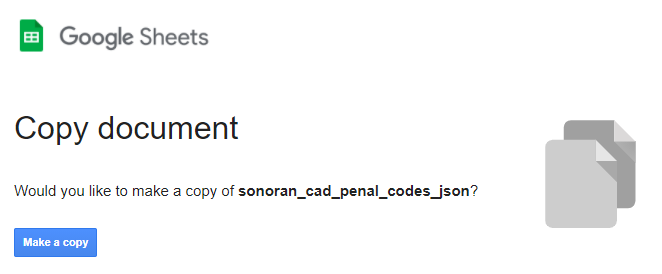
Now that you have copied this sheet into your Google Drive, you can add new rows and format your penal codes.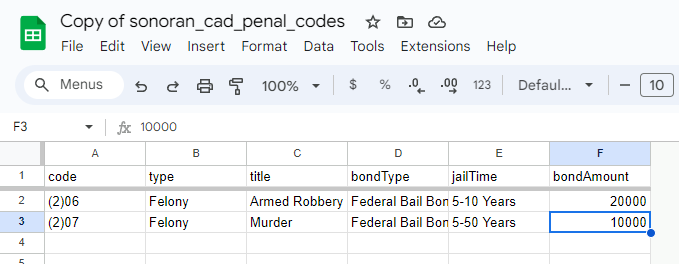
In Google Sheets, navigate to File > Download > Comma Separated Values (.csv) to download the file.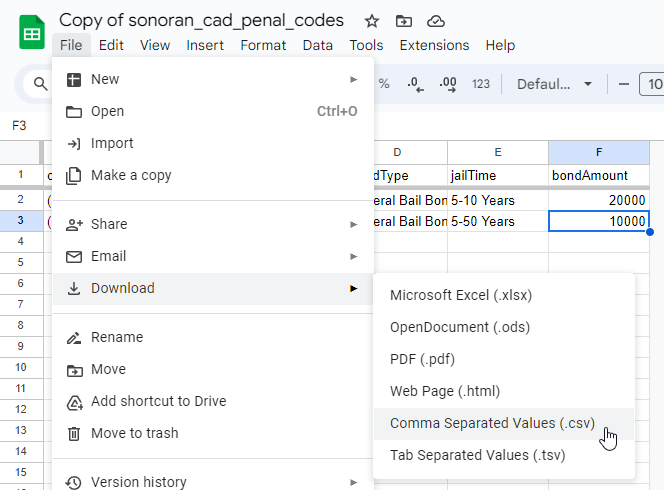
In Sonoran CAD, navigate to Admin > Customization > Penal CodesIn the penal codes section, select the “Import” button.
Then, select “CSV” as the import type and select your downloaded CSV file.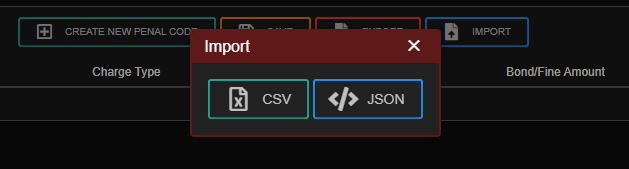
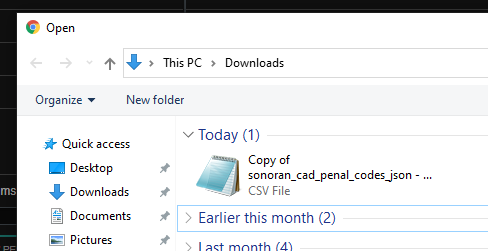 After selecting the CSV file, your penal codes will be imported into the CAD and saved automatically.
- Copy the Google Sheet
Navigate to our official penal code Google sheet and make a copy. Using a copy of our official sheet ensures your penal codes are formatted correctly.You may ONLY use the Google sheet directly. Editing this via Excel or any other program is NOT supported.
- Add Your Penal Codes
Now that you have copied this sheet into your Google Drive, you can add new rows and format your penal codes.
- Download the CSV
In Google Sheets, navigate to File > Download > Comma Separated Values (.csv) to download the file.
- Import the CSV File
In Sonoran CAD, navigate to Admin > Customization > Penal CodesIn the penal codes section, select the “Import” button.Then, select “CSV” as the import type and select your downloaded CSV file.
After selecting the CSV file, your penal codes will be imported into the CAD and saved automatically.Troubleshooting
Troubleshooting
Having issues importing your CSV? Be sure you are using and editing our Google Sheet with the Google Sheets program only.Our Google sheet includes specific error checking and validation to handle common mistakes.
Support is not provided if you are using Excel, or any other program.
Support is not provided if you are using Excel, or any other program.
Import from JSON
JSON Import
JSON Import
You can also build and format your penal codes directly into JSON. These JSON formatted penal codes can be sent via our API endpoint, or pasted directly into the UI for a more user-friendly experience.
The JSON structure is an object array. Be sure to strictly follow the format. All keys are strings, with the exception of
In Sonoran CAD, navigate to Admin > Customization > Penal CodesIn the penal codes section, select the “Import” button.
Then, select “JSON” and paste the JSON object array of penal codes.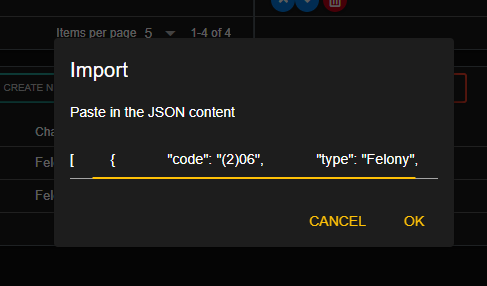 After pasting the JSON content, your penal codes will be imported into the CAD and saved automatically.
- Format the JSON Structure
The JSON structure is an object array. Be sure to strictly follow the format. All keys are strings, with the exception of bondAmount being a number.
- Import the JSON Structure
In Sonoran CAD, navigate to Admin > Customization > Penal CodesIn the penal codes section, select the “Import” button.Then, select “JSON” and paste the JSON object array of penal codes.
After pasting the JSON content, your penal codes will be imported into the CAD and saved automatically.