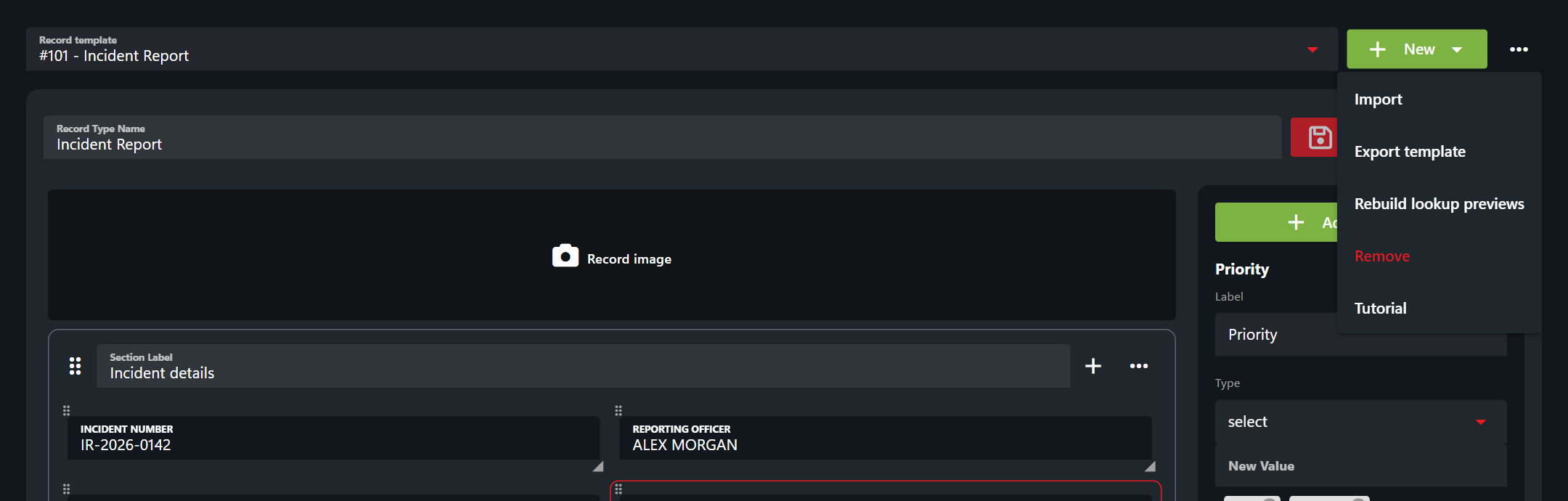
# Sharing Custom Records

### Download the JSON File

In the custom record editor (Admin > Customization > Custom Records) select the blue download button next to the custom record. This will download a .json file with the custom record formatting.<br>

*Do not edit this JSON formatting unless you are highly familiar with the* [*proper formatting*](https://docs.sonoransoftware.com/cad/api-integration/api-endpoints/general/custom-records#record-formatting)*. It is highly recommended to edit everything in the UI editor only.*

![Sonoran CAD - Download Custom Record Format](https://232668649-files.gitbook.io/~/files/v0/b/gitbook-legacy-files/o/assets%2F-M4pGN81fb4R6zFhodcu%2F-MKXIi5NoJD1_swJDOT3%2F-MKXJ_2L9EAKS2JRzAwK%2Fimage.png?alt=media\&token=c0723e85-8803-43b3-b369-0fa69960fe47)

### Import a Shared JSON File

In the custom record editor (Admin > Customization > Custom Records) select the blue download button next to the custom record. This will download a .json file with the custom record formatting.

![Sonoran CAD - Import Custom Record JSON File](https://232668649-files.gitbook.io/~/files/v0/b/gitbook-legacy-files/o/assets%2F-M4pGN81fb4R6zFhodcu%2F-MKXK55DHhMnGgYZsMB5%2F-MKXKX97jp5RpaQSlkX2%2Fimage.png?alt=media\&token=9a5a27b0-77a7-4d21-815e-ac04f312643f)

Paste in the JSON content from the download to populate the record editor with the new record format.

![Sonoran CAD - JSON Import Prompt](https://232668649-files.gitbook.io/~/files/v0/b/gitbook-legacy-files/o/assets%2F-M4pGN81fb4R6zFhodcu%2F-MKXK55DHhMnGgYZsMB5%2F-MKXLMp6105XVsuRNLlo%2Fimage.png?alt=media\&token=29daf9a0-910c-487a-b5b6-fd6068378f63)

From here, you can [edit the custom record and save it](https://docs.sonoransoftware.com/cad/tutorials/customization/creating-custom-record-and-report-types) as you normally would.